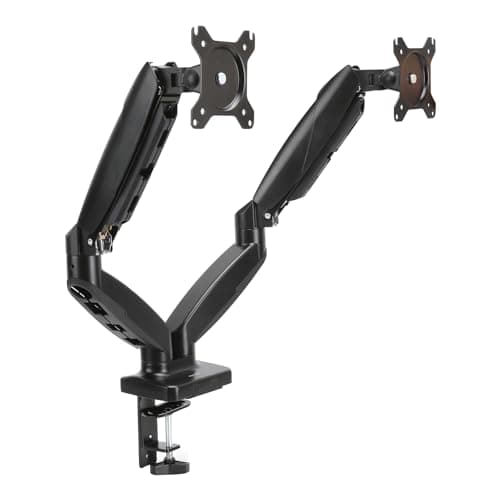
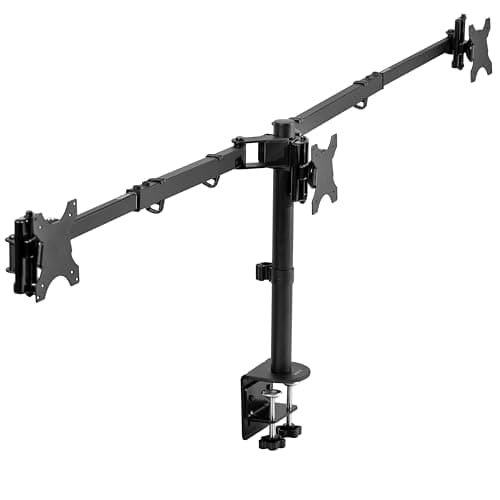
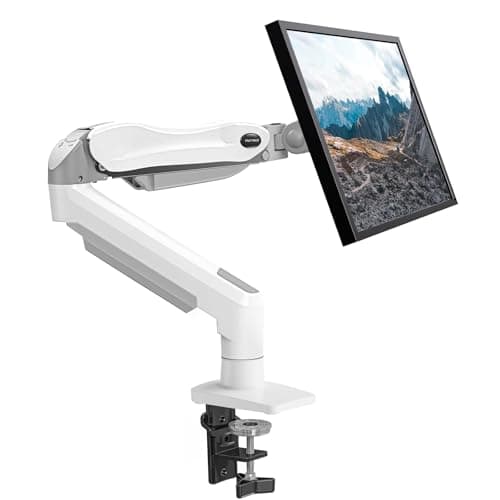
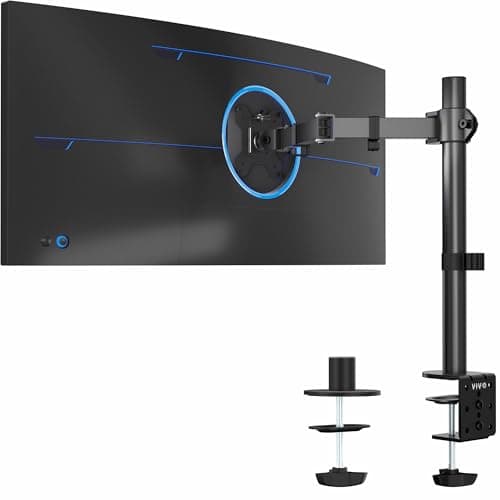
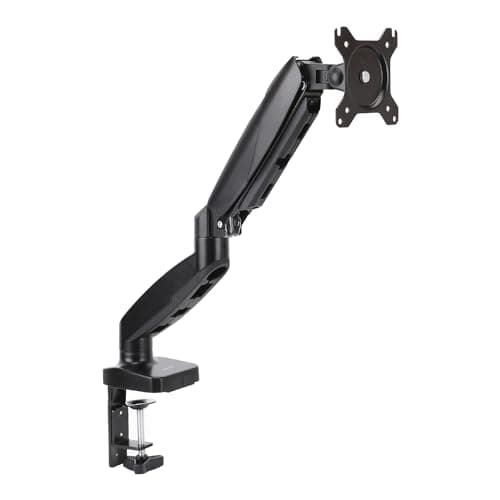
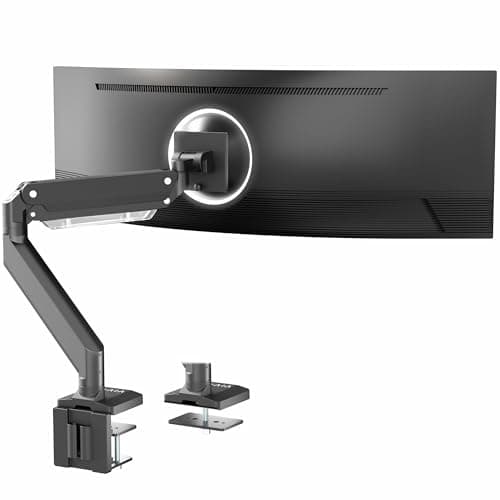
For one screen under $100 the arm to buy is the VIVO Premium Aluminum Ultrawide Arm (STAND-V101G1): 33 lb of published capacity, 13 inches of pneumatic travel and an aluminum build, which is the only combination at this price that does not ask you to choose between capacity and movement. The budget pick is the Amazon Basics Gas Spring Single Monitor Arm — the cheapest arm here that still delivers the whole point of an arm, which is the top of the screen at eye level and the desk depth under it handed back. If there are two screens on the desk, the Amazon Basics Gas Spring Dual Arm is the pick; if there are three, the VIVO Premium Triple Mount (STAND-TS03C) is the only three-screen mount that stays under the cap with 22 lb per monitor behind it.
A hundred dollars is an unusually interesting number in monitor arms, because it is roughly where the market stops selling you a mechanism and starts selling you a screen count. Spend it all on one arm and you get metal, a long travel range and real capacity. Spread it across two or three screens and you get stamped steel, a shorter range and a tension screw you will revisit. Neither is wrong. What is wrong is finding out which one you bought after the box is open.
The specification that decides it: the floor, not the ceiling
Every arm on this page is counterbalanced, which means a spring is pushing up against the weight of your monitor. Published weight ranges therefore have a bottom as well as a top, and the bottom is the one that catches people. A panel lighter than the floor of the range gets pushed upward and will not stay where you put it, no matter how far you back the tension screw off. The HUANUO single mount below publishes a 4.4 lb floor, the lowest here; a modern 24-inch panel without its stand can sit under 7 lb, which is already below where several premium arms begin.
| Arm | Screens | Published weight | VESA | Right for |
|---|
| VIVO Premium Aluminum (STAND-V101G1) | One | Up to 33 lb | 75 × 75, 100 × 100mm | A heavy or wide single panel |
| Amazon Basics Gas Spring Dual | Two | Not published | 75 × 75, 100 × 100mm | Two screens, one clamp |
| VIVO Premium Triple (STAND-TS03C) | Three | 22 lb per monitor | 75 × 75, 100 × 100mm | A three-screen wall |
| HUANUO Single Monitor Mount | One | 4.4 to 17.6 lb | 75 × 75, 100 × 100mm | A light panel that will not stay down |
| VIVO Single Ultrawide Arm (13-38″) | One | Not published | 75 × 75, 100 × 100mm | A 34 to 38 inch panel, cheaply |
| Amazon Basics Gas Spring Single | One | Up to about 17.6 lb | 75 × 75, 100 × 100mm | Budget pick — the core job |
Two of the six publish no weight figure we could read at source, and we have said so rather than filling the cell with an estimate. On those two, the honest move is to weigh the panel without its stand, assume a working ceiling around 17 lb for a stamped-steel gas-spring arm, and buy the VIVO Premium instead if your screen is anywhere near that.
What $100 does not buy on a monitor arm
- A constant-force mechanism. Every arm here is a gas spring with a tension screw you set with an Allen key, and reset as the spring relaxes. The one-finger, no-fiddling movement is what the premium arms are selling — our Ergotron LX alternatives page works through exactly what that mechanism is worth and who should pay for it.
- A 200 × 200mm VESA pattern. All six stop at 100 × 100mm. Large and heavy panels sometimes use the bigger square, and no adapter plate makes a 17 lb arm safe under a 30 lb screen. VESA mount sizes explained is the check to run on the back of your monitor first.
- Height for a very heavy screen. Capacity and travel trade against each other at this price. If the panel is a 49-inch super-ultrawide, this is the wrong page — arms for ultrawide screens ranks the mounts that carry 44 lb and up.
- An excuse to skip the desk check. A clamp needs a few inches of clear, flat desk edge and a top it can grip without crushing. The triple mount below wants a 39 to 65 inch arm span, which is a desk-width question before it is an arm question.
Price check. 6 of the 6 picks below were listed under $100 on Amazon as of November 21, 2026— the figure on each buy button is the live one, and where we have no verified price we show none rather than a number that has rotted.
The short answer
Quick picks
| # | Product | Best for | Score | Price |
|---|
| 01 | | Best overall - a heavy or wide single panel | | $84.99·Amazon |
| 02 | Amazon Basics Gas Spring Dual Monitor ArmTwo screens on one post and one clamp, inside half the cap. Per-arm tension screws mean you can set each side for a different panel weight, which is the thing two single arms cannot do neatly. | Best for two screens | | $52.49·Amazon |
| 03 | VIVO Premium Triple Monitor Desk Mount (STAND-TS03C)The only three-screen mount that stays under the cap with a published per-monitor figure behind it: 22 lb each, telescoping arms, and a span that will take a 34 to 38 inch center panel flanked by two smaller screens. | Best for three screens | | $89.99·Amazon |
| 04 | HUANUO Single Monitor Mount (13-32", Gas Spring)The pick for a light panel. Its published range starts at 4.4 lb, the lowest floor on this page, so it is the arm that will actually hold a modern lightweight 24-inch screen down instead of pushing it up. | A panel too light for other arms | | $42.99·Amazon |
| 05 | VIVO Single Ultrawide Monitor Arm (13-38")The cheapest route to a 34 to 38 inch panel on an arm. VIVO publishes the screen range but no weight figure, so this is the pick when the panel is wide and light, and the wrong one when it is wide and heavy. | A 34 to 38 inch panel, cheaply | | $34.99·Amazon |
| 06 | Amazon Basics Gas Spring Single Monitor ArmThe budget pick, and the one that proves most of the benefit is not the badge. Full tilt, swivel and rotation for a screen up to 32 inches, at a fraction of the cap - buy this and spend the rest on the desk. | Budget pick - the core job, cheapest | | $35.99·Amazon |
#ad · Live prices from the Amazon Product API, as of November 21, 2026. Where we have no verified live price we show none — we would rather leave a gap than print a number that has rotted.
In detail
The picks, in full
Best overall - a heavy or wide single panel
VIVO Premium Aluminum Ultrawide Monitor Arm (STAND-V101G1)
- Weight capacity
- Up to 33 lb
- Screen size
- Ultrawides up to 49"
- VESA
- 75 x 75 & 100 x 100mm
- Height range
- 13" of pneumatic travel
- Motion
- -30 to +45 degree tilt, 180 degree swivel and rotation
- Mount
- Desk clamp or grommet
The most capable arm under $100 and the only one here that publishes both a real capacity figure and a real travel figure - 33 lb and 13 inches of pneumatic movement, in extruded aluminum rather than stamped steel.
- Capacity Headroom
- 9
- Travel Range
- 9
- Build Quality
- 8.6
- Value Under $100
- 8.8
Pros
- +33 lb covers every 34-inch ultrawide and most 38 to 40-inch panels
- +13 inches of pneumatic height travel matches the premium arms
- +Wide -30 to +45 degree tilt range helps square a curved panel to your eyes
- +Clamp and grommet mounts both in the box
Cons
- −33 lb is short of the heaviest 49-inch panels, which is where the HUANUO pulls ahead
- −Pneumatic tension needs periodic readjustment on a heavy screen
Skip this if…
…you are mounting a 49-inch panel at the top of the weight range - buy more capacity than you need
Best for two screens
Amazon Basics Gas Spring Dual Monitor Arm
- Type
- Dual gas-spring arm with adjustable tension
- Mounting
- Desk clamp, 75 x 75mm and 100 x 100mm VESA
- Movement
- Height, tilt, swivel, and rotation
- Adjustment
- Per-arm tension adjustment for different panel weights
- Cable
- Cable routing along the arms
Two screens on one post and one clamp, inside half the cap. Per-arm tension screws mean you can set each side for a different panel weight, which is the thing two single arms cannot do neatly.
- Capacity Headroom
- 7.6
- Travel Range
- 8.2
- Build Quality
- 7.8
- Value Under $100
- 9.4
Pros
- +Gas-spring movement at a price where most rivals switch to friction joints
- +Independent tension per arm handles two monitors of different weights
- +Both common VESA patterns supported without an adapter
- +Straightforward returns and replacement if a unit arrives with a weak spring
Cons
- −Fit and finish are plainly a tier below the Ergotron
- −Tension springs on budget arms are the part most likely to weaken over years
- −Clamp is less accommodating of thick or unusual desk edges
Skip this if…
…the monitors are heavy 32-inch panels, which sit at or beyond the comfortable end of the range
Best for three screens
VIVO Premium Triple Monitor Desk Mount (STAND-TS03C)
- Ultrawide setup
- 34" to 38" center (x1) plus 24" to 27" (x2)
- Standard setup
- 24" to 32" (x3)
- Weight capacity
- 22 lb per monitor
- VESA
- 75 x 75 and 100 x 100mm
- Arms
- Telescoping, 17" to 30"; arm span 39" to 65"
- Mount
- C-clamp or grommet, desktop up to 4" thick
The only three-screen mount that stays under the cap with a published per-monitor figure behind it: 22 lb each, telescoping arms, and a span that will take a 34 to 38 inch center panel flanked by two smaller screens.
- Capacity Headroom
- 9.2
- Travel Range
- 8
- Build Quality
- 8.6
- Value Under $100
- 9
Pros
- +A published ultrawide-plus-dual configuration rather than three equal arms pressed into service
- +22 lb per monitor is the joint-highest rating here, which an ultrawide needs
- +Telescoping arms sit flush against a wall instead of pushing the desk forward
- +4-inch desk thickness limit is the most generous clamp on this list
Cons
- −17.4-inch pole is the shortest here, so the vertical range is limited
- −Telescoping arms trade the free-floating adjustment of a gas spring for stability
- −Minimum 24-inch screens on the standard setup rules out small side panels
Skip this if…
…you want to reposition screens constantly - telescoping arms are set-and-forget by design.
A panel too light for other arms
HUANUO Single Monitor Mount (13-32", Gas Spring)
- Mount
- Desk clamp or grommet
- VESA
- 75 x 75 & 100 x 100mm
- Screen size
- 13 to 32"
- Weight
- 4.4 to 17.6 lb (2 to 8 kg)
- Motion
- Gas spring, tilt and swivel
The pick for a light panel. Its published range starts at 4.4 lb, the lowest floor on this page, so it is the arm that will actually hold a modern lightweight 24-inch screen down instead of pushing it up.
- Capacity Headroom
- 7.2
- Travel Range
- 7.6
- Build Quality
- 7.2
- Value Under $100
- 8.8
Pros
- +Gas spring gives smooth, tool-free height changes at a low price
- +Fits 75 x 75 and 100 x 100mm VESA with clamp or grommet mounting
- +Handles common 24 to 32-inch monitors up to about 17.6 lb
Cons
- −Materials and finish are basic next to premium arms
- −Not rated for the heaviest large-format panels
Skip this if…
…you want long-term durability for a heavy screen, or a genuinely premium fit and finish.
A 34 to 38 inch panel, cheaply
VIVO Single Ultrawide Monitor Arm (13-38")
- Mount
- C-clamp or grommet
- VESA
- 75 x 75 & 100 x 100mm
- Screen size
- 13 to 38" (ultrawide)
- Weight
- Rated for large ultrawides
- Motion
- Gas spring, full articulation
The cheapest route to a 34 to 38 inch panel on an arm. VIVO publishes the screen range but no weight figure, so this is the pick when the panel is wide and light, and the wrong one when it is wide and heavy.
- Capacity Headroom
- 8
- Travel Range
- 8
- Build Quality
- 7.8
- Value Under $100
- 8.6
Pros
- +Rated for large 13 to 38-inch ultrawides that overwhelm lighter arms
- +Gas spring plus a sturdy pole keeps a wide panel steady without droop
- +Both VESA patterns and clamp or grommet mounting are covered
Cons
- −Overbuilt and less graceful for a small, light 24-inch screen
- −A wide panel still needs enough desk depth behind the mount
Skip this if…
…your screen is a light 24 to 27-inch panel - a standard single arm is cheaper and tidier.
Budget pick - the core job, cheapest
Amazon Basics Gas Spring Single Monitor Arm
- Mount
- Desk clamp or grommet
- VESA
- 75 x 75 & 100 x 100mm
- Screen size
- Up to 32"
- Weight
- Up to about 17.6 lb (8 kg)
- Motion
- Gas spring, full tilt/swivel/rotate
The budget pick, and the one that proves most of the benefit is not the badge. Full tilt, swivel and rotation for a screen up to 32 inches, at a fraction of the cap - buy this and spend the rest on the desk.
- Capacity Headroom
- 7
- Travel Range
- 7.8
- Build Quality
- 8
- Value Under $100
- 9.6
Pros
- +Gas spring holds any height smoothly, with no knobs to loosen and retighten
- +Fits both 75 x 75 and 100 x 100mm VESA and clamps or grommets to the desk
- +Handles most 24 to 32-inch monitors up to about 17.6 lb
- +Cable channels keep the run tidy along the arm
Cons
- −Build hardware is a step below premium aluminum arms
- −Weight ceiling rules out the heaviest 34-inch-and-larger panels
Skip this if…
…you are mounting a heavy 34-inch-plus ultrawide, or you want the longevity of a first-tier aluminum arm.
One good arm or two cheap ones?
For two screens, a purpose-built dual arm almost always wins, and not because of the price. Two single arms means two clamps competing for the same stretch of desk edge, and two independent posts that have to be aligned to each other by eye every time one moves. A dual arm shares one post and one clamp, so the panels stay aligned to each other rather than to the desk — how to align dual monitors is the geometry it solves, and the dual arms roundup ranks the field without a cap.
Three checks before you order any arm
- Four screws in a square on the back of the monitor. 75mm or 100mm apart. A lot of consumer panels with decorative stands simply do not have them, and no arm fixes that.
- The panel weight WITHOUT the stand. The figure on the box usually includes the stand, which can be a third of the total. Find the panel-only number in the manufacturer specification, then check it sits inside the arm’s window with margin at both ends — the bottom end included.
- Desk thickness and a clear back edge. The VIVO triple mount above accepts a top up to 4 inches thick; most clamps want between about 0.4 and 2.4 inches and nothing in the way. How to install a monitor arm has the full fit check, including the grommet route when the edge is not usable.
Where the money actually goes
Three things separate the cheapest arm here from a $100 one, and only two of them are visible in a listing. The first is material: extruded aluminum rather than stamped steel, which shows up as less wobble when you type on a standing desk. The second is travel: the VIVO Premium publishes 13 inches of vertical movement, which is the difference between an arm that adjusts and an arm that is just a shorter stand. The third is the joint count and smoothness, which no specification sheet records and which is the main thing owners complain about on the cheapest mounts.
If you are still deciding whether an arm is worth it at all, monitor arm versus stand makes the case in both directions, and monitor height ergonomics gives you the measurement an arm exists to hit. If the desk moves, standing desk wobble matters more than the arm does.
How we picked
We do not run a testing lab
We compiled the published manufacturer specifications, did the ergonomics, VESA and desk-depth math ourselves, and read aggregated owner reviews, then scored each product against a published rubric. The scores are judgments from documented research — they are not measurements we took, because we do not have a lab and we are not going to pretend we do. Every spec traces back to a listing or manual named in Sources.
Questions
Frequently asked
Is a monitor arm under $100 good enough?+
For the main benefit, yes. Getting the top of the screen to eye level and reclaiming the desk depth a stand base was using is what an arm is for, and a budget gas-spring arm does both. What more money buys is the mechanism (one-finger movement with no tension screw), weight and size headroom, and a build that survives a decade of adjustment.
Why will my monitor not stay down on a cheap monitor arm?+
Almost always because the panel is lighter than the bottom of the arm’s published weight range, so the counterbalance is pushing it up. Backing off the tension screw helps only inside the range. The HUANUO single mount above publishes a 4.4 lb floor, which is the lowest on this page and the usual fix for a light 24-inch screen.
Can one arm hold a 34-inch ultrawide?+
Under $100, two here are rated for it: the VIVO Premium Aluminum arm at 33 lb and the VIVO Single Ultrawide arm, which publishes a 13 to 38 inch screen range but no weight figure. Weight is the number that matters, not the diagonal — weigh the panel without its stand and leave margin.
Do I need a clamp or a grommet mount?+
Every arm on this page does both. Use the clamp if the back edge of the desk is clear and the top is between roughly 0.4 and 2.4 inches thick. Use the grommet if the desk already has a cable hole, if the edge is obstructed, or if the top is thin laminate that a clamp would dent.
Receipts
Sources
We do not run a testing lab, and we do not pretend to. Specifications come from the manufacturer or retailer listing; the footprint and clearance math is ours and reproducible. Where we could not verify a number, we say so on the page rather than quietly leaving it out. Read our full method.