Skip to content
Chair & Cable

SECTION 01 · Monitors & Arms

The Best 4K Monitors for Real Work

4K is the density upgrade, not the size upgrade. Here is which panel earns it, what scaling you will actually run, and why the port on the back matters as much as the pixels.

By Stephen V.Updated How we pick
#ad

We earn a commission when you buy through our Amazon links, at no extra cost to you. It never affects our rankings, and we say so when the cheaper product is the better buy. How this works.

The thing nobody tells you about 4K is that it is a density upgrade rather than a size upgrade. Moving from a 27-inch 1440p panel to a 27-inch 4K one does not hand you more desktop; it hands you the same desktop rendered far more finely, because at that size you will almost certainly run display scaling rather than native pixels. That is not a criticism — sharper text over eight hours is a genuine, daily benefit, and it is the reason 4K is worth buying. But it changes what you should be shopping for, because the panel that suits you depends on whether you want density at 27 inches or actual extra workspace at 32.

The second thing that decides a 4K purchase is the port on the back. Four times the pixels of 1080p is a lot of bandwidth, and the difference between a monitor that runs 4K at 60Hz over an old HDMI standard and one that takes a single USB-C cable carrying video, data, and laptop charging at once is the difference between a screen and a dock you happen to look at. For a laptop-driven desk, USB-C with power delivery is not a bonus feature. It is the feature.

So the picks below are organized around three questions rather than a spec ladder. Do you want 4K at 27 inches for sharpness, or 32 inches for room? Does the monitor need to charge and dock your laptop off one cable? And how much color accuracy do you actually need — because the panels aimed at color work cost real money for a benefit most desks never cash in. We rank from published manufacturer specifications and the scaling and viewing-distance math, which is spelled out on how we pick; we do not run a lab.

One caution before the list. A 4K panel is heavier and more valuable than the 1080p screen it replaces, and it deserves better mounting than the plastic stand in the box. Check the VESA pattern before you order — our guide to VESA sizes takes ten seconds to work through, and it is the difference between an arm that fits and one that arrives to be sent back.

The short answer

Quick picks

#ProductBest forScorePrice
01
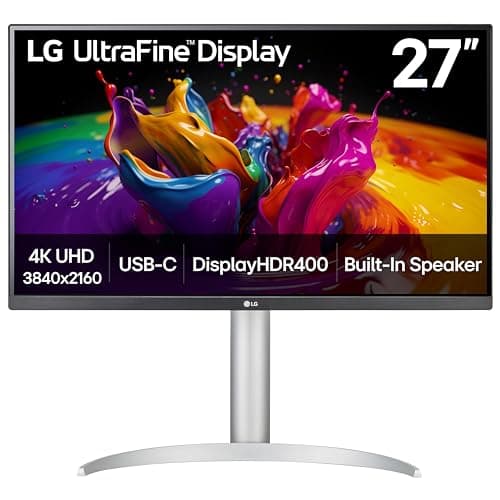
LG LG 27UP850K-W 27" UltraFine 4K UHD IPS
LG 27UP850K-W 27" UltraFine 4K UHD IPS

The 4K panel that gets the balance right for a laptop desk: a genuinely good 27-inch IPS at 3840 x 2160, with USB-C carrying video, data, and charging down one cable so the desk stays clean.

Best overall
8.8
$299.99Amazon
02
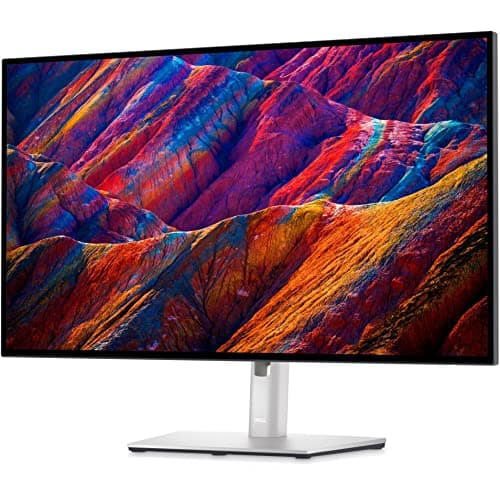
Dell Dell UltraSharp U2723QE 27" 4K
Dell UltraSharp U2723QE 27" 4K

The one to buy if the monitor is also the dock. An UltraSharp panel with a full port hub behind it, so a single USB-C cable to the laptop brings video, power, ethernet, and every peripheral you have hung off it.

Best as a docking monitor
8.9
$639.00Amazon
03
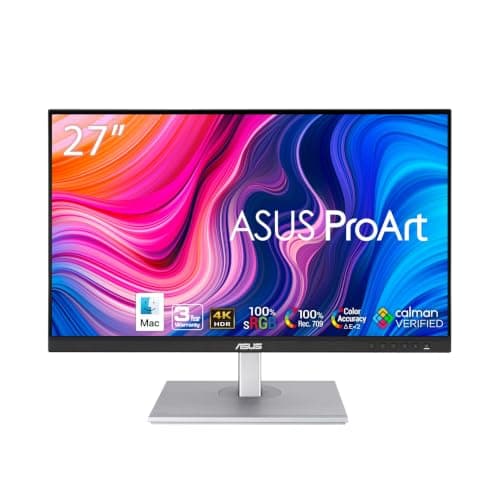
ASUS ASUS ProArt PA279CV 27" 4K USB-C
ASUS ProArt PA279CV 27" 4K USB-C

The pick when color has to be right. A 27-inch 4K ProArt panel with USB-C, aimed squarely at people who edit photos or design against a brief rather than eyeball it.

Best for color work
8.7
$382.60Amazon
04
Samsung Samsung 32" ViewFinity S8 (S80UH) 4K
Samsung 32" ViewFinity S8 (S80UH) 4K

4K where it buys you room instead of just sharpness. At 32 inches the same 3840 x 2160 gives roughly 138 pixels per inch, which is crisp enough to leave scaling low and actually gain desktop space.

Best 32-inch
8.7
$429.99Amazon
05
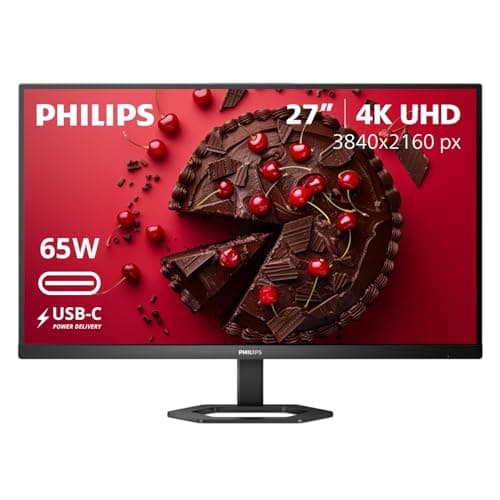
INNOCN INNOCN 27" 4K USB-C IPS Monitor
INNOCN 27" 4K USB-C IPS Monitor

The cheapest honest route into 4K with USB-C still attached. You give up the brand-name panel binning and the warranty depth, and you keep the resolution and the single-cable workflow that made you want 4K.

Best value
8.5
Check price →

#ad · Live prices from the Amazon Product API, as of Sep 6, 2026. Where we have no verified live price we show none — we would rather leave a gap than print a number that has rotted.

In detail

The picks, in full

01
LG LG 27UP850K-W 27" UltraFine 4K UHD IPS

Best overall

LG 27UP850K-W 27" UltraFine 4K UHD IPS

Screen
27" IPS, flat
Resolution
3840 x 2160 (4K UHD)
Connectivity
USB-C with power delivery, HDMI, DisplayPort
HDR
VESA DisplayHDR 400
VESA mount
100 x 100mm
8.8/10

The 4K panel that gets the balance right for a laptop desk: a genuinely good 27-inch IPS at 3840 x 2160, with USB-C carrying video, data, and charging down one cable so the desk stays clean.

Image & Panel
9
Connectivity
9.2
Ergonomics
8.4
Value
8.6

Pros

  • USB-C carries display, data, and laptop charging on a single cable, which removes two or three cords from the desk
  • IPS panel holds color and contrast off-axis, which matters on a screen you glance at from the side
  • 4K at 27 inches lands around 163 pixels per inch, sharp enough that text edges disappear
  • Standard 100 x 100mm VESA pattern, so it moves onto an arm without adapters

Cons

  • You will run display scaling at 27 inches, so you gain sharpness rather than desktop space
  • Refresh rate suits work rather than gaming; this is not a high-frame-rate panel
  • The white finish is divisive and does not match most dark-desk setups

Skip this if…

you want more usable desktop rather than sharper text — a 32-inch 4K or an ultrawide gives you room, and this gives you density

$299.99View on Amazon

$349.9914% off

Price as of Sep 6, 2026. Prices change — Amazon's is the one that counts.

#ad · we may earn a commission from this link to LG 27UP850K-W 27" UltraFine 4K UHD IPS

02
Dell Dell UltraSharp U2723QE 27" 4K

Best as a docking monitor

Dell UltraSharp U2723QE 27" 4K

Screen
27" IPS Black, flat
Resolution
3840 x 2160 (4K UHD)
Connectivity
USB-C hub with power delivery, DisplayPort, HDMI, RJ45 ethernet
Stand
Height, tilt, swivel and pivot adjustable
VESA mount
100 x 100mm
8.9/10

The one to buy if the monitor is also the dock. An UltraSharp panel with a full port hub behind it, so a single USB-C cable to the laptop brings video, power, ethernet, and every peripheral you have hung off it.

Image & Panel
9.3
Connectivity
9.7
Ergonomics
9.4
Value
7.2

Pros

  • Built-in hub with ethernet genuinely replaces a separate docking station for most laptop desks
  • IPS Black panel improves contrast over conventional IPS without giving up viewing angles
  • The included stand is one of the few in the category worth keeping — full height, swivel, and pivot
  • Dell's warranty and panel-defect policy are the strongest in this group

Cons

  • Costs roughly twice the value picks here for a resolution they also deliver
  • No high refresh rate, so it is a work monitor and unapologetic about it
  • The hub is only useful if your laptop can drive it over USB-C in the first place

Skip this if…

you already own a good dock, in which case you are paying a premium for hardware you have duplicated

$639.00View on Amazon

Price as of Sep 6, 2026. Prices change — Amazon's is the one that counts.

#ad · we may earn a commission from this link to Dell UltraSharp U2723QE 27" 4K

03
ASUS ASUS ProArt PA279CV 27" 4K USB-C

Best for color work

ASUS ProArt PA279CV 27" 4K USB-C

Screen
27" IPS, flat
Resolution
3840 x 2160 (4K UHD)
Color
ProArt calibration, 100% sRGB / 100% Rec. 709 coverage
Connectivity
USB-C with power delivery, DisplayPort, dual HDMI
VESA mount
100 x 100mm
8.7/10

The pick when color has to be right. A 27-inch 4K ProArt panel with USB-C, aimed squarely at people who edit photos or design against a brief rather than eyeball it.

Image & Panel
9.2
Connectivity
8.8
Ergonomics
8.8
Value
8

Pros

  • Factory-calibrated for sRGB and Rec. 709, with a calibration report in the box
  • USB-C handles display and charging, so it suits a laptop-based editing desk
  • Two HDMI inputs plus DisplayPort makes it easy to keep a console or second machine attached
  • Ergonomic stand with pivot, which matters for proofing long documents vertically

Cons

  • sRGB-focused coverage means it is not the panel for wide-gamut print or HDR grading work
  • You pay for color hardware that a general office desk never uses
  • Styling is functional rather than attractive next to the LG or Samsung

Skip this if…

you never work to a color reference — the money is better spent on an arm and a light bar

$382.60View on Amazon

Price as of Sep 6, 2026. Prices change — Amazon's is the one that counts.

#ad · we may earn a commission from this link to ASUS ProArt PA279CV 27" 4K USB-C

04
Samsung Samsung 32" ViewFinity S8 (S80UH) 4K

Best 32-inch

Samsung 32" ViewFinity S8 (S80UH) 4K

Screen
32" IPS, flat
Resolution
3840 x 2160 (4K UHD)
Pixel density
Roughly 138 pixels per inch
Connectivity
USB-C with power delivery, DisplayPort, HDMI
VESA mount
100 x 100mm
8.7/10

4K where it buys you room instead of just sharpness. At 32 inches the same 3840 x 2160 gives roughly 138 pixels per inch, which is crisp enough to leave scaling low and actually gain desktop space.

Image & Panel
8.8
Connectivity
8.8
Ergonomics
8.2
Value
8.8

Pros

  • 32 inches at 4K is the size where the resolution stops being purely about sharpness and starts giving real workspace
  • Enough panel to run two full documents genuinely side by side without a second screen
  • USB-C keeps the single-cable laptop workflow intact at the larger size
  • Noticeably cheaper per square inch of screen than two 27-inch panels

Cons

  • Needs a deeper desk — a 32-inch panel too close is uncomfortable rather than impressive
  • Heavier than the 27-inch panels here, so check an arm's weight rating before mounting
  • One large screen cannot be rotated vertical the way a second small one can

Skip this if…

your desk is under about 28 inches deep, where a panel this size sits too close for comfort

$429.99View on Amazon

Price as of Sep 6, 2026. Prices change — Amazon's is the one that counts.

#ad · we may earn a commission from this link to Samsung 32" ViewFinity S8 (S80UH) 4K

05
INNOCN INNOCN 27" 4K USB-C IPS Monitor

Best value

INNOCN 27" 4K USB-C IPS Monitor

Screen
27" IPS, flat
Resolution
3840 x 2160 (4K UHD)
Connectivity
USB-C with power delivery, HDMI, DisplayPort
Aspect
16:9
VESA mount
100 x 100mm
8.5/10

The cheapest honest route into 4K with USB-C still attached. You give up the brand-name panel binning and the warranty depth, and you keep the resolution and the single-cable workflow that made you want 4K.

Image & Panel
8.1
Connectivity
8.8
Ergonomics
7.4
Value
9.5

Pros

  • Keeps USB-C single-cable operation at a price well below the name-brand panels here
  • Same 3840 x 2160 resolution and 27-inch size as picks costing considerably more
  • Works cleanly as a MacBook or Mac mini display, which is how the listing positions it
  • Leaves budget for the arm and light bar that improve a desk more than a badge does

Cons

  • Panel uniformity and factory color are less consistent unit to unit than the Dell or ASUS
  • Support and warranty handling do not match the established brands
  • The stand is basic; assume you are buying an arm alongside it

Skip this if…

you need color you can trust out of the box, or a warranty process you will not have to fight

Check price on Amazon →

No buyable offer at the last price check (Sep 6, 2026). We show nothing rather than a stale number.

#ad · we may earn a commission from this link to INNOCN 27" 4K USB-C IPS Monitor

How to choose a 4K monitor

Start with size, because it decides what 4K actually does for you. At 27 inches, 3840 x 2160 works out around 163 pixels per inch. That is roughly twice the density of the 1080p panels most people are upgrading from, and it is far too fine to read at native scale, so you will run display scaling and end up with about the same usable desktop as a 1440p screen — rendered much more sharply. At 32 inches the same resolution lands around 138 pixels per inch, which is comfortable at lower scaling, so the extra pixels turn into extra room. Neither is better; they are different purchases. Decide which one you want before you compare models.

Then check the connection, because 4K is where bandwidth stops being theoretical. The pixel count is four times 1080p, and older HDMI revisions cap what they can carry at that resolution. If the monitor and your machine both do USB-C with power delivery, take it: one cable carrying video, data, and charging is a meaningfully cleaner desk, and on a laptop it removes the entire question of docking. Where USB-C is not an option, DisplayPort is the safer of the remaining two.

Color accuracy is the axis people over-buy. A factory-calibrated panel with a report in the box is genuinely valuable if you edit photographs or work to a brand’s color spec, and it is money spent on nothing if you write, code, or run spreadsheets. Be honest about which one you are. The difference between the ProArt and the value pick here is largely that hardware, and for most desks it is the wrong place to spend.

Finally, plan the mounting at the same time as the monitor. 4K panels tend to be heavier and better than their included stands, and the stand is what determines whether the screen ends up at the right height. Confirm the VESA pattern and the panel weight with the stand removed, then check both against the arm. Getting the screen to eye level is the upgrade that makes the resolution comfortable to use all day — the reasoning is in our monitor height guide.
How we picked

We do not run a testing lab

We compiled the published manufacturer specifications, did the ergonomics, VESA and desk-depth math ourselves, and read aggregated owner reviews, then scored each product against a published rubric. The scores are judgments from documented research — they are not measurements we took, because we do not have a lab and we are not going to pretend we do. Every spec traces back to a listing or manual named in Sources.

Questions

Frequently asked

Is a 4K monitor worth it at 27 inches?

It is worth it for sharpness, not for space. At 27 inches, 4K lands around 163 pixels per inch, which is too fine to read at native scale, so you run display scaling and end up with roughly the usable desktop of a 1440p panel — rendered far more crisply. If you want more room rather than finer text, buy 32 inches or an ultrawide instead.

Do I need USB-C on a 4K monitor?

If a laptop drives the desk, yes. USB-C with power delivery carries video, data, and charging on one cable, which removes the separate power brick and often the dock as well. For a desktop tower it matters much less, and DisplayPort is the straightforward choice.

What scaling should I use on a 4K monitor?

At 27 inches most people settle between 150 and 200 percent, which trades the extra desktop for text that is genuinely sharp. At 32 inches, 125 to 150 percent is common and leaves you with more usable area than a 1440p screen. Both operating systems handle this well now; the old blurry-scaling complaints are largely historical.

Is 4K better than ultrawide for work?

They solve different problems. 4K gives density in a conventional 16:9 shape; an ultrawide gives horizontal room for side-by-side windows without a center bezel. If you live in two documents at once, the ultrawide usually wins; if you want everything sharper in the shape you already use, 4K does.

Will an old HDMI cable run 4K?

Often at a reduced refresh rate, and sometimes not at all. 4K needs substantially more bandwidth than 1080p, and an older cable or an older HDMI revision on either end will cap it. If a monitor works at a lower resolution but not its native one, suspect the cable before the hardware.

Keep reading

Receipts

Sources

We do not run a testing lab, and we do not pretend to. Specifications come from the manufacturer or retailer listing; the footprint and clearance math is ours and reproducible. Where we could not verify a number, we say so on the page rather than quietly leaving it out. Read our full method.