Speakers are the last thing most people fix on a desk, which is odd, because they are the component you experience continuously and the one where laptop hardware is furthest from adequate. The reason for the delay is usually practical: there is nowhere to put them.
That constraint shapes the whole category, and it is why desk speakers are a different product from bookshelf speakers even when they look similar. Three specifications decide whether a pair works on a desk.
Footprint and height. A speaker beside a monitor competes with the monitor for width, and its tweeter wants to be near ear height, which on a desk means it needs to be tall or tilted. This is where a monitor arm pays off twice: it frees the desk area a stand base was using, and that is exactly where speakers go.
Driver size, not wattage.Wattage figures are close to meaningless in this category because manufacturers quote peak, RMS and “total system power” interchangeably. Driver diameter is the honest number: a 2.25-inch full-range driver has physical limits a 4-inch woofer does not, and no amount of amplifier will change that. If you want bass without a subwoofer, you are looking for 3.5 inches and up.
Inputs, which decide the cable count.A USB pair takes power and audio from one cable and bypasses the computer’s audio hardware entirely, which is usually an improvement. An analogue pair needs a 3.5mm or RCA feed plus a mains lead. On a desk where cable count is the point, that difference matters more than a few decibels.
One thing to be honest about: near-field studio monitors are not automatically “better” desk speakers. They are designed to be neutral and revealing at close range, which is exactly right for editing audio and slightly unforgiving for background listening on compressed streams. Both kinds appear below, labeled for what they are.
The short answer
Quick picks
#ad · Live prices from the Amazon Product API, as of October 23, 2026. Where we have no verified live price we show none — we would rather leave a gap than print a number that has rotted.
In detail
The picks, in full
Best overall
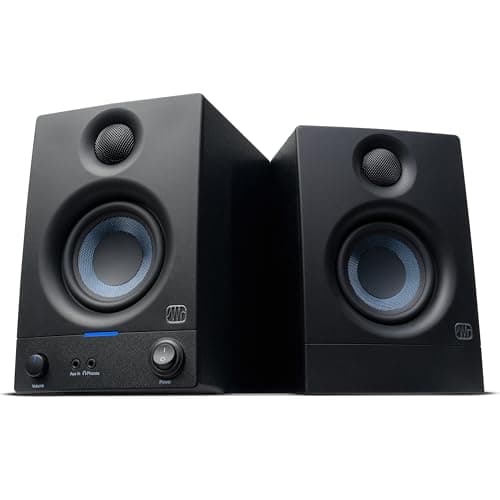
PreSonus Eris 3.5 Powered Studio Monitors (Pair)
- Drivers
- 3.5" woven-composite woofer and 1" silk-dome tweeter per speaker
- Power
- 25W per side, 50W total
- Frequency range
- 80 Hz to 20 kHz
- Max SPL
- 97 dB at 1 m
- EQ
- Bass and treble shelving filters, plus or minus 6dB each
- Cabinet
- Vinyl-laminated MDF, bass reflex
The best sound per inch of desk here. A 3.5-inch woven woofer and a 1-inch silk tweeter per side, with shelving EQ so you can tame a bright room rather than living with it.
- Sound Quality
- 9.2
- Footprint
- 8.4
- Inputs & Cabling
- 7.6
- Value
- 9.2
Pros
- +3.5-inch woofers reach genuinely low for a speaker this size - 80Hz is well below any compact pair here
- +Shelving EQ on the back means a room with hard walls can be corrected rather than endured
- +Silk-dome tweeters are easier to listen to for eight hours than metal domes
- +Near-field design means they are voiced for exactly the distance a desk puts you at
Cons
- −Needs a 3.5mm or RCA feed plus mains power - two cables per side of the desk
- −Neutral voicing is honest about bad recordings, which not everyone wants
- −Rear bass port means they want a few inches of clearance from the wall
Skip this if…
…your desk is against a wall with no clearance - a rear-ported speaker will boom.
Best premium
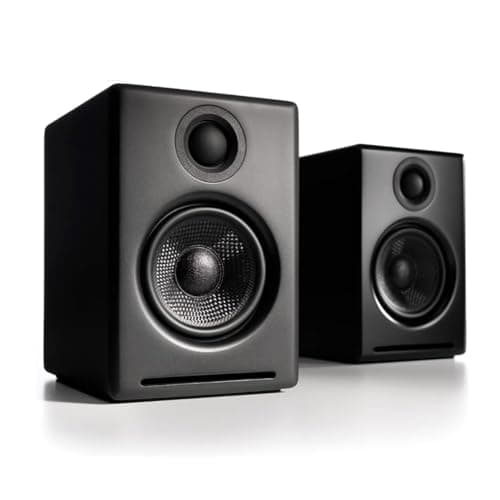
Audioengine A2 Bluetooth Desktop Speakers
- Drivers
- 2.75" Kevlar woofer and 3/4" silk-dome tweeter
- Power
- 15W RMS per channel, 60W total peak (AES)
- Frequency response
- 65 Hz to 22 kHz
- Inputs
- USB, 3.5mm, RCA and Bluetooth
- DAC
- Built in - USB input bypasses the computer's audio output
- Shielding
- Magnetically shielded for use beside monitors
The premium desktop pair, and the one that sounds most finished out of the box. A Kevlar woofer, a silk tweeter and a built-in DAC so the USB input bypasses your computer's audio entirely.
- Sound Quality
- 9
- Footprint
- 9
- Inputs & Cabling
- 9
- Value
- 6.8
Pros
- +USB input with an onboard DAC means the audio path never touches a cheap laptop headphone circuit
- +Magnetically shielded, which is the specification that lets them sit right against a screen
- +Four input types, so the same pair serves a computer, a phone and a turntable
- +Compact enough to sit beside a 27-inch monitor without crowding it
Cons
- −The most expensive pair here by a distance
- −2.75-inch woofers cannot reach as low as the 3.5-inch drivers on the PreSonus
- −The right speaker is passive and connects by speaker wire, so cabling crosses the desk
Skip this if…
…you want deep bass without a subwoofer - driver size sets that ceiling, not price.
Best value
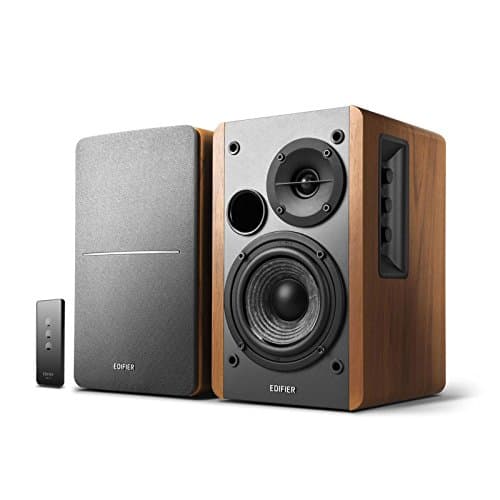
Edifier R1280T Powered Bookshelf Speakers
- Drivers
- 4" bass driver and 13mm silk-dome tweeter per speaker
- Power
- 42W RMS total (21W per channel)
- Frequency response
- 75 Hz to 18 kHz
- Inputs
- Dual RCA and 3.5mm
- Controls
- Side-mounted bass, treble and volume knobs; remote included
- Cabinet
- Wooden enclosure, 146mm W x 196mm D x 234mm H
The most speaker for the money, if you have the room. Four-inch drivers in wooden cabinets, dual RCA inputs and physical bass and treble knobs on the side.
- Sound Quality
- 8.8
- Footprint
- 6.6
- Inputs & Cabling
- 8.4
- Value
- 9.4
Pros
- +4-inch drivers move more air than anything else here, which you hear immediately
- +Wooden cabinets damp resonance in a way plastic desktop speakers cannot
- +Two RCA inputs, so a computer and a second source can stay connected together
- +Physical tone controls rather than an app
Cons
- −At 234mm tall and 196mm deep, these take real desk space beside a monitor
- −Not magnetically shielded in the way a dedicated desktop speaker is
- −Wired remote and side knobs mean reaching around the cabinet
Skip this if…
…your desk is under 48 inches wide - these are bookshelf speakers on a desk, and they show it.
Best for bass on a small desk
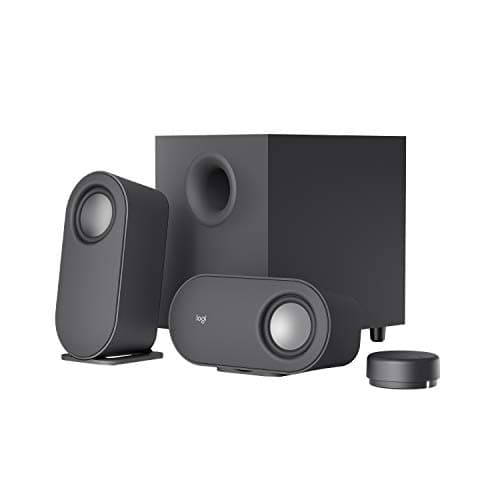
Logitech Z407 Bluetooth Computer Speakers with Subwoofer
- System
- 2.1 - two satellites plus a subwoofer
- Power
- 40W RMS, 80W peak (10W per satellite, 20W subwoofer)
- Inputs
- Micro-USB, 3.5mm and Bluetooth
- Control
- Wireless control dial with about 65 ft range
- Subwoofer
- Ported, down-firing, floor placement
The way to get real bass without putting a big speaker on the desk. Two small satellites plus a down-firing subwoofer that lives on the floor, controlled by a wireless dial.
- Sound Quality
- 8
- Footprint
- 9.2
- Inputs & Cabling
- 8
- Value
- 8.4
Pros
- +The subwoofer does the bass on the floor, so the desk only carries two small satellites
- +The wireless dial means volume, play and bass adjust without reaching behind a monitor
- +Satellites sit vertically or horizontally, which matters when space is tight
- +Three input types including Bluetooth for a phone
Cons
- −Micro-USB rather than USB-C for the digital input
- −Small satellites mean the midrange is thinner than the two-way pairs here
- −A subwoofer on the floor is another box and another mains cable
Skip this if…
…you share walls with neighbors - a floor-standing subwoofer transmits through structure.
Best budget
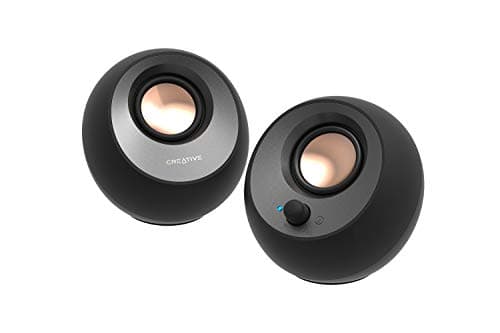
Creative Pebble V3 USB-C Desktop Speakers
- Drivers
- 2.25" full-range, angled 45 degrees upward
- Power
- 8W RMS, 16W peak
- Frequency response
- 100 Hz to 17 kHz
- Connection
- Single USB-C for power and audio; Bluetooth 5.0; USB-A adapter included
- Extras
- Gain switch for higher output on 10W USB ports; Clear Dialog processing
One USB-C cable, no power brick, and drivers angled 45 degrees so the sound arrives at your ears instead of your chest. The smallest sensible upgrade over laptop speakers.
- Sound Quality
- 7
- Footprint
- 9.6
- Inputs & Cabling
- 9.6
- Value
- 9.4
Pros
- +One USB-C cable carries power and audio, which is the lowest cable count in the category
- +45-degree driver angle points the sound at your ears from a low desktop position
- +Bluetooth as well as USB, so a phone can use them without unplugging anything
- +Small enough to sit beside a laptop on a shallow desk
Cons
- −2.25-inch full-range drivers, so there is no real bass below about 100Hz
- −8W RMS will not fill a room - these are for one person at a desk
- −The gain switch only helps on ports that can supply 10W
Skip this if…
…you listen to music properly rather than in the background - the driver size sets a hard limit.
Placement matters more than the speakers
Two rules do most of the work, and both are free.
Tweeters at ear height.High frequencies are directional, so a tweeter firing at your chest sounds dull no matter what it cost. Speakers sitting flat on a desk are almost always too low. Angle them upward, put them on small stands or foam wedges, or choose a design that already tilts — which is exactly what the 45-degree drivers on the cheapest pair here are for.
An equilateral triangle. The two speakers and your head should form a rough equilateral triangle, with each speaker turned slightly inward toward you. This is the single change that makes a stereo image appear where before there were two boxes making noise, and it costs nothing.
Bass needs space behind it
Most speakers here are rear-ported, which means a tube at the back radiating low frequencies. Push a rear-ported speaker against a wall and that energy reflects straight back, producing a boomy, one-note bass. Three or four inches of clearance is usually enough. If the desk has to be flat against the wall, a front-ported design or a 2.1 system with the subwoofer on the floor is the better shape.
USB, analogue or Bluetooth?
USBis the cleanest: one cable for power and audio, and the speaker’s own converter replaces whatever is in your computer. It also means the volume keys on your keyboard work properly.
Analogueover 3.5mm or RCA is universal and lets one pair serve several sources, but it depends on the quality of the output it is plugged into — and a laptop headphone jack is often the weakest link in the chain.
Bluetooth is convenient and adds latency, which is fine for music and noticeable on video calls and games. Use it as a secondary input, not the main one.
Where speakers fit on a desk that is already full
If there is no room, that is usually a monitor-stand problem rather than a speaker problem. Moving the screens onto an arm or a dual arm frees the deepest part of the desk, and that reclaimed strip either side of the screens is exactly where speakers belong. On a very small desk, the 2.1 route puts the largest box on the floor instead.
What speakers will not fix
They will not fix your microphone. If people on calls say you sound distant, that is a microphoneproblem, and it is a separate purchase — though the two upgrades together are what turn a desk into a proper communications setup, alongside a decent webcam.
Essentials
The small parts that finish the job
Nothing here changes a pick above, and none of it is a considered purchase. These are the cheap pieces that decide whether the expensive one works properly, and the ones people discover they are missing on the day the big box arrives.
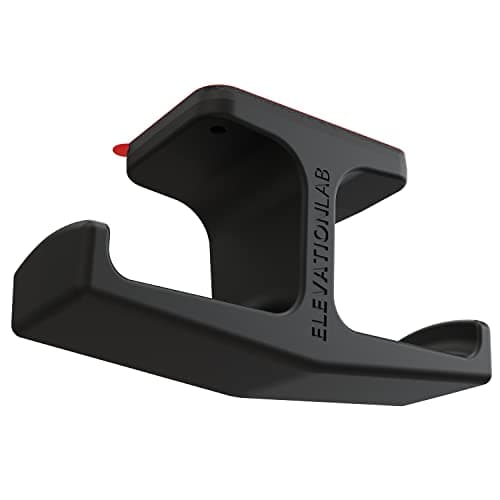
Elevation Lab The Anchor Under-Desk Headphone Mount
A headset left on the desk takes up the same surface an arm or a riser was bought to give back. Under the front edge it hangs in dead space, out of the way of the keyboard and off the cables.
Check first: adhesive mounts want a smooth, clean underside. Rough or heavily textured laminate will not hold one.
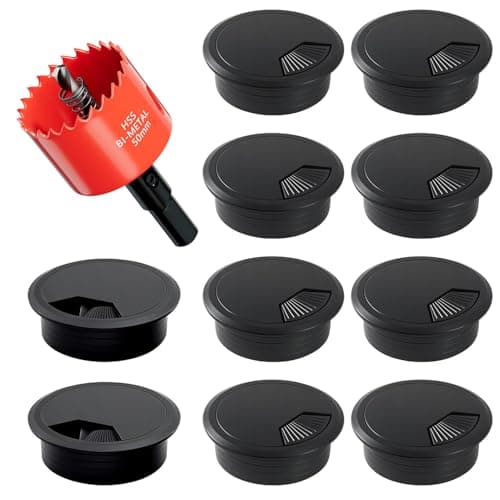
2-Inch Desk Grommet Kit with Hole Saw (10 pack)
Cables that drop straight through the desktop stay where you put them. Cables routed around the back edge get dragged every time the desk moves or the chair rolls back, which is what undoes a tidy run within a week. The hole saw is in the box, so the cut and the finished edge come from one purchase.
Check first: decide the hole position and check your desktop thickness before you cut. A grommet hole is not reversible.
#ad · Live prices from the Amazon Product API, as of October 23, 2026. Where we have no verified live price we show none. We may earn a commission, at no extra cost to you.
How we picked
We do not run a testing lab
We compiled the published manufacturer specifications, did the ergonomics, VESA and desk-depth math ourselves, and read aggregated owner reviews, then scored each product against a published rubric. The scores are judgments from documented research — they are not measurements we took, because we do not have a lab and we are not going to pretend we do. Every spec traces back to a listing or manual named in Sources.
Questions
Frequently asked
Are computer speakers better than a monitor's built-in speakers?+
Substantially, in every case. Monitor speakers are typically 2 to 5W drivers firing backward or downward into the desk, fitted because a spec sheet needed a line. Even the cheapest dedicated desktop pair moves more air and points the sound at you rather than at the wall.
Do I need studio monitors for a desk?+
Only if you work with audio. Studio monitors are voiced to be neutral and revealing at close range, which is ideal for editing and slightly unforgiving for background listening to compressed streams. They are excellent desk speakers; they are not automatically the right ones.
How high should desk speakers be?+
Tweeters roughly at ear height when you are seated normally. High frequencies are directional, so a speaker sitting flat on the desk fires at your chest and sounds dull. Small stands, foam wedges or an upward-angled design all solve it, and the fix costs almost nothing.
Should I buy USB or 3.5mm speakers?+
USB, if the option exists. It carries power and audio on one cable and uses the speaker’s own converter rather than the computer’s headphone circuit, which on a laptop is often the weakest link. Analogue is better only when several sources need to share one pair.
Do I need a subwoofer on a desk?+
Only if you want bass below roughly 75Hz and cannot fit large drivers on the desk. A 2.1 system moves the biggest box to the floor, which is a genuine space win. The trade is another mains cable and, in an apartment, bass that travels through the structure to your neighbors.
Receipts
Sources
We do not run a testing lab, and we do not pretend to. Specifications come from the manufacturer or retailer listing; the footprint and clearance math is ours and reproducible. Where we could not verify a number, we say so on the page rather than quietly leaving it out. Read our full method.