Skip to content
Chair & Cable

SECTION 01 · Monitors & Arms

Curved or Flat? It Depends on One Number

The curve is not a preference, it is geometry — and the geometry only pays off past a certain panel width. Here is where the line sits and what falls on each side.

By Stephen V.Updated How we pick
#ad

We earn a commission when you buy through our Amazon links, at no extra cost to you. It never affects our rankings, and we say so when the cheaper product is the better buy. How this works.

Almost every curved-versus-flat argument goes wrong in the same way: it treats the curve as a taste, like a color or a bezel style. It is not. The curve exists to solve one measurable geometric problem, and whether it solves anything for you depends on a number you can look up in ten seconds — the width of the panel you are considering.

The problem is this. Your eyes sit at a fixed point. A flat panel puts its center directly in front of you and its edges further away, and the wider the panel, the larger that difference becomes. Past a certain width the edges are far enough back that they read slightly smaller, need a small refocus, and encourage you to turn your head rather than move your eyes. Curving the panel pulls those edges toward you so the distance evens out. That is the whole mechanism.

Which gives the honest rule. On a 24 or 27-inch 16:9 panel the difference between center and edge is small, and curved and flat are effectively the same product with different silhouettes — buy whichever looks right and costs less. At 32 inches it starts to matter a little. At 34 inches in 21:9, and unambiguously at 49 inches in 32:9, the curve stops being decoration and becomes the reason the shape is usable at all. There is a reason you cannot buy a flat 49-inch super ultrawide: it would be unpleasant.

Against that sits one real cost, and it is not a small one for the people it affects. A curved panel bends straight lines. For text, code, spreadsheets, and video this is invisible within a day. For drafting, layout, architectural work, and photo editing where perspective matters, it never becomes invisible, because you are specifically checking whether lines are straight. That single consideration overrides everything else below.

The four panels here are matched pairs at two sizes so the comparison is about shape rather than tier — a curved and a flat option each at ultrawide scale and at conventional desk scale.

The short answer

Quick picks

#ProductBest forScorePrice
01
LG LG 34WP65C-B 34" Curved UltraWide (the curved case)
LG 34WP65C-B 34" Curved UltraWide (the curved case)

At 34 inches and 21:9 the curve is doing real work: it pulls the far edges of a very wide canvas back to an even viewing distance, which is exactly the situation the geometry was designed for.

Best if you want width
8.3
Check price →
02
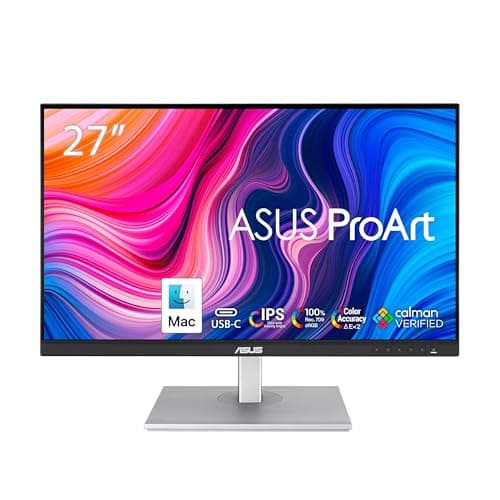
ASUS ASUS ProArt PA278CV 27" Flat QHD (the flat case)
ASUS ProArt PA278CV 27" Flat QHD (the flat case)

A flat, factory-calibrated 27-inch panel is the right answer whenever accuracy matters more than immersion. Straight lines are straight, color is measured, and nothing about the geometry is arguing with your work.

Best if accuracy matters
8.5
$269.66Amazon
03
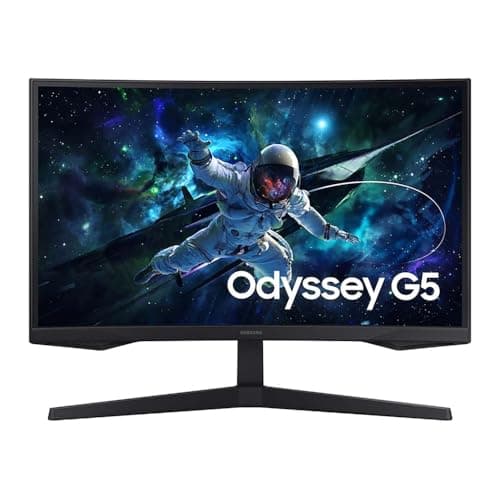
Samsung Samsung 32" Odyssey G5 Curved 1000R (the aggressive curve)
Samsung 32" Odyssey G5 Curved 1000R (the aggressive curve)

The example of a curve applied to a conventional 16:9 shape. At 1000R it is the tightest bend here and genuinely enveloping — and it is also where the trade-off is least favorable for text work.

Best if you want immersion
7.7
$149.99Amazon
04
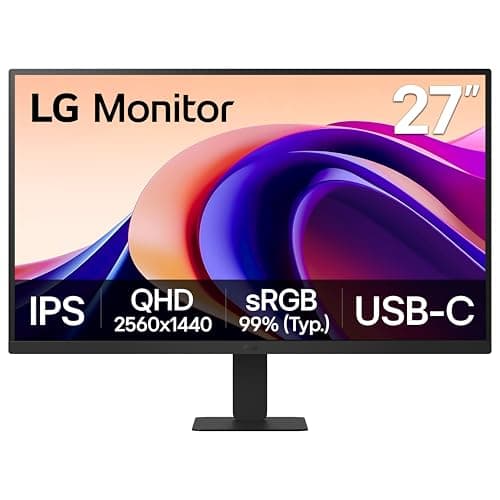
LG LG 27U631A-B 27" Flat QHD IPS (the neutral flat)
LG 27U631A-B 27" Flat QHD IPS (the neutral flat)

The control in this experiment. A plain flat 27-inch IPS panel at 1440p, which is the density sweet spot — and at this width, a curved version of the same screen would feel virtually identical.

Best default choice
8.8
$169.99Amazon

#ad · Live prices from the Amazon Product API, as of Sep 6, 2026. Where we have no verified live price we show none — we would rather leave a gap than print a number that has rotted.

In detail

The picks, in full

01
LG LG 34WP65C-B 34" Curved UltraWide (the curved case)

Best if you want width

LG 34WP65C-B 34" Curved UltraWide (the curved case)

Shape
34" curved, 1800R, 21:9
Resolution
3440 x 1440 (UWQHD)
Edge distance
Evened out by the curve
Straight lines
Slightly bowed by design
8.3/10

At 34 inches and 21:9 the curve is doing real work: it pulls the far edges of a very wide canvas back to an even viewing distance, which is exactly the situation the geometry was designed for.

Viewing Comfort
9.2
Straight-Line Accuracy
6
Workspace
9
Value
9

Pros

  • The curve materially improves comfort at this width, which is the whole argument
  • 3440 x 1440 with no center bezel replaces a two-screen layout
  • 1800R is gentle enough to tolerate a range of seating positions

Cons

  • Bends straight lines, which rules it out for drafting and layout work
  • Needs about 32 inches of clear desk

Skip this if…

your work depends on straight lines reading as straight — no amount of immersion fixes that

Check price on Amazon →

No buyable offer at the last price check (Sep 6, 2026). We show nothing rather than a stale number.

#ad · we may earn a commission from this link to LG 34WP65C-B 34" Curved UltraWide (the curved case)

02
ASUS ASUS ProArt PA278CV 27" Flat QHD (the flat case)

Best if accuracy matters

ASUS ProArt PA278CV 27" Flat QHD (the flat case)

Shape
27" flat, 16:9
Resolution
2560 x 1440 (QHD)
Color
Factory-calibrated, 100% sRGB coverage
Straight lines
Geometrically true
8.5/10

A flat, factory-calibrated 27-inch panel is the right answer whenever accuracy matters more than immersion. Straight lines are straight, color is measured, and nothing about the geometry is arguing with your work.

Viewing Comfort
8.4
Straight-Line Accuracy
9.8
Workspace
7.4
Value
8.2

Pros

  • Nothing distorts, which is the requirement for layout, drafting, and perspective work
  • Factory calibration with a report, so color is a known quantity
  • USB-C with power delivery keeps a laptop desk to one cable

Cons

  • At 27 inches you get density rather than the width an ultrawide provides
  • No immersion benefit; this panel is not trying to wrap around you

Skip this if…

you want one screen to replace two — a 27-inch 16:9 panel cannot do that job

$269.66View on Amazon

Price as of Sep 6, 2026. Prices change — Amazon's is the one that counts.

#ad · we may earn a commission from this link to ASUS ProArt PA278CV 27" Flat QHD (the flat case)

03
Samsung Samsung 32" Odyssey G5 Curved 1000R (the aggressive curve)

Best if you want immersion

Samsung 32" Odyssey G5 Curved 1000R (the aggressive curve)

Shape
32" curved, 1000R, 16:9
Resolution
2560 x 1440 (QHD)
Pixel density
Roughly 92 pixels per inch
Intended distance
Close, as a tight radius implies
7.7/10

The example of a curve applied to a conventional 16:9 shape. At 1000R it is the tightest bend here and genuinely enveloping — and it is also where the trade-off is least favorable for text work.

Viewing Comfort
8.2
Straight-Line Accuracy
5.4
Workspace
8
Value
9.2

Pros

  • The most enveloping panel here at a normal desk distance
  • Familiar 16:9 shape, so no window-management relearning
  • 165Hz makes it comfortable for both work and games

Cons

  • A tight radius on a 16:9 panel gives the most visible line-bending for the least geometric benefit
  • 92 pixels per inch is noticeably softer than a 27-inch 1440p screen

Skip this if…

you sit further than about a meter away, where a 1000R curve stops looking enveloping and starts looking bowed

$149.99View on Amazon

$159.996% off

Price as of Sep 6, 2026. Prices change — Amazon's is the one that counts.

#ad · we may earn a commission from this link to Samsung 32" Odyssey G5 Curved 1000R (the aggressive curve)

04
LG LG 27U631A-B 27" Flat QHD IPS (the neutral flat)

Best default choice

LG 27U631A-B 27" Flat QHD IPS (the neutral flat)

Shape
27" flat, 16:9
Resolution
2560 x 1440 (QHD)
Pixel density
Roughly 109 pixels per inch
Panel
IPS
8.8/10

The control in this experiment. A plain flat 27-inch IPS panel at 1440p, which is the density sweet spot — and at this width, a curved version of the same screen would feel virtually identical.

Viewing Comfort
8.6
Straight-Line Accuracy
9.8
Workspace
7.6
Value
9

Pros

  • 109 pixels per inch means crisp text with no display scaling required
  • IPS holds color off-axis, which suits a screen shared or glanced at from the side
  • At this width, choosing flat costs you nothing the curve would have given

Cons

  • No width advantage; two of these need a wide desk and a center bezel
  • Plain rather than exciting, which is rather the point

Skip this if…

you specifically want one very wide canvas — that is an ultrawide purchase, curved or otherwise

$169.99View on Amazon

$189.9911% off

Price as of Sep 6, 2026. Prices change — Amazon's is the one that counts.

#ad · we may earn a commission from this link to LG 27U631A-B 27" Flat QHD IPS (the neutral flat)

The decision, field by field

Viewing geometry. Curved wins, but only above roughly 30 inches or on any 21:9 or 32:9 shape. Below that the distance difference between center and edge is too small to feel, and the two are equivalent. This is the field the whole argument rests on, and it is settled by the width of the panel rather than by preference.

Text and code.A draw, with one caveat. Both shapes render text identically; what matters is pixel density, and that is a function of resolution and size rather than curvature. The caveat is that many curved panels are large and 1440p, which lands them near 92 pixels per inch, while flat panels at 27 inches and 1440p reach about 109. Do not confuse the curve for the cause — check the density.

Design and drafting. Flat wins outright, and it is not close. Anything that depends on straight lines being straight or perspective being true is actively harmed by a curved panel, because you are checking the exact property the curve alters. If this is your work, the decision is made and nothing else on this page changes it.

Mounting.Flat is easier. A curved back can contact a large flat mounting plate before the screws seat, so curved panels need arms sold as curved-compatible with a smaller or shaped plate. Curved panels are also usually the wider, heavier ones, which pushes them past many arms’ ratings. Our VESA guide covers both checks.

Price. Roughly a draw at the same size and resolution. Where curved panels look more expensive, it is usually because the curved options are larger or wider rather than because bending glass costs more. Compare like for like on size, resolution, and panel type and the premium largely disappears.

The verdict

Buy curved if the panel is 34 inches or wider, or any ultrawide shape, and your work is text, code, spreadsheets, video, or games. Buy flat if you do design, drafting, layout, or perspective-sensitive photo work — or if the panel is 27 inches, where the curve buys you a silhouette rather than a benefit. If you are torn at 32 inches, the density question matters more than the shape question: a sharper flat panel will improve your day more than a softer curved one.
How we picked

We do not run a testing lab

We compiled the published manufacturer specifications, did the ergonomics, VESA and desk-depth math ourselves, and read aggregated owner reviews, then scored each product against a published rubric. The scores are judgments from documented research — they are not measurements we took, because we do not have a lab and we are not going to pretend we do. Every spec traces back to a listing or manual named in Sources.

Questions

Frequently asked

Is a curved monitor better for your eyes?

On a wide panel it can be more comfortable, because it evens out the distance from your eyes to the edges and reduces small refocusing and head turning. On a 27-inch screen the effect is too small to notice. Screen height, distance, and brightness matter far more for eye comfort than curvature.

Should I get a curved monitor for programming?

A wide curved panel works well for code, because text does not suffer from the curve and the extra horizontal room suits an editor beside a terminal and a browser. Prioritize pixel density over curvature — at 32 inches, 1440p is noticeably softer than the same resolution at 27.

Are curved monitors bad for photo editing?

For perspective-sensitive editing, yes. The curve alters exactly the property you are checking when you straighten a horizon or correct architectural lines. For color grading and general retouching the curve is largely irrelevant, but the panel and its calibration matter a great deal.

Do curved monitors cost more than flat ones?

Not meaningfully, at the same size and resolution. The apparent premium usually comes from curved models being larger or ultrawide rather than from the curve itself. Compare like for like and the difference mostly vanishes.

What size does a curve start to matter?

Roughly 30 inches on a 16:9 panel, and immediately on any 21:9 or 32:9 shape. At 34 inches ultrawide the curve is a genuine improvement; at 49 inches it is effectively mandatory, which is why flat panels that wide are not sold.

Keep reading

Receipts

Sources

We do not run a testing lab, and we do not pretend to. Specifications come from the manufacturer or retailer listing; the footprint and clearance math is ours and reproducible. Where we could not verify a number, we say so on the page rather than quietly leaving it out. Read our full method.