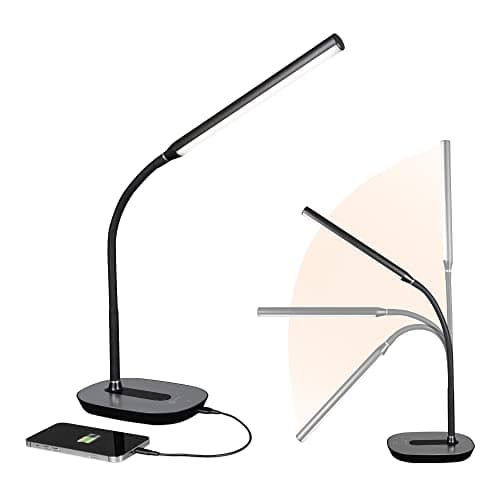
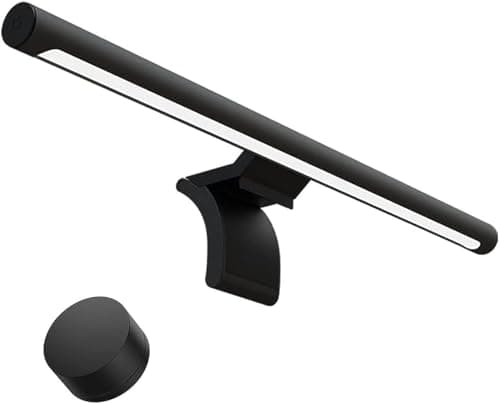
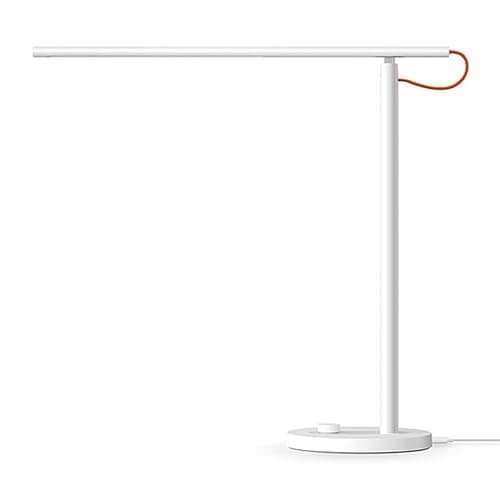
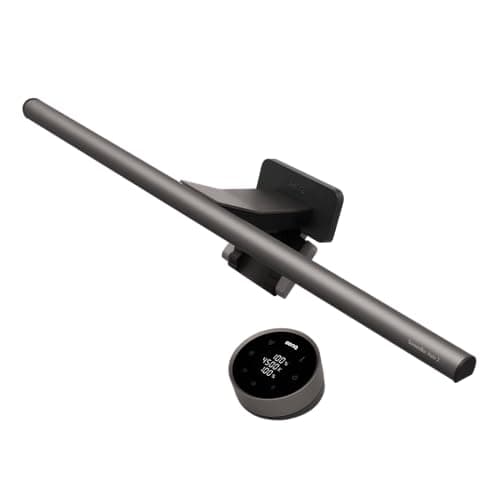
Buy a light bar if your problem is a bright screen in a dark room. Buy a desk lamp if your problem is that you cannot see the paper, the keyboard, or your own face on a call. They are not competing products so much as two answers to two different complaints that people describe with the same sentence: “my desk is too dark”.
The comparison, on what actually differs
| | Monitor light bar | Desk lamp |
|---|
| Desk area used | None — it sits on the monitor | A base, typically 5–8 inches across |
| Screen glare | Designed out, via an asymmetric optic | Depends entirely on how you aim it |
| Coverage | The desk directly in front of the screen | Anywhere you point it |
| Lights your face for calls | Indirectly, from the desk surface | Yes, if aimed |
| Power | USB, often from the monitor | Mains, sometimes with a USB port |
| Works with any monitor | No — bezel shape matters | Yes |
| Typical price | Mid to high | Low to mid |
What an asymmetric optic actually is
This is the one technical thing worth understanding, because it is the entire reason a light bar is a distinct product rather than a strip light on a bracket.
A light bar sits on the top edge of your monitor, which means it is pointing down at exactly the area where the screen is. A conventional light source there would bounce off the panel straight back at your face. An asymmetric optic angles the emitted light forward and down so that its beam falls on the desk in front of the screen and none of it lands on the panel itself. Cheap “monitor lights” without this optic reflect visibly, which defeats the purpose.
The other half of the design is that a light bar draws power from USB, usually from the monitor’s own downstream port. That means no extra mains cable and nothing to route — which on a desk built around keeping the cable count down matters more than it sounds.
Why the lamp still wins sometimes
Three situations, all common.
You work with paper. A light bar illuminates a band of desk directly in front of the monitor. If your notebook, sketchpad or paperwork sits to one side, it is in shadow. A lamp goes where the work is.
You do a lot of video calls.Screen light alone makes a face look flat and slightly ghoulish. A lamp bounced off a wall or ceiling, or aimed just off-axis from your face, is the cheapest lighting improvement available — and it pairs with a proper webcam to make a much bigger difference than either alone.
Your monitor cannot take a bar. Deeply curved panels, very thin bezels and some ultrawides make the cradle fit poorly or not at all. Check your top bezel before buying, particularly if you own a curved monitor.
Both, and why that is not a cop-out
They cost different amounts and solve different problems, and a desk with both is genuinely better lit than a desk with either. The bar handles the general case — a screen that is bright against a dark room — with no glare and no footprint. The lamp handles the specific case: this document, this corner, this call.
If you buy one first, buy the one that matches the complaint. Eye strain in a dim room in the evening is a light bar. Squinting at paperwork or looking gray on calls is a lamp.
Color temperature, and when it matters
Warmer light (around 2700K to 3000K) is easier in the evening and reduces the contrast between a dim room and a bright screen. Cooler light (around 5000K to 6500K) is more alerting during the day and closer to daylight, which is what you want if you are matching printed color to screen color.
Adjustable color temperature is worth having if you work late; a fixed warm or fixed neutral fixture is fine if you do not. What matters more than either is CRI— the color rendering index, a measure of how accurately a light source shows color. High CRI is why paper looks white rather than yellow-gray under a good light bar, and it is one of the few specifications in this category that reliably tracks price.
If you have already decided on a lamp and only want the ranking, the desk lamp roundup covers the clamp, floor and compact options in full.
The verdict
Buy a light barif your desk is dim relative to your screen, your desk area is precious, and everything you look at lives in front of the monitor. Check that your monitor’s top bezel is flat and deep enough for the cradle, and buy one with a genuine asymmetric optic rather than a strip light on a bracket. The field is in the monitor light bar roundup.
Buy a desk lampif you work with paper, take a lot of video calls, need light on something that is not directly in front of the screen, or own a monitor a bar will not fit. Position it so the light does not reach the panel — usually to the side and slightly behind your line of sight. The field is in the desk lamp roundup.
Buy both if the budget allows, in that order. The bar is the general fix and the lamp is the specific one.
Whichever you buy, get the room right first
The most common cause of screen-related eye strain is not insufficient desk light — it is a bright window or lamp positioned where it reflects off the panel. Before buying anything, sit at your desk with the screen off and look at what you can see reflected in it. If there is a window or a light in the reflection, moving the screen or adding a blind fixes more than any fixture will. A monitor arm makes that repositioning easy; the height and angle targets are in the monitor height guide.