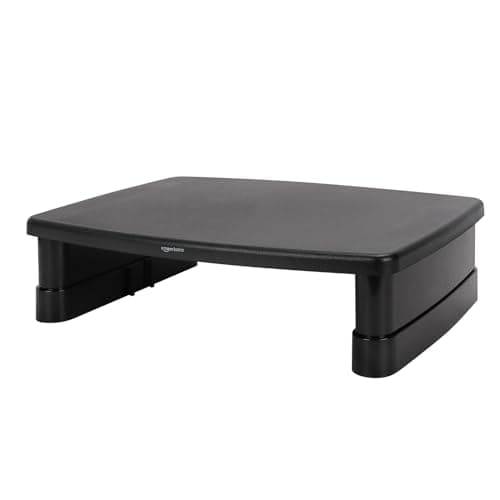
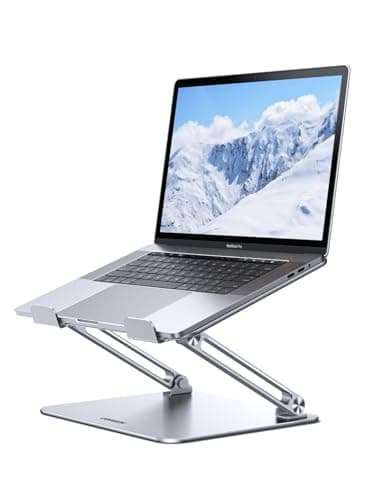
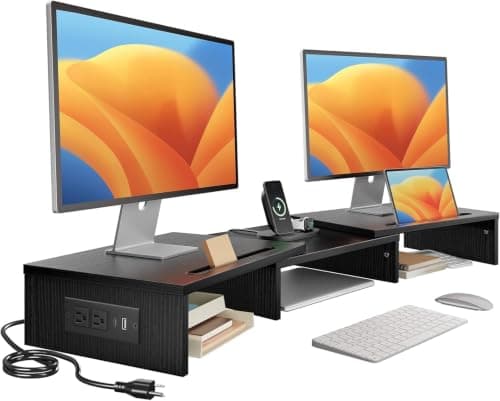
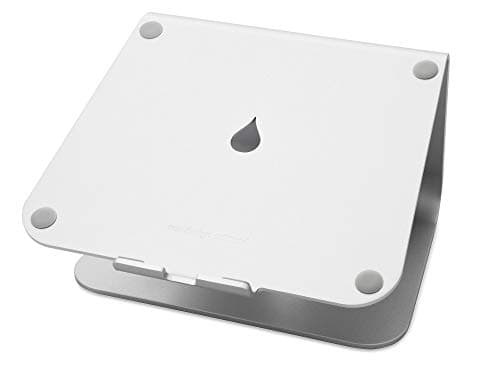
If the screen you are raising is attached to a keyboard, you want a laptop stand — the Rain Design mStandis the one to beat — and you have to budget for an external keyboard and mouse in the same order, because a laptop stand lifts both halves of the machine and the keyboard is not supposed to come up with it. If the screen is a separate monitor, you want a monitor riser: the Amazon Basics adjustable riser costs very little, sets its own height, and leaves a slot underneath where the keyboard lives.
Search results treat “laptop riser,” “laptop stand” and “monitor stand” as synonyms. They are three names for two products with different jobs, and buying the wrong one is the single most common reason a desk upgrade gets returned. Here is the actual difference, in the order it matters.
Difference 1: what goes on top
A laptop stand holds a closed or open laptop, by its base, usually on a sloped shelf with lips or silicone pads so it cannot slide forward. It is shaped around a 13 to 16-inch chassis. Both laptop stands on this page state their supported laptop size, which is the spec to check: the mStand is sized for 13 to 16 inches, the UGREEN for roughly 11.6 to 16 inches.
A monitor riser is a flat platform on legs or blocks. It does not grip anything; it assumes the thing on top has its own foot and will stay put. That makes it useful for a monitor, a printer, an all-in-one, or a laptop if you do not mind it sitting flat and lower than a purpose-built stand would put it.
You can put a laptop on a monitor riser. You cannot put a monitor on a laptop stand — the shelf is too small and too sloped, and nothing on a monitor foot is designed to sit on a 20-degree wedge.
Difference 2: how much it lifts
This is where the two product classes actually separate. A laptop stand is trying to bring a small, low screen up to something near eye level, so it lifts a lot: the mStand raises the screen about six inches, and the adjustable UGREEN goes higher still at its tallest setting.
A monitor riser is trying to add the last few inches to a screen that is already most of the way up on its own stand, so it lifts a little — typically a few inches, and often fixed. The Amazon Basics riser is the exception worth paying attention to, because it has multiple height settings rather than one.
Which means: a riser under a laptop is a compromise, not a fix. It gets you perhaps half of the lift you need. If the laptop screen is your only screen, the laptop desk setup guide has the full order of operations, and a real laptop stand is step one.
Difference 3: the keyboard consequence
A laptop stand raises the keyboard along with the screen, to somewhere around chest height. Typing there is worse than typing on the desk, so the stand only works as part of a pair: stand plus external keyboard and mouse. Factor that into the price before you compare the two options, because it roughly doubles the cost of the laptop-stand route.
A monitor riser does the opposite. The screen goes up, the keyboard stays on the desk, and the gap underneath the riser is where the keyboard parks when you are not using it. Nothing else has to be bought.
There is a third route that solves both at once: leave the laptop closed, use an external monitor on a riser, and let the laptop live under the desk or beside it. That is what a dock is for, and it is the tidiest version of a laptop desk.
Difference 4: what the platform will carry
Laptop stands are rated for a laptop, which is two to five pounds. Monitor risers get asked to hold 10 to 20 pounds of panel and foot, and the cheap plastic ones are the usual failure point. The Amazon Basics riser here is honest about being a single-monitor, modest-weight product; a 32-inch panel is more than it wants.
Above roughly 27 inches, or on any desk where you also want the depth back, the answer is not a riser at all — it is an arm. Monitor arm vs stand makes that case with the lift ranges, and the arm installation guide covers whether your desk edge can take the clamp.
So which one?
Laptop is the only screen: laptop stand, plus a keyboard and mouse.
External monitor sitting too low: monitor riser, or an arm if the panel is big or the desk is shallow.
Laptop beside an external monitor:both, and that is not a waste — the stand matches the laptop screen’s top edge to the monitor’s.
Small desk, want storage as well as lift: monitor riser, for the slot underneath.
The two products side by side
| Question | Laptop stand | Monitor riser |
|---|
| What sits on it | A laptop, gripped by its base | Anything with its own foot |
| Typical lift | Several inches - the mStand about six | A few inches, often fixed |
| Keyboard | External one required | Stays on the desk, parks underneath |
| Weight it expects | A laptop, 2-5 lb | A monitor, 10-20 lb |
| Gives desk space back | A little, under the shelf | Yes, the slot underneath |
| Holds a monitor | No | Yes, within its rating |
| Holds a laptop | Yes, properly | Yes, but too low to fix much |
The height target both are aiming at
The rule is the same whichever product you buy: the top of the screen at or just below eye level when you are sitting upright, tilted back a few degrees, about an arm’s length away. Our monitor height guide has the measurement to take, and it is worth taking before you order, because it tells you how many inches you are short.
If the number is one or two inches, a riser does it. If it is five or six, you need a laptop stand, an arm, or a monitor whose own stand has height travel — the panels in our eye-comfort roundup are ranked partly on exactly that, because a screen you can set to the right height is worth more than any blue-light mode.
Three cases where the answer is neither
A shallow desk. A riser keeps the monitor foot on the desktop and eats the same depth it did before. An arm moves the panel back over the rear edge and returns four to six inches of surface, which on a 24-inch-deep top is the difference between comfortable and cramped. The desk depth guide has the arithmetic.
A heavy or very large panel.Over about 27 inches, check the weight against the riser’s rating and expect to be disappointed. This is arm territory, and the arm roundup starts at a price similar to a nice riser.
A keyboard that needs to go down, not the screen up. If your shoulders are the complaint rather than your neck, the fix is below the desktop, not above it. An under-desk tray drops the keyboard and lets you tilt it away from you.
If you are buying both
A laptop next to an external monitor is the most common desk on this site, and the two products genuinely complement each other: put the laptop on a stand so its top edge matches the monitor’s, and lift the monitor with a riser or an arm so both are at eye level. Budget the surface for it first — the desk width guidecounts a laptop beside the screen as 12 to 14 inches of desk you will not get back. The sequence — screen up, keyboard down, cables collapsed to one — is in how to set up a laptop at a desk, and the laptop stand roundup and the monitor riser roundup each rank a full field if you want more options than the four here.