Skip to content
Chair & Cable

SECTION 07 · Setup Guides

Desk Setup Accessories, in Priority Order

Accessories are the cheapest part of a setup and the easiest place to waste money. Here is the order that fixes real problems first.

By Stephen V.Updated How we pick
#ad

We earn a commission when you buy through our Amazon links, at no extra cost to you. It never affects our rankings, and we say so when the cheaper product is the better buy. How this works.

Desk accessories are the cheapest category on this site and the easiest one to spend badly in, because most of them are bought as decoration and only some of them fix a problem. The useful way to order them is by payoff: what does this change about how the setup works, and would fixing it another way be cheaper? On that basis there is a clear priority order, and it is not the order most people buy in.

The order that actually works

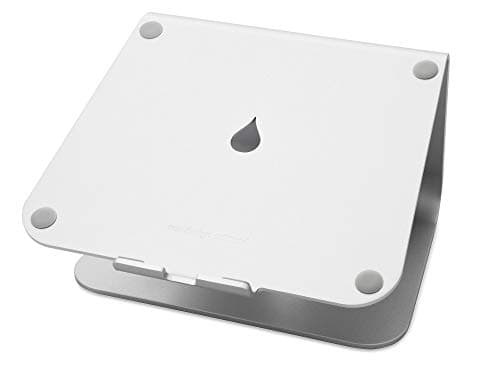
  1. Screen height. If you work on a laptop, its screen is far below eye level and your neck pays for it every day. A laptop stand plus a separate keyboard fixes it for the price of a meal out. If you already use an external monitor, the equivalent purchase is a monitor arm or a riser. This is first because it is the most common unfixed ergonomic fault and the cheapest one to close.
  2. Foot support, if your feet dangle. Second only because it applies to fewer people. If raising your chair to reach the desk left your feet off the floor, a footrest costs very little and undoes a real problem. Check with the measurement in how high should your desk be.
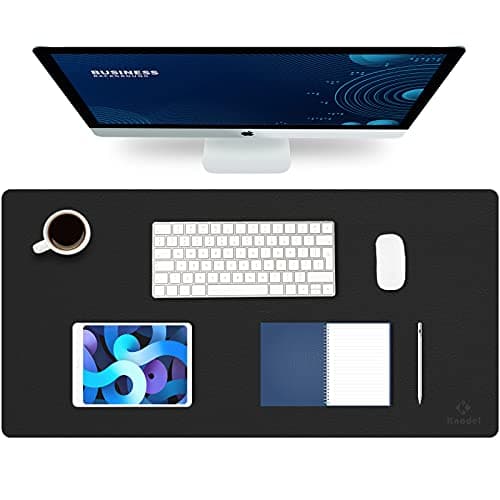
  3. The surface. A large desk mat gives the keyboard and mouse one consistent surface, quiets typing, and protects the desktop. It is not ergonomic, but it is the cheapest change that makes a setup feel finished.
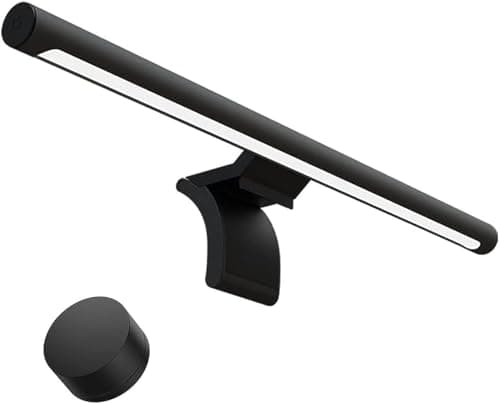
  4. Light. A monitor light bar is the one accessory people consistently underrate. Looking at a bright screen in a dark room is the cause of most evening eye strain, and an asymmetric bar fixes it without the glare a lamp behind the monitor creates. A desk lamp does the job too if you have the space.
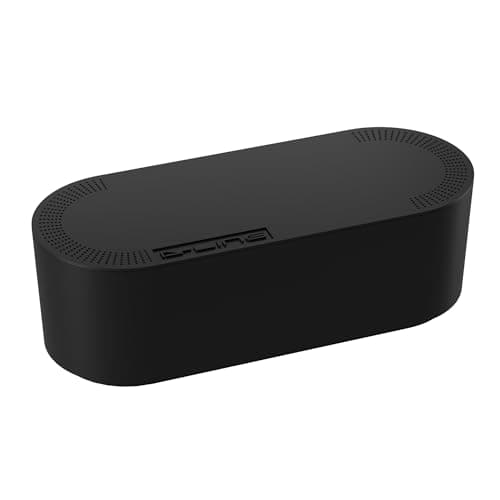
  5. Cables. Last, because it changes nothing functional and everything visual. A cable box and a tray turn the worst-looking part of any desk into something you never look at.

Why this order and not the popular one

The accessories that get bought first are usually the ones that photograph well: the mat, the headphone stand, the little wooden tray. The accessories that change how the setup works are the boring ones that alter where your body is — the stand that raises the screen, the footrest that gives your legs a floor. If money is limited, buy in the order of what your body notices, then buy the things your eyes notice.

There is also a sequencing reason. Cable management should be last because everything before it adds a cable. Tidying before you have finished adding devices means doing it twice, which is the single most common wasted afternoon in this hobby.

The accessories worth skipping, and what to buy instead

  • Monitor stands, if the monitor has VESA holes.A riser lifts a screen to one fixed height. An arm lifts it to any height and returns the desk underneath, for not much more. Buy the riser only when there is no VESA pattern or no clampable edge — the cases are in monitor arm vs stand.
  • Wrist rests bought before positioning is fixed.A rest cannot compensate for a keyboard tilted up on its feet or a desk at the wrong height. Fix those first — both are free — and then buy a rest at the height that matches your board, per the wrist rests roundup.
  • A second desk lamp when the problem is a window. If you are backlit on calls, move the desk. No accessory beats turning around.
  • Desktop organizers, until the drawers are full.Things on the desktop are things on the desktop, whether or not they are in a tray. Storage that is not on the working surface — a drawer, a shelf — does more.

How much to spend on this layer

Accessories are the last 10 percent of a setup’s budget and often the first 40 percent of how it feels. That is the argument for buying them — and also the argument for not buying them before the monitor, desk, and chair are right, because no accessory rescues a screen at the wrong height on a desk that is too tall. If you are building rather than refining, the order of the whole build is in the complete desk setup guide, and desk setup ideas covers the layouts these pieces fit into.

The short answer

Quick picks

#ProductBest forScorePrice
01
Rain Design Rain Design mStand Laptop Stand
Rain Design mStand Laptop Stand

Buy this first if you work on a laptop. Raising the screen roughly six inches is the single largest ergonomic change available for the money, and this one-piece aluminum riser has nothing to sag.

Priority 1 - screen height
9.1
$39.90Amazon
02
Knodel Knodel Large Leather Desk Pad
Knodel Large Leather Desk Pad

The second purchase. A large mat gives the keyboard and mouse one consistent surface, quiets typing noticeably, and protects the desktop - for about the price of a takeaway.

Priority 2 - the surface
8.1
$8.99Amazon
03
Xiaomi Xiaomi Mi Computer Monitor Light Bar
Xiaomi Mi Computer Monitor Light Bar

Third, and the one people are most surprised by. An asymmetric bar lights the desk without bouncing glare into the panel, which a normal lamp behind a monitor cannot do.

Priority 3 - light
8.6
$67.99Amazon
04
D-Line D-Line Cable Management Box (Large)
D-Line Cable Management Box (Large)

Fourth, and the one that makes everything else look intentional. It swallows the power strip and the coil of excess cable, turning the ugliest part of the desk into a closed box.

Priority 4 - the cables
8.2
$27.99Amazon

#ad · Live prices from the Amazon Product API, as of Sep 6, 2026. Where we have no verified live price we show none — we would rather leave a gap than print a number that has rotted.

In detail

The picks, in full

01
Rain Design Rain Design mStand Laptop Stand

Priority 1 - screen height

Rain Design mStand Laptop Stand

Material
Single-piece die-cast aluminum
Type
Fixed-height riser (no adjustment)
Screen lift
Raises the screen about six inches
Laptop size
Sized for 13 to 16 in laptops
Cable routing
Rear slot routes a cable behind it
9.1/10

Buy this first if you work on a laptop. Raising the screen roughly six inches is the single largest ergonomic change available for the money, and this one-piece aluminum riser has nothing to sag.

Problem Solved
9.6
Build
9.5
Ergonomic lift
8.9
Value
8.4

Pros

  • Fixes the most common unaddressed ergonomic fault in home setups: a screen far below eye level
  • One-piece casting is exceptionally rigid, with nothing to loosen over time
  • Rear slot keeps a charging or display cable tidy
  • Open underside helps air move under a warm laptop

Cons

  • Fixed height and angle, so it fits one ergonomic target only
  • Requires a separate keyboard and mouse to be useful
  • Costs more than plain budget risers doing the same lift

Skip this if…

you work on an external monitor already - your first accessory is a monitor arm instead

$39.90View on Amazon

Price as of Sep 6, 2026. Prices change — Amazon's is the one that counts.

#ad · we may earn a commission from this link to Rain Design mStand Laptop Stand

02
Knodel Knodel Large Leather Desk Pad

Priority 2 - the surface

Knodel Large Leather Desk Pad

Material
Dual-sided PU leather
Size
Large; a common size is about 31.5 by 15.7 in
Reversible
Two colors, one per side
Surface
Water-resistant, wipe-clean
Edge
Smooth heat-pressed edge
8.1/10

The second purchase. A large mat gives the keyboard and mouse one consistent surface, quiets typing noticeably, and protects the desktop - for about the price of a takeaway.

Problem Solved
8
Build
8.6
Ergonomic lift
6.5
Value
9.4

Pros

  • One consistent surface under both devices, which an optical mouse reads far better than bare laminate
  • Damps typing noise noticeably, which matters on a call or a shared room
  • Water-resistant and wipe-clean, and it takes the wear instead of the desktop
  • Reversible, so a tired side flips rather than gets replaced

Cons

  • PU leather can hold a shipping crease before it flattens
  • Edges are sealed rather than stitched
  • Does not solve any ergonomic problem - this is comfort and protection

Skip this if…

you want the soft hush of felt or a natural material under your hands

$8.99View on Amazon

$12.9931% off

Price as of Sep 6, 2026. Prices change — Amazon's is the one that counts.

#ad · we may earn a commission from this link to Knodel Large Leather Desk Pad

03
Xiaomi Xiaomi Mi Computer Monitor Light Bar

Priority 3 - light

Xiaomi Mi Computer Monitor Light Bar

Optic
Asymmetric optic aimed at the desk
Color temperature
Adjustable warm to cool
Controls
Wireless magnetic control dial
Power
USB powered
Fit
Weighted cradle for flat monitors
8.6/10

Third, and the one people are most surprised by. An asymmetric bar lights the desk without bouncing glare into the panel, which a normal lamp behind a monitor cannot do.

Problem Solved
8.8
Build
8.7
Ergonomic lift
7.6
Value
9.2

Pros

  • Asymmetric optic puts light on the desk and none on the screen, which is the whole point
  • Removes the dark-room screen glare that causes most evening eye strain
  • Wireless control dial included rather than sold separately
  • Takes up no desk space at all, unlike a lamp

Cons

  • No automatic ambient dimming; you set brightness by hand
  • Cradle is tuned for flat panels more than deep curves
  • Competes with a webcam for the top edge of the monitor

Skip this if…

your room already has good, even lighting and you never work after dark

$67.99View on Amazon

Price as of Sep 6, 2026. Prices change — Amazon's is the one that counts.

#ad · we may earn a commission from this link to Xiaomi Mi Computer Monitor Light Bar

04
D-Line D-Line Cable Management Box (Large)

Priority 4 - the cables

D-Line Cable Management Box (Large)

Type
Lidded cable-management box
Material
Fire-retardant ABS plastic
Holds
Surge-protected power strip plus excess cable
Cable exits
Slotted openings at both ends
Placement
Freestanding on floor or desk
8.2/10

Fourth, and the one that makes everything else look intentional. It swallows the power strip and the coil of excess cable, turning the ugliest part of the desk into a closed box.

Problem Solved
8.4
Build
9
Ergonomic lift
6
Value
9.4

Pros

  • Hides an entire power strip and its bricks in one closed shape, with no mounting or drilling
  • Fire-retardant plastic is the correct material for concentrated power
  • Lid lifts off for quick changes to what is plugged in
  • The single highest visual return of anything on this page

Cons

  • Manages the pooled cable at the outlet, not the runs across the desk
  • The large size still has a footprint you need to place out of sight
  • Purely cosmetic and organizational - it fixes nothing ergonomic

Skip this if…

your problem is long cable runs along a wall - a raceway does that, a box does not

$27.99View on Amazon

Price as of Sep 6, 2026. Prices change — Amazon's is the one that counts.

#ad · we may earn a commission from this link to D-Line Cable Management Box (Large)

How we picked

We do not run a testing lab

We compiled the published manufacturer specifications, did the ergonomics, VESA and desk-depth math ourselves, and read aggregated owner reviews, then scored each product against a published rubric. The scores are judgments from documented research — they are not measurements we took, because we do not have a lab and we are not going to pretend we do. Every spec traces back to a listing or manual named in Sources.

Questions

Frequently asked

What desk accessory should I buy first?
Whatever raises your screen to eye level. If you work on a laptop, a laptop stand plus a separate keyboard is the single highest-return purchase in this category. If you already have an external monitor at the right height, move to the next item: foot support if your feet dangle, then a desk mat.
Are monitor light bars worth it?
Yes, if you work after dark. Staring at a bright screen in an otherwise dark room is the usual cause of evening eye strain, and an asymmetric light bar lights the desk without bouncing glare off the panel — which a lamp placed behind a monitor cannot do. In a well-lit room during daylight hours, it is optional.
Is a desk mat actually useful or just decorative?
Both, honestly. It gives an optical mouse a consistent surface, damps typing noise noticeably, and takes the wear that would otherwise go into the desktop. None of that is ergonomic, so it belongs after screen height and foot support in the buying order — but it is cheap and it does real work.
When should I do cable management?
Last. Every accessory before it adds a cable, so tidying early means doing it twice. Once the devices are settled, start with a box for the power strip and a tray under the desk — and if your desk moves, read the standing-desk-specific method, because a traveling bundle is a different problem.
How much should I spend on desk accessories?
Less than you spend on the monitor, desk, and chair, and only after those are right. No accessory rescues a screen at the wrong height on a desk that is too tall. Within the category, the cheap functional items — a stand, a footrest, a mat, a light bar — deliver most of the benefit.

Keep reading

Receipts

Sources

We do not run a testing lab, and we do not pretend to. Specifications come from the manufacturer or retailer listing; the footprint and clearance math is ours and reproducible. Where we could not verify a number, we say so on the page rather than quietly leaving it out. Read our full method.