These two formats get shelved together as “ergonomic mice,” which obscures the fact that they solve different problems and are not really alternatives at all. Buying the wrong one is the most common reason people conclude that ergonomic pointers are marketing.
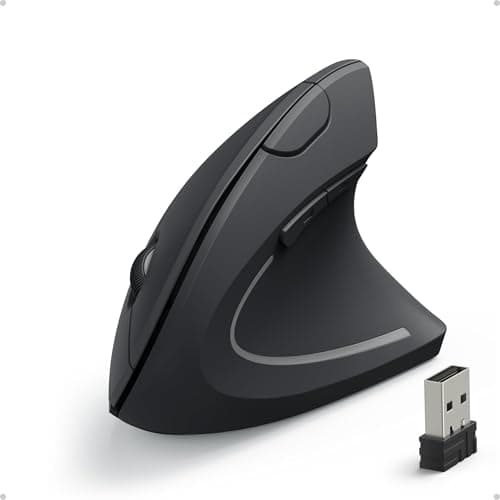
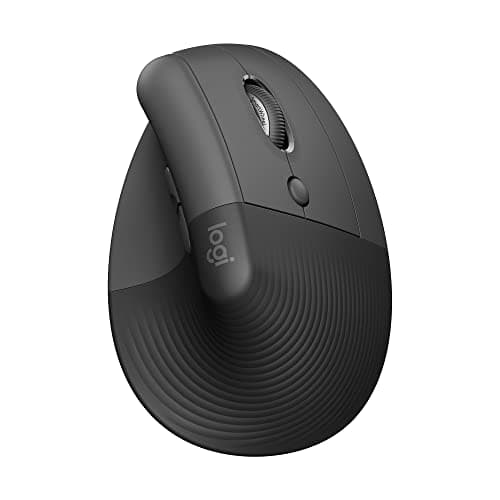
A vertical mouse changes the rotation of your forearm. Held palm-down on a conventional mouse, your two forearm bones cross over each other and stay crossed all day. Tilting the device to a handshake angle uncrosses them. What it does not change is that you still move your whole arm to move the cursor.
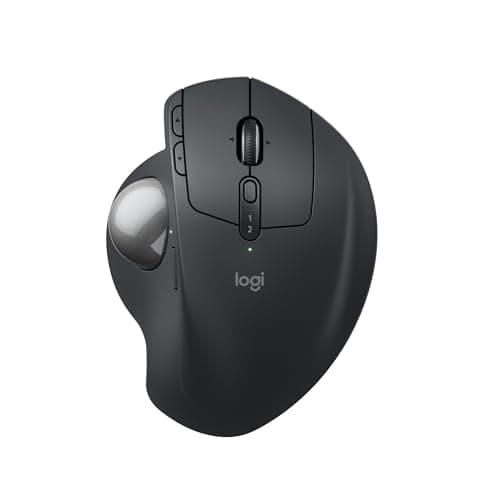
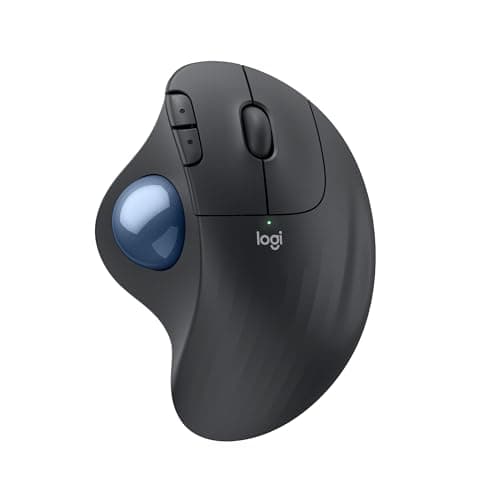
A trackball changes the movement. The device stays put and your thumb or fingers roll a ball, so the shoulder and elbow stop making thousands of small repositioning movements and the desk stops needing a clear sweep area. What most trackballs do not change is the palm-down forearm rotation — the hand posture is broadly that of a normal mouse.
So the question is not which is better. It is where your discomfort is. A forearm that aches, or a wrist that feels torqued, points to rotation, and the vertical mouse is the tool. A shoulder or upper arm that is tired by mid-afternoon points to movement, and the trackball is the tool. A desk with no room to sweep a mouse points to the trackball regardless of how anything feels.
There is one device that partly does both, and it appears below: a trackball with a tilting base that adds some forearm rotation relief to the still-arm benefit. It is a compromise rather than a merger, but it is a real option if you cannot decide. Full rankings live in our vertical mice roundup and trackball roundup; this page picks the format.
The decision, field by field
Forearm rotation. The vertical mouse wins outright. That is the problem it was designed for, and the only trackballs that address it at all are the ones with tilting bases, which get part of the way rather than all of it. If your forearm aches or your wrist feels torqued rather than compressed, this field decides it.
Shoulder and upper arm. The trackball wins outright, and it is not close. A vertical mouse still requires you to move your whole arm to move the cursor; a trackball removes those movements entirely. Mid-afternoon shoulder fatigue is the classic symptom, and it is the clearest single indicator in this comparison.
Desk space. The trackball wins. It needs its own footprint and nothing more, permanently, which is why it suits corner desks, shallow keyboard trays, and desks where a very wide monitor has taken the surface. A vertical mouse needs exactly as much sweep room as the flat mouse it replaced.
Precision. The vertical mouse wins on average, though the gap is smaller than people expect and it reverses at the top end. A good vertical mouse is close to a conventional one; a thumb trackball is noticeably coarser; a large finger-operated trackball with a good bearing is competitive with either. Neither format suits fast-aim gaming.
Learning curve. Effectively a draw. Both cost most people three to five days of feeling clumsy, with fine control returning over one to two weeks. Finger-operated trackballs are the slowest of the group. Whichever you choose, do not judge it in the first week.
The verdict
Buy a vertical mouse if your discomfort is in the forearm or the wrist and your desk has room to move a mouse. Buy a trackball if your discomfort is in the shoulder or upper arm, or if your desk has no clear sweep area — and choose a finger-operated one if the thumb is already sore. If you want a single device that hedges, a tilting thumb trackball gets you the full still-arm benefit and roughly half the rotation benefit, which is the best compromise on offer. And if the answer is genuinely both, keep a vertical mouse for detailed sessions and a trackball for everything else — alternating is easier on the arm than either one alone.