Skip to content
Chair & Cable

SECTION 05 · Cable Management

Powered vs unpowered USB hub

One number decides this: 900 milliamps. That is what your computer gives a USB 3.0 port, and a bus-powered hub shares it with everything you plug in.

By Stephen V.Updated How we pick
#ad

We earn a commission when you buy through our Amazon links, at no extra cost to you. It never affects our rankings, and we say so when the cheaper product is the better buy. How this works.

Buy a powered hub — the Plugable 7-port with its 36W adapteris the default — if anything you plug in has a motor, a screen, a heater or a radio: external hard drives, bus-powered SSDs, 4K webcams, audio interfaces, or a phone you want to charge at a useful rate. Buy an unpowered (bus-powered) hub if you are adding keyboards, mice, dongles, flash drives and wired headsets. That is the whole decision, and it comes down to one published number.

A USB 3.0 host port supplies 900 milliamps at 5 volts— about 4.5 watts — and USB 2.0 supplies 500mA. A bus-powered hub has no supply of its own, so it takes that single port’s budget, keeps a little for its own controller, and divides the rest between everything downstream. Four devices on a bus-powered hub are sharing one port’s worth of current. A self-powered hub brings its own adapter and gives each port the full spec allowance, which is why the Plugable can hand 1.5A to two of its ports for charging while the other five run at 900mA each.

The symptoms of an underpowered hub

This is worth knowing because the failure does not announce itself as a power problem. What you see instead:

  • A device disconnects and reconnects in a loop, often with the Windows connection chime every few seconds.
  • An external drive spins up, clicks and drops off under load, or copies fail part way through a large transfer.
  • A webcam works at 720p and fails at 4K, because the higher mode draws more current.
  • A microphone or audio interface pops or cuts out when something else on the hub wakes up.
  • Phones charge at a trickle, or show “slow charger”, because the port is handing out a fraction of an amp.

If that list looks familiar, read the hub troubleshooting guide before you buy anything — Windows selective suspend and a short, poor-quality host cable cause the same symptoms, and both are free to rule out.

The arithmetic, device by device

Published current draws vary by model, so treat these as the orders of magnitude they are, not as specifications:

  • Keyboard, mouse, wireless receiver: tens of milliamps each. A bus-powered hub runs several of these without noticing.
  • Flash drive, wired headset: around 100mA. Still fine.
  • Portable SSD, 4K webcam, USB microphone: several hundred milliamps. One is usually fine; two on a bus-powered hub is where it starts misbehaving.
  • Bus-powered 2.5-inch hard drive:most of a port’s budget on its own, and it spikes at spin-up.
  • 3.5-inch desktop drive, DAC and amplifier, phone charging: more than a host port can supply. These need a powered hub, full stop.

The simple test: add up how many of your devices came with their own power brick in the box, then look at how many of the rest you would describe as “doing something physical”. If the answer is more than one, buy powered.

Powered does not mean faster

A hub does not multiply bandwidth. Every port on a USB 3.0 hub shares the one 5Gbps upstream link, whether the hub has a power adapter or not — so two drives copying at once will halve, regardless. Power fixes stability; it does nothing for throughput.

If bandwidth is the problem rather than power, the answer is a different class of device: a dock with its own controller, or a Thunderbolt dock with 40Gbps upstream. The distinction is covered in USB hub vs docking station and USB-C vs Thunderbolt dock.

The third category nobody explains: PD pass-through

Some USB-C hubs are neither. They have no wall adapter of their own, but they accept a USB-C power input and pass most of it through to your laptop while keeping a slice for themselves — the Anker 8-in-1 below takes up to 100W in and uses roughly 15W. That is a genuinely good arrangement for a laptop desk: one cable to the laptop carries data, video and charge.

What it is not is a substitute for a self-powered hub on a desktop. If nothing is feeding the hub’s USB-C input, it is running on bus power like any other unpowered hub, and the arithmetic above applies.

Which to buy

Hub typePower sourceRight for
Self-powered (powered)Its own 24W to 36W adapterDrives, webcams, audio gear, charging, 5+ devices
Bus-powered (unpowered)The host port's 900mA, sharedKeyboards, mice, dongles, flash drives, travel
USB-C with PD pass-throughA charger upstream, shared with the laptopA one-cable laptop desk with video
DockAlways its own supplyMultiple monitors, ethernet, and charging together

One more practical note: on a powered hub, check whether the adapter is external or integrated, and whether it is a barrel jack or USB-C. An external brick is one more thing to find a socket for, which is an argument for a desk-edge power strip rather than against the hub.
The short answer

Quick picks

#ProductBest forScorePrice
01
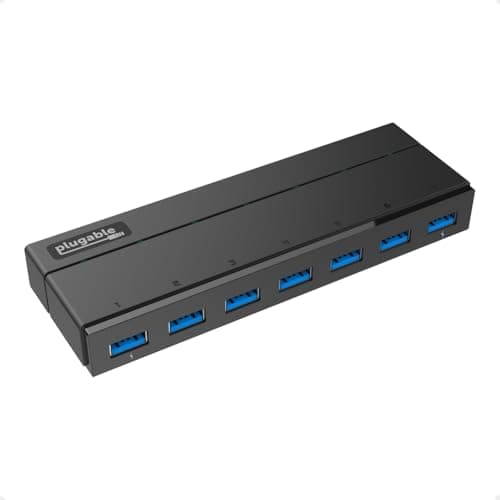
Plugable Plugable 7-Port USB 3.0 Hub with 36W Power Adapter
Plugable 7-Port USB 3.0 Hub with 36W Power Adapter

The powered hub to buy by default. A 36W adapter means all seven ports get the full 900mA the USB 3.0 specification allows, and ports 1 and 7 deliver up to 1.5A with BC 1.2 charging signaling - which is what makes a phone charge at a sensible rate.

The default powered hub
9.3
$39.95Amazon
02
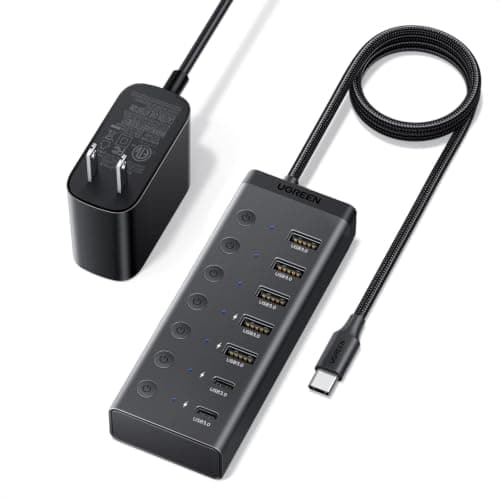
UGREEN UGREEN 7-in-1 Powered USB-C Hub (5 x USB-A, 2 x USB-C)
UGREEN 7-in-1 Powered USB-C Hub (5 x USB-A, 2 x USB-C)

The powered option for a USB-C desk, with a 24W input and an individual on/off switch on every port. The switches are the real feature: a drive you can power down without unplugging it is a drive that stops spinning when you are not using it.

A powered hub on a USB-C desk
8.8
$29.99Amazon
03
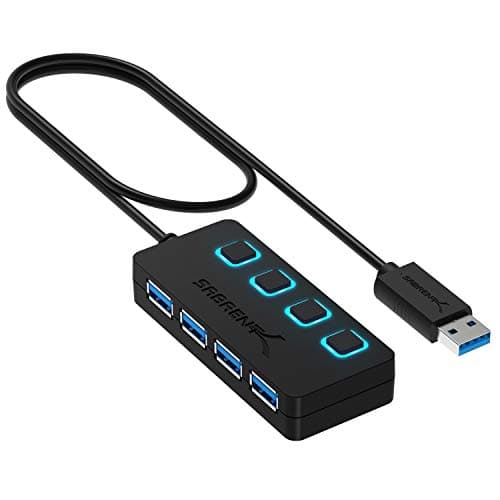
SABRENT SABRENT 4-Port USB 3.0 Hub with Individual Power Switches
SABRENT 4-Port USB 3.0 Hub with Individual Power Switches

Bus-powered done properly, and the cheapest sensible hub here. Four ports off the host's own current budget, with a switch and an LED each - so when something misbehaves you can isolate it in a second instead of crawling under the desk.

Low-draw devices on a budget
7.5
$14.95Amazon
04
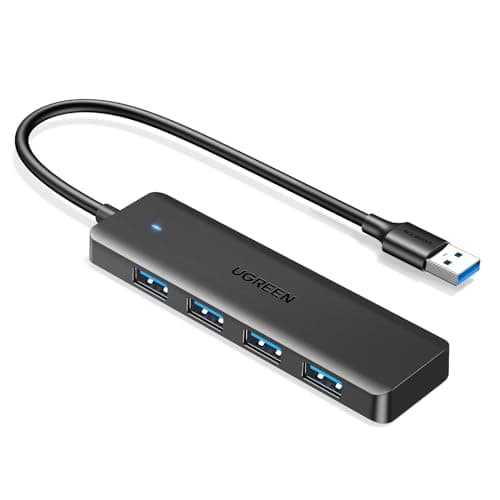
UGREEN UGREEN USB 3.0 Hub, 4 Ports Ultra-Slim
UGREEN USB 3.0 Hub, 4 Ports Ultra-Slim

The honest unpowered hub: 0.4 inches thick, 33 grams, a half-foot cable, and no pretence of powering anything. Data only, and that is exactly what it is good at - it lives in a laptop bag and adds ports where there are none.

Travel and low-draw peripherals
7.3
$6.98Amazon
05
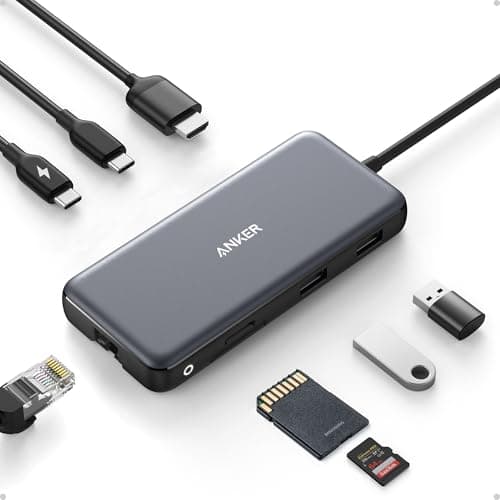
Anker Anker USB-C Hub, 8-in-1 with 4K 60Hz HDMI
Anker USB-C Hub, 8-in-1 with 4K 60Hz HDMI

The third category: no wall adapter of its own, but it accepts up to 100W of USB-C power and passes most of it to the laptop, using around 15W itself. On a laptop desk that is one cable for data, video and charge.

A one-cable laptop desk
8.3
$35.99Amazon

#ad · Live prices from the Amazon Product API, as of October 23, 2026. Where we have no verified live price we show none — we would rather leave a gap than print a number that has rotted.

In detail

The picks, in full

01
Plugable Plugable 7-Port USB 3.0 Hub with 36W Power Adapter

The default powered hub

Plugable 7-Port USB 3.0 Hub with 36W Power Adapter

Ports
7 x USB 3.0, 5Gbps shared
Power
36W external adapter included
Charging ports
Ports 1 and 7 deliver up to 1.5A with BC 1.2 signaling
Standard ports
900mA each, per the USB 3.0 specification
Drivers
None required on Windows, macOS or Linux
9.3/10

The powered hub to buy by default. A 36W adapter means all seven ports get the full 900mA the USB 3.0 specification allows, and ports 1 and 7 deliver up to 1.5A with BC 1.2 charging signaling - which is what makes a phone charge at a sensible rate.

Power Delivery
9.6
Port Count
9.2
Stability
9.4
Value
8.8

Pros

  • 36W is enough that the hub never rations current between ports
  • Two dedicated 1.5A charging ports, which bus-powered hubs cannot offer at all
  • Driverless on every major operating system
  • Seven ports is enough that you stop thinking about the hub

Cons

  • The external brick needs its own outlet
  • All seven ports still share one 5Gbps upstream link - power does not add bandwidth
  • No video output; this is a port expander, not a dock

Skip this if…

…you only ever plug in a keyboard, a mouse and a dongle - you are paying for headroom you will not use.

$39.95View on Amazon

Price as of October 23, 2026. Prices change — Amazon's is the one that counts.

#ad · we may earn a commission from this link to Plugable 7-Port USB 3.0 Hub with 36W Power Adapter

02
UGREEN UGREEN 7-in-1 Powered USB-C Hub (5 x USB-A, 2 x USB-C)

A powered hub on a USB-C desk

UGREEN 7-in-1 Powered USB-C Hub (5 x USB-A, 2 x USB-C)

Ports
5 x USB-A and 2 x USB-C, all 5Gbps
Host connector
USB-C, on a 3.3 ft cable
Power
24W DC input, adapter included
Switches
Individual on/off switch per port
Function
Data only - no video output and no host charging
8.8/10

The powered option for a USB-C desk, with a 24W input and an individual on/off switch on every port. The switches are the real feature: a drive you can power down without unplugging it is a drive that stops spinning when you are not using it.

Power Delivery
8.4
Port Count
9.2
Stability
8.8
Value
8.8

Pros

  • Its own supply, so the ports are not splitting the host's 900mA
  • Per-port switches cut power to a device without unplugging the cable
  • A mix of USB-A and USB-C, which most powered hubs still do not offer
  • 3.3-foot host cable reaches from behind a monitor to the machine

Cons

  • 24W is less headroom than the Plugable's 36W across seven ports
  • Data only - no video and it will not charge your laptop
  • USB-C host connector means a desktop with USB-A only needs an adapter

Skip this if…

…you want video out of the hub - that is a dock, not a hub.

$29.99View on Amazon

$39.9925% off

Price as of October 23, 2026. Prices change — Amazon's is the one that counts.

#ad · we may earn a commission from this link to UGREEN 7-in-1 Powered USB-C Hub (5 x USB-A, 2 x USB-C)

03
SABRENT SABRENT 4-Port USB 3.0 Hub with Individual Power Switches

Low-draw devices on a budget

SABRENT 4-Port USB 3.0 Hub with Individual Power Switches

Ports
4 x USB 3.0, 5Gbps shared
Switches
Individual power switch and LED per port
Power
Bus powered - no external supply
Cable
2 ft USB 3.0 attached
Compatibility
Driverless on Windows and macOS, backward compatible to USB 2.0
7.5/10

Bus-powered done properly, and the cheapest sensible hub here. Four ports off the host's own current budget, with a switch and an LED each - so when something misbehaves you can isolate it in a second instead of crawling under the desk.

Power Delivery
5.5
Port Count
7.4
Stability
7.8
Value
9.4

Pros

  • Per-port switches and LEDs make diagnosing a problem device trivial
  • No brick, no outlet, nothing extra on the desk
  • Four ports is the right count for a keyboard, mouse, dongle and a flash drive
  • Costs a fraction of any powered hub

Cons

  • All four ports share the host's 900mA - a hard drive will not be reliable on it
  • 2-foot cable is short if the host port is behind a tower
  • Switches are a convenience, not a power supply - they cannot add current

Skip this if…

…anything you are plugging in has a motor or a screen - the arithmetic does not work.

$14.95View on Amazon

Price as of October 23, 2026. Prices change — Amazon's is the one that counts.

#ad · we may earn a commission from this link to SABRENT 4-Port USB 3.0 Hub with Individual Power Switches

04
UGREEN UGREEN USB 3.0 Hub, 4 Ports Ultra-Slim

Travel and low-draw peripherals

UGREEN USB 3.0 Hub, 4 Ports Ultra-Slim

Ports
4 x USB-A 3.0, 5Gbps
Power
Bus powered, no external supply
Cable
0.5 ft attached
Size and weight
0.4" thick, 33 g
Function
Data only - no charging or video support
7.3/10

The honest unpowered hub: 0.4 inches thick, 33 grams, a half-foot cable, and no pretence of powering anything. Data only, and that is exactly what it is good at - it lives in a laptop bag and adds ports where there are none.

Power Delivery
4.5
Port Count
7.4
Stability
7.4
Value
9.8

Pros

  • Small and light enough that it lives in the bag permanently
  • Nothing to plug into the wall, which is the point when you are away from the desk
  • Four ports from one, for dongles and flash drives
  • The cheapest item on this page by a wide margin

Cons

  • No charging support at all, and no headroom for a drive
  • The 0.5-foot cable means it hangs off the laptop rather than sitting on the desk
  • Nothing to isolate a misbehaving device with

Skip this if…

…this is your permanent desk hub - buy the powered Plugable and keep this for the bag.

$6.98View on Amazon

$9.9930% off

Price as of October 23, 2026. Prices change — Amazon's is the one that counts.

#ad · we may earn a commission from this link to UGREEN USB 3.0 Hub, 4 Ports Ultra-Slim

05
Anker Anker USB-C Hub, 8-in-1 with 4K 60Hz HDMI

A one-cable laptop desk

Anker USB-C Hub, 8-in-1 with 4K 60Hz HDMI

Video
HDMI up to 4K at 60Hz
Data ports
2 x USB-A and 1 x USB-C, all 10Gbps
Network
Gigabit Ethernet
Power
USB-C PD-IN, up to 100W pass-through (about 15W used by the hub)
Card readers
SD and microSD (UHS-I)
8.3/10

The third category: no wall adapter of its own, but it accepts up to 100W of USB-C power and passes most of it to the laptop, using around 15W itself. On a laptop desk that is one cable for data, video and charge.

Power Delivery
8.6
Port Count
7
Stability
8.8
Value
8.6

Pros

  • PD pass-through means the hub is powered and the laptop charges from the same brick
  • 10Gbps data ports, double the link speed of the USB 3.0 hubs here
  • Adds HDMI and ethernet, which no plain hub does
  • One cable to the laptop covers everything

Cons

  • Without a charger upstream it is just another bus-powered hub
  • Fewer USB-A ports than any dedicated hub on this page
  • Hub overhead means the laptop sees less wattage than the brick supplies

Skip this if…

…you are expanding ports on a desktop - you are paying for video and PD you cannot use.

$35.99View on Amazon

$49.9928% off

Price as of October 23, 2026. Prices change — Amazon's is the one that counts.

#ad · we may earn a commission from this link to Anker USB-C Hub, 8-in-1 with 4K 60Hz HDMI

How we picked

We do not run a testing lab

We compiled the published manufacturer specifications, did the ergonomics, VESA and desk-depth math ourselves, and read aggregated owner reviews, then scored each product against a published rubric. The scores are judgments from documented research — they are not measurements we took, because we do not have a lab and we are not going to pretend we do. Every spec traces back to a listing or manual named in Sources.

Questions

Frequently asked

Do I need a powered USB hub?
You do if anything you plug in has a motor, a screen, a heater or a radio: external hard drives, 4K webcams, audio interfaces, or a phone you want charged. You do not for keyboards, mice, wireless receivers, flash drives and wired headsets, which together draw less than a single USB 3.0 port supplies.
How much power does a USB port actually give?
A USB 3.0 port supplies 900mA at 5V - about 4.5W. USB 2.0 supplies 500mA. A bus-powered hub divides that one allowance between all of its ports, which is the entire reason unpowered hubs struggle with drives.
Is a powered USB hub faster?
No. Every port on a USB 3.0 hub shares the same 5Gbps upstream link whether the hub has its own supply or not. Power buys stability, not bandwidth. If throughput is the problem, you want a dock with a faster upstream connection.
Why does my USB hub keep disconnecting?
Usually current, sometimes software. If a device loops through connect and disconnect, or a drive drops off mid-copy, the hub is probably out of current for it. Before buying, rule out Windows selective suspend and a cheap host cable - both produce identical symptoms.
Can I charge my phone from an unpowered hub?
Slowly, and often not at all. Fast charging needs a port that can both supply more than 900mA and signal that it can, which is exactly what a bus-powered hub cannot do. The Plugable's two 1.5A BC 1.2 ports are what charging looks like on a hub.
Is a powered hub the same as a docking station?
No. A dock adds video outputs, usually ethernet, and almost always charges the laptop; a hub multiplies USB ports and nothing more. The overlap case is a USB-C hub with PD pass-through and HDMI, which sits between the two.
Will a powered hub damage my laptop?
No. A compliant self-powered hub supplies its downstream ports from its own adapter and negotiates normally with the host. What does cause trouble is a cheap hub with no overcurrent protection, which is an argument for buying a known brand rather than against powered hubs.

Keep reading

Receipts

Sources

We do not run a testing lab, and we do not pretend to. Specifications come from the manufacturer or retailer listing; the footprint and clearance math is ours and reproducible. Where we could not verify a number, we say so on the page rather than quietly leaving it out. Read our full method.