A big desk gift fails for one reason: it does not fit. Not the budget — the body, the desk or the machine. A chair in the wrong size, a monitor deeper than the desk allows, a dock the laptop cannot use. So this page is ordered by how safely each splurge can be given to someone whose setup you have not measured, from the one that fits almost any desk to the ones that need a conversation first. Every pick is something we rank at the top of its own category and would buy at full price; the framing here is what to check before you spend three figures on someone else’s desk.
Two of these — the chair and the desk — are personal enough that the honest advice is to buy them with the person rather than for them. They are still on the list, because they are the two purchases that change a working life most, and because a gift that begins as a conversation (“I want to buy you the chair; let’s pick the size”) is still a gift. The other four can be given cold with a single check each, and the entry tells you what it is.
Prices on this page are live from Amazon, refreshed daily and hidden if they go stale. Several of these product classes have a documented record of discounting in November; the Black Friday deals hub lays out which ones, with sources, if timing the purchase matters to you.
The short answer
Quick picks
| # | Product | Best for | Score | Price |
|---|
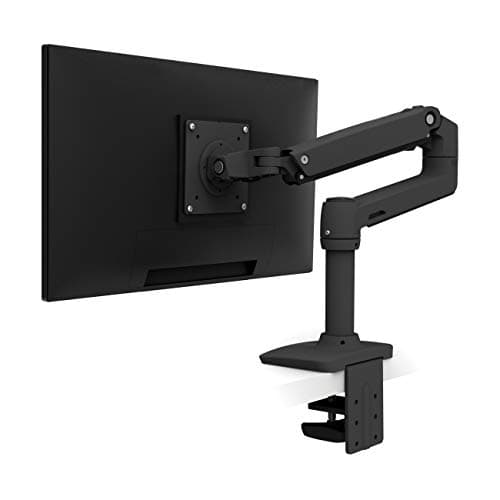
| 01 | Ergotron LX Single Monitor ArmThe safest splurge on a desk. It fits any monitor with VESA holes up to 34 inches, clamps to almost any desk, moves with one finger and stays where it is put for years. Nobody buys the reference arm for themselves; everybody keeps it. | Best overall splurge | | $209.69·Amazon |
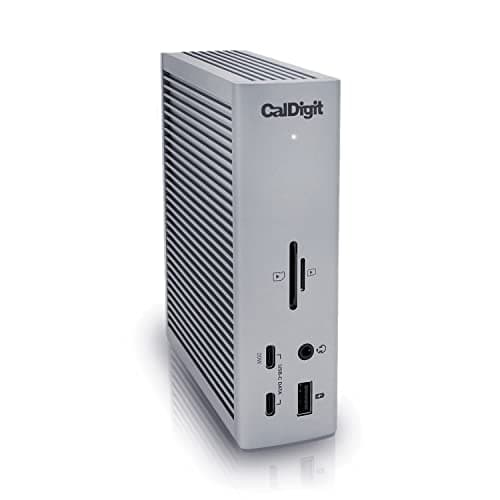
| 02 | CalDigit TS4 Thunderbolt 4 Dock (18 Port)The gift that ends the cable mess for a laptop person. One cable into the laptop carries the monitors, the drives, the network, the card readers and the charging. The check is a single word on the laptop's port: Thunderbolt. | Best for a laptop-and-monitor desk | | $379.99·Amazon |
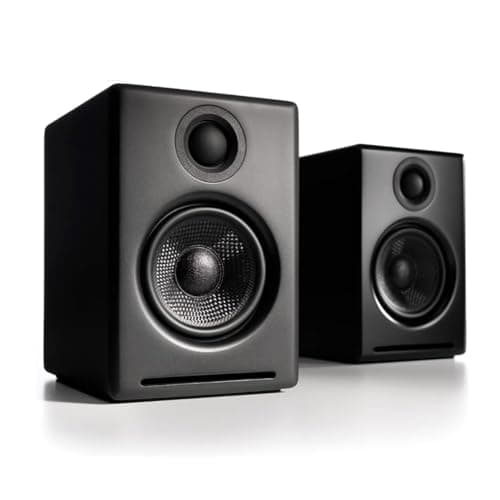
| 03 | Audioengine A2 Bluetooth Desktop SpeakersThe premium desk speakers that fit a normal desk. Small enough to sit beside a 27-inch monitor, shielded so they can, with a built-in DAC over USB and Bluetooth for a phone. The gift for someone who loves music and has a small desk. | Best for a music lover with a small desk | | $299.00·Amazon |
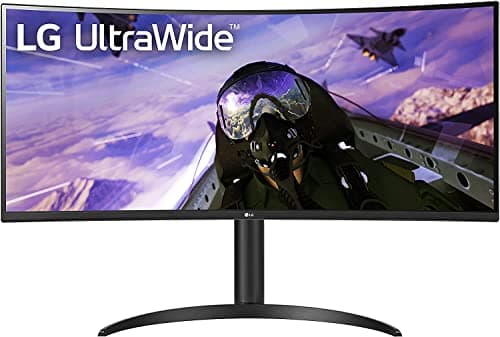
| 04 | LG 34WP65C-B 34" UltraWide QHD CurvedThe gift that turns one screen into the width of two. Our top-value ultrawide, and the least expensive way to give someone the thing they see on every desk-setup photo. It needs two numbers checked: desk width and desk depth. | Best for someone on a single 24-inch screen | | $314.99·Amazon |
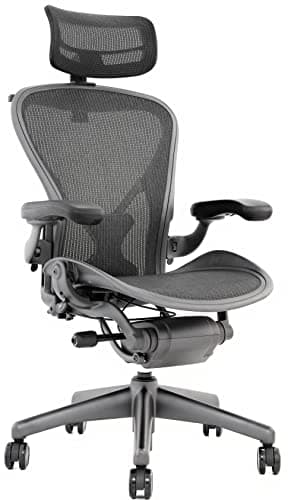
| 05 | Herman Miller Aeron ChairThe icon, and the gift people remember for a decade - but it comes in three frame sizes, and the wrong one is a wrong chair. Buy it with them, or confirm the size from Herman Miller's chart first. Given right, nothing on this page lands harder. | Best gift to choose together | | $689.00·Amazon |
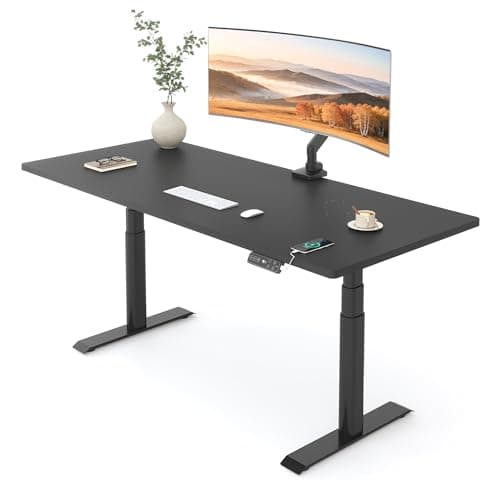
| 06 | FlexiSpot E6 Pro Dual-Motor Standing Desk (55x28 in)Our top standing desk, and the splurge that changes a working day most for someone still at a fixed desk. It is also the one that needs the room measured, the delivery planned and an afternoon of assembly - a gift to give as a plan, not a surprise. | Best gift to give as a plan | | $399.99·Amazon |
#ad · Live prices from the Amazon Product API, as of Sep 24, 2026. Where we have no verified live price we show none — we would rather leave a gap than print a number that has rotted.
In detail
The picks, in full
Best overall splurge
Ergotron LX Single Monitor Arm
- Mount
- Desk clamp or grommet
- VESA
- 75 x 75 & 100 x 100mm
- Screen size
- Up to 34"
- Weight
- 7 to 25 lb (3.2 to 11.3 kg)
- Motion
- Constant Force, about 13" lift
The safest splurge on a desk. It fits any monitor with VESA holes up to 34 inches, clamps to almost any desk, moves with one finger and stays where it is put for years. Nobody buys the reference arm for themselves; everybody keeps it.
- Daily Use
- 9.6
- Unlikely to Own
- 9.2
- Universal Fit
- 8.4
- Value
- 7.4
Pros
- +One check - VESA holes and a screen under 34 inches - and it fits nearly every desk
- +Thirteen inches of lift puts the screen at eye level seated or standing, which is the ergonomic fix that matters most
- +Build quality that makes it the arm every other arm is compared against
- +Gives back the desk depth a monitor stand was eating
Cons
- −Costs several times what a competent value arm costs, and the value arm also works
- −Needs a clear rear desk edge or a grommet hole
- −Heavy 34-inch-plus ultrawides need the larger HX instead
Skip this if…
…their monitor has no VESA pattern or is larger than 34 inches - check the back of the screen and the model number first
Best for a laptop-and-monitor desk
CalDigit TS4 Thunderbolt 4 Dock (18 Port)
- Host connection
- Thunderbolt 4, 40Gb/s
- Ports
- 18 total - 3x TB4, 3x USB-C 10Gb/s, 5x USB-A 10Gb/s, DisplayPort 1.4
- Network
- 2.5 Gigabit Ethernet
- Card readers
- SD 4.0 and microSD 4.0 (UHS-II)
- Charging
- Up to 98W to the host laptop
- Displays
- Single 8K at 30Hz, or dual 6K at 60Hz (host dependent)
The gift that ends the cable mess for a laptop person. One cable into the laptop carries the monitors, the drives, the network, the card readers and the charging. The check is a single word on the laptop's port: Thunderbolt.
- Daily Use
- 9.6
- Unlikely to Own
- 9
- Universal Fit
- 7.2
- Value
- 7
Pros
- +Turns a laptop desk into a one-cable desk, which is the upgrade laptop people talk about most
- +98W charging feeds even a large laptop, so the charger leaves the desk entirely
- +Eighteen ports means nothing else needs a hub
- +The reference product in its category; no one who owns one wishes they had bought less
Cons
- −Only worth it on a laptop with a Thunderbolt port - on plain USB-C most of it sits idle
- −A large, mains-powered permanent fixture, not something that travels
- −Six times the price of a competent USB-C dock that covers a simpler desk
Skip this if…
…you cannot confirm their laptop has a Thunderbolt port - look for the lightning-bolt symbol next to the USB-C port, or ask
Best for a music lover with a small desk
Audioengine A2 Bluetooth Desktop Speakers
- Drivers
- 2.75" Kevlar woofer and 3/4" silk-dome tweeter
- Power
- 15W RMS per channel, 60W total peak (AES)
- Frequency response
- 65 Hz to 22 kHz
- Inputs
- USB, 3.5mm, RCA and Bluetooth
- DAC
- Built in - USB input bypasses the computer's audio output
- Shielding
- Magnetically shielded for use beside monitors
The premium desk speakers that fit a normal desk. Small enough to sit beside a 27-inch monitor, shielded so they can, with a built-in DAC over USB and Bluetooth for a phone. The gift for someone who loves music and has a small desk.
- Daily Use
- 8.8
- Unlikely to Own
- 9
- Universal Fit
- 9
- Value
- 6.8
Pros
- +Compact enough for a desk that could never take bookshelf speakers
- +USB, Bluetooth, 3.5mm and RCA, so they connect to whatever they own
- +Magnetically shielded, so they can sit right against a screen
- +Sound finished out of the box - no tuning, no app
Cons
- −The most expensive desktop pair we rank by a distance
- −Small woofers cannot reach as low as a larger bookshelf pair
- −The right speaker is passive and wired to the left, so one cable crosses behind the monitor
Skip this if…
…they already own desk speakers they like, or they want deep bass - driver size sets that limit, not price
Best for someone on a single 24-inch screen
LG 34WP65C-B 34" UltraWide QHD Curved
- Screen
- 34" curved (1800R)
- Resolution
- 3440 x 1440 (21:9 UWQHD)
- Refresh rate
- 160Hz
- Panel
- VA, HDR10, AMD FreeSync
- VESA mount
- 100 x 100mm
The gift that turns one screen into the width of two. Our top-value ultrawide, and the least expensive way to give someone the thing they see on every desk-setup photo. It needs two numbers checked: desk width and desk depth.
- Daily Use
- 9.8
- Unlikely to Own
- 8.6
- Universal Fit
- 6.8
- Value
- 9.2
Pros
- +3440 x 1440 across 34 inches is roughly two 24-inch monitors of space with no bezel down the middle
- +The single most visible upgrade a desk can get, which is what a splurge gift should be
- +Standard VESA pattern, so it pairs with the arm at the top of this list
- +Fast enough for games and calm enough for spreadsheets, so it suits a desk that does both
Cons
- −About 32 inches wide - the desk needs the width, and the arm-or-stand question needs the depth
- −VA panel, so off-angle uniformity trails an IPS panel for color-critical work
- −No USB-C, so a laptop needs a separate cable for charging
Skip this if…
…you have not seen the desk - a 34-inch ultrawide wants roughly 44 inches of desk width and enough depth to sit an arm's length away; our ultrawide size guide has the numbers
Best gift to choose together
Herman Miller Aeron Chair
- Back & seat
- Full 8Z Pellicle suspension mesh
- Support
- PostureFit SL adjustable sacral and lumbar pads
- Sizing
- Three frame sizes: A, B, C
- Armrests
- Adjustable arms (fully adjustable option)
- Warranty
- 12-year, 3-shift limited warranty
The icon, and the gift people remember for a decade - but it comes in three frame sizes, and the wrong one is a wrong chair. Buy it with them, or confirm the size from Herman Miller's chart first. Given right, nothing on this page lands harder.
- Daily Use
- 9.8
- Unlikely to Own
- 9.4
- Universal Fit
- 5.4
- Value
- 7
Pros
- +A 12-year warranty makes it the rare gift that is still being used in 2038
- +Full suspension mesh breathes better than anything else we rank, which matters over an eight-hour day
- +Three frame sizes mean it can genuinely fit, if the size is chosen rather than guessed
- +Strong resale value, so even a wrong guess is recoverable
Cons
- −Sized A, B or C to height and weight - a guess is a gamble on the most personal object on a desk
- −Firm mesh seat is not for everyone; some people prefer foam
- −The highest price tier on the site
Skip this if…
…you cannot confirm their frame size - check Herman Miller's size chart against their height and weight, or make the gift the conversation
Best gift to give as a plan
FlexiSpot E6 Pro Dual-Motor Standing Desk (55x28 in)
- Surface
- 55" W x 28" D
- Height range
- Dual-motor, about 25 to 50 in
- Motor
- Dual motor
- Controller
- 4-position memory keypad
- Top
- Chipboard with laminate finish
Our top standing desk, and the splurge that changes a working day most for someone still at a fixed desk. It is also the one that needs the room measured, the delivery planned and an afternoon of assembly - a gift to give as a plan, not a surprise.
- Daily Use
- 9.6
- Unlikely to Own
- 8.8
- Universal Fit
- 5.8
- Value
- 8.4
Pros
- +Dual motors and a wide height range - the fundamentals that separate a good standing desk from a wobbly one
- +Four memory presets, so sitting and standing heights are one press each
- +The 28-inch depth is deep enough for a monitor arm and a big screen, which shallower desks are not
- +Priced below the premium frames while matching most of what matters
Cons
- −55 by 28 inches of desk has to fit the room, and it arrives as a heavy flat pack
- −The chipboard top is the ordinary part of an otherwise strong package
- −Replacing someone's desk means moving everything on it - it is a project, not an unboxing
Skip this if…
…you have not measured the space it is going into, or they have not said they want to stand - a standing desk for someone who sits is a fixed desk with a motor
The order on this page is the order of risk
The arm needs one check. The dock needs one word on a port. The speakers need a desk with a little room beside the monitor. The monitor needs two measurements. The chair needs a frame size. The desk needs a room. That is the order the picks appear in, and it is deliberate: if you are buying cold, start at the top and stop at the first pick whose check you can pass. If you can have a conversation first, the bottom two are the ones that change a working life most, and they are worth the conversation.
How to give a chair or a desk without guessing
Make the gift the decision, not the box. Tell them the budget covers the chair, then sit down together with Herman Miller’s size chart or our ergonomic chair ranking and let them pick the size and the configuration. For the desk, measure the room with them, agree on the width and depth, and order it to arrive on a day they can spend an afternoon assembling it. That sounds less romantic than a surprise. It is also the only way a chair or a desk arrives in the right size, and a right-sized chair is a gift that lasts twelve years. If you want a surprise as well, wrap the arm.
Pairs that make sense
The arm and the ultrawide are natural partners — the arm is what lets a 34-inch panel sit at the right height and give back the desk under it. The dock and the ultrawide are another: a Thunderbolt dock is how a laptop drives a big panel, charges and reaches the network over one cable. If you are buying two things, those pairings turn two good gifts into a finished desk. The two VESA essentials listed below are the small parts a new arm most often needs and rarely ships with; add them to the box if the monitor is an older or unusual one.
Timing the purchase
Every product class on this page has a history worth knowing before you order. Herman Miller and Steelcase both have documented sitewide November sales; FlexiSpot cut its frames for the last two Black Fridays; monitors discount more broadly in November than anything else in the category; and the CalDigit TS4 has a documented Black Friday 2025 Amazon price. The Ergotron LX is the exception — we found no documented November cut. The Black Friday deals hub has the sources and the class-by-class guidance, and it is where the 2026 deals will be posted when they go live.
Essentials
The small parts that finish the job
Nothing here changes a pick above, and none of it is a considered purchase. These are the cheap pieces that decide whether the expensive one works properly, and the ones people discover they are missing on the day the big box arrives.
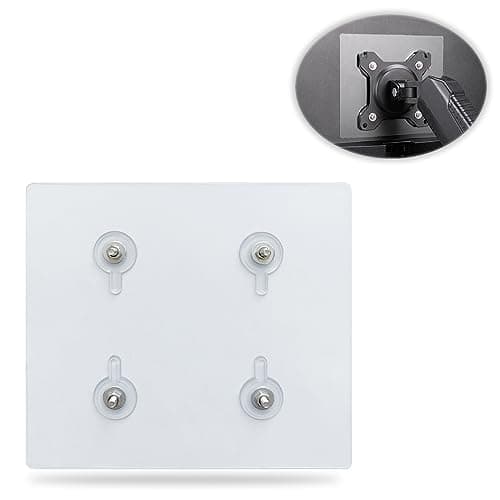
Universal VESA Mount Adapter for Non-VESA Monitors (13 to 27 in)
The part that decides whether an arm is even an option. A panel with no bolt pattern on the back cannot mount to anything, and a bracket kit gives it one instead of sending you back to the stand in the box.
Check first: confirm the adapter's VESA pattern and its panel-size range against both your monitor and your arm, and make sure the arm's weight rating still covers the adapter plus the screen.
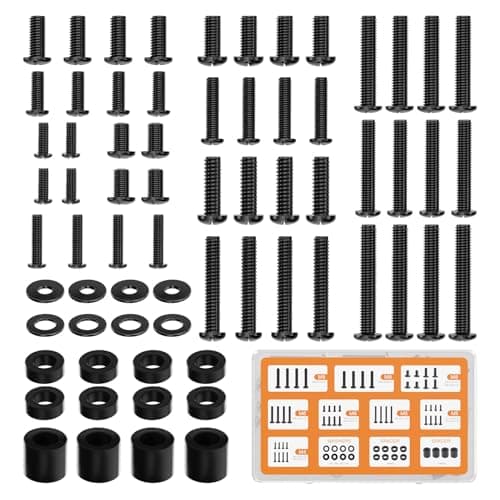
WALI Universal Mounting Hardware Set (M4, M5, M6, M8)
Arms ship with one length of screw. Thick panels, recessed VESA patterns and curved backs regularly need a longer thread or a spacer, and a mixed M4 to M8 kit turns a half-finished install into a ten-minute job.
#ad · Live prices from the Amazon Product API, as of Sep 24, 2026. Where we have no verified live price we show none. We may earn a commission, at no extra cost to you.
How we picked
We do not run a testing lab
We compiled the published manufacturer specifications, did the ergonomics, VESA and desk-depth math ourselves, and read aggregated owner reviews, then scored each product against a published rubric. The scores are judgments from documented research — they are not measurements we took, because we do not have a lab and we are not going to pretend we do. Every spec traces back to a listing or manual named in Sources.
Questions
Frequently asked
What is the best expensive desk gift?+
The Ergotron LX monitor arm, because it is the reference product in its category and it fits almost any desk with a single check: the monitor needs VESA holes and needs to be 34 inches or smaller. Everything else on this list is a bigger change but a harder fit.
Can I buy a Herman Miller Aeron as a gift?+
Yes, if you know the size. The Aeron comes in three frame sizes - A, B and C - chosen by height and weight, and the wrong size is the wrong chair. Either check Herman Miller’s size chart against their measurements or make the gift the decision: tell them the chair is covered and choose the size together.
How do I know if their laptop can use a Thunderbolt dock?+
Look for a small lightning-bolt symbol printed next to a USB-C port, or search the laptop model number with the word Thunderbolt. Recent MacBook Pro and Air models and most premium Windows laptops have it. If the port is plain USB-C, a much cheaper USB-C dock from our dual-monitor dock ranking is the right gift instead.
Is a 34-inch ultrawide too big for a normal desk?+
It fits a desk about 44 inches wide or more, and it wants enough depth to sit roughly an arm’s length from the eyes, which usually means a monitor arm on a 24-inch-deep desk. Our ultrawide size guide has the exact figures for each diagonal. If you have not seen the desk, the arm at the top of this list is the safer splurge.
Should I wait for Black Friday to buy these?+
For the chair, the desk, the monitor and the dock, the product classes have a documented record of November discounts, so if you can wait, the evidence says wait. For the Ergotron arm we found no documented November cut, so buy it when you are ready. The Black Friday deals hub carries the sources.
Receipts
Sources
We do not run a testing lab, and we do not pretend to. Specifications come from the manufacturer or retailer listing; the footprint and clearance math is ours and reproducible. Where we could not verify a number, we say so on the page rather than quietly leaving it out. Read our full method.