Skip to content
Chair & Cable

SECTION 01 · Monitors & Arms

The best monitors for video editing

Editing is the one desk job where the panel can be wrong in a way you cannot see until the client does. So this page ranks on the numbers manufacturers publish about color - and ignores the ones they market.

By Stephen V.Updated How we pick
#ad

We earn a commission when you buy through our Amazon links, at no extra cost to you. It never affects our rankings, and we say so when the cheaper product is the better buy. How this works.

If you deliver to the web — YouTube, a client’s site, social — the honest answer is that a 100% sRGB panel with a calibration report in the box is all the color you need, and the ASUS ProArt PA279CV is the cheapest one here that also publishes 10-bit display colors. If you deliver anything in P3 or HDR, you need a panel whose maker publishes a P3 coverage figure, and the BenQ PD2730S is the one we would put on the desk: 98% P3 on a 5K matte panel that also charges the laptop. If you grade HDR, the LG 32U990A-S is the only screen here with both a published P3 number and a DisplayHDR certification behind it.

Everything else on this page exists because editing has two separate hardware problems that get confused with each other. One is color: will what you see match what you deliver. The other is geometry: how much panel is left for bins, scopes and a timeline once the viewer has taken its pixels. A monitor can be excellent at one and useless at the other, and the specification sheet tells you which — if you read the four lines that matter and ignore the rest.

Criterion 1: the color space you deliver in, not the biggest number

Color gamut is not a quality score. It is a container, and the only question that matters is whether the panel covers the container your footage ends up in.

  • Web and broadcast SDR land in Rec. 709, which for practical purposes shares its primaries with sRGB. A panel that covers 100% sRGB and Rec. 709 covers that work completely. Buying wider gamut for it buys nothing.
  • Cinema and most HDR delivery land in DCI-P3or Display P3, a noticeably larger container — mostly in the reds and greens. A 100% sRGB panel physically cannot show you the parts of a P3 image that fall outside sRGB. It will show you something, and that something is wrong.

So the first filter is simple: find your delivery space, then look for a published coverage percentage for thatspace on the maker’s own specification page. Here is what the six panels below publish.

PanelPublished coveragePublished bit depthRight for
BenQ PD2730S (27″ 5K)98% P3, 100% sRGBNot published as a color countP3 and HDR delivery
ASUS ProArt PA279CV (27″ 4K)100% sRGB; no P3 figure published1.07 billion (10-bit)Rec. 709 and web SDR
LG 32U990A-S (31.5″ 6K)98% DCI-P3, DisplayHDR 600Not published as a color countHDR grading
BenQ PD2725U (27″ 4K)95% Display P3, 100% sRGB / Rec. 709, Delta E under 3Not published as a color countMixed SDR and P3 work
Dell UltraSharp U3425WE (34″ ultrawide)No coverage figure we could verify at sourceNot published as a color countTimeline width, not the grade
ASUS ProArt PA248QV (24.1″ 16:10)100% sRGBNot published as a color countScopes, bins and a second screen

Two things to notice. First, the ASUS ProArt panels list a DCI-P3 preset in their feature list without listing a DCI-P3 coverage percentage— a mode that targets a space is not the same claim as covering it, and we do not treat it as one. Second, Dell publishes a great deal about the U3425WE’s ports and nothing we could verify about its gamut, which is exactly why it is ranked here as a timeline screen rather than a color screen.

Criterion 2: bit depth, because gradients are where cheap panels fail

The second published number is “display colors”, and it is the line most buyers skip. 16.7 million means 8 bits per channel. 1.07 billionmeans 10 bits, usually 8-bit plus dithering, and makers say so in those terms. The difference shows up in one place: a smooth gradient. A sky, a studio backdrop, a slow fade to black. On an 8-bit panel those become visible steps, and you cannot tell whether the banding is in your footage or in your screen — which makes the panel useless for judging the thing it is banding on.

This is why the PA279CV is the value pick here instead of its cheaper QHD sibling. ASUS publishes 1073.7 million display colors for the PA279CV and 16.7 million for the PA278CV, on otherwise similar ProArt specification sheets. Same brand, same calibration promise, one of them 8-bit. For code or spreadsheets that difference is invisible; for grading it is the whole point.

Criterion 3: evidence of calibration, not the word “calibrated”

Every monitor marketed at creators says it is calibrated. Three things make that claim checkable, and all three appear on specification pages.

  1. A printed calibration report in the box.ASUS lists a “Color pre-calibration report” in the bundled accessories for both ProArt panels we checked. That is a per-unit measurement, not a product-line promise.
  2. A third-party verification mark or a published Delta E. Both ProArt panels carry Calman Verifiedon ASUS’s own certificate list, and BenQ publishes a Delta E under 3figure for the PD2725U. A mark or a number is a claim someone can be held to; “factory calibrated” alone is not.
  3. Hardware calibration support— writing a correction into the monitor’s own lookup table rather than into the operating system’s profile. None of the panels here publishes it, and we are not going to imply otherwise.

None of that replaces a colorimeter. Panels drift, and a monitor you grade on wants re-measuring every few months. What a report and a verification mark buy you is a sane starting point and a reason to trust the preset labeled Rec. 709.

Criterion 4: the pixels left for a timeline after the viewer takes its share

Here is the arithmetic nobody does before buying. A 4K timeline previewed at 100% needs 3840 x 2160 physical pixels for the viewer alone. A 27-inch 4K panel has exactly 3840 x 2160 and therefore has nothing left for the interface — which is fine, because almost nobody previews at 1:1, but it explains why edit bays keep buying panels above their delivery resolution.

PanelPhysical pixelsLeft over around a 1:1 4K viewerApprox. density
27″ 4K3840 x 2160Nothing~163 ppi
27″ 5K5120 x 28801280 wide x 720 tall~218 ppi
31.5″ 6K6144 x 34562304 wide x 1296 tall~224 ppi
34″ 21:9 WQHD3440 x 1440Nothing — too short for a 1:1 4K viewer~110 ppi
24.1″ 16:101920 x 1200Nothing~94 ppi

Densities are computed from the published resolution and the width multiplier for each aspect ratio (0.872 of the diagonal for 16:9, 0.848 for 16:10, 0.922 for 21:9), the same arithmetic the programming monitor rankings use. The practical reading: an ultrawide is a strong timeline screen and a poor viewer screen, because 21:9 is short. 1440 pixels of height has to hold the viewer, the scopes and the track stack, and it will not.

What this page ignores, and why

  • Refresh rate.Your timeline plays at the footage’s frame rate. A 120Hz panel does not make a 24p clip smoother; it makes dragging windows smoother. Pleasant, irrelevant.
  • Response time and adaptive sync. Gaming specifications. They do not affect a judgment about an image.
  • “HDR supported”.That line means the panel accepts an HDR signal, which is not the same as being able to show it. Only a certification with a number behind it — DisplayHDR 600 on the LG here — tells you anything about the panel’s actual luminance behavior.
  • OLED. Per-pixel black is genuinely better for judging shadow detail, and an edit interface is a static layout of panels and toolbars on screen for eight hours, which is the pattern OLED makers publish care guidance about. We raise the same caution on the ultrawide rankings and we are consistent about it here.

The short answer

Quick picks

#ProductBest forScorePrice
01
BenQ BenQ PD2730S 27" 5K Thunderbolt 4
BenQ PD2730S 27" 5K Thunderbolt 4

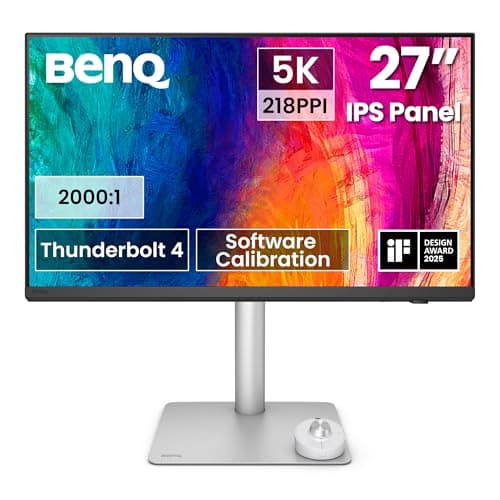
The best all-round editing panel here. BenQ publishes 98% P3 and 100% sRGB, so it covers both delivery containers; 5120 x 2880 leaves 1280 x 720 of screen around a 1:1 4K viewer; and Thunderbolt 4 carries video, 90W of charging and the peripherals on one cable to a laptop edit rig.

P3 and HDR delivery on one screen
8.7
$1,099.99Amazon
02
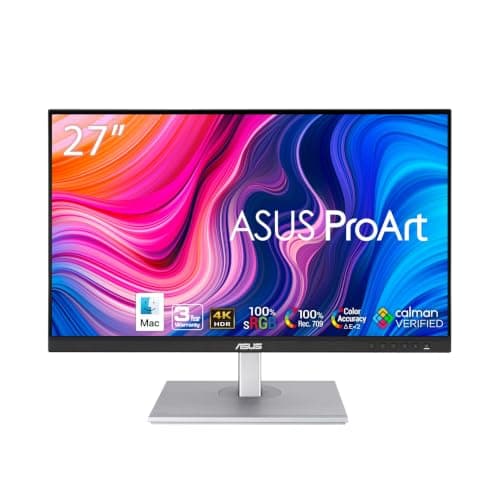
ASUS ASUS ProArt PA279CV 27" 4K USB-C
ASUS ProArt PA279CV 27" 4K USB-C

The value pick, and the right answer for anyone delivering SDR to the web. ASUS publishes 100% sRGB, 1073.7 million display colors (10-bit) and a Calman Verified certificate, and ships a per-unit color pre-calibration report in the box. It is the cheapest panel here whose Rec. 709 preset is worth trusting.

Rec. 709 and web SDR delivery
8.5
$372.64Amazon
03
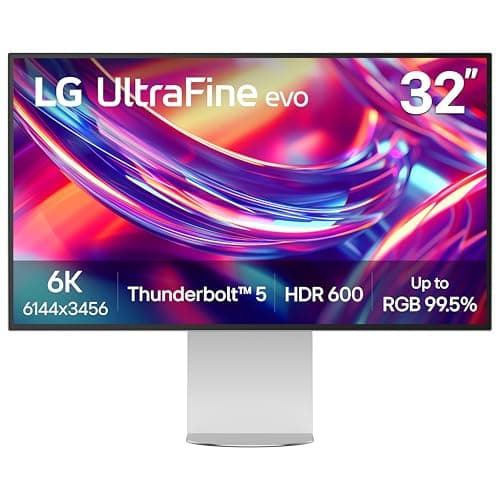
LG LG 32U990A-S 32" UltraFine evo 6K Thunderbolt 5
LG 32U990A-S 32" UltraFine evo 6K Thunderbolt 5

The grading screen. 98% DCI-P3 with a DisplayHDR 600 certification is the only combination here that puts a number behind an HDR claim, and 6144 x 3456 leaves 2304 x 1296 of panel around a 1:1 4K viewer - the whole interface, on the same screen as the image.

HDR grading and a single-screen edit bay
8.4
$1,699.98Amazon
04
BenQ BenQ PD2725U 27" 4K Thunderbolt 3
BenQ PD2725U 27" 4K Thunderbolt 3

The mixed-delivery pick, with the most explicit accuracy claim on the page: 100% sRGB and Rec. 709, 95% Display P3, and a published Delta E under 3. Thunderbolt 3 in, 65W back to the laptop, a KVM and a daisy-chain output.

Mixed SDR and P3 work on a laptop desk
8.4
$599.99Amazon
05
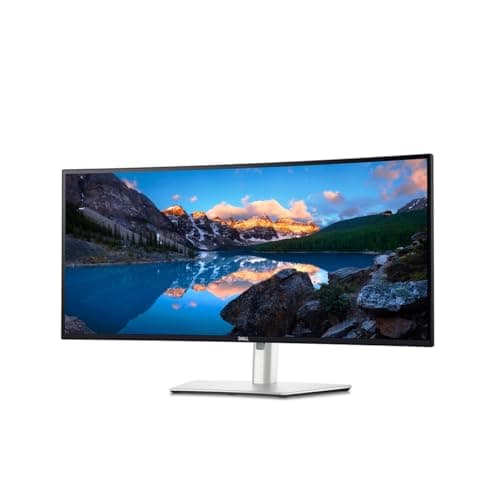
Dell Dell UltraSharp U3425WE 34" WQHD Curved
Dell UltraSharp U3425WE 34" WQHD Curved

The timeline screen. 3440 x 1440 of width is the cheapest way to see a long sequence without zooming, and the IPS Black panel, Thunderbolt 4 with 90W, 2.5-gigabit ethernet and KVM make it the hub of an edit desk. It is not where the grade should happen.

A wide timeline and a one-cable desk
7.1
$762.27Amazon
06
ASUS ASUS ProArt PA248QV 24.1" WUXGA 16:10
ASUS ProArt PA248QV 24.1" WUXGA 16:10

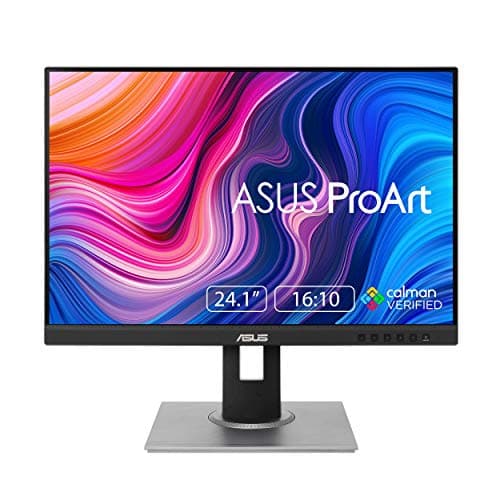
The second screen. 100% sRGB, a full 90-degree pivot and 130mm of height adjustment make it the cheapest honest place to park scopes, bins and the audio mixer - and rotated to portrait it holds a very long project panel.

Scopes, bins and the second screen
7.7
$199.00Amazon

#ad · Live prices from the Amazon Product API, as of October 31, 2026. Where we have no verified live price we show none — we would rather leave a gap than print a number that has rotted.

In detail

The picks, in full

01
BenQ BenQ PD2730S 27" 5K Thunderbolt 4

P3 and HDR delivery on one screen

BenQ PD2730S 27" 5K Thunderbolt 4

Screen
27" IPS, Nano Matte surface
Resolution
5120 x 2880 (5K), 218 PPI, 60Hz
Color
98% P3, 100% sRGB
Panel
400 nits typical, 2000:1 contrast
Host connection
Thunderbolt 4 in with 90W power delivery, Thunderbolt 4 out for daisy chain
Extras
KVM, USB hub, HDMI 2.1, DisplayPort 1.4, Hotkey Puck G3
8.7/10

The best all-round editing panel here. BenQ publishes 98% P3 and 100% sRGB, so it covers both delivery containers; 5120 x 2880 leaves 1280 x 720 of screen around a 1:1 4K viewer; and Thunderbolt 4 carries video, 90W of charging and the peripherals on one cable to a laptop edit rig.

Color Coverage
9.3
Calibration Evidence
8.4
Timeline Space
8.8
Value
8.2

Pros

  • The only panel here with a published P3 figure AND a full sRGB figure, so one screen serves web and cinema delivery
  • A matte surface, which matters more in a graded room than any specification - a glossy panel grades your window reflections too
  • 5K leaves real room around a 1:1 4K viewer instead of being consumed by it
  • One Thunderbolt cable to a laptop, with a second port to daisy chain the scopes screen
  • 150mm of height adjustment and a 100 x 100mm VESA pattern, so the eye line is correctable

Cons

  • BenQ does not publish a display-colors count for it, so 10-bit cannot be confirmed from the specification page
  • No hardware calibration to the monitor's own lookup table - corrections live in the OS profile
  • 60Hz, which is correct for the job and still feels sluggish if this is also your general-purpose desktop
  • Expensive enough that if you deliver only Rec. 709 SDR you are paying for coverage you will never use

Skip this if…

…everything you cut ends up on YouTube in SDR - the PA279CV covers that completely for a fraction of the money.

$1,099.99View on Amazon

Price as of October 31, 2026. Prices change — Amazon's is the one that counts.

#ad · we may earn a commission from this link to BenQ PD2730S 27" 5K Thunderbolt 4

02
ASUS ASUS ProArt PA279CV 27" 4K USB-C

Rec. 709 and web SDR delivery

ASUS ProArt PA279CV 27" 4K USB-C

Screen
27" IPS, anti-glare
Resolution
3840 x 2160 (4K UHD), 0.155mm pixel pitch, 60Hz
Color
100% sRGB color space; 1073.7M display colors (10-bit)
Panel
350 cd/m2 typical, 1000:1 contrast, HDR10 input supported
Calibration
Calman Verified; color pre-calibration report included
Connectivity
USB-C with power delivery, DisplayPort, dual HDMI; VESA 100 x 100mm
8.5/10

The value pick, and the right answer for anyone delivering SDR to the web. ASUS publishes 100% sRGB, 1073.7 million display colors (10-bit) and a Calman Verified certificate, and ships a per-unit color pre-calibration report in the box. It is the cheapest panel here whose Rec. 709 preset is worth trusting.

Color Coverage
7.6
Calibration Evidence
9.2
Timeline Space
7.8
Value
9.4

Pros

  • 10-bit display colors published at a price where 8-bit is normal, so gradients are judgeable
  • A printed per-unit calibration report, plus Calman Verified and a Mac Compliance certificate, all on ASUS's own specification page
  • ProArt presets for Rec. 709, sRGB, DCI-P3 and DICOM, with 6-axis color adjustment and selectable gamma from 1.8 to 2.6
  • Anti-glare surface, TUV Flicker-free and TUV Low Blue Light marks for an eight-hour day
  • 4K at 27 inches is about 163 ppi, so a dense editing interface stays sharp

Cons

  • ASUS publishes no DCI-P3 coverage percentage - there is a P3 preset, which is a different claim
  • 350 nits typical and 1000:1 contrast are ordinary; this is not an HDR panel in any meaningful sense
  • USB-C bandwidth is shared, and ASUS notes the maximum video mode drops to 4K at 30Hz when video and data compete
  • One 4K panel's worth of pixels, so a 1:1 4K viewer leaves nothing for the interface

Skip this if…

…you deliver in P3 or HDR - no amount of calibration makes an sRGB-class panel show a color it cannot produce.

$372.64View on Amazon

$399.007% off

Price as of October 31, 2026. Prices change — Amazon's is the one that counts.

#ad · we may earn a commission from this link to ASUS ProArt PA279CV 27" 4K USB-C

03
LG LG 32U990A-S 32" UltraFine evo 6K Thunderbolt 5

HDR grading and a single-screen edit bay

LG 32U990A-S 32" UltraFine evo 6K Thunderbolt 5

Screen
31.5" Nano IPS Black
Resolution
6144 x 3456 (6K), 224 PPI, 60Hz
Color
98% DCI-P3, VESA DisplayHDR 600
Panel
450 nits typical, 2000:1 contrast
Host connection
Thunderbolt 5 with 96W power delivery, daisy chain supported
Extras
KVM, 2 USB-C downstream, HDMI 2.1, DisplayPort 2.1; VESA 100 x 100mm
8.4/10

The grading screen. 98% DCI-P3 with a DisplayHDR 600 certification is the only combination here that puts a number behind an HDR claim, and 6144 x 3456 leaves 2304 x 1296 of panel around a 1:1 4K viewer - the whole interface, on the same screen as the image.

Color Coverage
9.5
Calibration Evidence
7.8
Timeline Space
9.6
Value
6.8

Pros

  • A published P3 coverage figure and a DisplayHDR certification, which is as close to a verifiable HDR claim as a desk monitor gets
  • 6K is the only resolution here that holds a 1:1 4K viewer and a full interface at once
  • 2000:1 native contrast on a Nano IPS Black panel, which separates shadows better than the 1000:1 IPS panels below it
  • Thunderbolt 5 with 96W will run and charge a large laptop while driving the panel
  • Daisy chain and KVM, so a second machine or a scopes screen does not need another host cable

Cons

  • The most expensive screen on this page by a wide margin, and HDR grading is the only job that justifies it
  • LG does not publish a display-colors count for it either, so 10-bit is not confirmable from the specification page
  • DisplayHDR 600 is a real certification and still far below reference HDR mastering luminance - do not confuse it with a mastering monitor
  • At 224 ppi you will run it at 2x scaling, so the logical desktop is smaller than the pixel count suggests

Skip this if…

…your deliverables are SDR - you would be buying a color container and a luminance certification you never ship into.

$1,699.98View on Amazon

$1,999.9915% off

Price as of October 31, 2026. Prices change — Amazon's is the one that counts.

#ad · we may earn a commission from this link to LG 32U990A-S 32" UltraFine evo 6K Thunderbolt 5

04
BenQ BenQ PD2725U 27" 4K Thunderbolt 3

Mixed SDR and P3 work on a laptop desk

BenQ PD2725U 27" 4K Thunderbolt 3

Screen
27" IPS, 3840 x 2160 (4K UHD)
Color
100% sRGB and Rec. 709, 95% Display P3, Delta E under 3
Host connection
Thunderbolt 3 - power delivery, DisplayPort Alt Mode and data
Power delivery
65W to the host laptop
Extras
KVM switch, Thunderbolt daisy chain, USB hub
Mount
VESA 100 x 100mm
8.4/10

The mixed-delivery pick, with the most explicit accuracy claim on the page: 100% sRGB and Rec. 709, 95% Display P3, and a published Delta E under 3. Thunderbolt 3 in, 65W back to the laptop, a KVM and a daisy-chain output.

Color Coverage
8.8
Calibration Evidence
8.8
Timeline Space
7.8
Value
8

Pros

  • A published Delta E figure, which almost nothing in this price class gives you
  • Covers both containers - full Rec. 709 for SDR delivery and 95% of Display P3 for the rest
  • KVM plus daisy chain means an edit machine and a second computer share one keyboard and one screen
  • 4K at 27 inches keeps a dense editing interface legible without heavy scaling

Cons

  • 65W is the compromise: on a large laptop under a render it will charge slower than the machine drains
  • 95% of P3 is not 98%, and the gap is in the saturated reds you are most likely to push
  • Thunderbolt 3 rather than 4 or 5, so it is the older end of the one-cable story
  • No published display-colors count, the same gap as the other BenQ and the LG here

Skip this if…

…you want the current one-cable standard - the PD2730S above is the same idea with Thunderbolt 4, 90W and more resolution.

$599.99View on Amazon

Price as of October 31, 2026. Prices change — Amazon's is the one that counts.

#ad · we may earn a commission from this link to BenQ PD2725U 27" 4K Thunderbolt 3

05
Dell Dell UltraSharp U3425WE 34" WQHD Curved

A wide timeline and a one-cable desk

Dell UltraSharp U3425WE 34" WQHD Curved

Screen
34" curved (1900R), IPS Black
Resolution
3440 x 1440 (21:9 WQHD), about 110 ppi
Refresh rate
120Hz
Color
No coverage percentage we could verify on Dell's own page
Connectivity
Thunderbolt 4 90W, 2.5GbE RJ45, KVM hub
Mount
VESA 100 x 100mm
7.1/10

The timeline screen. 3440 x 1440 of width is the cheapest way to see a long sequence without zooming, and the IPS Black panel, Thunderbolt 4 with 90W, 2.5-gigabit ethernet and KVM make it the hub of an edit desk. It is not where the grade should happen.

Color Coverage
6
Calibration Evidence
5.5
Timeline Space
9
Value
7.8

Pros

  • A 3440-pixel-wide timeline shows far more of a sequence at the same zoom than a 16:9 panel
  • IPS Black raises native contrast over standard IPS, which helps when you read a dark timeline all day
  • Thunderbolt 4 with 90W, 2.5GbE and a KVM - the monitor is also the dock and the network jack
  • About 110 ppi is the density where you can run at 100% scaling and keep every pixel as workspace

Cons

  • We could not verify a published gamut coverage figure for it at source, so we will not claim one - this is not a grading reference
  • 1440 pixels of height is short for editing: the viewer, the scopes and the track stack fight over it
  • A 1900R curve is mild and still a curve, which some editors dislike against straight horizontal guides
  • No published display-colors count, so bit depth is unconfirmed

Skip this if…

…this will be your only screen and you judge color on it - pair it with one of the ProArt or BenQ panels above instead.

$762.27View on Amazon

Price as of October 31, 2026. Prices change — Amazon's is the one that counts.

#ad · we may earn a commission from this link to Dell UltraSharp U3425WE 34" WQHD Curved

06
ASUS ASUS ProArt PA248QV 24.1" WUXGA 16:10

Scopes, bins and the second screen

ASUS ProArt PA248QV 24.1" WUXGA 16:10

Screen
24.1" IPS, 16:10
Resolution
1920 x 1200 (1200 x 1920 rotated), 75Hz, about 94 ppi
Color
100% sRGB coverage
Pivot
+90 to -90 degrees
Height adjustment
0 to 130 mm
Mount
VESA 100 x 100mm
7.7/10

The second screen. 100% sRGB, a full 90-degree pivot and 130mm of height adjustment make it the cheapest honest place to park scopes, bins and the audio mixer - and rotated to portrait it holds a very long project panel.

Color Coverage
7.4
Calibration Evidence
8
Timeline Space
6.4
Value
9

Pros

  • 16:10 gives 1200 pixels of height - 120 more than a 1080p panel, which is a whole toolbar
  • Covers 100% sRGB, so scopes and a reference still are showing you something trustworthy
  • Pivots to portrait for a tall project or effects panel, and the stand raises 130mm to match the main screen's eye line
  • The cheapest ProArt panel, which makes it an easy second screen rather than a compromise

Cons

  • About 94 ppi is visibly less sharp than the 4K and 5K panels above - fine for scopes, tiring for fine text
  • 1920 x 1200 cannot hold a 1:1 preview of anything above 1080p
  • No USB-C, so this one needs a DisplayPort or HDMI run of its own
  • 75Hz and no P3 figure - a support screen, and priced like one

Skip this if…

…you need one screen to do everything - its job here is to take the panels off the display you judge on, not to replace it.

$199.00View on Amazon

Price as of October 31, 2026. Prices change — Amazon's is the one that counts.

#ad · we may earn a commission from this link to ASUS ProArt PA248QV 24.1" WUXGA 16:10

Two screens beats one big one, for this job specifically

Most desk work is better on one large panel. Editing is the exception, because the interface wants to be in fixed places and the image wants to be uninterrupted. The arrangement that works is a color-accurate main panel holding the viewer and the timeline, plus a cheaper, accurate-enough second screen holding scopes, bins, effect controls and the audio mixer. That is why the PA248QV is on this page at all: it is the panel that takes the clutter off the screen you judge on.

If you go that way, put both on arms. Two stock stands eat the desk depth you need to sit far enough back from a 27 or 32-inch panel, and matching the eye line of two different-sized screens by hand is miserable. Ours are ranked in dual monitor arms, and the step people skip afterwards is in how to align dual monitors.

The ProArt we checked and deliberately did not rank

The ASUS ProArt PA278CVis the obvious cheap entry point and it is a good monitor — it is the top pick on our programming monitor rankings for exactly the reasons it is wrong here. ASUS publishes 16.7 million display colors for it against the PA279CV’s 1073.7 million, and 2560 x 1440 against 3840 x 2160. For code that is irrelevant. For judging a gradient it is the one specification not to economize on, so the 4K sibling is the pick — and we would rather say why than quietly leave it out.

Scaling, and why 5K and 6K panels are not as big as they look

A 218 or 224 ppi panel is designed to be run at 2x, which means the operating system reports a logical desktop of roughly half the pixel count in each direction — about 2560 x 1440 on the 5K panel, about 3072 x 1728 on the 6K. Every pixel is still working; it is working on sharpness rather than on space. The 1:1 viewer arithmetic above is about physical pixels, which is the right frame when you are asking whether an image is being shown without resampling. The logical numbers are the right frame when you are asking how many windows fit. Both are true at once, and conflating them is how people end up disappointed by an expensive screen.

The order to buy in

  1. One accurate main panel in your delivery space. Not two mediocre ones. Everything else on the desk is cheaper to fix later.
  2. A colorimeter, before a second screen. Nothing on this page, at any price, stays accurate without measurement. A calibration report tells you the panel left the factory right; it says nothing about today.
  3. The second screen and the arms. Scopes and bins off the main panel, both screens on the same eye line.
  4. Then the desk-side plumbing. One Thunderbolt cable to a laptop is only tidy if the other end is managed; the Thunderbolt dock rankings and under-desk cable management cover what the one-cable desk actually needs.

What a monitor cannot fix

It cannot make an ungraded shot look graded, and it cannot tell you what a client will see. The honest ceiling on all of this is that your viewer’s screen is uncalibrated, probably glossy, and possibly a phone. Accuracy on your desk is not about matching their screen; it is about removing your screen as a variable, so the decisions you make are about the footage. That is what a published coverage figure, a published bit depth and a calibration report buy you, and it is the whole of this page.
Essentials

The small parts that finish the job

Nothing here changes a pick above, and none of it is a considered purchase. These are the cheap pieces that decide whether the expensive one works properly, and the ones people discover they are missing on the day the big box arrives.

  • Cable Matters VESA-Certified DisplayPort 1.4 Cable, 6 ft

    Cable Matters VESA-Certified DisplayPort 1.4 Cable, 6 ft

    A monitor ships with one cable and it is rarely DisplayPort, so the second screen usually arrives with nothing to plug into. A certified DP 1.4 run is also the first thing worth swapping when a display flickers, drops out, or refuses to hold its refresh rate.

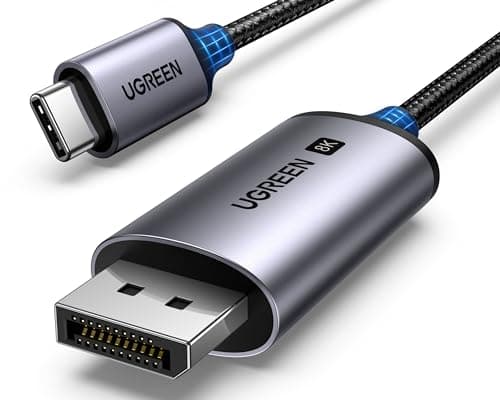
  • UGREEN USB-C to DisplayPort 1.4 Cable, 6.6 ft

    UGREEN USB-C to DisplayPort 1.4 Cable, 6.6 ft

    One cable from a laptop or a dock straight into a DisplayPort screen, with no adapter stack in the middle. This one is unidirectional: it runs USB-C source to DisplayPort display, not the reverse.

    Check first: the USB-C port has to carry DisplayPort Alt Mode. A data-only port will not drive a screen no matter which cable you put in it.

#ad · Live prices from the Amazon Product API, as of October 31, 2026. Where we have no verified live price we show none. We may earn a commission, at no extra cost to you.

How we picked

We do not run a testing lab

We compiled the published manufacturer specifications, did the ergonomics, VESA and desk-depth math ourselves, and read aggregated owner reviews, then scored each product against a published rubric. The scores are judgments from documented research — they are not measurements we took, because we do not have a lab and we are not going to pretend we do. Every spec traces back to a listing or manual named in Sources.

Questions

Frequently asked

Do I need a 4K monitor to edit 4K video?
No. Editing software scales the preview to whatever window you give it, so a QHD panel cuts 4K footage perfectly well. What a 4K or larger panel buys you is the ability to inspect footage at or near 1:1, which matters for judging sharpness, noise and compression artifacts rather than for the edit itself. If you never pixel peep, resolution is a comfort decision, not a capability one.
Is 100% sRGB enough for video editing?
It is enough if you deliver SDR, because Rec. 709 and sRGB share their primaries for practical purposes and the overwhelming majority of web video is Rec. 709. It is not enough if you deliver in P3 or HDR — the panel physically cannot show the colors outside sRGB, so you would be grading part of the image blind. Decide this from your deliverables, not from the spec sheet.
Does an 8-bit monitor matter for editing?
It matters in one specific place: smooth gradients. On an 8-bit panel a sky or a slow fade can band, and you cannot tell whether the banding is in the footage or the display — which makes the panel unusable for the exact judgment you are trying to make. Makers publish this as “display colors”: 16.7 million is 8-bit, 1.07 billion is 10-bit.
Is an ultrawide good for video editing?
For the timeline, yes — 3440 pixels of width shows much more of a sequence at the same zoom. For the image, no: 1440 pixels of height has to hold the viewer, the scopes and the track stack, and 21:9 is the wrong shape for a 16:9 frame. The best use of an ultrawide here is as the timeline screen beside an accurate 16:9 panel. The shapes are compared directly in ultrawide vs dual monitor.
Do I still need to calibrate a factory-calibrated monitor?
Yes, if color decisions depend on it. A pre-calibration report documents the panel as it left the factory, and backlights drift with age and temperature. The report and a verification mark like Calman Verified give you a trustworthy starting point and a preset worth believing, which is genuinely valuable — they are not a substitute for measuring the screen every few months.
Should I buy an OLED monitor for video editing?
We do not rank one for this job. OLED shadow detail is genuinely better, but an edit interface is a static arrangement of toolbars and panels on screen for very long sessions, which is the usage pattern OLED makers write care guidance about. If you want one anyway, treat it as the viewer screen and keep the static interface on an IPS panel beside it.
Can one monitor cover both editing and an HDR grade?
Partly. A panel with a published P3 coverage figure and a DisplayHDR certification — the LG 32U990A-S here — lets you work in HDR sensibly. It is still not a reference mastering display, and nothing at desk-monitor luminance is. If an HDR master has to be signed off, that happens on a reference monitor, not on anything this page ranks.

Keep reading

Receipts

Sources

We do not run a testing lab, and we do not pretend to. Specifications come from the manufacturer or retailer listing; the footprint and clearance math is ours and reproducible. Where we could not verify a number, we say so on the page rather than quietly leaving it out. Read our full method.