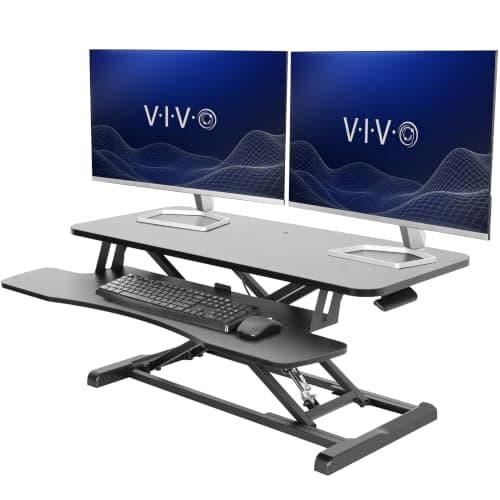
If you can replace your desk, replace your desk. A height-adjustable desk or frame changes the height of everything— the desktop, the keyboard, the monitors — which is what sit-stand working actually requires. A converter lifts a platform on top of a desk that stays where it is, so it fixes the standing position and makes the seated one slightly worse. It is still the right buy in three specific situations, and this page is about telling them apart.
Both products are sold as the same thing and they are not. The comparison that matters is not “does it go up and down”; it is what each one does to the four measurements your body cares about: keyboard height sitting, keyboard height standing, screen height, and how much desk is left underneath all of it.
The seated-height penalty, with the one published number
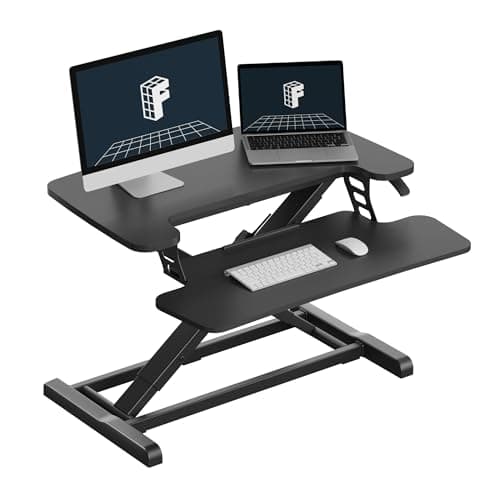
VIVO publishes the figure for its V-series converter: the top platform rests 6.5 inches above your desk surface in the seated position and reaches 17 inchesfully extended. The keyboard tray is a second tier below the platform, and VIVO does not publish its height — which means the single number you need before buying any converter, how far it raises your hands when you are sitting, is usually not printed anywhere.
Why that matters: the standard fixed desk is 29 inches tall, and the desk height guide works through why 29 inches is already too tall for most adults — correct seated desktop height is set by the underside of your elbow, which for a lot of people lands nearer 25 to 27 inches. Add any converter to that and the seated half of your working day gets further from correct, not closer. The honest fix, if you buy a converter anyway, is to put the keyboard below the desktop when seated, which is what an under-desk keyboard tray does — and an under-desk tray plus a converter is two purchases to solve what one desk solves.
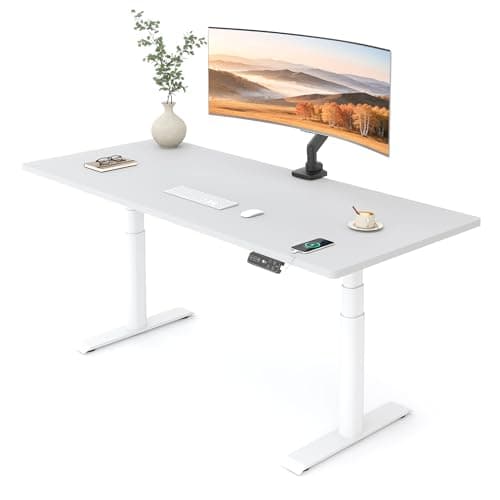
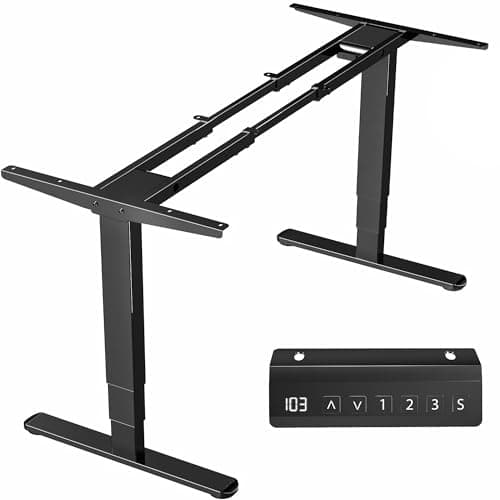
A height-adjustable desk has no equivalent penalty because the desktop itself moves. The FlexiSpot E6 Pro below publishes a 23.6 to 48.8 inch range and the VIVO DESK-V103E frame 23.5 to 49.3 inches: both go lower than a fixed desk as well as higher, so the seated position gets better rather than worse.
Desk depth: a converter occupies it permanently
VIVO’s 36-inch converter platform is 36 by 22 inches. On a 24-inch-deep desk that is almost the whole desktop, and it is occupied whether the converter is raised or lowered — there is no position in which you get the bare desk back. The keyboard tray then sits forward of the desk edge in use, which is where the extra depth has to come from.
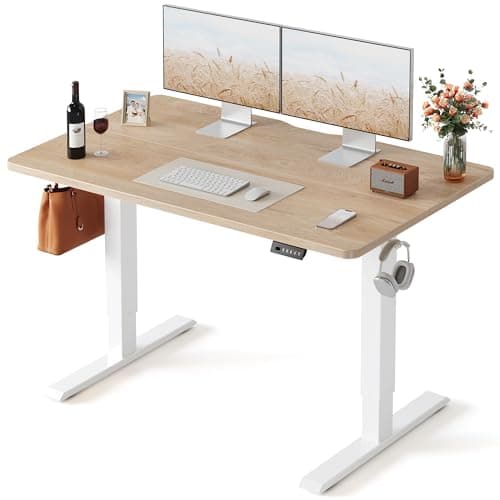
That is the trade people underestimate. A 48 by 24-inch standing desk gives you every inch of its surface at every height. The desk depth guide runs the arithmetic for what a screen actually needs behind the keyboard zone; if your current desk is already shallow, a converter is the wrong direction to move in.
Weight: 33 pounds against 220
The published capacities are not close. VIVO rates the V-series converter’s desktop platform at 33 pounds and its keyboard tray at 4 pounds. The VIVO DESK-V103E frame is rated at 220 pounds, and the FLEXISPOT E6 Max frame the site ranks elsewhere at 330.
Thirty-three pounds covers one or two typical monitors on their own stands, which is what a converter is for. What it is not is a mounting surface: a monitor arm clamps a desk edge and applies leverage to it, and no converter we rank publishes a rating for an arm clamped to its platform. If your monitors are on arms today, a converter means either leaving the arms clamped to the fixed desk behind the platform — where the screens no longer rise with you — or giving the arms up. A standing desk keeps the arms, the clamp and the screens all moving together, and the desk-thickness and clearance checks for that are in monitor arm installation.
How each one changes height, and how repeatably
The converter mechanism here is manual with pneumatic assist: you squeeze a handle, the platform rises, and it is a one-handed two-second action with nothing to plug in. That is a genuine advantage — no power cable, no controller, nothing to fail electrically, and you can lift it off the desk entirely when you want the desk back.
What it cannot do is return to the same height every time. The E6 Pro has a four-position memory keypad and the VIVO frame a three-preset controller, so your seated height and your standing height are two button presses that land on the exact same millimeter. Over a year of switching several times a day, that repeatability is most of what makes people keep standing; electric vs manual covers the same argument for crank desks, which lose on exactly this point.
Stability, in both directions
Neither route is automatically steadier. A converter raises the mass of your monitors up to 17 inches above a desk that was never engineered for a load that high, and the whole assembly is only as rigid as the desk underneath it — a flexing budget desktop does not become stiffer because something taller is bolted to nothing on top of it. A lifting desk, meanwhile, has its own well-known failure mode: sway near the top of the range, worse with a single motor and a tall frame. Why standing desks wobble is the page for diagnosing and reducing that, and standing desk weight capacity covers why a heavy monitor pole produces movement well below a frame’s rated limit.
The three cases where a converter is the right answer
- You cannot replace the desk. Rented furniture, a built-in worktop, a shared or family desk, or a desk you actually love. A converter needs no modification at all and lifts off in seconds.
- You are testing whether you will stand at all. Plenty of standing desks get raised twice and then never again. A converter is the cheapest way to find out which kind of person you are, and it resells easily.
- The room cannot take a new desk. A converter needs no floor space of its own, no assembly area, and no decision about a tabletop.
Outside those three, the money usually goes further on a desk or a frame — and the price gap is smaller than most people assume. A complete budget electric desk and a well-made converter sit in overlapping brackets, which is why we put both on this page with live buttons: check today’s numbers on both before you decide, because at some prices the converter is simply the worse buy.
There is also a fourth route that this comparison keeps running into: keep your existing desktop and put it on a new frame. It is the cheapest way to a real sit-stand desk if you already own a top worth keeping, and it is weighed properly in standing desk frame vs complete desk and built end to end in the DIY standing desk build.
If what sits on the desk is a multi-screen array rather than one or two monitors, the capacity question answers itself before you start — the mounting and weight arithmetic for that case is in the best monitors for day trading.
The verdict
Buy a converter if the desk is not yours to replace, if you are testing whether you will stand at all, or if there is no room to bring a desk in. Buy the widest one your desktop can carry without overhang, insist on a separate keyboard tray rather than a flat platform, and accept that your seated position gets a little worse in exchange for a standing one you did not have.
Buy a standing desk if you can. It is the only route where the keyboard, the screens and the surface all move together, where the seated height can be set below the 29-inch standard instead of above it, and where memory presets make the switch repeatable enough that you keep doing it. It is also the only route that keeps a monitor arm in the picture.
Buy a frameif the thing you actually like is your desktop. A frame plus your existing top is the cheapest real sit-stand desk available to anyone who already owns a good surface, and it removes the converter’s entire argument. Check your top against the supported length, depth and thickness first.
Before you order either one
- Measure your elbow height seated. Floor to the underside of the elbow with shoulders relaxed. If that number is well under 29 inches, a converter is moving you further from it, not closer. The desk height guide has the method.
- Measure your desk depth. Subtract 22 inches for a full-size converter platform and see what is left. The depth guide says what a screen needs.
- Add up what sits on top. Two monitors, a laptop and a dock against a published 33-pound platform rating is closer than it sounds.
- Decide the monitor question now. Arms and converters do not combine; if you have arms, you are choosing between them and the converter.
- Plan the cables for movement. Whichever route you pick, the cables have to travel 20 inches twice a day without pulling. Standing desk cable management is the page for that.