A dual arm solves two problems that two stands create and cannot fix. The first is desk area: two monitor bases occupy a surprising amount of the strip you would otherwise use, and neither screen can be pushed fully back because the base runs out of desk before the panel does. A single clamp at the rear edge reclaims all of it. The second is height matching, which is the quiet reason most dual setups are uncomfortable. Two stands from the same manufacturer usually agree; two different monitors almost never do, and shimming one with books is a solution nobody is proud of. An arm makes both panels continuously adjustable, so matching them takes seconds.
The specification that decides whether an arm will work is the weight rating, and it is also the one most often misread. Dual arms state their capacity two different ways — per arm, or for the pair — and reading a per-pair figure as a per-arm figure is the standard route to two sagging screens. Weigh each monitor with its stand removed, because the stand is frequently a third of the boxed weight and it is not coming along.
Gas-spring arms are worth the premium over the spring-and-friction kind, and it is worth knowing why: a gas spring balances the screen’s weight so it stays wherever you leave it and moves with one hand. The catch is that balance works in both directions, so a gas-spring arm has a minimum weight as well as a maximum. Hang a very light panel on an arm built for heavy ones and it will drift upward no matter how you set the tension. Aim for the middle of the stated range.
Before you order, confirm three physical details: your monitors’ VESA pattern, your desk edge (a clamp needs an unobstructed rear lip within its thickness range, and standing-desk frames often run steel exactly where the clamp wants to go), and whether either panel is curved, which can stop a large flat mounting plate from seating. Our VESA sizes guide covers all three checks. Scores below come from published specifications and the mounting math, per how we pick.
An arm is the only thing that gives independent, continuous height on both screens, which is what a mismatched pair needs — how to align dual monitors shows the center-line method and the panel-height math behind it.
The short answer
Quick picks
| # | Product | Best for | Score | Price |
|---|
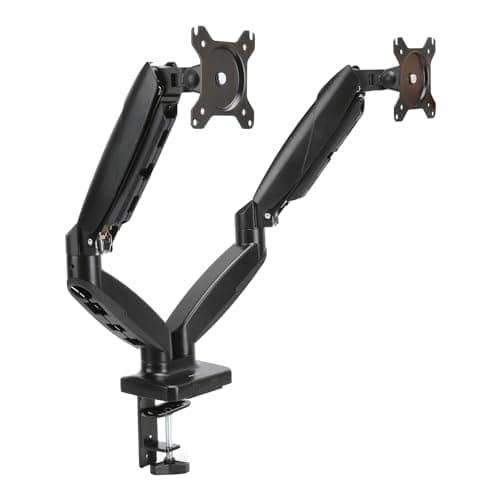
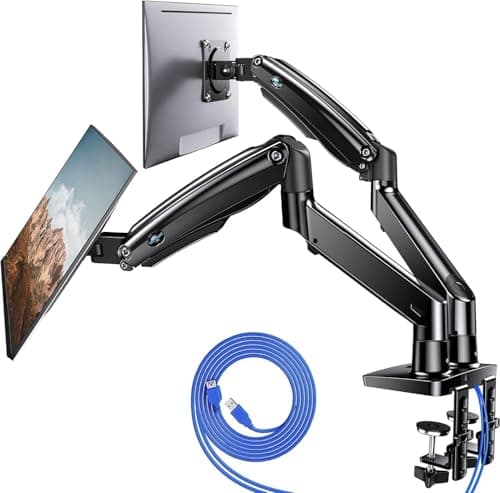
| 01 | HUANUO Dual Monitor Mount, Gas SpringThe dual arm that fits the widest range of real desks. Gas springs on both arms, a size range that stretches from small panels up to 40-inch screens, and a price that does not assume you are furnishing an office. | Best overall | | $109.98·Amazon |
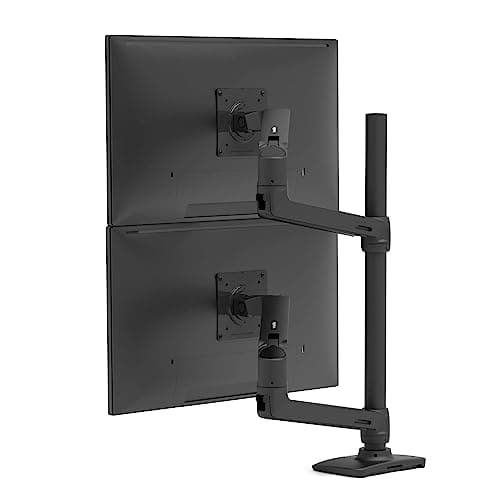
| 02 | Ergotron LX Vertical Stacking Dual Monitor ArmThe one that will outlive the monitors. Ergotron's Constant Force mechanism is a genuine step above generic gas springs, and this configuration stacks the screens vertically — the right answer for a narrow desk. | Best premium, and best for narrow desks | | $399.99·Amazon |
| 03 | Amazon Basics Gas Spring Dual Monitor ArmGas springs on both arms for close to the price of the friction-joint mounts. It is the value pick that does not force you to give up the mechanism that actually matters. | Best value gas spring | | $49.55·Amazon |
| 04 | | Best for ultrawide panels | | Check price → |
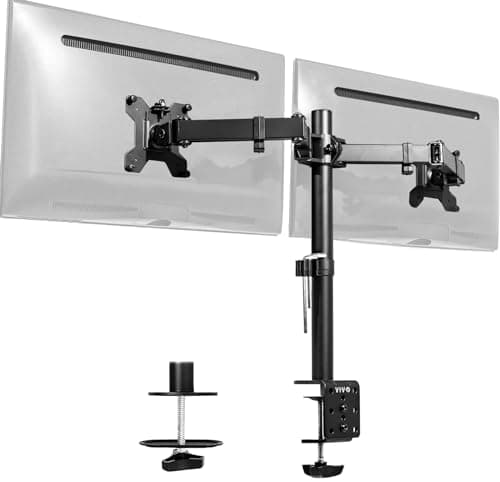
| 05 | VIVO Dual Monitor Desk MountThe cheapest way to get two screens off their bases and onto one clamp. It uses adjustable joints rather than gas springs, so you set the height once — which is fine, because most people do. | Best budget | | $34.99·Amazon |
#ad · Live prices from the Amazon Product API, as of October 23, 2026. Where we have no verified live price we show none — we would rather leave a gap than print a number that has rotted.
In detail
The picks, in full
Best overall
HUANUO Dual Monitor Mount, Gas Spring
- Type
- Dual gas-spring arm, desk clamp and grommet
- Screen size
- Rated for 13" to 40" panels
- Mounting
- 75 x 75mm and 100 x 100mm VESA
- Movement
- Full height, tilt, swivel, and rotation on each arm
- Extras
- Integrated USB ports and cable routing channels
The dual arm that fits the widest range of real desks. Gas springs on both arms, a size range that stretches from small panels up to 40-inch screens, and a price that does not assume you are furnishing an office.
- Stability
- 8.8
- Adjustability
- 9.2
- Build
- 8.4
- Value
- 9
Pros
- +Gas springs on both arms mean each screen holds position and moves with one hand
- +The 40-inch size ceiling covers ultrawides that most dual arms exclude
- +Both clamp and grommet mounting included, so awkward desk edges have an answer
- +Cable channels along both arms keep the two screens' worth of cabling out of sight
Cons
- −The clamp needs a decent depth of unobstructed rear edge; crossbar desks can defeat it
- −Heavier 32-inch panels sit near the top of the tension range
- −Assembly is fiddlier than the single-arm equivalents
Skip this if…
…either panel exceeds the per-arm rating — two heavy 32-inch screens want the Ergotron instead
Best premium, and best for narrow desks
Ergotron LX Vertical Stacking Dual Monitor Arm
- Type
- Dual arm, vertical stacking configuration
- Mechanism
- Ergotron Constant Force lift
- Mounting
- Desk clamp or grommet, 100 x 100mm VESA
- Movement
- Independent height, tilt, pan, and rotation per screen
- Warranty
- Long-term manufacturer warranty
The one that will outlive the monitors. Ergotron's Constant Force mechanism is a genuine step above generic gas springs, and this configuration stacks the screens vertically — the right answer for a narrow desk.
- Stability
- 9.7
- Adjustability
- 9.4
- Build
- 9.8
- Value
- 6.8
Pros
- +Constant Force lift is smoother and holds position more reliably than any gas spring here
- +Vertical stacking needs only one screen's width of desk, which suits narrow or corner desks
- +Build quality and warranty are the reason these arms get moved between three desks
- +Precise enough that fine height matching is genuinely repeatable
Cons
- −Several times the price of the value picks in this roundup
- −Vertical stacking is a specific layout; if you want screens side by side, you need the other LX configuration
- −The upper screen sits high enough that it should be reference material, not your main display
Skip this if…
…you want two screens side by side — this configuration stacks them, and buying the wrong one is an easy mistake
Best value gas spring
Amazon Basics Gas Spring Dual Monitor Arm
- Type
- Dual gas-spring arm with adjustable tension
- Mounting
- Desk clamp, 75 x 75mm and 100 x 100mm VESA
- Movement
- Height, tilt, swivel, and rotation
- Adjustment
- Per-arm tension adjustment for different panel weights
- Cable
- Cable routing along the arms
Gas springs on both arms for close to the price of the friction-joint mounts. It is the value pick that does not force you to give up the mechanism that actually matters.
- Stability
- 8.2
- Adjustability
- 8.6
- Build
- 7.8
- Value
- 9.6
Pros
- +Gas-spring movement at a price where most rivals switch to friction joints
- +Independent tension per arm handles two monitors of different weights
- +Both common VESA patterns supported without an adapter
- +Straightforward returns and replacement if a unit arrives with a weak spring
Cons
- −Fit and finish are plainly a tier below the Ergotron
- −Tension springs on budget arms are the part most likely to weaken over years
- −Clamp is less accommodating of thick or unusual desk edges
Skip this if…
…the monitors are heavy 32-inch panels, which sit at or beyond the comfortable end of the range
Best for ultrawide panels
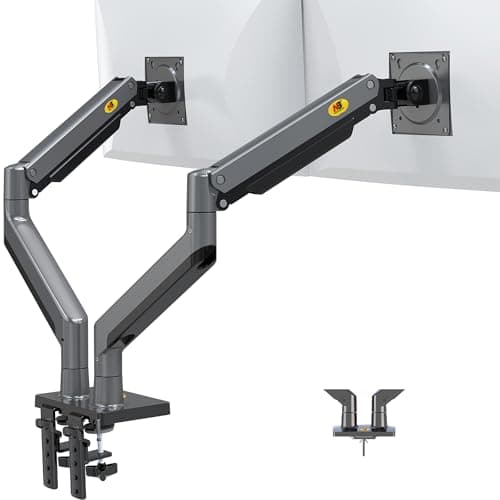
NB North Bayou Dual Monitor Arm, Full Motion
- Type
- Dual full-motion gas-spring arm
- Screen size
- Rated for ultrawide panels
- Mounting
- Desk clamp, standard VESA patterns
- Movement
- Swivel, tilt, height, and rotation per arm
- Build
- Aluminum alloy arm sections
The pick for two wide panels on a budget. North Bayou's mounts handle ultrawide screens that trip up cheaper arms, with full-motion swivel on each side.
- Stability
- 8
- Adjustability
- 8.6
- Build
- 7.9
- Value
- 9.4
Pros
- +Handles ultrawide panels that most budget dual arms explicitly exclude
- +Full-motion swivel makes it easy to angle each screen inward toward the chair
- +Aluminum construction rather than the painted steel typical at this price
- +Among the least expensive arms here despite the higher size rating
Cons
- −A wide panel on a long arm amplifies any desk flex, so a solid worktop matters
- −Tension adjustment is coarser than the Ergotron or HUANUO
- −Documentation is thin; expect to work out the assembly order yourself
Skip this if…
…your desk top is thin or flexes — two wide screens on extended arms will find that weakness
Best budget
VIVO Dual Monitor Desk Mount
- Type
- Dual arm with adjustable joints
- Screen size
- Holds two screens up to 30"
- Mounting
- Desk clamp or grommet, standard VESA
- Movement
- Tilt, swivel, and rotation; height set at the pole
- Structure
- Center pole with two independent arms
The cheapest way to get two screens off their bases and onto one clamp. It uses adjustable joints rather than gas springs, so you set the height once — which is fine, because most people do.
- Stability
- 8.4
- Adjustability
- 6.8
- Build
- 7.6
- Value
- 9.7
Pros
- +Removes both monitor bases from the desk for the price of a cheap keyboard
- +Pole-mounted design is stable and simple, with fewer parts to loosen
- +Clamp and grommet options both included
- +Rotation on each arm still allows a vertical secondary screen
Cons
- −Height is set by moving the brackets on the pole, not by lifting the screen
- −No gas spring, so day-to-day repositioning is not the point of it
- −The 30" ceiling rules out larger panels and most ultrawides
Skip this if…
…you expect to move the screens regularly — without a gas spring, adjustment means loosening hardware
How to choose a dual monitor arm
Weigh the monitors first, with the stands off, and then read the arm’s rating carefully enough to know whether the number is per arm or for the pair. This one check prevents most dual-arm disappointment. Aim for the middle of the range rather than the top of it: gas springs have a minimum as well as a maximum, and a panel at either extreme will not hold position properly.
Then decide on the layout, because it is a purchase decision and not a later adjustment. Side by side is the default and wants roughly the combined width of both panels plus a little. Vertical stacking uses one screen’s width and suits narrow desks, with the caveat that the upper screen sits high enough that it should hold reference material rather than your main window. Some arms do both; many, including the Ergotron configuration here, are sold as one or the other.
Check the desk before you check anything else about the arm. A clamp needs an unobstructed rear edge and a top within its thickness range, and the two things that defeat it are a frame rail running along the back and a top thicker than the clamp opens. Standing desk frames are the usual offender — if that is your desk, confirm a clear span before ordering, and treat a grommet mount as the fallback.
Finally, plan cabling at the same time. Two screens on arms means cables that have to travel along a moving structure, and an arm with proper channels turns that from a mess into something invisible. Combine that with a tray under the desk and the two-screen setup ends up looking cleaner than a single monitor on a stand did. If the screens feed a laptop, a dock cuts the count further.
Essentials
The small parts that finish the job
Nothing here changes a pick above, and none of it is a considered purchase. These are the cheap pieces that decide whether the expensive one works properly, and the ones people discover they are missing on the day the big box arrives.
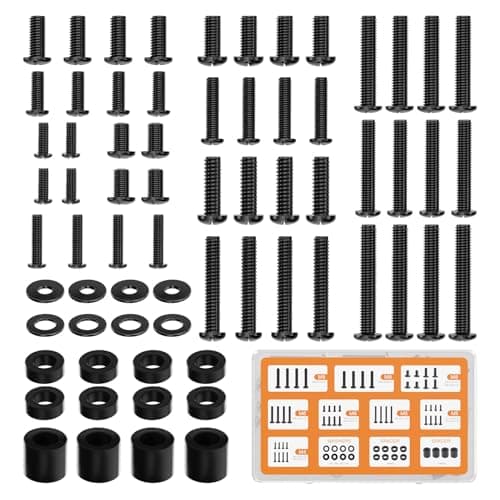
WALI Universal Mounting Hardware Set (M4, M5, M6, M8)
Arms ship with one length of screw. Thick panels, recessed VESA patterns and curved backs regularly need a longer thread or a spacer, and a mixed M4 to M8 kit turns a half-finished install into a ten-minute job.
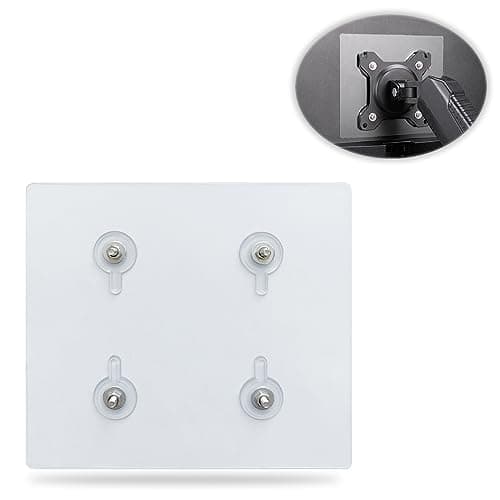
Universal VESA Mount Adapter for Non-VESA Monitors (13 to 27 in)
The part that decides whether an arm is even an option. A panel with no bolt pattern on the back cannot mount to anything, and a bracket kit gives it one instead of sending you back to the stand in the box.
Check first: confirm the adapter's VESA pattern and its panel-size range against both your monitor and your arm, and make sure the arm's weight rating still covers the adapter plus the screen.
No image
Cable Matters VESA-Certified DisplayPort 1.4 Cable, 6 ft
A monitor ships with one cable and it is rarely DisplayPort, so the second screen usually arrives with nothing to plug into. A certified DP 1.4 run is also the first thing worth swapping when a display flickers, drops out, or refuses to hold its refresh rate.
#ad · Live prices from the Amazon Product API, as of October 23, 2026. Where we have no verified live price we show none. We may earn a commission, at no extra cost to you.
How we picked
We do not run a testing lab
We compiled the published manufacturer specifications, did the ergonomics, VESA and desk-depth math ourselves, and read aggregated owner reviews, then scored each product against a published rubric. The scores are judgments from documented research — they are not measurements we took, because we do not have a lab and we are not going to pretend we do. Every spec traces back to a listing or manual named in Sources.
Questions
Frequently asked
Is a dual monitor arm worth it?+
For a two-screen desk, it is one of the highest-return purchases you can make. It reclaims the desk area two bases occupy, lets both panels push right back, and makes matching their heights trivial — which is the thing most dual setups get wrong and blame on the monitors.
How much weight can a dual monitor arm hold?+
It varies widely, and the important detail is whether the figure quoted is per arm or for the pair. Weigh each monitor with the stand removed and confirm it sits comfortably inside the per-arm range, not at its limit — gas springs also have a minimum, below which a light panel will drift upward.
Will a dual arm fit my standing desk?+
Often, but check for a frame rail along the rear edge first. Standing desk frames commonly run steel exactly where a clamp needs to bite, and the top may also be thicker than the clamp opens. Where the clamp cannot fit, a grommet mount through the desktop is the alternative.
Should my two monitors be side by side or stacked?+
Side by side if you use both equally; stacked if desk width is tight or the second screen holds reference material you glance at. Stacking uses one screen's width of desk, but the upper panel sits above comfortable eye level, so it should not be your primary display.
Do dual monitor arms fit ultrawide screens?+
Only the ones rated for them. An ultrawide is both heavier and longer than a typical panel, which loads the arm further from the pivot, so many dual arms explicitly cap out below that size. Check the stated maximum screen size as well as the weight rating.
Receipts
Sources
We do not run a testing lab, and we do not pretend to. Specifications come from the manufacturer or retailer listing; the footprint and clearance math is ours and reproducible. Where we could not verify a number, we say so on the page rather than quietly leaving it out. Read our full method.