SECTION 07
Get the numbers right, then buy once
The planning and ergonomics reads that make every buying decision on the site easier.
We earn a commission when you buy through our Amazon links, at no extra cost to you. It never affects our rankings, and we say so when the cheaper product is the better buy. How this works.
Start here
How to Build a Desk Setup That Actually Works
The pillar guide to building a desk setup that fits how you work. We go component by component — monitor, arm, desk, chair, input, cables, and light — so you can spend on the part that will change your day.
The guides in this section are the how, not the what — no rankings, no buy buttons, just the reasoning and the measurements that make the rest of the site’s picks make sense. If the category roundups answer “which one,” these answer how the whole thing should fit together, so you buy once and buy right. Start here if you are building or rebuilding a setup rather than replacing a single part. Skim the roundups when you already know the exact piece you want; read these when you want the whole rig to hang together instead of fighting itself.
Start with the pillar, then branch
The complete desk setup guideis the spine of this section. It walks the whole build in the order that avoids expensive backtracking — desk depth before monitor size, monitor height before chair, cables last — and links out to every category decision along the way. Read it first; the other guides are the deep dives on the individual steps it references. Think of it as the checklist you wish you had before your first order, written in the sequence that stops you from buying a desk too shallow for the monitor you later want, or a monitor arm that cannot reach the height your neck needs.
How the guides divide
Three kinds. Planning guides get the layout right before anything is mounted — the dual-monitor setup guidecovers angling, alignment, and whether to run one screen vertical. Ergonomics guides get your body right — monitor height and ergonomicspins down eye level, viewing distance, and the neck angle everything else serves. Finishing guides handle the last, least glamorous step — under-desk cable management keeps the finished build serviceable instead of a knot behind the desk.
What each guide actually answers
- The desk setup guide sequences the whole build so nothing gets bought out of order.
- Dual-monitor setup settles angle, alignment, and whether a vertical second screen earns its place.
- Monitor height and ergonomics fixes eye level, distance, and neck angle with numbers you can measure at your own desk.
- Under-desk cable management keeps the finished rig serviceable, not sealed shut the first time you add a device.
The theme is measurement, not opinion
What ties these together is numbers you can check against your own body and room: the top of the screen at or just below eye level, roughly an arm’s length of viewing distance, elbows near 90 degrees whether seated or standing, and a desk deep enough to keep a large panel from crowding you — that last one has its own arithmetic in how deep a desk should be, because the monitor stand and the keyboard zone eat most of a standard 24-inch top before you sit down. Get these right on paper first and the product choices downstream get much easier — you will already know the size, height range, and mount you need before you compare a single model. A tape measure and ten minutes save more money here than any coupon, because the most expensive mistake in a setup is buying the right component at the wrong size. These are not preferences; they are the physical constraints your body and your room impose, and the gear either respects them or it does not.
Where each guide hands you off to buy
These pages inform, then point you at the money decisions. The dual-monitor guide leads into ultrawide vs dual monitor and the monitor arms that make either layout work. The ergonomics guide leads into the standing desks and ergonomic chairs that hold your body in the right line. The cable guide leads into under-desk cable kitsand the docks that consolidate the mess. Read the guide, learn the number, then cross to the roundup that sells the part — that is the order that keeps you from buying twice. If you are short on time, read the pillar and the ergonomics guide first; those two carry most of the decisions, and everything after them is refinement rather than rescue.
Everything in this hub
All setup guides guides
- Guide
Guide
How to Build a Desk Setup That Actually Works
The pillar guide to building a desk setup that fits how you work. We go component by component — monitor, arm, desk, chair, input, cables, and light — so you can spend on the part that will change your day.
- Guide
Guide
How to Set Up Dual Monitors Without the Headaches
A practical walkthrough for running two screens: check your outputs, arrange the displays in software, match resolution and height, and decide whether two panels or one ultrawide is really the better call.
- Guide
Guide
How High Should Your Monitor Be?
The concise, correct answer to monitor height, plus the practical stuff around it: viewing distance, tilt, how the rule changes for dual screens and ultrawides, and what standing desks do to all of it.
- Guide
Guide
How to Manage Cables Under a Desk
A repeatable method for getting cables off the floor and out of sight: one power feed, a tray under the desk, hook-and-loop bundling, extra slack for a standing desk, and labels so future-you can find one cable.
- Guide
Guide
Second Monitor Not Detected? Work It In This Order
A fault-finding order for a second screen that will not show up, keeps mirroring, drops out on wake, or refuses to run at full resolution. Cable and port first, bandwidth second, drivers last.
- Guide
Guide
What Size Monitors for a Dual Setup?
Dual 24, dual 27, or dual 32? Work it out from desk width, viewing distance, and pixel density instead of the forum default, with the real footprint each pair needs.
- Guide
Guide
VESA Mount Sizes, Explained Before You Buy
What the VESA pattern is, how to measure yours in ten seconds, which sizes you will meet, and the four traps — weight, depth, curved panels, and no pattern at all — that make an arm the wrong arm.
- Guide
Guide
How High Should Your Desk Be?
Measure your own seated and standing desk heights from your elbows rather than a standard, plus the three fixes for a fixed desk that is the wrong height and cannot be changed.
Guide
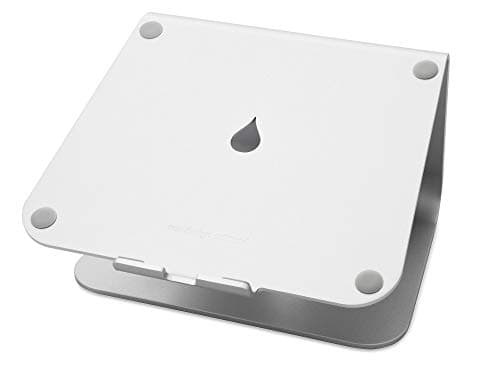
Desk Setup Accessories, in Priority Order
The desk accessories worth buying, ordered by how much they change the setup per dollar - screen height first, surface second, light third, cables fourth, and what to skip.
Top pick · Rain Design mStand Laptop Stand
- Guide
Guide
Desk Setup Ideas That Actually Work
Six desk setup layouts organized by the constraint each one solves - small rooms, two screens, one wide screen, laptop-first, dual-purpose, and shared desks - with honest trade-offs.
Guide
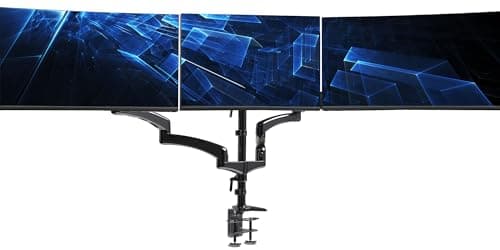
How to Run a Triple Monitor Setup
The full three-screen walkthrough: layouts that actually work, where the third video output comes from on a laptop or desktop, mounting, desk width, and the OS setup.
Top pick · VIVO Triple Pneumatic Monitor Mount (STAND-V300G)

Guide
Standing Desk Ergonomics
Setting up a standing desk properly: standing height from elbow measurement, why the monitor has to move too, footwear and mats, and a switching cadence that lasts.
Top pick · Topo by Ergodriven Standing Desk Mat
Guide
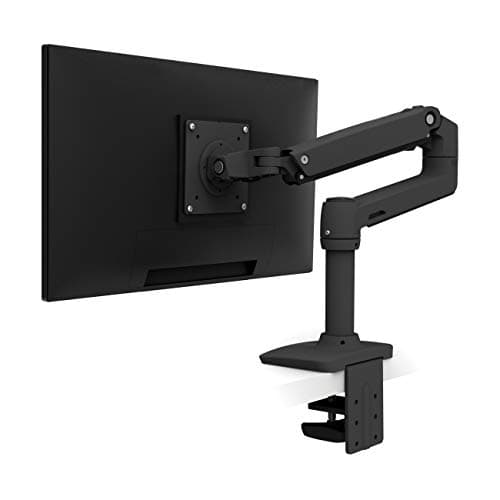
How Deep Should a Desk Be?
Standard desk depths run from about 20 to 30 inches, and 24 is the common default. Here is how to work out the depth your screen and your knees actually need, and the cheapest ways to gain depth you do not have.
Top pick · Ergotron LX Single Monitor Arm