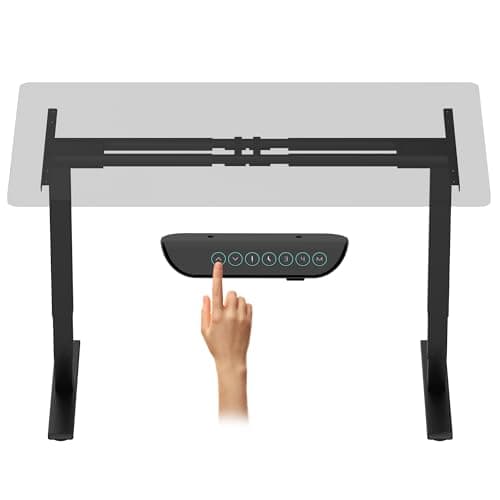
Every bundled standing desk is a compromise between the frame the manufacturer wanted to sell you and the top they could ship in the same box. Buy the two separately and the compromise disappears: a genuinely good three-stage dual-motor base under a solid top of the exact size and finish you want, usually for less than a mid-tier bundle costs.
This is the most on-brand purchase on the site — it is the upgrade that fixes the thing everyone complains about, which is not height range but stiffness. A frame carrying two monitors on an arm at standing height is a lever, and cheap frames wobble because of how they are built, not because of what is on them.
Stages first.A two-stage leg has one telescoping section per column; a three-stage leg has two. Three stages buy you a wider height range at both ends and, more importantly, a shorter unsupported length at any given height — which is most of why three-stage frames feel steadier standing up. Every electric frame here is three-stage except one, and the difference is visible in the height range column.
Weight capacity next, and read it honestly.Manufacturer ratings describe what the motors can lift, not what the desk feels good carrying. A 220 lb rating is ample for two monitors, an arm, a dock and a laptop — that load is realistically 60 to 80 lb. Where the number earns its keep is in the margin: a frame working at 30% of its rating lifts smoothly and holds still, and one working near its ceiling does neither.
Then the tabletop range.This is the spec that ruins DIY builds. Frames publish a supported length range and a supported depth range, plus a minimum top thickness — usually 3/4 of an inch, because the mounting screws need something to bite into. A 72-inch top on a frame that extends to 59 inches will overhang badly at both ends and flex in the middle; a 24-inch-deep top on a frame designed for 30 inches leaves the feet sticking out.
Finally, the controller.Memory presets are not a luxury on a desk you actually raise and lower — without them, most people stop switching after a fortnight because finding the right height by eye each time is tedious. Three presets covers sitting, standing and a perched middle. Anti-collision, which reverses the desk if it hits something, is worth having if the desk lives near a windowsill, a drawer unit or a cat.
The heights that should end up on the presets are not a matter of taste — they follow from your elbow height, and the measurement is in our desk height guide.
Capacity is the spec people shop on; stability is the one they notice. What a standing desk can actually hold compares the published ratings on this page and explains what they leave out.
The short answer
Quick picks
#ad · Live prices from the Amazon Product API, as of October 23, 2026. Where we have no verified live price we show none — we would rather leave a gap than print a number that has rotted.
In detail
The picks, in full
Best overall
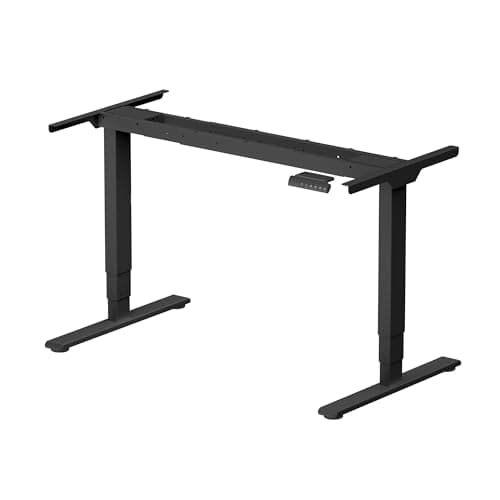
FLEXISPOT E6 Max Dual Motor 3-Stage Frame (Frame Only)
- Lift
- Dual motor, 3-stage columns
- Height range
- 24.4" to 50"
- Weight capacity
- 330 lb
- Noise
- Under 45 dB in operation
- Controller
- Four programmable height presets, backlit panel
- Safety
- Anti-collision stop and reverse
The heaviest-rated frame here by a wide margin, and the one to buy if a multi-monitor arm is going on top. 330 lb of lift, three stages and four presets, from a brand with a real service operation behind it.
- Stability
- 9.4
- Height Range
- 9.2
- Controller
- 9
- Value
- 7.6
Pros
- +330 lb rating is 50% more headroom than the 220 lb frames here, which is what keeps it steady loaded
- +24.4 inches at the bottom is low enough for short users and for a keyboard tray underneath
- +Four presets rather than three, so a perched height and a second user both fit
- +Under 45 dB is quiet enough to raise the desk mid-call without anyone noticing
Cons
- −The most expensive frame here
- −Frame only - the top, and the money for it, are still to come
- −Heavy assembly; this is a two-person job to flip upright
Skip this if…
…your load is a laptop and one screen - you are paying for lift capacity you will never approach.
Best for an unusual tabletop
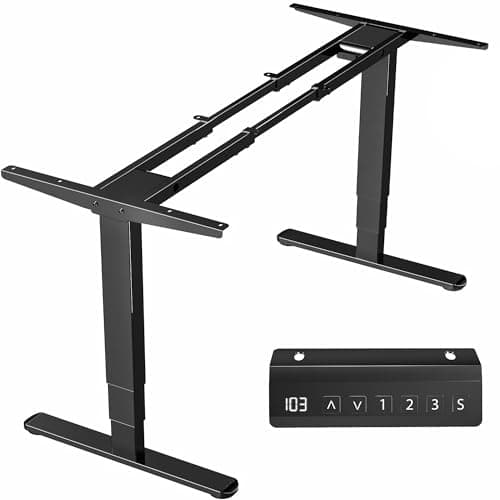
VIVO Electric Dual Motor Desk Frame (DESK-V103E)
- Lift
- Dual motor, 3-stage columns, 38mm/s
- Height range
- 23.5" to 49.3"
- Weight capacity
- 220 lb
- Tabletop
- 40" to 85" long, 23" to 43" deep, 3/4" minimum thickness
- Controller
- Push-button with 3 memory settings
- Warranty
- 3 years
The DIY frame with the widest published tabletop range: 40 to 85 inches long and 23 to 43 deep. If you have a specific top in mind, this is the base most likely to fit it.
- Stability
- 8.6
- Height Range
- 9.4
- Controller
- 8.2
- Value
- 8.6
Pros
- +85-inch maximum length is the longest supported top here, which suits a wide multi-monitor build
- +23.5 inches at the low end is the lowest sitting height on this list
- +Under 50 dB with overload and heat protection on both motors
- +Feet adjust from 39.3 to 65.3 inches, so the footprint tracks the top
Cons
- −220 lb rating is fine but has less margin than the FLEXISPOT under a heavy arm
- −Three presets rather than four
- −Frame only, and a top for an 85-inch desk is not a cheap purchase
Skip this if…
…you have not chosen a top yet - buy the top first, then check it against this range.
Best warranty
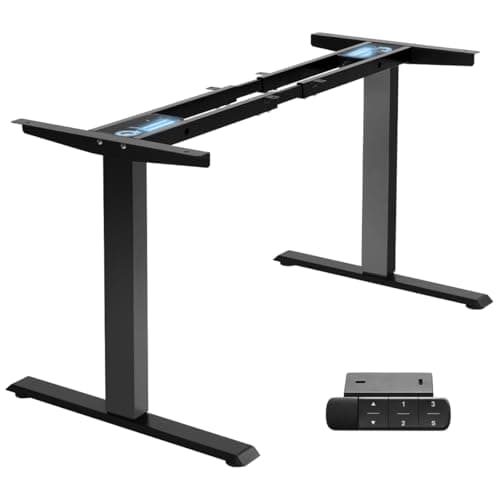
SANODESK Dual Motor 3-Stage Frame (Frame Only)
- Lift
- Dual motor, 3-stage columns
- Height range
- 23.6" to 49.2"
- Weight capacity
- 220 lb
- Noise
- Under 50 dB
- Controller
- 3 presets with a sit-stand reminder
- Warranty
- 5 years on frame and motors
Three-stage dual-motor hardware with a five-year frame warranty, which is longer than most of the field offers and the clearest signal a maker has about its own castings.
- Stability
- 8.6
- Height Range
- 9
- Controller
- 8.6
- Value
- 8.8
Pros
- +Five years on frame and motors is the longest cover here
- +Three-stage lift with a 25.6-inch total travel, matching frames costing more
- +The sit-stand reminder is the feature that actually makes people use the desk
- +Priced below the FLEXISPOT for very similar core numbers
Cons
- −A smaller brand than FLEXISPOT or VIVO, with a thinner support footprint
- −220 lb rating, so the same margin caveat as the VIVO
- −Control panel is functional rather than nice
Skip this if…
…brand support matters more to you than warranty length - the bigger names answer the phone faster.
Best value electric
TOPSKY Dual Motor Standing Desk Frame (DF02.01)
- Lift
- Dual motor, 1 inch per second
- Height range
- 27.6" to 47.3"
- Weight capacity
- 225 lb
- Frame width
- 43" to 59", supports tops up to 70.8" x 31.5"
- Controller
- 3 height presets, LED height display
- Safety
- Anti-collision
The cheapest dual-motor electric frame worth putting a top on. You lose the third lift stage and some height range at both ends, and you keep the two motors that matter most.
- Stability
- 7.8
- Height Range
- 7.2
- Controller
- 8.4
- Value
- 9.6
Pros
- +Dual motors at a single-motor price, which is the difference between a smooth lift and a groaning one
- +225 lb rating is competitive with frames costing well over a hundred dollars more
- +LED height readout makes setting the presets to a measured number straightforward
- +Anti-collision included, which budget frames often drop
Cons
- −27.6 inches at the bottom is too high for shorter users to sit at comfortably
- −47.3 inches at the top may be short for anyone over about 6 foot 2
- −Two-stage columns, so it is less rigid at full extension than the three-stage frames here
Skip this if…
…you are much shorter or much taller than average - the narrower range is where this frame gives ground.
Best without motors
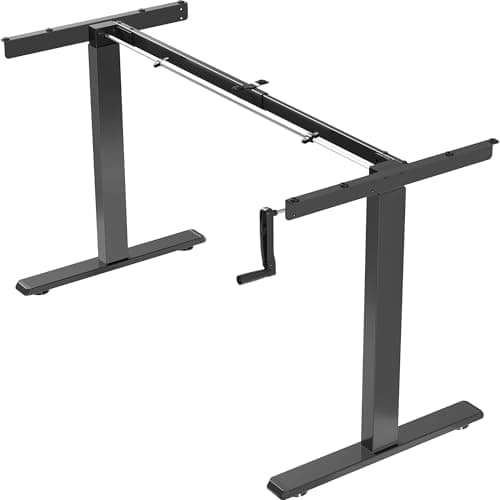
VIVO Manual Hand Crank Desk Frame (DESK-V101M)
- Lift
- Manual hand crank
- Height range
- 27.8" to 46.5"
- Weight capacity
- 132 lb
- Tabletop
- 34" to 72" long, 23" to 43" deep, 3/4" minimum thickness
- Frame width
- 34" to 52.3" adjustable
- Warranty
- 3 years
The no-electronics option. A crank instead of motors removes the controller, the power brick and every failure mode attached to them, at the cost of about thirty seconds of arm work per change.
- Stability
- 7.6
- Height Range
- 7.4
- Controller
- 5.5
- Value
- 9
Pros
- +Nothing electrical to fail, which is the whole argument for a crank
- +Needs no power outlet, so it can go anywhere in the room
- +Cheapest frame here and the lightest to move
- +34-inch minimum top length makes it the only frame here suited to a genuinely small desk
Cons
- −132 lb capacity is the lowest here and rules out a heavy multi-monitor load
- −Cranking is enough friction that most people change height less often
- −The crank handle has to live somewhere, and it is always in the way
Skip this if…
…you plan to switch between sitting and standing several times a day - you will stop.
Choosing the top
The frame is the easy half. The top decides how the finished desk feels, and three properties matter.
Thickness. Three quarters of an inch is the published minimum on most frames because that is what the mounting screws need. Below that you risk the screws breaking through; a great deal above that and you are adding weight that eats into the lift rating for no functional gain. Between 3/4 and 1.25 inches is the practical band.
Material.Solid wood and butcher block look the best and are the heaviest and the most sensitive to humidity. Laminated MDF or particleboard is lighter, cheaper and dimensionally stable, and it is what most bundled desks use. Bamboo splits the difference. None of them wobble — wobble comes from the frame, not the top.
Depth.This is the specification people get wrong most often, and on this site it matters more than usual, because a monitor on an arm needs to sit at roughly arm’s length. Twenty-four inches deep is workable for a single screen on an arm. Thirty inches is what an ultrawide or a dual setup wants. The full math is in what size monitors for a dual setup, and the desk widths that follow from it are in the dual-monitor desk roundup.
Where a frame beats a bundled desk
At the bottom of the market a bundled desk usually wins on price alone. In the middle, the frame route wins clearly: a 330 lb three-stage base plus a good top comes in below a bundled desk of similar specification, and you choose the surface. At the top, the argument reverses again — premium bundles like the desks in our main standing desk roundup are configured well and arrive matched. Frame versus complete desk sets the two routes against each other on supported top size, height ceiling, published capacity and who warranties the surface.
Mounting the top: do this once, properly
Assemble the frame upside down on the floor, place the top face-down on top of it, and mark the holes before drilling anything. Pilot-drill every hole to a depth shorter than the top’s thickness — a drill stop or a strip of tape on the bit is the whole technique — and drive the screws by hand for the last turn. The most common DIY failure is a screw punched through a visible surface, and it is entirely preventable.
While the desk is upside down, mount everything else too: the cable tray, the power strip and the dock. On a desk that moves, everything that plugs in should travel with it, which is the whole principle behind standing desk cable management.
If the finished desk wobbles
It is almost never the top and almost always geometry: the feet, the crossbar and the height. The diagnosis order, and the fixes worth trying, are in how to fix a wobbly standing desk.
A frame is only half the desk. Choosing a top that will not bow, checking the frame’s width range actually spans it, doing the load arithmetic and drilling in the right order are the other half — how to build a DIY standing deskcovers each step, including cutting the grommet holes before anything is bolted together. The top also adds its own thickness to every height in the table above, which is why a frame build is the cheapest route past 50 inches of working height — see standing desks for tall people for the arithmetic.
How we picked
We do not run a testing lab
We compiled the published manufacturer specifications, did the ergonomics, VESA and desk-depth math ourselves, and read aggregated owner reviews, then scored each product against a published rubric. The scores are judgments from documented research — they are not measurements we took, because we do not have a lab and we are not going to pretend we do. Every spec traces back to a listing or manual named in Sources.
Questions
Frequently asked
Is buying a standing desk frame and top separately cheaper?+
Usually yes in the mid range, and the quality gain is larger than the saving. A three-stage dual-motor frame plus a good top typically lands below an equivalent bundled desk, and you choose the surface material, size and finish rather than accepting what fits the manufacturer’s box. At the very bottom of the market, bundles are cheaper.
What size tabletop do I need for a standing desk frame?+
Check the frame’s published range before buying the top: each frame states a supported length, a supported depth and a minimum thickness, usually 3/4 of an inch. For desk work with a monitor on an arm, 24 inches of depth is the working minimum and 30 inches is what an ultrawide or a dual setup wants.
Is a two-stage or three-stage standing desk frame better?+
Three-stage, if the budget allows. Two extra telescoping sections give a wider height range at both ends and a shorter unsupported column length at any given height, which is most of why three-stage frames feel steadier standing up. Two-stage frames are cheaper and perfectly usable if you are near average height.
How much weight can a standing desk frame really hold?+
The rating describes what the motors will lift, and the frames here are rated 132 to 330 lb. A realistic desk load — two monitors on an arm, a dock, a laptop, a keyboard and the usual clutter — is around 60 to 80 lb, so any of them will lift it. The higher rating buys smoothness and steadiness rather than raw capability.
Are manual crank standing desks worth it?+
They are worth it if you value having nothing electrical to fail, or if there is no outlet where the desk goes. They are not worth it if the point is to change position several times a day: cranking is enough friction that most people stop switching within a couple of weeks, which defeats the purpose of buying the desk.
Receipts
Sources
We do not run a testing lab, and we do not pretend to. Specifications come from the manufacturer or retailer listing; the footprint and clearance math is ours and reproducible. Where we could not verify a number, we say so on the page rather than quietly leaving it out. Read our full method.