A standing desk is one of the few desk upgrades where the cheap version can be a genuinely bad buy rather than merely a lesser one. The failure mode is specific: the desk raises fine, and then wobbles at full height whenever you type, which makes standing unpleasant, which means you stop standing, which means you bought a fixed desk with extra parts. Everything below is judged against that risk first.
The single specification that predicts it is the motor and column count. A dual-motor desk drives each leg independently with a three-stage column and is stiffer and faster; a single-motor desk drives both legs from one motor through a crossbar, which is cheaper, slower, and less rigid. Below the premium tier you are almost always looking at single motors, and the question becomes which single-motor design was engineered properly. Wider crossbars and thicker columns matter more than the headline lift figure.
There is also a second route that people overlook. A desktop convertersits on the desk you already own and raises just the monitor and keyboard. It is not a compromise version of a standing desk so much as a different product: it costs less, needs no assembly of a frame, is removable, and it is the right answer for a rented room, a desk you like, or anyone who wants to find out whether they will actually stand before committing to new furniture. Its limitations are equally clear — a fixed platform size, added desk height even when lowered, and a weight limit that a heavy monitor arm can exceed.
What you give up at this price, honestly: warranty length, which drops from the ten years or more you get from a premium frame to one to three years; lift speed and quietness; memory presets on the cheapest units; and the maximum load, which matters if two monitors and an arm are going on top. Do not give up stability at full height, and do not give up the height range — check the stated maximum against your own standing elbow height, because a desk that stops two inches short is useless to a tall person. Rankings follow how we pick.
The short answer
Quick picks
| # | Product | Best for | Score | Price |
|---|
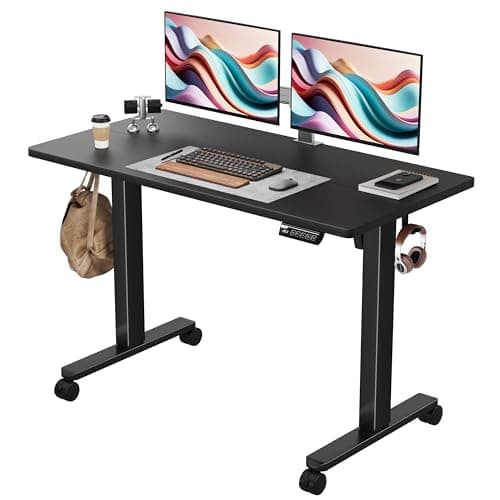
| 01 | FEZIBO Electric Standing Desk, 48 x 24The best-judged compromise at this price. A full electric 48 by 24-inch desk with a frame that stays reasonably steady at standing height, which is the thing cheap desks usually fail at. | Best overall | | $112.99·Amazon |
| 02 | | Best alternative full desk | | $139.99·Amazon |
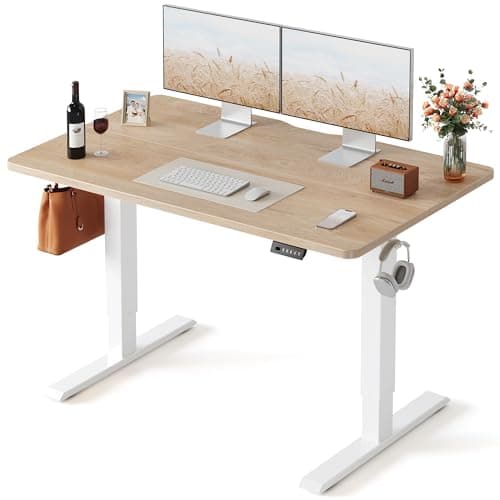
| 03 | Sweetcrispy Electric Standing Desk, 48" x 24"The cheapest full electric standing desk here, and the point at which we start naming the compromises rather than glossing them. It raises and lowers reliably, and it is the only desk on this list under a hundred dollars that remembers your heights. | Best cheapest full desk | | $79.80·Amazon |
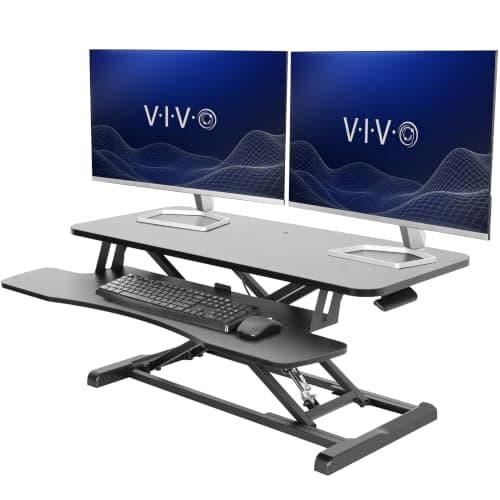
| 04 | VIVO 36" Standing Desk ConverterThe best converter here and the right answer for a desk you already like. A wide 36-inch platform with a separate keyboard tray, which is what separates a real converter from a monitor riser. | Best converter | | $169.99·Amazon |
| 05 | No image FLEXISPOT Standing Desk Converter, 28" CompactThe small-desk converter, from the company that makes the frames. At 28 inches it fits where the wide converters will not, which on a small or shared desk is the constraint that decides everything. | Best for small desks | | Check price → |
#ad · Live prices from the Amazon Product API, as of October 23, 2026. Where we have no verified live price we show none — we would rather leave a gap than print a number that has rotted.
In detail
The picks, in full
Best overall
FEZIBO Electric Standing Desk, 48 x 24
- Size
- 48" x 24" desktop
- Adjustment
- Electric height adjustment
- Frame
- Steel frame with crossbar
- Controller
- Push-button height control
- Assembly
- Frame bolts to a pre-drilled top
The best-judged compromise at this price. A full electric 48 by 24-inch desk with a frame that stays reasonably steady at standing height, which is the thing cheap desks usually fail at.
- Stability
- 8
- Height Range
- 8.4
- Build
- 7.8
- Value
- 9.4
Pros
- +Steadier at full height than most desks at this price, which is the specification that matters
- +48 by 24 inches suits a single monitor or a modest dual setup without dominating a room
- +Full electric adjustment rather than a crank, so you will actually use it
- +Pre-drilled top makes assembly genuinely quick
Cons
- −Single motor, so the lift is slower and less rigid than a dual-motor frame
- −24 inches deep is shallow for a large monitor — you may sit closer than ideal
- −Short warranty compared with premium frames
Skip this if…
…you are mounting two large monitors on an arm — the load and the depth both become limiting
Best alternative full desk
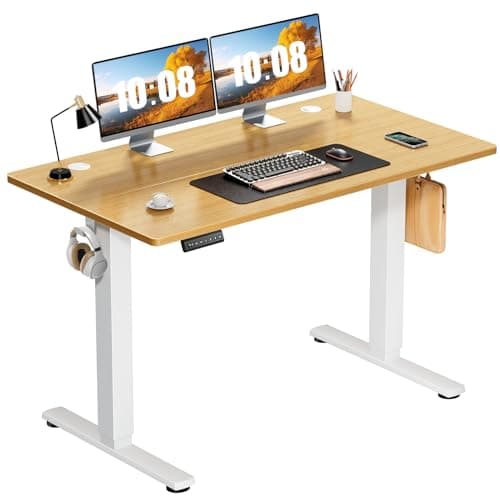
Monomi 48" x 24" Electric Height Adjustable Standing Desk
- Size
- 48" x 24" desktop
- Adjustment
- Electric height adjustment
- Frame
- Steel frame, adjustable width
- Controller
- Height control panel
- Feet
- Adjustable leveling feet
The alternative when the FEZIBO is out of stock or the wrong finish, and no worse for it. Same size class, same electric lift, and a frame that behaves itself at standing height.
- Stability
- 7.8
- Height Range
- 8.4
- Build
- 7.8
- Value
- 9.2
Pros
- +Adjustable-width frame means it can take a different top later if you upgrade the surface
- +Leveling feet handle uneven floors, which cheap desks often ignore
- +Comparable stability to the FEZIBO at a similar price
- +Straightforward controller with no unnecessary complexity
Cons
- −Single motor with the usual speed and rigidity trade-off
- −No memory presets, so you set the height by eye each time
- −Desktop finish is functional rather than attractive
Skip this if…
…you switch heights several times a day — without presets that becomes a small chore each time
Best cheapest full desk
Sweetcrispy Electric Standing Desk, 48" x 24"
- Size
- 48" x 24" desktop
- Adjustment
- Electric, 28.7" to 46.5"
- Frame
- Metal frame, two-piece splice particleboard top
- Controller
- Up/down control with three memory presets
- Load
- Rated to 176 lb
The cheapest full electric standing desk here, and the point at which we start naming the compromises rather than glossing them. It raises and lowers reliably, and it is the only desk on this list under a hundred dollars that remembers your heights.
- Stability
- 6.8
- Height Range
- 8
- Build
- 6.8
- Value
- 9.7
Pros
- +The least expensive way to get a genuinely motorized standing desk
- +Three memory presets at this price, which the Monomi above it does not have
- +The 28.7" to 46.5" range covers seated and standing for most heights
- +Leaves budget for the chair and mat that make standing sustainable
Cons
- −The desktop arrives as two splice boards, so there is a seam down the middle of the work surface
- −Particleboard rather than a solid or thicker engineered top, and it flexes if you lean on it
- −Single-motor budget frame, so expect more movement at full height than a heavier desk
Skip this if…
…you want one unbroken work surface — the two-piece splice top is the visible compromise here
Best converter
VIVO 36" Standing Desk Converter
- Type
- Desktop sit-stand converter
- Width
- 36" work surface
- Tiers
- Separate monitor deck and keyboard tray
- Adjustment
- Gas-spring assisted height change
- Installation
- Sits on an existing desk; no assembly of a frame
The best converter here and the right answer for a desk you already like. A wide 36-inch platform with a separate keyboard tray, which is what separates a real converter from a monitor riser.
- Stability
- 8.2
- Height Range
- 8
- Build
- 8.4
- Value
- 8.6
Pros
- +36 inches is wide enough for two monitors, which many converters are not
- +Separate keyboard tray keeps the hands lower than the screen, which is the whole ergonomic point
- +Gas-spring lift makes changing height a one-handed, few-second action
- +Removable and rentable-friendly — no modification to the desk at all
Cons
- −Adds height to the desk even when lowered, which can push the seated position too high
- −Occupies desk depth permanently, whether raised or lowered
- −Weight limit is lower than a full desk, and a heavy monitor arm may exceed it
Skip this if…
…your desk is already at the upper end of comfortable seated height — a converter only adds to it
Best for small desks
FLEXISPOT Standing Desk Converter, 28" Compact
- Type
- Compact desktop sit-stand converter
- Width
- 28" work surface
- Adjustment
- Height-adjustable riser mechanism
- Footprint
- Designed for small and shared desks
- Installation
- Sits on the existing desktop
The small-desk converter, from the company that makes the frames. At 28 inches it fits where the wide converters will not, which on a small or shared desk is the constraint that decides everything.
- Stability
- 8
- Height Range
- 7.8
- Build
- 8.4
- Value
- 9
Pros
- +Fits a small desk where a 36-inch converter would overhang
- +FLEXISPOT's frame experience shows in the mechanism's smoothness
- +Light enough to move off the desk entirely when not wanted
- +Cheapest route to sit-stand of anything in this roundup
Cons
- −28 inches is a single-monitor platform; two screens will not fit properly
- −Small platform means the keyboard and mouse share tight space
- −Same seated-height penalty as any converter
Skip this if…
…you run two monitors — at this width you will be choosing which one comes up with you
How to choose a budget standing desk
Decide first between a full desk and a converter, because they suit different situations rather than different budgets. A full desk is the better long-term answer: no added seated height, no permanent platform on the surface, and a proper load rating for monitor arms. A converter is the right answer if you rent, if you like the desk you already have, or if you want to establish that you will genuinely stand before replacing furniture.
Then check the height range against your own body rather than the marketing. Stand up, let your arms hang, and bend your elbows to ninety degrees; measure from the floor to your palms. That is your standing desk height, and it must fall within the desk’s stated range with room to spare. Tall users are the ones who get caught — a desk that tops out two inches short is unusable for standing no matter how good the rest of it is.
Add up the load before you assume any budget desk will take it. Two monitors, a heavy arm, a laptop, a dock, and a lamp add up faster than people expect, and the load rating on cheap frames is the specification most often at its limit. If the number is close, choose the sturdier frame — an overloaded lift mechanism is both a wobble source and a failure risk.
Finally, budget for the two accessories that decide whether you actually stand. An anti-fatigue mat is what makes an hour on your feet comfortable rather than an endurance exercise, and a tall chair or leaning stool is what makes the top of the range usable when you want to rest without lowering the whole desk. Plan the cabling too: a moving desk needs slack and a tray that travels with it, which our cable guide covers.
How we picked
We do not run a testing lab
We compiled the published manufacturer specifications, did the ergonomics, VESA and desk-depth math ourselves, and read aggregated owner reviews, then scored each product against a published rubric. The scores are judgments from documented research — they are not measurements we took, because we do not have a lab and we are not going to pretend we do. Every spec traces back to a listing or manual named in Sources.
Questions
Frequently asked
Are cheap standing desks any good?+
The better ones are. The failure mode to watch for is wobble at full height under typing load, because that is what stops people standing at all. Stability matters more than lift speed, memory presets, or looks — judge a budget desk on that first.
Single motor or dual motor standing desk?+
Dual motor is stiffer, faster, and quieter, and it is what premium desks use. Below the premium tier you are almost always buying single motor, which drives both legs through a crossbar. It works; it is slower and less rigid, and the crossbar and column thickness matter more than the headline lift figure.
Is a standing desk converter better than a cheap standing desk?+
It is better if you rent, like your current desk, or want to test whether you will stand before replacing furniture. A full desk is better long-term: no added seated height, no permanent platform, and a higher load rating for monitor arms.
How high should a standing desk go?+
To your standing elbow height: stand, let your arms hang, bend your elbows to ninety degrees, and measure floor to palms. The desk's maximum must exceed that with room to spare. Tall users should check this number before anything else, because many budget desks stop short.
How much weight can a budget standing desk hold?+
Less than you probably need if you run two monitors on an arm. Add up screens, arm, laptop, dock, and lamp, then compare against the rated load with some margin. An overloaded lift mechanism wobbles more and fails sooner.
Receipts
Sources
We do not run a testing lab, and we do not pretend to. Specifications come from the manufacturer or retailer listing; the footprint and clearance math is ours and reproducible. Where we could not verify a number, we say so on the page rather than quietly leaving it out. Read our full method.