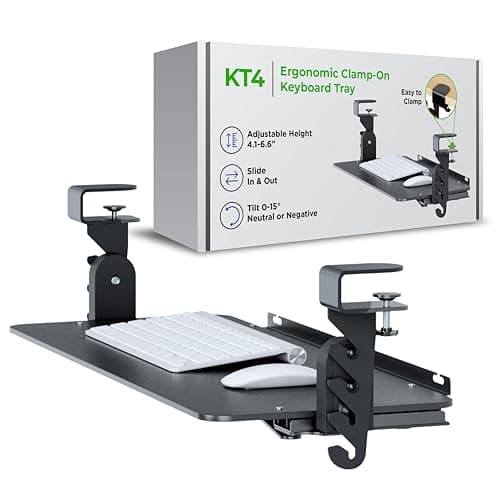
Measure four things before you buy: how deep a clear, flat run there is under the front of your desk, how thick the desktop is where the tray attaches, how far below the desktop you need the keys to sit, and what your keyboard weighs. If those allow it, the Uncaged Ergonomics KT4is the tray to buy — tool-free clamps, no drilling, negative tilt, and a published 4.1 to 6.5 inch drop. The measurements decide, though, not the ranking.
A keyboard tray is the cheapest fix for the most common desk problem: a surface at 29 inches when your elbows want 26. It moves the typing surface down to your arms instead of lifting your arms to the desk, and it does for your wrists what a monitor arm does for your neck. It is also returned constantly, and nearly always because something under the desk was in the way.
Check 1: the clear run under the desk
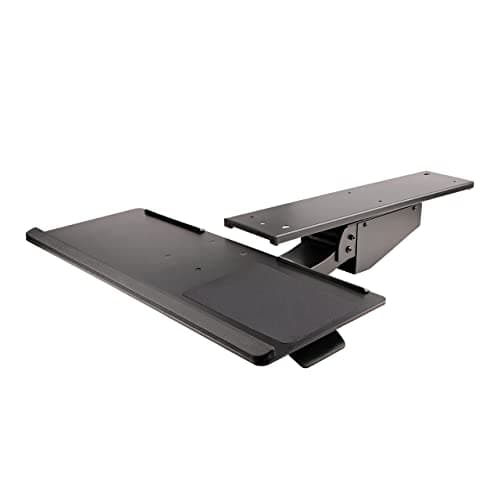
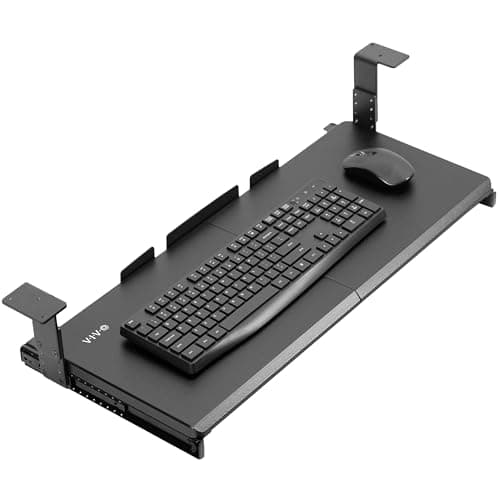
This is the one that catches people. A tray slides on a track bolted or clamped to the underside, and the track needs an unobstructed strip running front to back. StarTech is unusually honest about the size of it and publishes a mounting requirement of 750 mm of depth by 147 mm of width— nearly 30 inches of clear underside. The VIVO clamp-on tray needs a 12.3 in track and the Mount-It! track footprint is 7 in wide by 18.2 in long.
Get underneath with a tape measure and look for the things that eat that run: a center drawer, a modesty panel, an apron or rail behind the front edge, the crossbar on a cheap standing desk frame, and an existing cable tray. Any of them can rule out a long track while leaving room for a short one.
Check 2: desktop thickness, at the mounting point
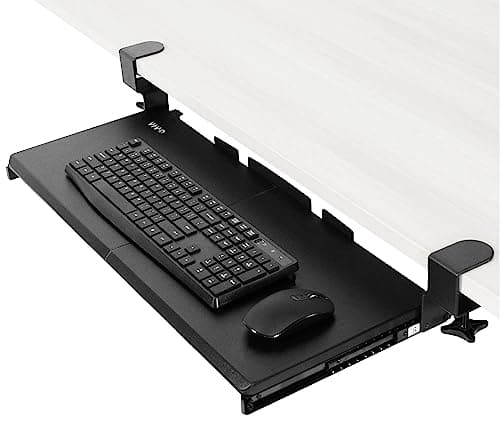
Clamps have a window. The VIVO clamp-on tray states 0.5 to 1.25 in and the Uncaged KT4 wants a flat-edge desktop up to 1.25 in thick. A butcher block or a desk with a thick trim strip at the front sits outside that.
Screw-mounted trays have the opposite constraint: they need enough material to bite into. The VIVO screw-mount tray publishes a 0.75 in minimum desktop thickness. A thin hollow-core top gives the screws nothing to hold, and a tray that pulls out of the desk takes a chunk of veneer with it.
Check 3: the drop you actually need
Measure your seated elbow height with your shoulders relaxed — the desk height guidehas the two-minute method — and subtract it from your desktop height. That difference is the drop you need, and the trays here cover very different bands:
- VIVO clamp-on: 1.5 to 2.75 in. Enough for a desktop that is slightly too tall.
- VIVO screw-mount: 2.5 to 5 in, in five settings 0.6 in apart.
- Uncaged KT4: 4.1 to 6.5 in. The band for a standard 29 in desk and a shorter sitter.
- StarTech: up to 13.4 in of spring-assisted travel, lockable anywhere. Far more than most people need, which is the point.
Do not aim for the maximum. A tray set too low has your wrists reaching down, and every inch of drop is an inch of thigh clearance you lose.
Check 4: weight capacity
Trays publish surprisingly low limits. StarTech states 4.4 lb (2 kg), and both VIVO trays state 11 lb. A full-size aluminum mechanical keyboard with a wooden wrist rest and a mouse on the same platform can approach 4.4 lb without trying. Weigh yours if it is a heavy board — several of the keyboards in the mechanical keyboard roundup are built from metal.
Clamp or screw?
Clamp is reversible, tool-free, and takes ten minutes. It needs a flat front edge inside the thickness window and nothing underneath at the clamp points. It is the right default, and it is the only option on a desk you do not own.
Screw-mountis stronger, carries more weight, and works where the front edge is shaped or trimmed. It is also permanent: you are putting pilot holes into the underside of your desk. On a sit-stand desk, a screwed track also travels with the top, which is the right answer there — a clamp can creep over months of height changes.
The install, in order
1. Mark the track position with the chair in place. Sit down, put your hands where you type, and mark the centerline. A tray mounted by eye ends up off-center, and off-center is where your shoulders notice.
2. Dry-fit the track with nothing attached. Slide it through its full travel and check it clears the drawer, the apron, the crossbar and the cable tray at both ends.
3. Mount the track, not the tray. Clamp or screw the rail first, fully tightened, before the platform goes on. On a screw install, drill pilot holes one size under the screw diameter and stop before the bit reaches the top surface.
4. Attach the platform and set the tilt.Slight negative tilt — the far edge higher than the near edge — is what keeps your wrists straight. The KT4 and the StarTech both offer it; a flat or positive tilt bends your wrists back, which is the posture you bought the tray to avoid.
5. Set the height last, from the measurement. Elbows at about 90 degrees, forearms parallel to the floor, shoulders down. Keyboard and mouse ergonomics covers where the mouse should sit relative to the tray.
6. Re-check the knee clearance, sitting down.You have just put a platform where your thighs used to go. If it contacts, raise the tray a setting or lower the chair — and if neither works, the tray is too deep for your desk.
The four fit checks, written down
| Measure | Why it matters | Rules out |
|---|
| Clear flat run under the front edge | The track needs 12 to 30 in of unobstructed underside | Center drawers, aprons, crossbars, existing cable trays |
| Desktop thickness at the mounting point | Clamps want 0.5 to 1.25 in; screws want 0.75 in minimum | Thick slab tops, and thin hollow-core tops |
| Desktop height minus your elbow height | That difference is the drop the tray has to deliver | A 1.5 in tray on a desk that is 4 in too tall |
| Keyboard weight | Published limits run from 4.4 lb to 11 lb | A metal full-size board on a 4.4 lb tray |
Published track and mounting figures, for comparison: StarTech needs 750 mm by 147 mm of clear surface; the VIVO screw-mount slides back 12 in including its track; the VIVO clamp-on uses a 12.3 in track; and the Mount-It! tray from our roundup has a 7 by 18.2 in track footprint. Those four numbers are the whole fit problem.
Clamp or screw, decided
Clamp if the front edge is flat and within the thickness window, the desk is not yours to drill, or you want to undo it later. That covers most people and most desks.
Screw if the keyboard is heavy, the desk is sit-stand, the front edge is shaped, or the tray needs to not move for years. Pilot-drill, and measure your screw length against the top thickness so nothing comes through.
Neither if the desk is glass, hollow-core, or has a drawer you use. A glass top cannot take a clamp load safely and has nothing to screw into; the alternative is to lower the whole desk, which is what a height-adjustable desk does properly.
Five problems after installation, and the fix
The tray hits your knees. You moved a platform into the space your thighs used to use. Raise it one setting, lower the chair, or accept a shallower platform. A 10 in platform leaves more room than an 11 in one.
The clamps slip.Check the desktop thickness is actually inside the stated window, re-seat with the supplied pads, and retighten after a week — clamps bed in. On a desk that moves every day, switch to a screwed track.
The mouse has nowhere to go. Either put it on the tray (which needs an 11 in platform and eats into the weight limit) or leave it on the desktop and accept the height mismatch for that hand. Our tray roundup ranks platform depth for exactly this reason.
Cables snag on the track.A tray that slides 8 to 18 inches pulls the keyboard cable with it. Leave a service loop and clip it to the tray rather than the desk — under-desk cable management covers the clips and sleeves.
Your wrists feel worse, not better.Almost always a positive tilt. The far edge should be level or slightly higher than the near edge, never lower. If your board already has negative-tilt feet, do not stack another angle on top of it — the split keyboard transition guide covers how tilt and separation interact.