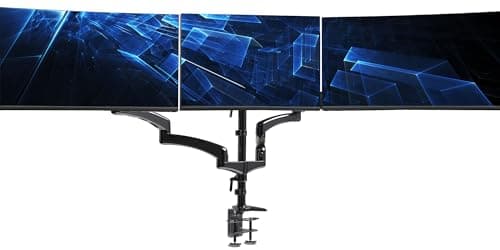
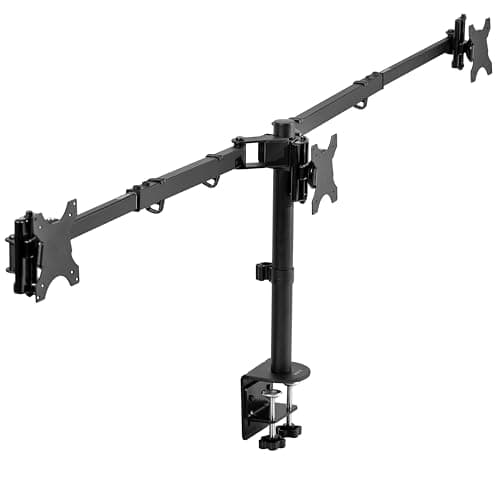
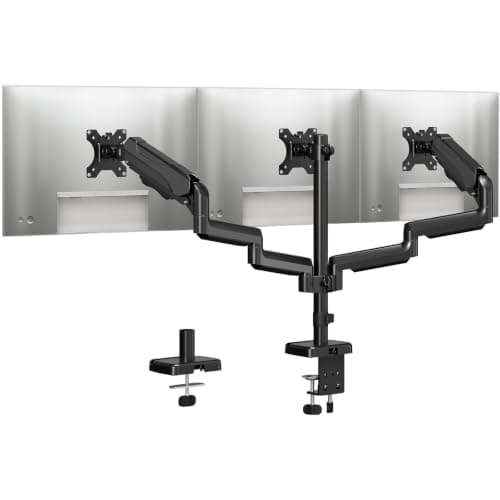
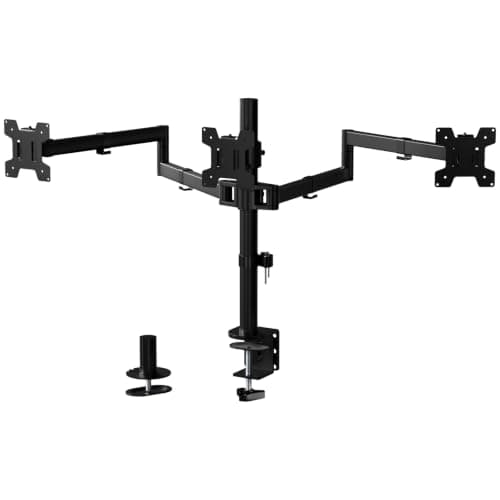
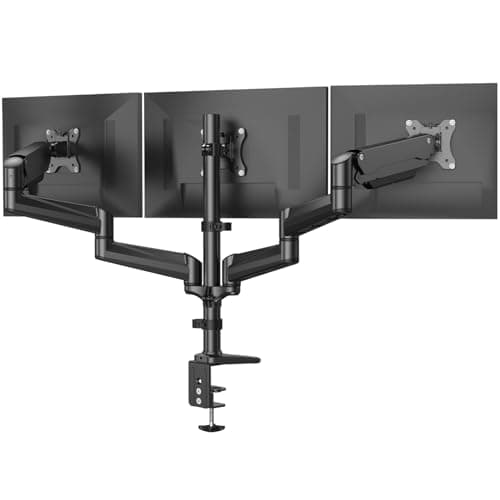
Going from two screens to three changes the mounting problem completely. A dual arm holds two panels either side of a center of gravity that sits over the clamp. A triple mount hangs a third screen out past that, and the leverage on the desk edge roughly doubles. This is the category where the cheap option fails visibly — not by breaking, but by drooping an inch over a week until the outer screens sit lower than the middle one.
Four numbers decide whether a mount can do the job, and only one of them is usually on the front of the box.
Weight rating per arm is the one that matters most. Look for a range, not a maximum: most gas-spring and pneumatic arms have a minimum as well, typically around 4.4 lb, and a panel lighter than that will float upward and refuse to stay put. A modern 27-inch IPS panel without its stand is usually 9 to 14 lb, so a 17.6 lb per-arm rating is comfortable and a 22 lb rating leaves room for a heavier or curved screen.
Pole height decides whether the outer screens can sit at eye level at all. Triple mounts put all three arms on one column, and a 17-inch pole gives noticeably less vertical range than a 31-inch one. If your desk is a standing desk or your chair is high, the taller pole is not optional.
Arm span is the total width the mount can cover, and it needs to be checked against your desk rather than your screens. A 68-inch span on a 55-inch desk is wasted; a 39-inch span with three 24-inch panels is not enough. Manufacturers publish both a minimum and a maximum, and the minimum matters if your desk is narrow.
Mount type is the last. A C-clamp needs a free desk edge and a stated maximum desk thickness; a grommet mount needs a hole and gives a stiffer result on a thin top. Almost every mount here includes both, but the clamp thickness limits differ, and a thick solid-wood top can exceed them.
One layout note before the picks. Three 27-inch panels side by side is about 72 inches of screen and forces genuine head-turning at the outer edges. The layouts that work better in practice are two screens plus a rotated third, or an ultrawide in the middle flanked by two smaller panels — and one mount on this list is built specifically for the second of those. The geometry is worked through in our triple monitor setup guide.
A mount only helps if the desk can host it. Our triple-monitor desk roundup works out the width three screens actually need, and which tops a C-clamp can grip in the first place.
The short answer
Quick picks
#ad · Live prices from the Amazon Product API, as of October 23, 2026. Where we have no verified live price we show none — we would rather leave a gap than print a number that has rotted.
In detail
The picks, in full
Best overall
HUANUO Triple Monitor Mount (17-32", Gas Spring)
- Screen size
- 17" to 32", flat or curved
- Weight capacity
- 4.4 to 17.6 lb per arm
- VESA
- 75 x 75 and 100 x 100mm
- Mount
- C-clamp and grommet kit both included
- Motion
- Gas spring height, 360 degree rotation, -90 to +90 swivel, -90 to +85 tilt
The best-balanced triple mount: gas-spring arms on all three heads, a 17.6 lb per-arm rating, and support all the way to 32-inch panels. It is the one that handles the screens people actually own.
- Weight Capacity
- 8.8
- Adjustment Range
- 9.2
- Build Quality
- 8.4
- Value
- 8.4
Pros
- +Gas springs on all three arms, so height is adjusted by hand rather than by re-clamping the pole
- +32-inch support covers the large panels most triple setups end up using on the center
- +Both clamp and grommet hardware in the box, so the desk decides the fitting rather than the return policy
- +Full 360 degree rotation on every head, which is what lets the outer screen go portrait
Cons
- −The 4.4 lb minimum means a very light 17-inch panel will float rather than hold
- −Three gas-spring arms on one pole is a heavy assembly - it wants a solid desk
- −Cable routing on the arms is basic compared with premium mounts
Skip this if…
…your center screen is an ultrawide over 32 inches - this one is not rated for it.
Best for a wide desk
VIVO Triple Pneumatic Monitor Mount (STAND-V300G)
- Screen size
- 17" to 32" (x3), flat or curved
- Weight capacity
- 17.6 lb per arm
- VESA
- 75 x 75 and 100 x 100mm
- Pole height
- 20.2"
- Arm span
- Up to 68", max reach 32.5"
- Mount
- C-clamp, desktop up to 3.25" thick
- Motion
- 14.5in pneumatic height, +90 to -90 tilt, 180 swivel, 360 rotation
The one with room to spread out: a 20-inch pole, a 68-inch arm span and 14.5 inches of pneumatic height travel, for wide desks where the outer screens need to reach.
- Weight Capacity
- 8.6
- Adjustment Range
- 9.4
- Build Quality
- 8
- Value
- 8.6
Pros
- +68 inches of arm span is the widest here, which suits a 60-inch-plus desk
- +14.5 inches of pneumatic travel is a genuinely large height range for a triple mount
- +32.5 inches of reach lets you push the outer screens back rather than out
- +Integrated cable management channels on the arms
Cons
- −C-clamp only up to 3.25 inches - a thick butcher-block top may not fit
- −The wide span is wasted, and slightly awkward, on a desk under 55 inches
- −Steel and plastic construction rather than the aluminum of premium arms
Skip this if…
…your desk is narrow - a 68-inch span on a 48-inch desk just puts the outer arms in the air.
Best for an ultrawide plus two
VIVO Premium Triple Monitor Desk Mount (STAND-TS03C)
- Ultrawide setup
- 34" to 38" center (x1) plus 24" to 27" (x2)
- Standard setup
- 24" to 32" (x3)
- Weight capacity
- 22 lb per monitor
- VESA
- 75 x 75 and 100 x 100mm
- Arms
- Telescoping, 17" to 30"; arm span 39" to 65"
- Mount
- C-clamp or grommet, desktop up to 4" thick
The only mount here designed for the layout most people actually want: an ultrawide up to 38 inches on the center bracket with two normal panels beside it, on telescoping rather than articulating arms.
- Weight Capacity
- 9.2
- Adjustment Range
- 8
- Build Quality
- 8.6
- Value
- 9
Pros
- +A published ultrawide-plus-dual configuration rather than three equal arms pressed into service
- +22 lb per monitor is the joint-highest rating here, which an ultrawide needs
- +Telescoping arms sit flush against a wall instead of pushing the desk forward
- +4-inch desk thickness limit is the most generous clamp on this list
Cons
- −17.4-inch pole is the shortest here, so the vertical range is limited
- −Telescoping arms trade the free-floating adjustment of a gas spring for stability
- −Minimum 24-inch screens on the standard setup rules out small side panels
Skip this if…
…you want to reposition screens constantly - telescoping arms are set-and-forget by design.
Best value
MOUNTUP Triple Monitor Stand Mount (up to 27")
- Screen size
- Up to 27", flat or curved
- Weight capacity
- 4.4 to 19.8 lb per arm
- VESA
- 75 x 75 and 100 x 100mm
- Mount
- C-clamp (0.39" to 3.15") or grommet (0.39" to 1.97")
- Motion
- Gas spring on the center arm, tilt +/-35, swivel +/-90, 360 rotation
The value pick with the highest per-arm rating in its price band. 19.8 lb per screen and both mounting kits included, for three panels at or under 27 inches.
- Weight Capacity
- 9
- Adjustment Range
- 7.8
- Build Quality
- 8
- Value
- 9.4
Pros
- +19.8 lb per arm is more headroom than most mounts at twice the price
- +Clamp and grommet thickness ranges are both published, so you can check before buying
- +Gas-spring center arm makes the main screen easy to reposition
- +Cheapest route to three properly mounted screens here
Cons
- −27-inch ceiling rules out a 32-inch center panel
- −Only the center arm is gas-sprung; the outer two are set by hand on the pole
- −35 degrees of tilt is less than the near-90 of the HUANUO
Skip this if…
…any of your three screens is larger than 27 inches - check before you order.
Best budget
WALI Triple Monitor Mount (13-27", M003)
- Screen size
- 13" to 27"
- Weight capacity
- 22 lb per arm
- VESA
- 75 x 75 and 100 x 100mm
- Pole height
- 31.5"
- Mount
- C-clamp (up to 3.5") or grommet base (up to 3")
- Motion
- +/-15 tilt, +/-90 swivel, 360 rotation
The tall-pole budget option. A 31.5-inch column gives the outer screens far more vertical range than anything else at this price, at the cost of free-floating gas-spring movement.
- Weight Capacity
- 9.2
- Adjustment Range
- 7
- Build Quality
- 7.8
- Value
- 9.6
Pros
- +31.5-inch pole is by far the tallest here, which matters on a standing desk
- +22 lb per arm matches the premium picks despite the price
- +Two-stage locking clamp and grommet base both included
- +13-inch minimum screen size makes it the only mount here that suits small side panels
Cons
- −Arms are set by hand on the pole rather than gas-sprung, so repositioning means loosening bolts
- −15 degrees of tilt is the narrowest range on this list
- −27-inch ceiling, same as the MOUNTUP
Skip this if…
…you adjust screen positions often - this is a mount you set once and leave.
What actually goes wrong with triple mounts
Three failure modes account for nearly every complaint in this category, and all three are predictable from the spec sheet.
The desk, not the mount.Three screens plus a triple mount is 40 to 60 lb hanging off one clamp point, and a thin particleboard top will flex before the mount does. If the desk visibly bows when you press down at the clamp position, add a backing plate, move to a grommet mount, or fix the desk first — the mount is not the weak link. This is the same problem covered in how to fix a wobbly standing desk, and on a height-adjustable desk it is worse because the whole assembly is higher off the floor.
Screens under the minimum weight. A gas spring is a calibrated counterbalance. Hang a 6 lb panel on an arm rated 4.4 to 19.8 lb and it will sit near the bottom of its usable range and feel twitchy; hang a 3 lb panel and it will drift upward on its own. Published minimums exist for a reason.
No VESA pattern. Plenty of consumer monitors have no VESA holes at all, particularly thin all-in-one designs and some curved gaming panels. Check the back of each of the three screens before ordering anything. If one lacks a pattern, a VESA adapter bracket may solve it, but confirm the panel size and weight the adapter supports.
Pole mount or freestanding stand?
Everything on this list clamps to the desk, which is the right answer for almost everyone: it frees the entire desk surface underneath the screens. Freestanding triple stands exist and are simpler to set up, but they put a base back on the desk and give up most of the depth you were trying to reclaim. The trade-off is the same one as arm versus stand on a single screen, only three times over.
Plan the video outputs before the mount arrives
A mount does not solve the harder half of a three-screen desk, which is getting three signals out of one machine. Most laptops cannot drive three external displays without either a DisplayLink dock or a Thunderbolt connection, and even desktops need to have three outputs of the right type. The dock options are in the Thunderbolt dock roundup and the USB-C dock roundup; the full walkthrough is in the triple monitor setup guide.
Buy the mounting hardware you will actually need
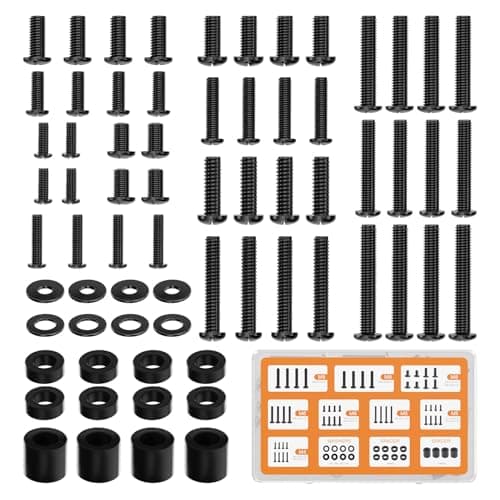
Triple mounts ship with a generic screw kit, and it is the single most common source of a stalled Saturday afternoon. If your panels use M4 or M8 rather than the common M4 x 10mm, or need spacers to clear a curved back, having the right screws on hand before you start turns a two-hour job into a thirty-minute one.
Essentials
The small parts that finish the job
Nothing here changes a pick above, and none of it is a considered purchase. These are the cheap pieces that decide whether the expensive one works properly, and the ones people discover they are missing on the day the big box arrives.
WALI Universal Mounting Hardware Set (M4, M5, M6, M8)
Arms ship with one length of screw. Thick panels, recessed VESA patterns and curved backs regularly need a longer thread or a spacer, and a mixed M4 to M8 kit turns a half-finished install into a ten-minute job.
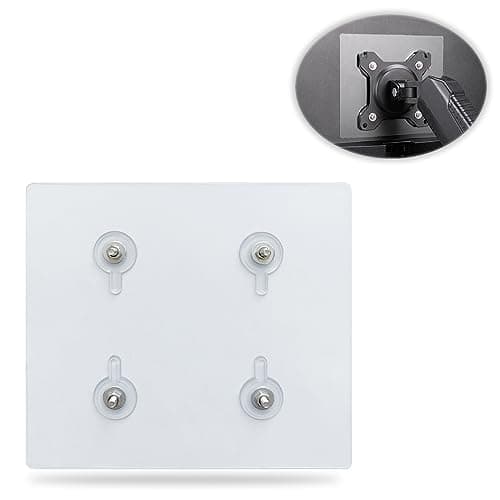
Universal VESA Mount Adapter for Non-VESA Monitors (13 to 27 in)
The part that decides whether an arm is even an option. A panel with no bolt pattern on the back cannot mount to anything, and a bracket kit gives it one instead of sending you back to the stand in the box.
Check first: confirm the adapter's VESA pattern and its panel-size range against both your monitor and your arm, and make sure the arm's weight rating still covers the adapter plus the screen.
No image
Cable Matters VESA-Certified DisplayPort 1.4 Cable, 6 ft
A monitor ships with one cable and it is rarely DisplayPort, so the second screen usually arrives with nothing to plug into. A certified DP 1.4 run is also the first thing worth swapping when a display flickers, drops out, or refuses to hold its refresh rate.
#ad · Live prices from the Amazon Product API, as of October 23, 2026. Where we have no verified live price we show none. We may earn a commission, at no extra cost to you.
How we picked
We do not run a testing lab
We compiled the published manufacturer specifications, did the ergonomics, VESA and desk-depth math ourselves, and read aggregated owner reviews, then scored each product against a published rubric. The scores are judgments from documented research — they are not measurements we took, because we do not have a lab and we are not going to pretend we do. Every spec traces back to a listing or manual named in Sources.
Questions
Frequently asked
How much weight can a triple monitor mount hold?+
The mounts here are rated between 17.6 and 22 lb per arm. For context, a 27-inch IPS panel without its stand is usually 9 to 14 lb, so any of them has headroom for three normal screens. Watch the minimum as well as the maximum — gas-spring arms typically need at least 4.4 lb on them to hold position.
Will a triple monitor mount damage my desk?+
A C-clamp spreads its load over a small area, so on a thin particleboard top it can dent the surface or, over time, cause a visible bow. Use the included pad, stay within the published desk-thickness range, and if the top flexes under hand pressure at the clamp point, switch to a grommet mount or add a backing plate underneath.
Can I mount an ultrawide in the middle of a triple setup?+
Only on a mount rated for it. Most triple mounts cap out at 27 or 32 inches per arm, and an ultrawide is both wider and heavier than the rating assumes. The VIVO STAND-TS03C on this list publishes a 34 to 38-inch center configuration with two 24 to 27-inch side panels, which is the specific layout to look for.
Is three monitors actually better than two?+
It depends on the layout. Three equal screens side by side means real head-turning to reach the outer edges, and most people end up using the third for chat, monitoring or reference rather than primary work. Two screens plus a rotated third, or an ultrawide flanked by two panels, are the arrangements that hold up over a full day.
Do I need a special graphics card for three monitors?+
On a desktop, you need three outputs of a type your screens accept, which most modern discrete cards and many integrated GPUs provide. On a laptop it is far more restrictive: base Apple silicon chips cannot drive multiple external displays without DisplayLink, and many Windows laptops need a Thunderbolt dock or DisplayPort MST chain to get past two.
Receipts
Sources
We do not run a testing lab, and we do not pretend to. Specifications come from the manufacturer or retailer listing; the footprint and clearance math is ours and reproducible. Where we could not verify a number, we say so on the page rather than quietly leaving it out. Read our full method.