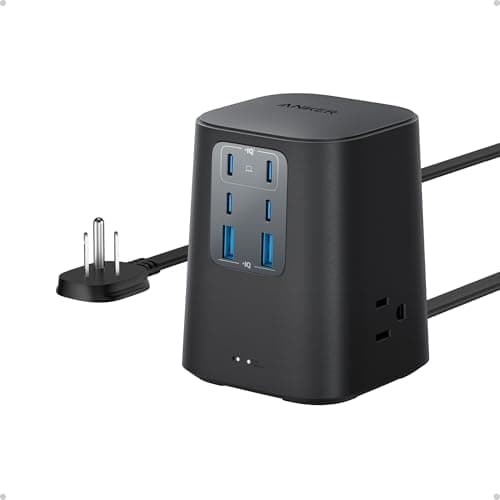
The power strip is the least considered object on most desks and the one doing the most structural work. It determines how many cables run to the wall, whether the under-desk area can be tidy at all, and how much protection sits between a surge on the mains and the several thousand dollars of monitors, docks, and computers plugged into it. It is a ten minute decision that lasts a decade.
Two specifications matter and one of them is widely misunderstood. The first is the joule rating, which measures how much surge energy the protector can absorb before it stops protecting. Anything under a few hundred joules is a basic strip with a token component inside; a rating in the high hundreds or above is genuine protection for a desk full of electronics. The misunderstood part is that surge protectors are consumable: the protective components degrade with every surge they absorb, and a ten-year-old strip may be providing none of the protection printed on the box. A protection indicator light is therefore not a gimmick — it is how you know it is still working.
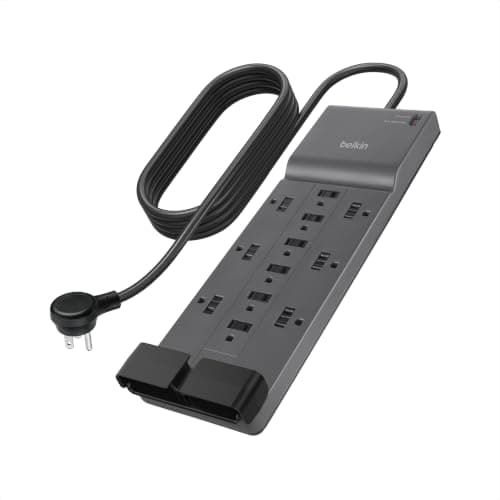
The second is outlet spacing, which sounds trivial until you count the power bricks on your desk. A monitor adapter, a laptop charger, and a dock supply are all wall warts, and on a strip with tight spacing each one blocks its neighbors. A twelve-outlet strip where you can only use seven is a worse buy than an eight-outlet strip designed for adapters. Look for widely spaced or rotated outlets.
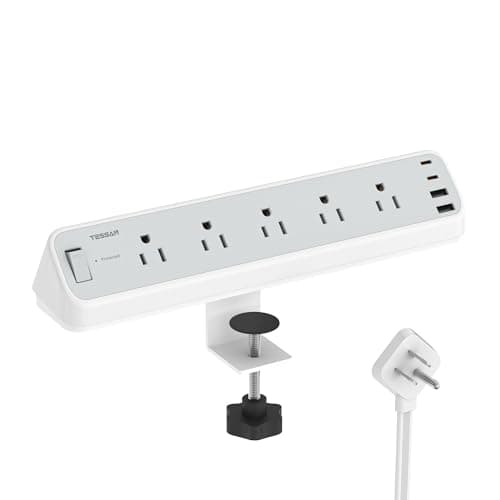
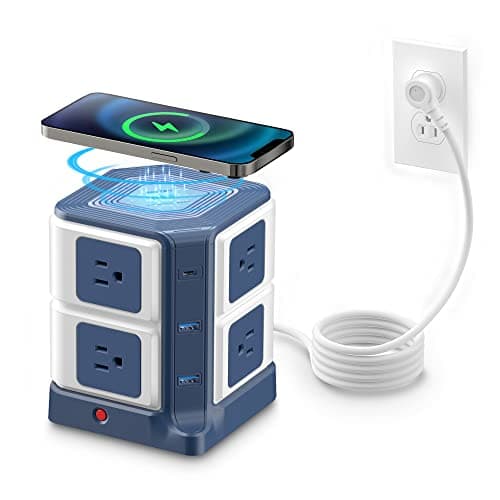
Then decide where the strip lives, because the format follows from it. Under the desk in a tray is the tidiest answer and wants a conventional strip with a flat plug and a long cord. Clamped to the desk edge suits people who plug and unplug things daily. On the desktop as a charging station makes sense if phones and headphones are the main load. Picks below are scored on published specifications and the safety certifications each carries, per how we pick.
How to choose a desk power strip
Count your plugs first, and count the adapters separately, because they are the ones that cause problems. A twelve-outlet strip with tight spacing can easily lose four outlets to three power bricks. Add up how many of your devices use a wall wart rather than a slim plug, and prioritize spacing or rotated outlets over raw outlet count if that number is more than two.
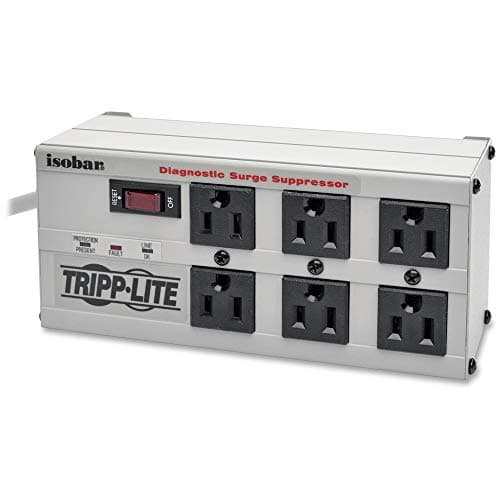
Then set a joule floor based on what is plugged in. For phones, lamps, and speakers, a few hundred joules is fine. For a desk holding two monitors, a computer, and a dock, aim considerably higher, and treat a protection indicator light as a requirement rather than a feature — the protective components are consumable, and a strip that has absorbed a few surges may be offering nothing. If you want the strongest protection available for a desk, an isolated-bank commercial protector is a different class of product from a consumer strip. And be clear about what a joule rating cannot do: it protects against voltage arriving, never against voltage leaving. If an outage would cost you unsaved work rather than just a reboot, the strip is the wrong product and a UPS battery backup is the right one. The two are not a good/better pair, either: surge protector versus UPS puts the published joule ratings side by side, and the small UPS there is rated for a tenth of the surge energy of the Isobar strip above.
Check two physical details that decide whether it fits your setup. A flat rotating plug lets the desk sit against the wall instead of standing off it by the depth of a plug body, which on a small room is genuinely the difference. And cord length should reach the socket with slack to spare, because daisy-chaining strips is both untidy and a safety problem — buy the longer cord instead.
Finally, decide where it will live before you order, because format follows location. Under the desk in a tray is the tidiest and wants a conventional strip; clamped to the edge suits frequent plugging; a desktop block suits phone and headphone charging. On a standing desk, the strip should travel with the desk rather than staying on the floor, or the cord to the wall becomes the thing that limits your height range — mount it in the tray, and leave a service loop in the wall cord.