Programmers are hard to buy for because their desk is a tool they have already thought about, and easy to buy for because they will notice a better one instantly. The trick is to respect the opinions instead of guessing at them. A developer who has chosen a keyboard will not switch; a developer who is curious about mechanical boards will be thrilled by one. This page sorts its six picks by how much of an opinion the recipient already needs to have, and each entry names the check that keeps the gift out of the drawer.
Every pick is a product we already rank on a category page, with the same specs and sources; here the framing is for the gifter. Two of the six — the keyboard and the switch tester — are for the keyboard-curious specifically. The other four suit almost any developer’s desk: a dual arm for the two screens most of them run, a dense 4K monitor for reading code, a hub for the ports a laptop lacks, and a wrist rest for the tall keyboard they probably already own. Prices are live from Amazon, refreshed daily and hidden if they go stale.
What is deliberately not here: a chair, because it is sized to a body; a split ergonomic keyboard, because it is the most personal object in the category and belongs in a conversation, not a box (our split keyboard ranking is the read for that conversation); and anything that needs their machine’s specifications. If you know they run a laptop, the hub is safe; if you know they run two monitors on stands, the arm is safe; and the wrist rest is safe for anyone who types on a mechanical board.
The short answer
Quick picks
| # | Product | Best for | Score | Price |
|---|
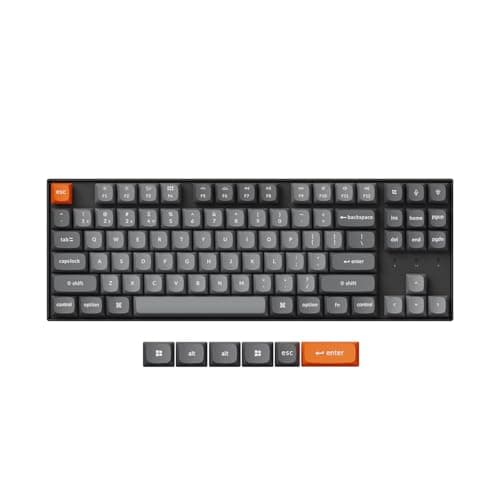
| 01 | Keychron K8 Max Wireless Mechanical KeyboardThe gift for the developer who has said 'I should get a mechanical keyboard' and not done it. Wireless, tenkeyless, quiet enough for a shared room, remappable in software, and hot-swappable so a wrong switch guess is a cheap fix rather than a return. | Best overall for a programmer | | $79.99·Amazon |
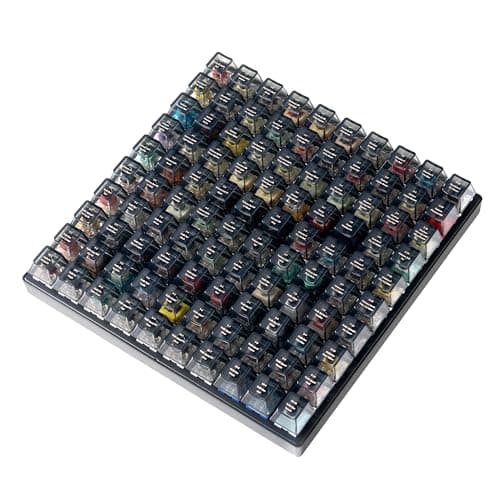
| 02 | Keychron Switch Tester 100 Max EditionThe gift for the developer who already owns a mechanical keyboard and has opinions about it. One hundred labeled switches in a weighted block, so they can find the switch they actually want before buying a board full of them. It is the gift that says you understood the hobby. | Best for the developer who already has a board | | $59.99·Amazon |
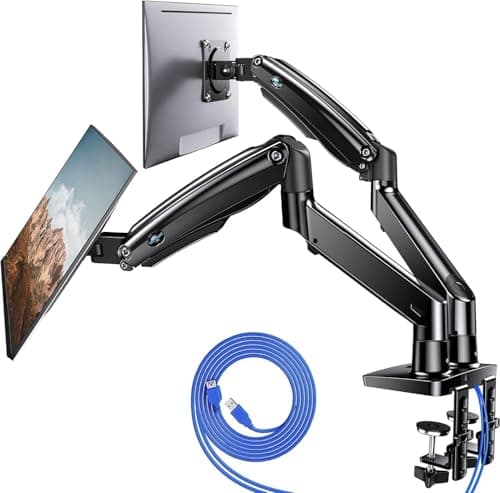
| 03 | HUANUO Dual Monitor Mount, Gas SpringThe gift for the developer running two monitors on two factory stands, which is most of them. A dual gas-spring arm lines both screens up at eye level, lets one rotate vertical for a terminal or a long file, and clears the desk underneath. | Best for a two-monitor desk | | $119.99·Amazon |
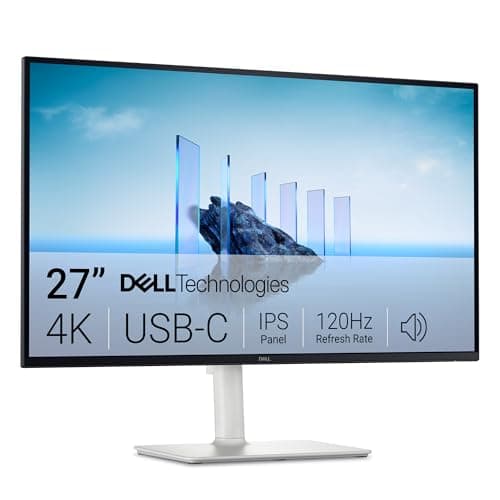
| 04 | Dell 27 Plus 4K USB-C Monitor (S2725QC)The gift for the developer reading code on a 1080p panel. 4K across 27 inches renders text at the density a laptop screen has, and the USB-C port means a laptop plugs in with one cable that also charges it. It pivots to portrait, too. | Best for reading code all day | | $299.99·Amazon |
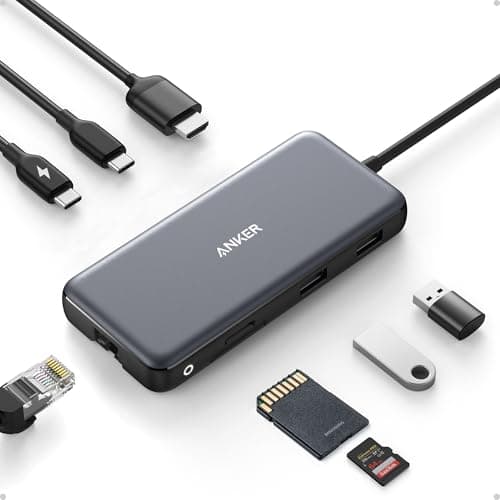
| 05 | Anker USB-C Hub, 8-in-1 with 4K 60Hz HDMIThe gift for the laptop developer who carries a bag of dongles. One small hub gives them 4K HDMI, gigabit ethernet, 10Gbps USB ports, card readers and pass-through charging over a single USB-C cable, at the desk or in a bag. | Best for a laptop with too few ports | | $38.99·Amazon |
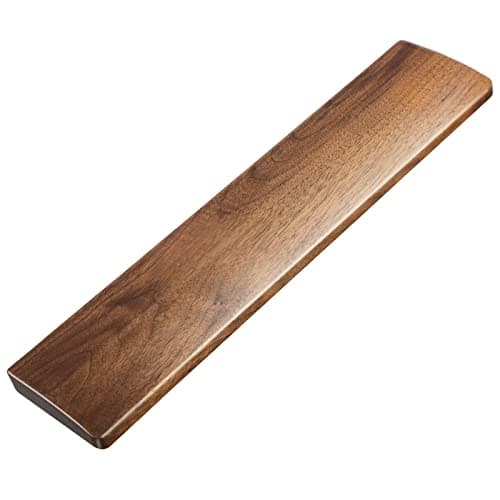
| 06 | Faluber Wooden Wrist Rest (17.3 in, Walnut)The gift for the developer who already owns a tall mechanical keyboard and rests their wrists on the desk edge. A solid walnut rest at the height of a full-height board, firm enough to keep the wrist straight, and it looks like it belongs on a considered desk. | Best small gift for a mechanical keyboard owner | | $21.99·Amazon |
#ad · Live prices from the Amazon Product API, as of Sep 24, 2026. Where we have no verified live price we show none — we would rather leave a gap than print a number that has rotted.
In detail
The picks, in full
Best overall for a programmer
Keychron K8 Max Wireless Mechanical Keyboard
- Layout
- Tenkeyless (87-key)
- Connection
- Wireless - Bluetooth or 2.4 GHz; wired USB-C
- Switch type
- Hot-swappable (pre-installed Gateron)
- Hot-swap
- Yes
- Compatibility
- Mac and Windows keycaps and toggle
The gift for the developer who has said 'I should get a mechanical keyboard' and not done it. Wireless, tenkeyless, quiet enough for a shared room, remappable in software, and hot-swappable so a wrong switch guess is a cheap fix rather than a return.
- Daily Use
- 9.8
- Unlikely to Own
- 7.8
- Universal Fit
- 7.4
- Value
- 9
Pros
- +Hot-swap sockets mean they can change the switches later without soldering - the board grows with their taste
- +QMK/VIA remapping is the feature developers actually use: custom layers, macros, a remapped caps lock
- +Ships with both Mac and Windows keycaps, so it fits whichever machine they code on
- +Bluetooth, 2.4 GHz and wired, so it works with a work laptop and a home desktop
Cons
- −Only for someone who has expressed interest - a developer who already chose a keyboard will not switch
- −Tenkeyless means no number pad
- −Taller than a slim board, so the wrist rest below is a natural pairing
Skip this if…
…they already own a mechanical keyboard - that person has opinions, and the switch tester below is the gift for them instead
Best for the developer who already has a board
Keychron Switch Tester 100 Max Edition
- Switch count
- 100 total - 88 mechanical and 12 magnetic Hall effect
- Brands included
- Keychron, Gateron, Kailh and Huano
- Keycaps
- Black transparent ABS, each printed with its switch name
- Construction
- Steel plate, acoustic foam, silicone feet
- Connectivity
- None - this is a feel tester, not a keyboard
The gift for the developer who already owns a mechanical keyboard and has opinions about it. One hundred labeled switches in a weighted block, so they can find the switch they actually want before buying a board full of them. It is the gift that says you understood the hobby.
- Daily Use
- 6.4
- Unlikely to Own
- 9.6
- Universal Fit
- 6.8
- Value
- 7.6
Pros
- +The one keyboard gift that is safe for someone with strong keyboard opinions, because it does not replace anything
- +Every cap is labeled, so it becomes a reference they keep on the desk
- +Steel plate and foam make it feel like a real board, not a plastic tray
- +Includes magnetic Hall effect switches, which almost no tester covers
Cons
- −It is a tool, not a keyboard - it connects to nothing
- −Expensive for something used for an afternoon and then kept as a reference
- −Only meaningful if they own, or are about to own, a hot-swap board
Skip this if…
…they have never shown interest in keyboards - to that person it is a block of buttons that does nothing
Best for a two-monitor desk
HUANUO Dual Monitor Mount, Gas Spring
- Type
- Dual gas-spring arm, desk clamp and grommet
- Screen size
- Rated for 13" to 40" panels
- Mounting
- 75 x 75mm and 100 x 100mm VESA
- Movement
- Full height, tilt, swivel, and rotation on each arm
- Extras
- Integrated USB ports and cable routing channels
The gift for the developer running two monitors on two factory stands, which is most of them. A dual gas-spring arm lines both screens up at eye level, lets one rotate vertical for a terminal or a long file, and clears the desk underneath.
- Daily Use
- 9.4
- Unlikely to Own
- 8.4
- Universal Fit
- 7.2
- Value
- 9
Pros
- +Each arm rotates the screen to portrait, which is the developer-specific reason to want one
- +Both screens move with one hand and hold position
- +Size range up to 40 inches covers an ultrawide plus a second panel
- +Clamp and grommet mounting both included
Cons
- −Both monitors need VESA holes on the back - check before ordering
- −Needs a clear rear desk edge for the clamp
- −An evening of assembly
Skip this if…
…you cannot confirm both screens have a VESA pattern - four screw holes in a square on the back - or they already run an arm
Best for reading code all day
Dell 27 Plus 4K USB-C Monitor (S2725QC)
- Screen
- 27" IPS
- Resolution
- 3840 x 2160 (4K UHD)
- Refresh rate
- Up to 120Hz
- Connectivity
- USB-C (65W), HDMI, DisplayPort
- Stand
- Height, tilt, swivel, pivot
The gift for the developer reading code on a 1080p panel. 4K across 27 inches renders text at the density a laptop screen has, and the USB-C port means a laptop plugs in with one cable that also charges it. It pivots to portrait, too.
- Daily Use
- 9.8
- Unlikely to Own
- 7.8
- Universal Fit
- 7.4
- Value
- 8.8
Pros
- +Dense 4K text is the upgrade developers feel most, because they read all day
- +USB-C with 65W charging runs a laptop on one cable - the port that makes it a gift for a laptop developer
- +The included stand pivots to portrait and adjusts for height, so no arm is required
- +Our top work-from-home monitor, not a compromise pick
Cons
- −Needs a desk with roughly 24 inches of width free and some depth - check the space
- −4K at 27 inches means running display scaling, which almost everyone does anyway
- −65W is enough for most laptops but not the largest workstation-class ones
Skip this if…
…they already run two monitors of this size or an ultrawide - a third panel is rarely the missing piece; the arm above is
Best for a laptop with too few ports
Anker USB-C Hub, 8-in-1 with 4K 60Hz HDMI
- Video
- HDMI up to 4K at 60Hz
- Data ports
- 2 x USB-A and 1 x USB-C, all 10Gbps
- Network
- Gigabit Ethernet
- Card readers
- SD and microSD (UHS-I)
- Power
- USB-C PD-IN, up to 100W pass-through (about 15W used by the hub)
The gift for the laptop developer who carries a bag of dongles. One small hub gives them 4K HDMI, gigabit ethernet, 10Gbps USB ports, card readers and pass-through charging over a single USB-C cable, at the desk or in a bag.
- Daily Use
- 9
- Unlikely to Own
- 7.6
- Universal Fit
- 8.6
- Value
- 8.8
Pros
- +Gigabit ethernet is the port developers most often need and laptops most often lack
- +10Gbps ports, twice the speed of the usual budget hub, which matters when moving repos and images
- +Small enough to live in a bag, so it is useful at every desk they sit at
- +Works with any USB-C laptop - no Thunderbolt required
Cons
- −One HDMI output, so it drives one external screen, not two
- −Only three data ports - it adds capability rather than capacity
- −Pass-through charging needs their existing charger plugged into it
Skip this if…
…they work on a desktop, or their laptop already lives on a Thunderbolt dock - our Thunderbolt dock ranking is the step up for a desk-bound laptop
Best small gift for a mechanical keyboard owner
Faluber Wooden Wrist Rest (17.3 in, Walnut)
- Length
- 17.3" (440mm)
- Thickness
- 20mm
- Material
- Walnut wood
- Surface
- Sealed, wipe clean
- Fit
- Sized for a full-sized mechanical keyboard
The gift for the developer who already owns a tall mechanical keyboard and rests their wrists on the desk edge. A solid walnut rest at the height of a full-height board, firm enough to keep the wrist straight, and it looks like it belongs on a considered desk.
- Daily Use
- 9
- Unlikely to Own
- 8.6
- Universal Fit
- 7.4
- Value
- 8.8
Pros
- +Matches the aesthetic of the mechanical keyboard community, which is half of why it lands
- +Firm surface keeps the wrist straighter than foam, which lets the palm sink
- +Will outlast every foam and gel rest by years and wipes clean
- +The safe keyboard-adjacent gift for someone whose keyboard you should not touch
Cons
- −Hard against the hand, which some people dislike regardless of the ergonomics
- −20mm suits a full-height mechanical board; too tall for a slim low-profile keyboard
- −Wood slides on a bare desk without a mat under it
Skip this if…
…they type on a slim laptop-style or low-profile keyboard - a 20mm rest would tilt the wrist up instead of keeping it level
Find out one thing: do they have a mechanical keyboard already?
That single fact sorts half of this page. If they do not and have shown interest, the K8 Max is the gift. If they do, the switch tester and the wooden wrist rest are the two gifts that respect it — one feeds the hobby, the other finishes the desk — and the keyboard itself should stay off your list. Developers talk about their keyboards; a single question in passing usually answers it. Our keyboard switches explained guide is worth a read if the answer turns into a longer conversation than you expected.
Laptop or desktop sorts the other half
The hub is a laptop gift; on a desktop it has nothing to plug into. The Dell monitor is strongest as a laptop gift too, because its USB-C port charges the machine over the same cable that carries the picture, though it is a fine second screen for a desktop as well. The dual arm suits either, as long as both monitors have VESA holes. A video-call background or a photo of the desk tells you which they run and what is on it. If the laptop already lives on a dock with two screens, the arm is the pick; if it is still tethered to a bag of adapters, the hub is.
The checks that take thirty seconds
The arm needs VESA holes on both monitors and a clear rear desk edge; our dual monitor arm ranking shows what to look for. The monitor needs about two feet of free desk width. The wrist rest needs a tall keyboard, not a slim one. The hub needs a USB-C port on the laptop. The keyboard and the tester need the one question above. Nothing here needs their measurements or their machine’s specifications.
Two small parts that belong in the box
The essentials below are the two parts a developer’s desk most often lacks: a certified DisplayPort cable, because the monitor gift arrives with the wrong cable more often than not, and an under-desk headphone hook, because every developer owns headphones and none of them has anywhere to put them. Either makes a good second item. For the developer who has everything on this page already, the splurge guide has the reference arm and the Thunderbolt dock, and the Black Friday deals hub says which of those classes has a record of discounting in November.
Essentials
The small parts that finish the job
Nothing here changes a pick above, and none of it is a considered purchase. These are the cheap pieces that decide whether the expensive one works properly, and the ones people discover they are missing on the day the big box arrives.
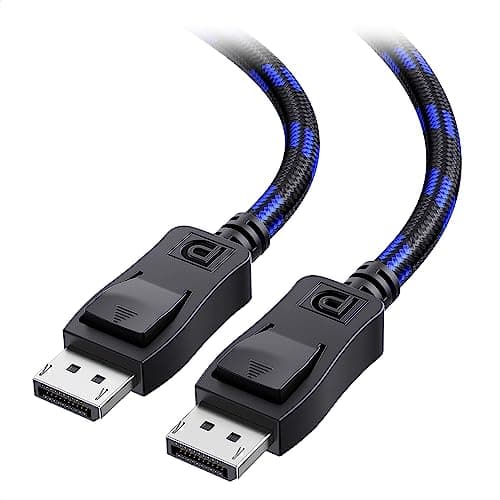
Cable Matters VESA-Certified DisplayPort 1.4 Cable, 6 ft
A monitor ships with one cable and it is rarely DisplayPort, so the second screen usually arrives with nothing to plug into. A certified DP 1.4 run is also the first thing worth swapping when a display flickers, drops out, or refuses to hold its refresh rate.
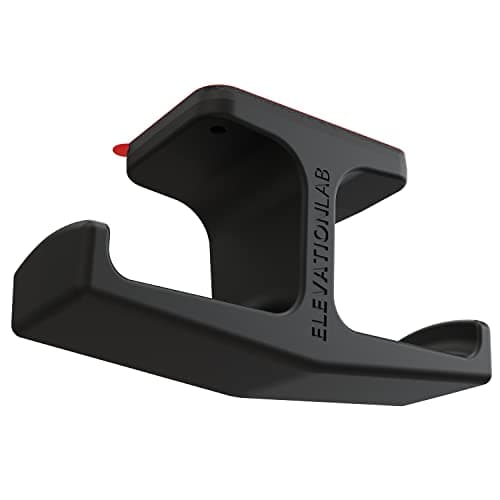
Elevation Lab The Anchor Under-Desk Headphone Mount
A headset left on the desk takes up the same surface an arm or a riser was bought to give back. Under the front edge it hangs in dead space, out of the way of the keyboard and off the cables.
Check first: adhesive mounts want a smooth, clean underside. Rough or heavily textured laminate will not hold one.
#ad · Live prices from the Amazon Product API, as of Sep 24, 2026. Where we have no verified live price we show none. We may earn a commission, at no extra cost to you.
How we picked
We do not run a testing lab
We compiled the published manufacturer specifications, did the ergonomics, VESA and desk-depth math ourselves, and read aggregated owner reviews, then scored each product against a published rubric. The scores are judgments from documented research — they are not measurements we took, because we do not have a lab and we are not going to pretend we do. Every spec traces back to a listing or manual named in Sources.
Questions
Frequently asked
What is a good gift for a programmer?+
A hot-swap mechanical keyboard if they have shown interest and not bought one; a 100-switch tester if they already own one; a dual monitor arm if they run two screens on stands; a 27-inch 4K USB-C monitor if they read code on a 1080p panel; a USB-C hub if they work on a laptop. The keyboard question sorts the list.
Should I buy a programmer a keyboard?+
Only if they have said they want a mechanical keyboard and have not bought one. A developer who has already chosen a keyboard has opinions and will not switch. For that person, a switch tester or a wooden wrist rest respects the choice instead of replacing it.
Is a 4K monitor worth it for coding?+
Yes, because developers read text all day and 4K across 27 inches renders it at the density of a laptop screen. The Dell on this list also charges a laptop over its USB-C port and pivots to portrait for long files. Check that the desk has roughly two feet of free width first.
What is a switch tester and why would a developer want one?+
A block of real keyboard switches, each labeled, that connects to nothing. It exists so someone with a hot-swap keyboard can find the switch feel they want before buying a board full of them. To a keyboard enthusiast it is a reference object; to anyone else it is a block of buttons.
Are the prices on this page current?+
They are pulled live from Amazon and refreshed daily; any price more than 48 hours old is hidden rather than shown stale. The button on each pick carries today’s figure.
Receipts
Sources
We do not run a testing lab, and we do not pretend to. Specifications come from the manufacturer or retailer listing; the footprint and clearance math is ours and reproducible. Where we could not verify a number, we say so on the page rather than quietly leaving it out. Read our full method.