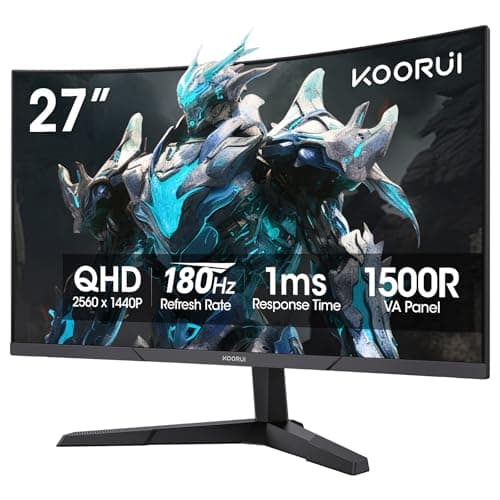
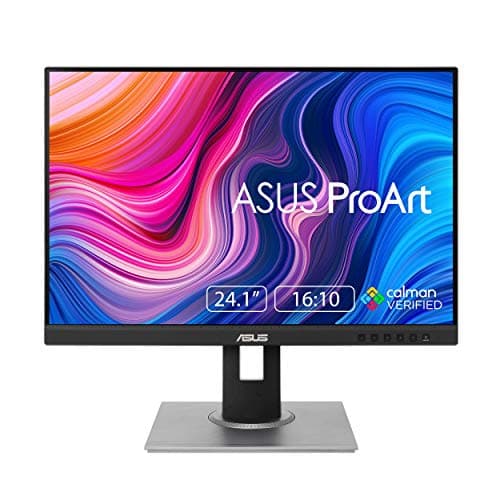
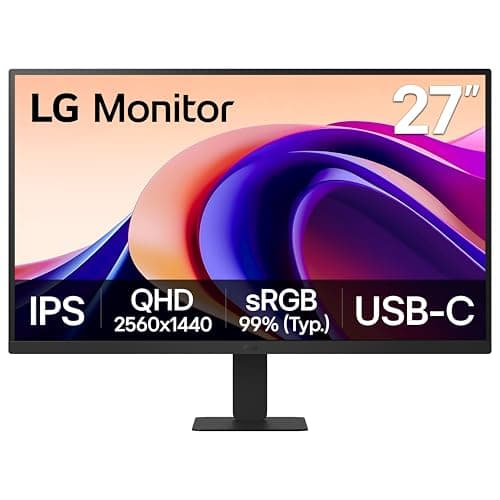
Under $200 the monitor to buy for actual work is the LG 27″ QHD IPS (27U631A-B): 2560 x 1440 across 27 inches works out at roughly 109 pixels per inch, which is the sharpness band where text needs no display scaling at all. The budget pick is the KOORUI 27″ Curved QHD — the cheapest panel here that still hits the same density, with a 180Hz refresh rate thrown in, on a VA rather than an IPS panel. And if the screen is going next to your main one in portrait, the ASUS ProArt PA248QV is the only pick here that pivots 90 degrees and adjusts for height.
The reason this page is built on one number is that sub-$200 listings are written to hide it. Inches are cheap and pixels are not, so the budget end of the market sells you diagonal: a 32-inch screen for the price of a 27-inch one, with the resolution quietly unchanged. The panel is bigger. The image is not sharper — it is the same number of pixels, stretched further, and text is where you notice.
The arithmetic, so you can check it
Pixel density is the diagonal pixel count divided by the diagonal in inches. The diagonal pixel count is the Pythagorean result of the two resolution figures, so for a 2560 x 1440 panel it is the square root of 2560² plus 1440², which is about 2937 pixels; across 27 inches that is roughly 109 pixels per inch. Nothing here is measured — it is arithmetic on numbers the makers publish, and you can redo it on any panel you are considering.
| Panel | Published resolution | Diagonal | Density | Right for |
|---|
| LG 27″ QHD IPS (27U631A-B) | 2560 x 1440 | 27″ | About 109 ppi | A main work screen |
| KOORUI 27″ Curved QHD | 2560 x 1440 | 27″ | About 109 ppi | The same sharpness, cheaper |
| ASUS ProArt PA248QV | 1920 x 1200 (16:10) | 24.1″ | About 94 ppi | A portrait second screen |
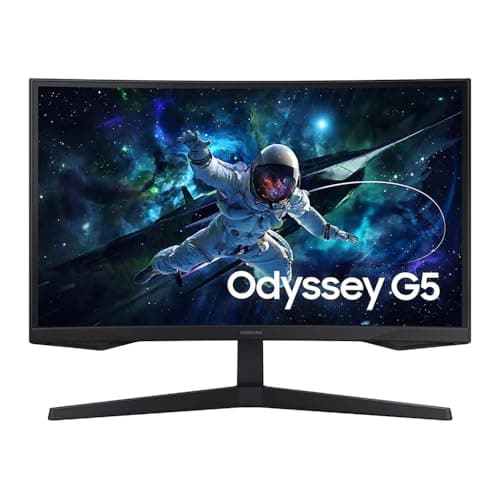
| Samsung 32″ Odyssey G5 QHD | 2560 x 1440 | 32″ | About 92 ppi | Size, with text a notch softer |
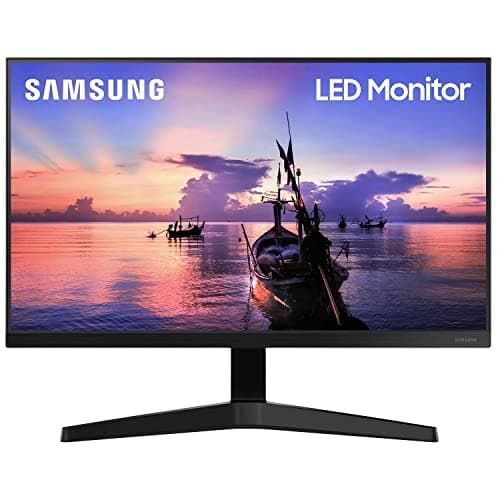
| Samsung 27″ T35F | 1920 x 1080 | 27″ | About 82 ppi | A cheap second screen |
Three bands are worth naming. Around 109 ppi is the comfortable modern baseline: sharp text at normal viewing distance with no scaling. Around 92 to 94 ppi is the old standard — perfectly usable, visibly softer if you have been looking at a sharper screen. Around 82 ppi and below is where individual pixels start being noticeable in text at a desk distance, which is fine for a reference window and tiring as a main display.
What $200 does not buy, whatever the listing says
- USB-C docking. Nothing in this band charges a laptop over one cable. If that is what you want, it starts higher — our USB-C monitors roundup is the right page, and USB-C monitor versus docking station works out whether a dock is cheaper for you.
- A good stand. Four of these five are tilt-only or close to it. Budget for a monitor arm if height matters, which it does — monitor height ergonomics is the measurement, and an arm costs a fraction of the screen.
- Verified color accuracy. Only the ASUS here publishes a coverage figure (100% sRGB). The rest are approximate out of the box, which is fine for office work and wrong for anything you deliver on color.
- 4K. Not at this price in any size worth having. 1440p versus 4K explains why 1440p at 27 inches is the sensible stop, which happens to be exactly what the top two picks are.
Price check. 5 of the 5 picks below were listed under $200 on Amazon as of November 12, 2026— the figure on each buy button is the live one, and where we have no verified price we show none rather than a number that has rotted.
The short answer
Quick picks
| # | Product | Best for | Score | Price |
|---|
| 01 | LG 27" QHD IPS Monitor (27U631A-B)The best main work screen under $200. QHD across 27 inches is about 109 pixels per inch, and an IPS panel means the color and viewing angles hold up for an eight-hour day. | Best overall - a main work screen | | $169.99·Amazon |
| 02 | KOORUI 27" Curved QHD (1500R)The budget pick: the cheapest panel here that still reaches about 109 pixels per inch, with a 180Hz refresh rate on top. The curve at 27 inches is close to cosmetic, and we would rather say so. | Budget pick - same sharpness for less | | $149.99·Amazon |
| 03 | ASUS ProArt PA248QV 24.1" WUXGA 16:10The only pick here with a real stand and a published color figure. A 16:10 panel that pivots a full 90 degrees, which makes it the one to buy as a portrait second screen. | A portrait or second screen | | $191.95·Amazon |
| 04 | | Maximum screen area at the price | | $149.99·Amazon |
| 05 | Samsung 27" T35F Full HDThe cheap second screen, and the clearest illustration of the trap this page is about: 1080p across 27 inches is about 82 pixels per inch, which is soft for text at a desk distance. | A reference or chat window, not a main screen | | $159.99·Amazon |
#ad · Live prices from the Amazon Product API, as of November 12, 2026. Where we have no verified live price we show none — we would rather leave a gap than print a number that has rotted.
In detail
The picks, in full
Best overall - a main work screen
LG 27" QHD IPS Monitor (27U631A-B)
- Screen
- 27" IPS
- Resolution
- 2560 x 1440 (QHD)
- Pixel density
- About 109 pixels per inch (computed)
- Ports
- HDMI, DisplayPort
- VESA mount
- 100 x 100mm
The best main work screen under $200. QHD across 27 inches is about 109 pixels per inch, and an IPS panel means the color and viewing angles hold up for an eight-hour day.
- Pixel Density
- 8.8
- Panel Quality
- 8.4
- Connectivity
- 7.4
- Value
- 8.8
Pros
- +2560 x 1440 at 27 inches is the comfort zone - sharp text with no display scaling
- +IPS color and wide viewing angles suit all-day office and browsing work
- +A DisplayPort input as well as HDMI, which several panels at this price omit
- +Standard VESA mount, so it moves onto an arm without an adapter
Cons
- −No built-in USB-C dock or laptop charging at this tier
- −Basic stand offers limited height and tilt adjustment
- −No published color coverage figure
Skip this if…
…you need single-cable USB-C docking or 4K density and are willing to pay for it.
Budget pick - same sharpness for less
KOORUI 27" Curved QHD (1500R)
- Screen
- 27" curved, 1500R radius
- Resolution
- 2560 x 1440 (QHD)
- Pixel density
- Roughly 109 pixels per inch
- Refresh rate
- 180Hz
- Panel
- VA, 1ms response
The budget pick: the cheapest panel here that still reaches about 109 pixels per inch, with a 180Hz refresh rate on top. The curve at 27 inches is close to cosmetic, and we would rather say so.
- Pixel Density
- 8.8
- Panel Quality
- 7.8
- Connectivity
- 7
- Value
- 9.5
Pros
- +The same density as the top pick, for less money
- +180Hz is well beyond what office work needs and useful if the desk doubles as a gaming rig
- +Fits a narrow desk where a 32-inch panel would overhang
- +The lowest-cost route to a genuinely sharp 27-inch screen
Cons
- −At 27 inches the curve is close to cosmetic; you are buying the panel, not the bend
- −VA contrast is good but color accuracy out of the box is approximate
- −No USB-C and a basic stand
Skip this if…
…you specifically want the curve to do something - at this width, a flat 27-inch panel performs identically and often costs less
A portrait or second screen
ASUS ProArt PA248QV 24.1" WUXGA 16:10
- Screen
- 24.1" IPS, 16:10
- Resolution
- 1920 x 1200 (1200 x 1920 rotated), 75Hz
- Pixel density
- About 94 pixels per inch (computed)
- Color
- 100% sRGB coverage
- Pivot
- +90 to -90 degrees
- Height adjustment
- 0 to 130 mm
The only pick here with a real stand and a published color figure. A 16:10 panel that pivots a full 90 degrees, which makes it the one to buy as a portrait second screen.
- Pixel Density
- 7.6
- Panel Quality
- 8.6
- Connectivity
- 7
- Value
- 8
Pros
- +The only panel here with 130mm of height adjustment and a 90-degree pivot in the box
- +The only published color coverage figure on this page: 100% sRGB
- +16:10 gives 120 extra rows of pixels over a 1080p panel, which is a visible gain in documents
- +Rotated, it is close to a page of paper - ideal for code, docs or chat
Cons
- −About 94 ppi, so text is a notch softer than the two QHD picks
- −75Hz and no USB-C
- −The most expensive pick on this page, so the margin under the cap is smallest
Skip this if…
…this is your only screen - a 24-inch 16:10 panel is a second display, not a main one
Maximum screen area at the price
Samsung 32" Odyssey G5 QHD Curved (1000R)
- Screen
- 32" curved, 1000R radius
- Resolution
- 2560 x 1440 (QHD)
- Pixel density
- Roughly 92 pixels per inch
- Refresh rate
- 165Hz
- Aspect
- 16:9
The size pick. QHD across 32 inches is about 92 pixels per inch - the old baseline rather than the new one - in exchange for a much larger canvas and a 1000R wrap.
- Pixel Density
- 7.2
- Panel Quality
- 7.8
- Connectivity
- 7.2
- Value
- 9.2
Pros
- +Far more screen area than anything else here for the money
- +1000R is the tightest curve on this page and the most enveloping at a normal desk distance
- +165Hz on a 32-inch panel makes it comfortable for both work and games
- +16:9 shape means no window-management relearning, unlike a 21:9 ultrawide
Cons
- −About 92 ppi, so text is noticeably softer than a 27-inch QHD screen
- −A 1000R curve assumes you sit close; from further back it looks distorted
- −Straight-line work is harder here than on any flat pick
Skip this if…
…text sharpness is what you care about - at this size and resolution the density is back at the old baseline
A reference or chat window, not a main screen
Samsung 27" T35F Full HD
- Screen
- 27" IPS
- Resolution
- 1920 x 1080 (FHD)
- Pixel density
- About 82 pixels per inch (computed)
- Refresh rate
- 75Hz
- Ports
- HDMI, VGA
The cheap second screen, and the clearest illustration of the trap this page is about: 1080p across 27 inches is about 82 pixels per inch, which is soft for text at a desk distance.
- Pixel Density
- 6.2
- Panel Quality
- 7.2
- Connectivity
- 6.4
- Value
- 8.6
Pros
- +A dependable second screen for chat, reference material or a dashboard
- +Three-sided borderless design looks modern for an entry-price monitor
- +75Hz with FreeSync feels a touch smoother than a plain 60Hz panel
- +IPS rather than TN, so viewing angles hold up off-center
Cons
- −About 82 ppi - the lowest density here, and visible in small text
- −Tilt-only stand and a basic port selection, including a VGA input nobody needs
- −No DisplayPort
Skip this if…
…you want sharp text for spreadsheets or code - step up to one of the QHD panels instead.
Pick the resolution first, then the size it belongs at
The pairing rule holds at every budget, and under $200 it is the whole decision: 1080p belongs at 22 to 24 inches, 1440p at 27 inches, and 4K at 32 inches or larger. Hold the resolution and grow the diagonal and you are not gaining sharpness, you are losing it. That is why the top two picks here are both 27-inch QHD and why the 32-inch QHD panel is ranked fourth despite being the biggest screen on the page.
If you want the long version with the per-size density table, 1440p versus 4K has it. If you are putting two of these on one desk, what size monitors for a dual setup works out the combined width, which is the constraint people discover after the second box arrives.
Spend $30 of the budget on the stand
The weakest part of every monitor under $200 is the stand. Tilt-only is normal at this price, which means the screen sits wherever the base puts it — usually too low, because the base is designed to look small in a product photo rather than to put the top of the panel at eye level. Reaching the right height with a stock stand usually means books.
A monitor arm fixes height, depth and tilt together for a small fraction of the screen price, and every pick here except the ASUS needs one. The ASUS is the exception because it ships with 130mm of height travel and a pivot — which is a real part of why it is ranked where it is. Check for the 100 x 100mm VESA pattern before buying an arm; VESA mount sizes explained covers the cases where a budget panel does something unusual.
Two screens under $200 or one over it?
A genuine fork at this budget, and the honest answer is that two cheap screens beat one better screen for most office work — more windows visible at once is worth more than a sharper single window. The exception is anything where the same window needs to be sharp all day: code, long documents, detailed spreadsheets. Our ultrawide versus dual monitor comparison works the same decision at a higher budget, and the dual monitor setup guide covers the cables and ports a two-screen desk actually needs.
How we picked
We do not run a testing lab
We compiled the published manufacturer specifications, did the ergonomics, VESA and desk-depth math ourselves, and read aggregated owner reviews, then scored each product against a published rubric. The scores are judgments from documented research — they are not measurements we took, because we do not have a lab and we are not going to pretend we do. Every spec traces back to a listing or manual named in Sources.
Questions
Frequently asked
What is the best monitor under $200 for working from home?+
A 27-inch 1440p panel, which is about 109 pixels per inch and the sharpest density available in this band. The LG 27″ QHD IPS above is the pick for a main screen because it is IPS and has a DisplayPort input; the KOORUI 27-inch curved QHD reaches the same density for less on a VA panel.
Is a 32-inch monitor under $200 a good idea?+
Only if you want area more than sharpness. A 32-inch 1440p screen works out at about 92 pixels per inch and a 32-inch 1080p screen at about 69 — both noticeably softer than 27-inch 1440p. Big and cheap is a real trade at this price, not a free upgrade, which is why this page ranks on density rather than inches.
Can I get a USB-C monitor for under $200?+
Not one that charges a laptop. USB-C with meaningful power delivery starts well above this band, so if one cable to the laptop is the goal, either spend more on the screen or put the money into a dock instead —
USB-C monitor versus docking station compares the two routes on cost.
Does a curved monitor make sense at this price?+
At 32 inches, yes — a 1000R curve genuinely wraps into your peripheral vision. At 27 inches the bend is close to cosmetic, and a flat panel of the same resolution performs identically and often costs less. Buy the curve for the size, not for the price.
Curved versus flat monitors has the full case.
Receipts
Sources
We do not run a testing lab, and we do not pretend to. Specifications come from the manufacturer or retailer listing; the footprint and clearance math is ours and reproducible. Where we could not verify a number, we say so on the page rather than quietly leaving it out. Read our full method.