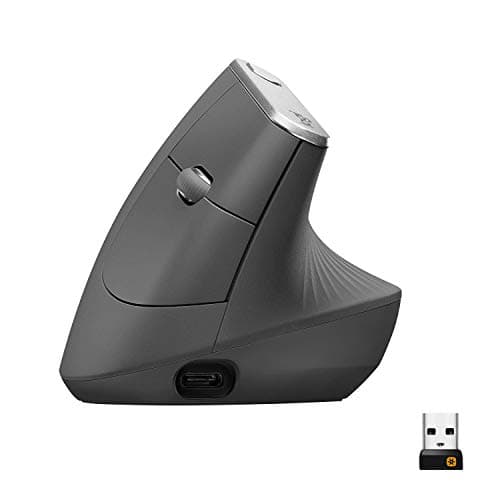
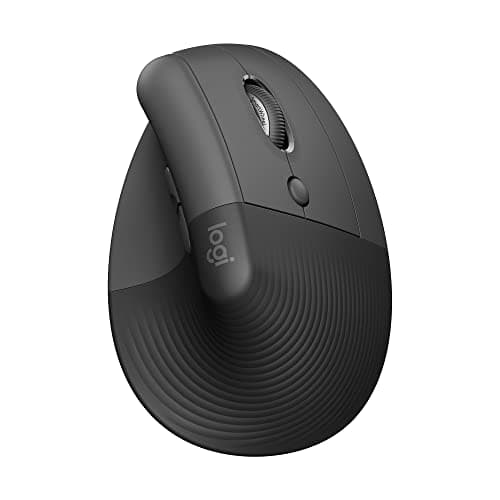
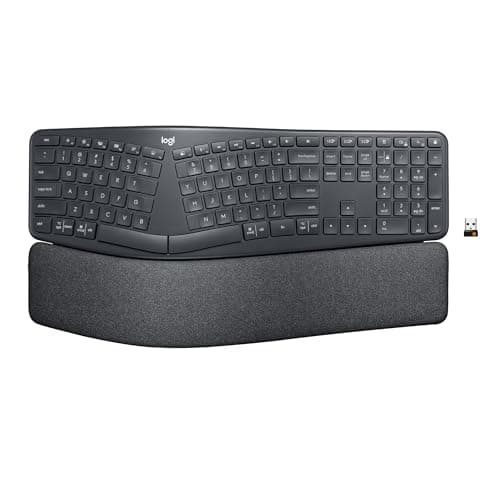
The pairing to buy is the Logitech Ergo K860 with a Logitech MX Vertical— a one-piece curved split board that removes the sideways bend from your typing hands, and a 57-degree vertical mouse that stops your mousing forearm from twisting flat. If your hands are small or you are left-handed, swap the MX Vertical for the Logitech Lift, which is the same shape in a smaller shell and the only vertical mouse here sold in a left-handed version.
That is the short answer. The longer one matters, because “ergonomic” is a marketing word and wrist pain is a mechanical problem. A desk forces three specific joint positions, and each one has a different fix. Buy the device that removes the position you are actually holding all day and the change is obvious inside a fortnight. Buy the one with the most reviews and you may well end up with an expensive board that leaves the painful angle exactly where it was.
One thing we will not do on this page: tell you what is wrong with you. We compile published specifications and work out the geometry; we are not clinicians and we do not diagnose. If the pain wakes you up, travels into your fingers, or has lasted more than a few weeks, see someone qualified before you spend money on hardware.
The three positions that cause the complaint
Extension is the wrist bent upward, which is what happens when the back of a keyboard sits taller than the front and you rest your palms on the desk. It is the most common one and the cheapest to fix: reverse-tilt feet, a thin board, or dropping the keyboard below the desktop all remove it.
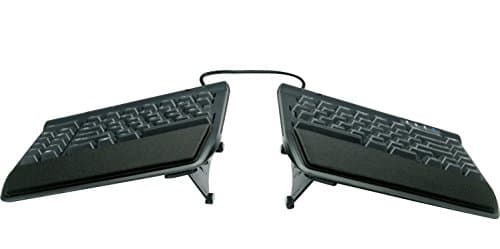
Ulnar deviationis the wrist bent sideways, thumbs in and little fingers out, which a straight keyboard forces because your shoulders are wider than the key block. A split or curved layout — the K860’s fixed pillowed split, or the Freestyle2’s two separate halves — is the only thing that fixes it. No wrist rest will.
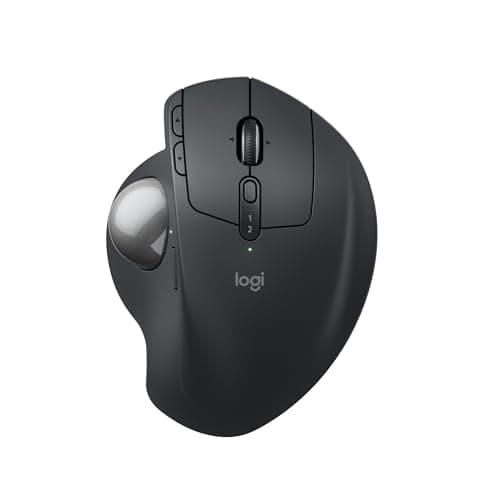
Pronation is the forearm rotated palm-down, which a conventional mouse requires and which your arm does not want to hold for eight hours. A vertical mouse rotates the hand back toward a handshake; a trackball removes the arm movement instead of the rotation.
Sit down the way you actually sit and notice which of the three you are holding right now. That is your shopping list, and it is usually one item long.
If only one hand hurts, start with the mouse
A mouse is held in one small static grip for hours and steered in short bursts from the wrist. A keyboard spreads the load over ten fingers. So single-sided pain — and it is usually the mousing hand — almost always means the pointer is the component to change, and it is the cheaper half of the pair. Our full ranking of pointers lives in the ergonomic mouse roundup, and the shape-by-shape argument is in vertical mouse vs trackball.
Expect an adjustment period either way. A vertical mouse feels wrong for about a week because your hand has learned a flat grip; a trackball takes longer, because the precision work moves from your shoulder to your thumb or fingers. Neither is a reason to send it back on day three.
What a wrist rest is for, and what it is not for
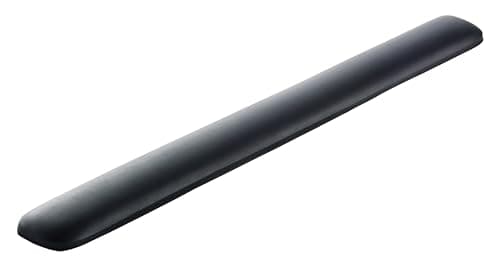
A wrist rest is a palm rest, and it is for the pauses between bursts of typing. Parked on it while you type, it becomes a pivot: your palm anchors and your hands bend around it, which is extension and deviation at once. Used properly it is a genuinely useful cheap addition that keeps your hands off a hard desk edge. Used as a place to live, it makes the problem worse.
The same applies to the gel pad under your mouse hand. If you find yourself planting the heel of your hand and steering with your wrist, the rest is not the problem — the mouse is too small or too flat for your hand, and hand size is the spec to check.
Height beats hardware
Here is the uncomfortable part: a desk that is too tall will defeat every product on this page. Standard desks are built around 29 to 30 inches, which is a typing height for someone well over six feet. Everyone shorter either raises the chair until their feet dangle or holds their wrists up to meet the keyboard.
So before you spend on a split keyboard, check the geometry. Your elbows want to sit at roughly a right angle with the forearms level or sloping very slightly down to the keys — the desk height guide has the arithmetic for your own body. If the number it gives you is below your desk, the fix is either a lower desk or an under-desk keyboard tray, which puts the board at elbow height and tilts it away from you. A tray plus an ordinary keyboard beats a flagship ergonomic board on a desk that is two inches too tall, every time.
What each device actually changes
| Device | Position it removes | What it asks of you |
|---|
| Curved one-piece split (K860) | Ulnar deviation, plus extension via reverse tilt | A few days; the key layout is unchanged |
| Fully separated split (Freestyle2) | Ulnar deviation at your own shoulder width | Desk width, and a cable between the halves |
| Vertical mouse (MX Vertical, Lift) | Pronation | About a week of feeling clumsy |
| Trackball (MX Ergo S) | Arm travel, and partly pronation on a tilted base | Two weeks, and it loads the thumb instead |
| Gel palm rest | Nothing, on its own | The discipline to use it between bursts, not during |