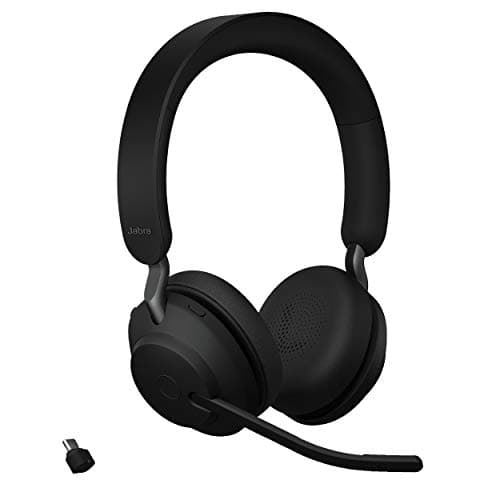
If you buy one thing for your calls, buy the Jabra Evolve2 65— a headset with three MEMS mics on a real boom arm, a USB adapter in the box so it does not depend on your laptop’s Bluetooth, and 35 hours of talk time. Audio is what people judge you on, and a boom mic positioned two inches from your mouth beats any webcam microphone and most desk microphones. Light is second; the camera is third.
This page is deliberately ordered by impact rather than by product category. Almost everyone upgrading their calls starts with a 4K webcam, points it at a face lit by a window behind them, and sounds exactly as they did before. The sequence below is the one that produces a visible and audible difference at each step, and it is fine to stop after the first.
First: audio, from a boom you can position
Microphone quality is mostly about distance. A mic two inches from your mouth picks up your voice and very little of the room; a mic eighteen inches away on the top of a monitor picks up your voice, your keyboard, your fan and the reflections off three hard walls. No amount of noise suppression closes that gap, because the suppression is also removing parts of your voice.
That is why a headset with a boom arm ranks first here and not a desk microphone. A boom puts the capsule in the right place automatically, every time, and it comes with earcups that stop your own call audio from being fed back into the mic. The deeper field is ranked in our headsets for work calls roundup, including the active-noise-cancelling step up.
Second: light, in front of you
A camera sensor can only work with the light it receives. The single biggest improvement available to most home setups is free — turn around so the window is in front of you rather than behind you — and the second biggest is a light that sits between you and the screen, aimed at your face, at a colour temperature close to the room’s other lights.
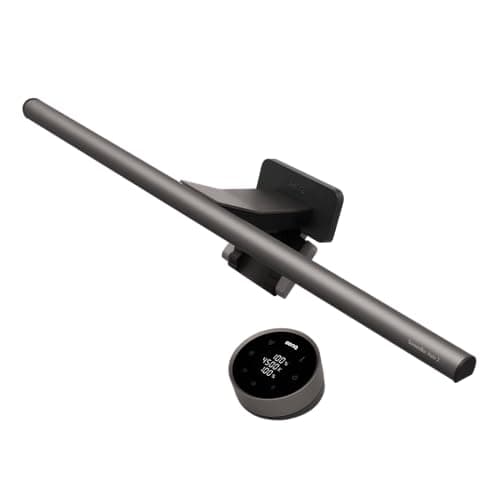
A monitor light bar does this without occupying desk space or appearing in frame. It is not a studio key light and we are not going to pretend it is; it is a soft, close, controllable source that lifts your face out of the shadow a screen puts it in. If you want to understand the alternative, our light bar versus desk lamp comparison covers which one belongs on which desk.
Third: the camera, and what its specs mean
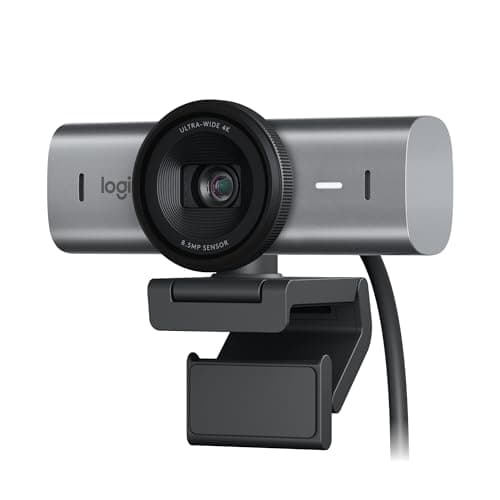
Once your audio is positioned and your face is lit, a better camera does show. The spec that matters most is sensor size rather than resolution: a larger sensor gathers more light, which is what decides how you look in a dim room. Logitech publishes the MX Brio’s sensor as 8.5 MP and around 70 percent larger than the Brio 4K’s, which is a more meaningful claim than the 4K label on the box.
Field of view matters second. A 90-degree lens cropped to 78 or 65 degrees puts your head and shoulders in frame instead of your whole room, and a narrow crop is also the cheapest way to tidy a messy background. Mounting matters third: a magnetic mount plus a quarter-inch tripod thread means the camera can sit at eye level rather than wherever the monitor bezel allows. The full webcam roundup ranks the category on its own.
Then, optionally: a desk microphone
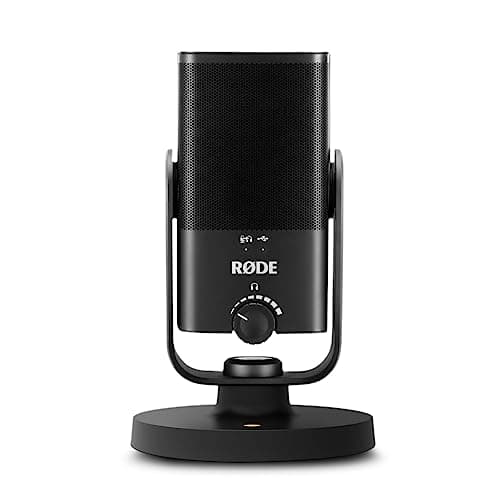
A desk condenser mic is a genuine upgrade over a headset boom for recorded audio — podcasts, voiceover, music — and a sideways step for meetings. It sounds richer and it frees your ears, but it also picks up more room, which is the trade. Buy it when you record, not when you take calls. The USB microphone roundup covers the field, and desk speakers are the other half of a mic-and-speakers setup, since you cannot use one without the other on a call.
How we picked
Every specification below comes from the manufacturer’s own published documentation, listed in Sources. We have not tested call quality in a lab, we do not score sound, and nothing here carries an award we invented. The order of the picks is the order we think you should buy in, and the scores are judgments against our published rubric — see how we pick.
The setup, by budget step
| Step | What it fixes | Pick |
|---|
| 1. Audio | Mic distance, keyboard noise, echo | Jabra Evolve2 65 |
| 2. Light | A face in shadow in front of a bright screen | BenQ ScreenBar Halo 2 |
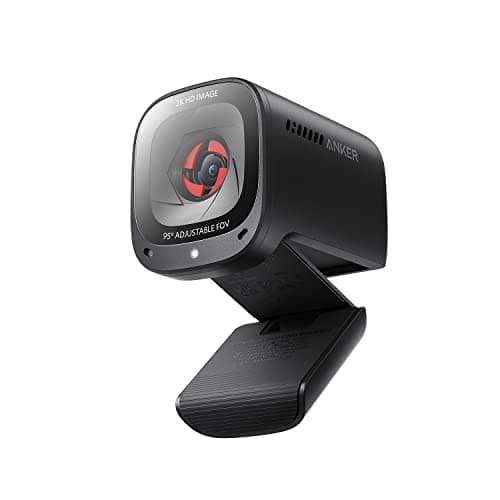
| 3. Camera | Grain in dim rooms, too much room in frame | MX Brio, or the Anker C200 on a budget |
| 4. Optional | Recorded audio quality, ears free | RODE NT-USB Mini |
Three free fixes to do before you buy anything
Turn around. If a window is behind you, the camera exposes for the window and you become a silhouette. Facing the window fixes more than any purchase on this page.
Raise the camera to eye level.A laptop camera on a desk points up your nose. Get the laptop onto a stand — the laptop desk setup guideis the order to do it in — or mount the webcam on the monitor you look at, set at the height the monitor height guide recommends.
Mute the right device. Most echo on calls is a laptop microphone picking up laptop speakers. A headset removes the problem structurally; if you are using speakers and a desk mic, keep the mic in front of you and the speakers beside you, not behind.
What we would skip
Ring lights on a desk. They occupy the space your keyboard needs, they appear in your glasses, and a bar above the screen does the same job out of frame.
4K as a headline. Most platforms transmit 720p or 1080p regardless. Sensor size and lighting change your picture; the number on the box usually does not.
Green screens, for most people. Cropping the field of view to 65 or 78 degrees removes the background far more cheaply, and getting the cables off the floor behind you fixes the rest of what is in shot.