Skip to content
Chair & Cable

SECTION 01 · Monitors & Arms

Apple Studio Display alternatives

Apple sells one 27-inch 5K panel and charges accordingly. Work out which of its published numbers you actually use and the cheaper screen picks itself.

By Stephen V.Updated How we pick
#ad

We earn a commission when you buy through our Amazon links, at no extra cost to you. It never affects our rankings, and we say so when the cheaper product is the better buy. How this works.

If you want the thing the Studio Display is actually famous for — a 27-inch panel at 218 pixels per inch, which is the density macOS draws at a clean 2x — the Samsung 27″ ViewFinity S8 (S80HF) is the pick, and it is the same 5120×2880 grid with 90W of charging, an ethernet port and a KVM behind it. If you want a matte surface and a screen that also works with a PC, the BenQ PD2730S adds both. And the budget pick is the LG 27″ QHD (27U631A-B), which is not sharp in the same way at all — it is the other density macOS is natively drawn for, at a small fraction of the price, and this page says plainly when that is the right answer.

What the Apple Studio Display is known for

Six published things, taken from Apple’s own specification for the display. Knowing which of them you use every day is the whole job of this page:

  • 5120×2880 at 27 inches — about 218 PPI. This is the headline. macOS is drawn for roughly 110 or roughly 220 pixels per inch, and 218 lands on the second one, so the desktop renders at exactly 2x with no scaling in between.
  • 600 nits, P3 wide color and True Tone. The brightest panel in this comparison by a clear margin, with the white point shifting to match the room.
  • Thunderbolt 5 upstream with 96W of host charging, a downstream Thunderbolt 5 port for a second display or accessories, and two USB-C ports at 10Gb/s.
  • A 12MP Center Stage camera, a three-microphone array and a six-speaker system. This is the part that makes a straight price comparison unfair: it is a monitor, a webcam, a microphone and a speaker set in one enclosure.
  • Native macOS control. Brightness and volume answer the keys on a Mac keyboard with no driver, no utility and no settings panel.
  • A VESA 100×100mm option at 11.9 lb, which is the version we link, because it is the one that goes on an arm instead of Apple’s tilt-only stand.

And the honest reasons people look elsewhere, none of which make it a bad display: it is the most expensive 27-inch screen most people will ever price; its only inputs are Thunderbolt and USB-C, so there is no HDMI or DisplayPort for a games console or a work PC; there is no KVM; 96W still falls short of the 140W adapter that ships with a 16-inch MacBook Pro; and changing between the stand and the VESA adapter later is a service-center job with a fee attached rather than four screws at your desk.

The density arithmetic, because it decides what counts as an alternative

A cheaper 27-inch monitor is only an alternative if you know what it gives up, and on a Mac that is almost always sharpness rather than features. Marc Edwards of Bjango, whose explainer on Mac external displays is a standard reference, puts the two densities macOS is designed around at about 110 PPI and about 220 PPI. Computed from each resolution and diagonal, the panels on this page land like this:

PanelResolutionDensityWhat macOS does with it
Apple Studio Display (the original)5120×2880 at 27″About 218 PPINative 2x — a 2560×1440 workspace, no scaling
Samsung ViewFinity S8 (S80HF)5120×2880 at 27″About 218 PPIIdentical: native 2x
BenQ PD2730S5120×2880 at 27″About 218 PPIIdentical: native 2x
KTC H27P35120×2880 at 27″About 217 PPIIdentical: native 2x
LG 32U990A-S6144×3456 at 31.5″About 224 PPINative 2x on a larger canvas — looks like 3072×1728
Dell UltraSharp U2724DE2560×1440 at 27″About 109 PPINative 1x — the non-Retina target, also unscaled
LG 27U631A-B2560×1440 at 27″About 109 PPIIdentical: native 1x

Two things follow from that table, and they are the reason this page is ranked the way it is. First, three monitors here put exactly the same pixel grid in front of you as the Studio Display does, so sharper text is not something Apple sells that nobody else can. Second, the two 1440p panels are not a soft, compromised version of 5K — they are the other density macOS was drawn for, rendered just as cleanly, with text that is bigger and less detailed. The screen to avoid on a Mac, if sharpness is the reason you are shopping, is the one in the middle: a 27-inch 4K panel at about 163 PPI, which belongs to neither target and leaves macOS scaling. That case is argued in full in 1440p vs 4K, and the whole field for a Mac desk, ranked on density first, is the best monitors for a Mac.

The second number: charging watts against your own adapter

Every pick here except the budget LG charges a laptop down the cable that carries the picture, and Apple’s guidance is to use a power source rated at or above the adapter that came with your Mac. From Apple’s current specification pages that works out as 40W (60W maximum) for a MacBook Air with M5, so every charging monitor here covers it; 70W for a 14-inch MacBook Pro with M5 or the 15-core M5 Pro, which the 90W and 96W screens cover and the 65W KTC does not; 96W for the 18-core M5 Pro and the M5 Max, matched here only by the LG and by the Studio Display itself; and 140W for a 16-inch MacBook Pro, which nothing on this page matches, Apple included. A Mac mini or Mac Studio draws no power from the monitor at all, so for a desktop Mac this whole section drops out and the money goes on the panel.

Which alternative matches which reason

If you want…The pickWhat it matches or beats
The same 218 PPI for much lessSamsung ViewFinity S8 (S80HF)The identical 5K grid, plus ethernet and a KVM Apple does not offer
A matte surface, and a PC on the same deskBenQ PD2730SNano Matte, HDMI 2.1 and DisplayPort inputs, a KVM, 98% P3
The cheapest route to a 5K panelKTC H27P3217 PPI and 500 nits, on a tilt-only stand with 65W
More screen rather than less moneyLG 32U990A-S6K at 224 PPI, Thunderbolt 5 and the same 96W
The dock more than the pixelsDell UltraSharp U2724DE2.5GbE, a KVM, 90W and 120Hz at native 1x density
Just a good 27-inch screenLG 27U631A-BThe 109 PPI macOS target, for a small fraction of the price

What none of them match is the camera, the microphones and the speakers. Only one monitor in this comparison can replace a webcam, a microphone and a speaker set, and it is the Apple one. If your desk currently has all three hanging off it and you were going to replace them anyway, price the Studio Display against the webcam, microphone and speakers you would otherwise buy before you decide it is expensive. If you already own a good microphone and speakers you like, you are being asked to pay for them twice, and that is the clearest case for everything below.

The short answer

Quick picks

#ProductBest forScorePrice
01
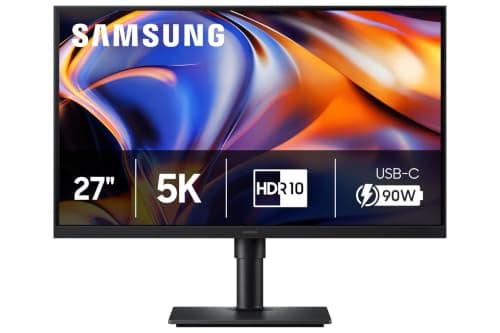
Samsung Samsung 27" ViewFinity S8 (S80HF) 5K Monitor
Samsung 27" ViewFinity S8 (S80HF) 5K Monitor

The like-for-like swap. The same 5120 x 2880 panel at the same 218 PPI, with 90W of USB-C charging, an ethernet port and a KVM - so it replaces a dock as well as a display. You give up brightness, P3 color, the camera and Thunderbolt.

The same pixels, much less money
9.2
$499.99Amazon
02
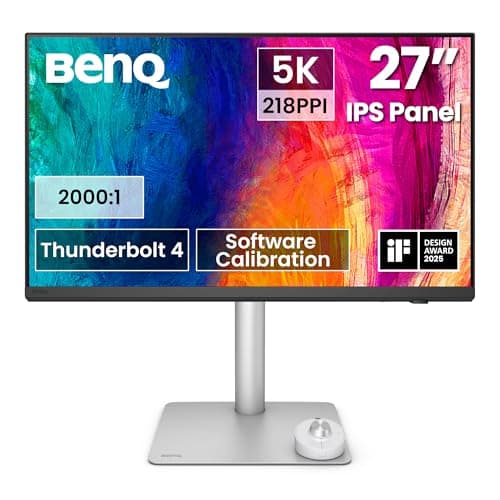
BenQ BenQ PD2730S 27" 5K Thunderbolt 4 Monitor
BenQ PD2730S 27" 5K Thunderbolt 4 Monitor

The alternative that beats the original on two counts rather than undercutting it: a Nano Matte surface instead of glass, and real HDMI and DisplayPort inputs plus a KVM, so a Mac and a PC can share one 5K screen.

A matte panel and a PC on the same desk
9.1
$1,099.99Amazon
03
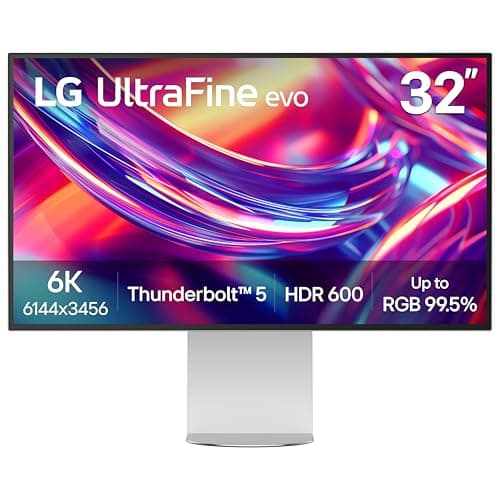
LG LG 32U990A-S 32" UltraFine evo 6K Thunderbolt 5
LG 32U990A-S 32" UltraFine evo 6K Thunderbolt 5

The alternative for people whose answer is more display rather than a cheaper one. 6K at 31.5 inches is 224 PPI, so macOS stays at a clean 2x while the workspace grows to look like 3072 x 1728 - with Thunderbolt 5 and the same 96W Apple delivers.

More workspace, same density class
8.9
$1,499.00Amazon
04
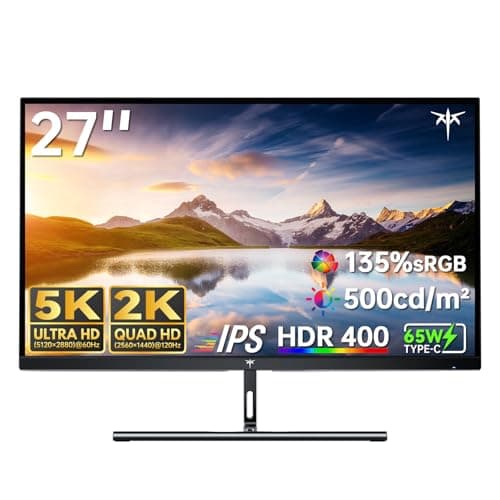
KTC KTC H27P3 27" 5K Dual-Mode Monitor
KTC H27P3 27" 5K Dual-Mode Monitor

The cheapest route to Retina-class text, and the brightest panel here after Apple's own. 5K at 217 PPI, 500 nits and 99% DCI-P3 down one USB-C cable - on a stand that only tilts, with 65W of charging.

Cheapest 5K panel
8.6
$503.98Amazon
05
Dell Dell UltraSharp U2724DE 27" QHD Thunderbolt 4 Hub
Dell UltraSharp U2724DE 27" QHD Thunderbolt 4 Hub

The alternative for the desk where the dock mattered more than the pixel count. 109 PPI is the other density macOS renders natively, and around it you get 90W, 2.5 gigabit ethernet, a KVM, a daisy-chain output and 120Hz.

The dock, not the density
8.0
$438.59Amazon
06
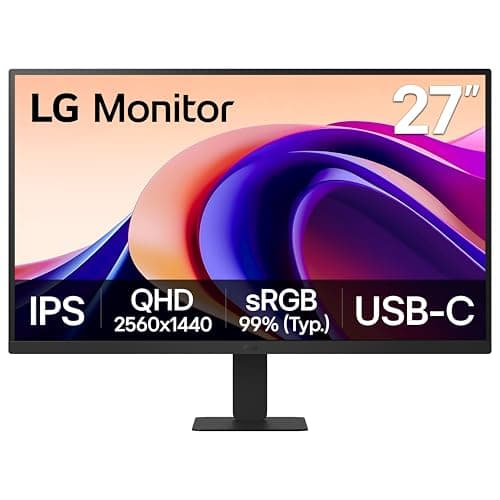
LG LG 27" QHD IPS Monitor (27U631A-B)
LG 27" QHD IPS Monitor (27U631A-B)

The budget pick, and the honest floor of this page. A plain 27-inch QHD IPS panel at the 109 PPI macOS draws natively, with no dock, no charging and no camera - for a small fraction of any 5K screen here.

Budget pick - the cheapest sane screen
7.1
$149.45Amazon

#ad · Live prices from the Amazon Product API, as of November 21, 2026. Where we have no verified live price we show none — we would rather leave a gap than print a number that has rotted.

In detail

The picks, in full

01
Samsung Samsung 27" ViewFinity S8 (S80HF) 5K Monitor

The same pixels, much less money

Samsung 27" ViewFinity S8 (S80HF) 5K Monitor

Screen
27" IPS
Resolution
5120 x 2880 (5K), 218 PPI, 60Hz
Host connection
USB-C with 90W charging
Panel
350 nits typical, 1000:1 contrast, 99% sRGB
Extras
Ethernet (LAN) port, KVM, USB hub, HDMI 2.1, DisplayPort 1.4
Stand
120mm height, -3 to 25 degree tilt, 45 degree swivel each way, pivot; VESA 100 x 100mm
9.2/10

The like-for-like swap. The same 5120 x 2880 panel at the same 218 PPI, with 90W of USB-C charging, an ethernet port and a KVM - so it replaces a dock as well as a display. You give up brightness, P3 color, the camera and Thunderbolt.

Matches the Studio Display
9
Pixel Density
9.6
Connectivity
8.6
Value
9.4

Pros

  • The identical 218 PPI grid, so macOS runs its native 2x desktop exactly as it does on the Apple panel
  • 90W covers a MacBook Air and the 70W 14-inch MacBook Pro models
  • An ethernet port and a KVM, neither of which the Studio Display has at any price
  • A full height, swivel and pivot stand is in the box, where Apple's VESA version ships with no stand at all
  • HDMI and DisplayPort inputs mean a PC or a console can share the screen

Cons

  • 350 nits against the Studio Display's 600, which is the biggest single step down here
  • 99% sRGB is the only gamut Samsung publishes - no P3 figure, which matters for photo and video
  • USB-C rather than Thunderbolt, so no daisy-chain output for a second screen on a Mac
  • No camera, no microphones and no speakers

Skip this if…

…you sit in front of a window - 350 nits in a bright room is where the Studio Display's 600 nits and the BenQ's matte surface earn their money.

$499.99View on Amazon

$699.9929% off

Price as of November 21, 2026. Prices change — Amazon's is the one that counts.

#ad · we may earn a commission from this link to Samsung 27" ViewFinity S8 (S80HF) 5K Monitor

02
BenQ BenQ PD2730S 27" 5K Thunderbolt 4 Monitor

A matte panel and a PC on the same desk

BenQ PD2730S 27" 5K Thunderbolt 4 Monitor

Screen
27" IPS, Nano Matte surface
Resolution
5120 x 2880 (5K), 218 PPI, 60Hz
Host connection
Thunderbolt 4 in with 90W power delivery, Thunderbolt 4 out for daisy chain
Panel
400 nits typical, 2000:1 contrast, 98% P3, 100% sRGB
Extras
KVM, USB hub (3 USB-A, 1 USB-C), HDMI 2.1, DisplayPort 1.4, Hotkey Puck G3
Stand
150mm height, -5 to 20 degree tilt, 30 degree swivel each way, 90 degree pivot; VESA 100 x 100mm
9.1/10

The alternative that beats the original on two counts rather than undercutting it: a Nano Matte surface instead of glass, and real HDMI and DisplayPort inputs plus a KVM, so a Mac and a PC can share one 5K screen.

Matches the Studio Display
9.4
Pixel Density
9.6
Connectivity
9.6
Value
7.6

Pros

  • The Nano Matte surface answers the reflections a glass panel gives you in a room with a window
  • 98% P3 coverage and 2000:1 contrast, so the color the Studio Display offers is not lost in the swap
  • HDMI 2.1 and DisplayPort inputs with a built-in KVM - a Mac and a PC on one keyboard
  • Thunderbolt 4 out daisy-chains a second display, as the Apple panel's downstream port does
  • A 150mm height-adjustable stand, the most adjustment of any pick here

Cons

  • The most expensive alternative on this page - the saving against Apple is real but not dramatic
  • 90W falls short of the 96W the Studio Display and the LG deliver
  • No camera or microphones, and the 3W speakers are placeholders next to a six-speaker system
  • Heavy at 8.3 kg on its stand, which matters if it is going on an arm

Skip this if…

…your only machine is a MacBook and nothing else will ever plug in - you are paying for inputs, a KVM and a puck you will not use, and the Samsung has the same pixels.

$1,099.99View on Amazon

Price as of November 21, 2026. Prices change — Amazon's is the one that counts.

#ad · we may earn a commission from this link to BenQ PD2730S 27" 5K Thunderbolt 4 Monitor

03
LG LG 32U990A-S 32" UltraFine evo 6K Thunderbolt 5

More workspace, same density class

LG 32U990A-S 32" UltraFine evo 6K Thunderbolt 5

Screen
31.5" Nano IPS Black
Resolution
6144 x 3456 (6K), 224 PPI, 60Hz
Host connection
Thunderbolt 5 with 96W power delivery, daisy chain supported
Panel
450 nits typical, 2000:1 contrast, 98% DCI-P3, DisplayHDR 600
Extras
KVM, 2 USB-C downstream, HDMI 2.1, DisplayPort 2.1, speakers
Stand
Height, tilt and pivot; VESA 100 x 100mm; 20.9 lb with stand, 13.2 lb without
8.9/10

The alternative for people whose answer is more display rather than a cheaper one. 6K at 31.5 inches is 224 PPI, so macOS stays at a clean 2x while the workspace grows to look like 3072 x 1728 - with Thunderbolt 5 and the same 96W Apple delivers.

Matches the Studio Display
9.2
Pixel Density
9.8
Connectivity
9.6
Value
6.8

Pros

  • 224 PPI keeps macOS at native 2x on a bigger canvas - about 44 percent more workspace area than 5K
  • 96W over Thunderbolt 5 is the same host charging the Studio Display offers, and the only pick here that matches it
  • DisplayHDR 600 and 98% DCI-P3, a wider published gamut than Samsung gives for the S80HF
  • A KVM and a daisy-chain port, so a second machine and a second screen are both covered

Cons

  • Costs more than the Studio Display rather than less - this is an upgrade, not a saving
  • LG lists height, tilt and pivot but no swivel adjustment
  • Runs from an external power brick, one more thing to hide under the desk
  • At 31.5 inches it wants more desk depth and viewing distance than a 27-inch panel

Skip this if…

…you rarely have more than two windows open - the extra area is the entire reason to pay for it, and a 27-inch 5K panel is just as sharp.

$1,499.00View on Amazon

$1,999.9925% off

Price as of November 21, 2026. Prices change — Amazon's is the one that counts.

#ad · we may earn a commission from this link to LG 32U990A-S 32" UltraFine evo 6K Thunderbolt 5

04
KTC KTC H27P3 27" 5K Dual-Mode Monitor

Cheapest 5K panel

KTC H27P3 27" 5K Dual-Mode Monitor

Screen
27" IPS, anti-glare
Resolution
5120 x 2880 at 60Hz, or 2560 x 1440 at 120Hz; 217 PPI
Host connection
USB-C with video and 65W power delivery
Panel
500 nits typical, 2000:1 contrast, 99% DCI-P3, HDR400
Other inputs
DisplayPort 1.4, HDMI 2.0, 2 USB-A 3.0, headphone out
Stand
Tilt only, -5 to 15 degrees; VESA 75 x 75mm
8.6/10

The cheapest route to Retina-class text, and the brightest panel here after Apple's own. 5K at 217 PPI, 500 nits and 99% DCI-P3 down one USB-C cable - on a stand that only tilts, with 65W of charging.

Matches the Studio Display
8
Pixel Density
9.6
Connectivity
7
Value
9.6

Pros

  • 217 PPI at the price most monitors charge for 4K, which is the sharpness argument settled cheaply
  • 500 nits typical and 99% DCI-P3 on paper - brighter and wider-gamut than the Samsung
  • A dual-mode panel that drops to 1440p at 120Hz, which no other 5K screen here offers
  • An anti-glare coating rather than glass, so reflections are manageable

Cons

  • The stand only tilts - no height, swivel or pivot - so budget for an arm or a riser
  • 65W is below the 70W adapter of the 14-inch MacBook Pro, let alone the bigger models
  • HDMI 2.0, no KVM, no ethernet and no speakers
  • VESA 75 x 75mm rather than 100 x 100mm, so check the arm plate before you order

Skip this if…

…you intend to keep it on the stand in the box - it only tilts, so screen height is wherever the base puts it.

$503.98View on Amazon

$609.9917% off

Price as of November 21, 2026. Prices change — Amazon's is the one that counts.

#ad · we may earn a commission from this link to KTC H27P3 27" 5K Dual-Mode Monitor

05
Dell Dell UltraSharp U2724DE 27" QHD Thunderbolt 4 Hub

The dock, not the density

Dell UltraSharp U2724DE 27" QHD Thunderbolt 4 Hub

Screen
27" IPS Black
Resolution
2560 x 1440 (QHD), 120Hz, about 109 PPI
Power delivery
Up to 90W to the host laptop
Network
2.5 Gigabit Ethernet
Daisy chain
DisplayPort and Thunderbolt 4 outputs for a second display
KVM
Built in - one keyboard and mouse across two machines
8.0/10

The alternative for the desk where the dock mattered more than the pixel count. 109 PPI is the other density macOS renders natively, and around it you get 90W, 2.5 gigabit ethernet, a KVM, a daisy-chain output and 120Hz.

Matches the Studio Display
7
Pixel Density
7.2
Connectivity
9.8
Value
8

Pros

  • 109 PPI is a native macOS density, so the desktop is unscaled here too - text is larger and less detailed, not blurry
  • 2.5GbE is faster than the gigabit port on most docks, and the Studio Display has no ethernet at all
  • A KVM plus 90W means one cable to the laptop and one keyboard across two machines
  • 120Hz makes scrolling and window motion visibly smoother than the 60Hz every 5K panel here runs at
  • A full height, swivel and pivot stand in the box

Cons

  • Roughly a quarter of the pixels of a 5K panel - if sharper text is why you are shopping, this is the wrong pick
  • Expensive for QHD, because the money is in the hub and the panel quality rather than resolution
  • The Thunderbolt features need a Thunderbolt host to be fully used
  • No camera, microphones or speakers

Skip this if…

…you are replacing a Retina laptop screen and expect the same crispness - 1440p at 27 inches will look coarser than the MacBook you closed.

$438.59View on Amazon

$519.9916% off

Price as of November 21, 2026. Prices change — Amazon's is the one that counts.

#ad · we may earn a commission from this link to Dell UltraSharp U2724DE 27" QHD Thunderbolt 4 Hub

06
LG LG 27" QHD IPS Monitor (27U631A-B)

Budget pick - the cheapest sane screen

LG 27" QHD IPS Monitor (27U631A-B)

Screen
27" IPS
Resolution
2560 x 1440 (QHD), about 109 PPI
Panel
IPS, sRGB color
Ports
HDMI, DisplayPort
VESA mount
100 x 100mm
7.1/10

The budget pick, and the honest floor of this page. A plain 27-inch QHD IPS panel at the 109 PPI macOS draws natively, with no dock, no charging and no camera - for a small fraction of any 5K screen here.

Matches the Studio Display
5.4
Pixel Density
7.2
Connectivity
6
Value
9.8

Pros

  • 2560 x 1440 at 27 inches is a native macOS density, so nothing is being scaled or softened
  • Costs a fraction of every other pick here, which makes it the obvious second screen beside a 5K one
  • IPS color and wide viewing angles for all-day document and browser work
  • Standard VESA 100 x 100mm, so it moves onto an arm without an adapter

Cons

  • No USB-C, so it will not charge a laptop and needs its own video cable and power
  • No dock, no KVM, no camera, no speakers - it is a screen and nothing else
  • A basic stand with limited height and tilt adjustment
  • A quarter of the pixels of a 5K panel, which is the whole trade

Skip this if…

…text sharpness is the reason you were looking at a Studio Display at all - buy the Samsung and keep this one as the second screen.

$149.45View on Amazon

$169.9912% off

Price as of November 21, 2026. Prices change — Amazon's is the one that counts.

#ad · we may earn a commission from this link to LG 27" QHD IPS Monitor (27U631A-B)

Three checks before you swap

  1. Count the devices the Apple panel would replace. A webcam, a microphone and a speaker set are inside the Studio Display. If you need all three and own none of them, the price gap narrows a long way; if you already own a webcam you like and a microphone that sounds better than any monitor array, you are being asked to buy them again.
  2. Check your charger against the monitor’s wattage. Apple’s own advice is to match or exceed the adapter in the box. A 14-inch MacBook Pro at 70W is fine on a 90W screen and short on the 65W KTC. A 16-inch Pro at 140W is short on all of them, including the Studio Display, so keep the Apple brick on the desk.
  3. Decide the stand question before you compare prices. The Studio Display version we link is the VESA one, which ships without a stand on purpose — so an arm is part of its price. Four of the alternatives here include a height-adjustable stand, the KTC only tilts, and monitor height ergonomics has the measurement that decides whether that matters to your neck.

Glass, matte and the room you actually sit in

The Studio Display is a glass panel, and the standard-glass version is a reasonably effective mirror when there is a window or a lamp behind you. Apple sells nano-texture glass as the answer at a significant upcharge. Two picks here take a different route: BenQ’s Nano Matte surface and the KTC’s anti-glare coating both diffuse a reflection instead of bouncing it, which is why the BenQ is ranked as the alternative for a bright room rather than as the cheap one. If your complaint about your current screen is eye fatigue rather than sharpness, the hardware that addresses it is ranked in monitors for eye strain, and the desk lighting half of the problem is in the best monitor light bars.

One screen or two, and how they connect

Apple’s support pages list two external displays for a MacBook Air with M4 or M5, two for an M5 MacBook Pro, three for M5 Pro and four for M5 Max, so a two-screen 5K desk is within reach of most current Macs. How they connect is the other half: a monitor with a downstream Thunderbolt port can daisy-chain the second display off the first, which the Studio Display, the BenQ and the LG all support. A plain USB-C monitor cannot do that on a Mac, because macOS does not implement the MST standard Windows laptops use to split one connection in two — so the Samsung, the KTC and the budget LG each need their own port on the Mac or a dock. USB-C vs Thunderbolt dock explains the difference, and the MacBook docking station roundup covers the per-chip display limits and the DisplayLink route around them.

Where the Studio Display is still the right buy

Three cases, stated plainly, because an alternatives page that never says so is not much use. If you want a camera, microphones and speakers inside the monitor rather than on top of it. If you want brightness and volume to answer the Mac keyboard with no utility installed and no settings panel to learn. And if 600 nits is what your room demands. Those three are what the money buys, and nothing below reproduces them. Everything else — the 218 PPI grid, the wide gamut, 96W of charging, a downstream port for a second screen — is available for less from somebody else, which is the entire argument of this page. The full Mac field, ranked on density rather than on price, is in the best monitors for a Mac; and if the Studio Display is going on an arm, the weight to plan around is 11.9 lb, which the best monitor arms puts inside the published window of most of the field.
How we picked

We do not run a testing lab

We compiled the published manufacturer specifications, did the ergonomics, VESA and desk-depth math ourselves, and read aggregated owner reviews, then scored each product against a published rubric. The scores are judgments from documented research — they are not measurements we took, because we do not have a lab and we are not going to pretend we do. Every spec traces back to a listing or manual named in Sources.

Questions

Frequently asked

What is the best cheaper alternative to the Apple Studio Display?
The Samsung ViewFinity S8 (S80HF). It is the same 5120×2880 panel at the same 218 PPI, with 90W of USB-C charging, an ethernet port and a KVM that the Studio Display does not have. What you give up is brightness (350 nits against 600), the published P3 gamut, Thunderbolt, and the built-in camera, microphones and speakers.
Is there a 5K monitor that is not made by Apple?
Yes — three of them are on this page. The Samsung ViewFinity S8 (S80HF), the BenQ PD2730S and the KTC H27P3 are all 27-inch 5120×2880 panels, which is the same grid and the same roughly 218 PPI density as the Studio Display. 5K stopped being an Apple-only resolution some time ago; what is still unusual is 6K, where the LG 32U990A-S is the pick here.
Will a 4K monitor look as sharp as a Studio Display on a Mac?
No, and the reason is arithmetic rather than opinion. A 27-inch 4K panel is about 163 PPI, which is neither of the densities macOS is drawn for (about 110 and about 220), so the Mac either shows you a very large 1920×1080-equivalent desktop or renders a bigger one and scales it down. Plenty of people run that happily, but if sharper text is the reason you are shopping, a 5K panel at 218 PPI is the thing that delivers it.
Does the Apple Studio Display work with a Windows PC?
Its only inputs are Thunderbolt and USB-C, with no HDMI or DisplayPort, and Apple’s compatibility list names Apple silicon Macs and iPads rather than PCs. If a Windows machine shares your desk, the BenQ PD2730S is the pick on this page: the same 5K panel, plus HDMI 2.1, DisplayPort 1.4 and a built-in KVM to move one keyboard and mouse between the two.
Can I put a Studio Display on a monitor arm?
Only the VESA mount adapter version, which is the one we link, and it ships with no stand at all. Apple lists it at 11.9 lb, comfortably inside the published window of a standard gas-spring or Constant Force arm. Converting a stand model to VESA later is a service-center job with a parts and service fee, so choose the version you want at the point of purchase.

Keep reading

Receipts

Sources

We do not run a testing lab, and we do not pretend to. Specifications come from the manufacturer or retailer listing; the footprint and clearance math is ours and reproducible. Where we could not verify a number, we say so on the page rather than quietly leaving it out. Read our full method.