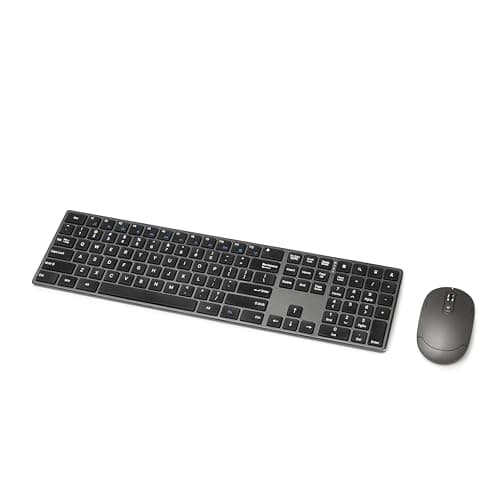
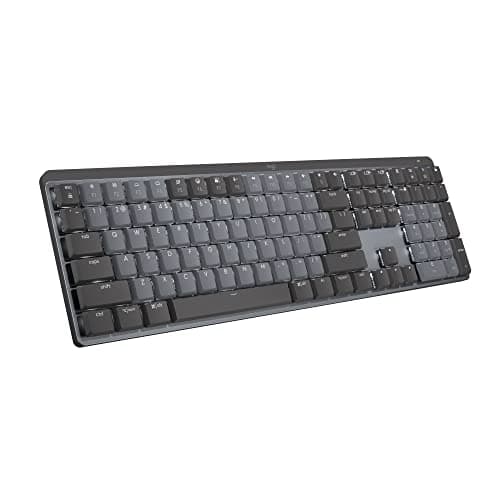
If what you want is the MX Keys experience with switches you can feel, the Logitech MX Mechanical is the pick: the same full-size layout, the same three-device switching and the same proximity backlight, with low-profile mechanical switches under the caps. If you want the keyboard to be repairable, the Keychron K3 Max is the one — it is barely taller and its switches pull out with a tool that comes in the box. And the budget pick is the Amazon Basics Ultra Premium Wireless Keyboard and Mouse Combo, which keeps the flat, quiet keys and costs a fraction of everything else here.
What the MX Keys S is known for
Five published things, from Logitech’s own specification. Which of them you actually use decides the whole page:
- Low-profile scissor keys with spherically dished keycaps. Flat, quiet and precise — closer to a good laptop keyboard than to anything mechanical. The quietness is the specification that matters in a shared room or on a call.
- Three-device switching over Bluetooth Low Energy or a Logi Bolt receiver. One keyboard across a work machine, a personal one and a tablet, on dedicated keys.
- A backlight with two sensors. A proximity sensor lights the keys as your hands approach, and an ambient sensor matches the brightness to the room.
- A 1500mAh battery rated up to 10 days backlit, or up to 5 months with the backlight off. Those are the two numbers Logitech publishes, and the gap between them is the backlight.
- Logi Options+ with Smart Actions, which is where the macros, the per-application keys and Flow live.
And the honest reasons people replace it, none of which make it a bad keyboard: nothing on it is serviceable, so a failed key or a shiny keycap means a new keyboard; the travel is shallow, so each keystroke gives you less feedback than any mechanical switch; there is no low-latency 2.4 GHz option, only Bluetooth or Bolt; and it is expensive for a membrane board, even though it is cheap next to a premium mechanical one.
The fork: scissor, low-profile mechanical, or full-height mechanical
This is the decision underneath the whole page, and it is about height as much as feel. A scissor switch like the MX Keys S uses a collapsing plastic linkage over a membrane: short travel, very quiet, nothing to service. Low-profile mechanical keeps roughly the same board height and wrist angle but puts an individual mechanical switch under every key, so you get a defined actuation point and, on some boards, a switch you can replace. Full-height mechanical is a taller board with deeper travel and more sound, and it changes your wrist angle enough that a wrist rest stops being optional.
That last point is the one people miss when they swap an MX Keys for a mechanical board and then wonder why their wrists ache: a flat keyboard lets the wrists stay neutral without support, and a tall one does not. The geometry is worked through in keyboard and mouse ergonomics, and if the swap is specifically about pain rather than feel, start at the best keyboard and mouse for wrist pain instead of here. The broader mechanical-versus-membrane argument, with the MX Keys S as the membrane case, is in mechanical vs membrane.
What each alternative matches, in published specifications
| Keyboard | Key mechanism | Layout | Radio | Hot-swap |
|---|
| Logitech MX Keys S (the original) | Low-profile scissor | Full size with number pad | Bluetooth LE or Logi Bolt, 3 devices | No |
| Logitech MX Mechanical | Low-profile mechanical | Full size with number pad | Bluetooth or Logi Bolt, 3 devices | No |
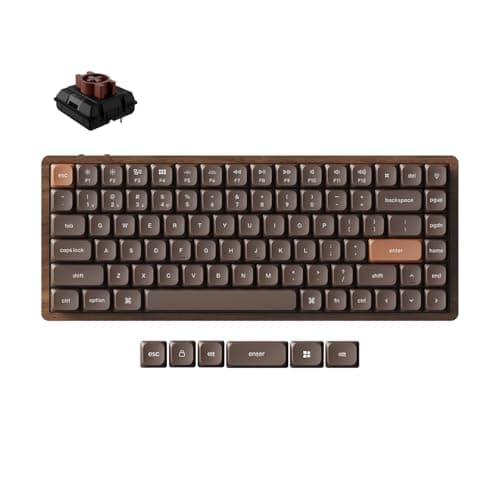
| Keychron K3 Max | Low-profile mechanical | 75% (no number pad) | 2.4 GHz at 1000Hz, Bluetooth 5.2 to 3, wired | Yes |
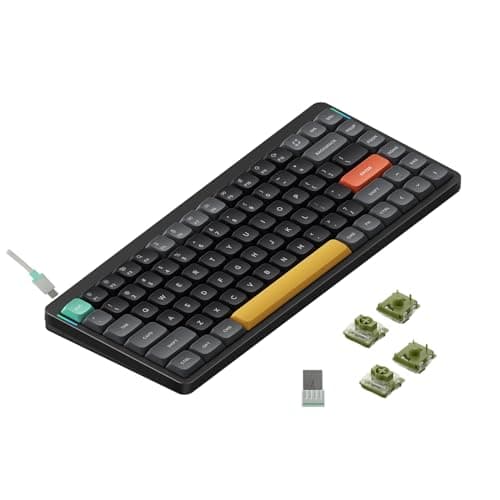
| NuPhy Air75 V2 | Low-profile mechanical | 75% (no number pad) | Bluetooth or 2.4 GHz, wired | Yes |
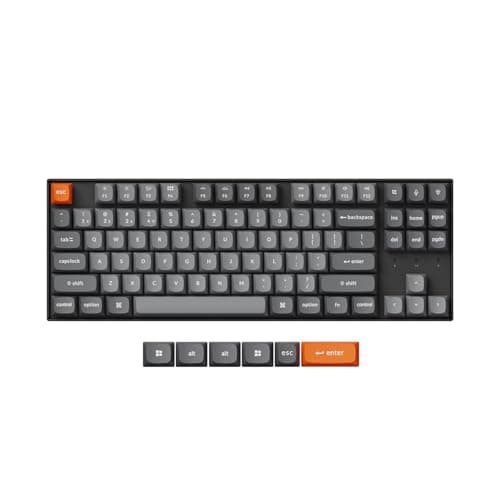
| Keychron K8 Max | Full-height mechanical | Tenkeyless, 87 keys | Bluetooth or 2.4 GHz, wired | Yes |
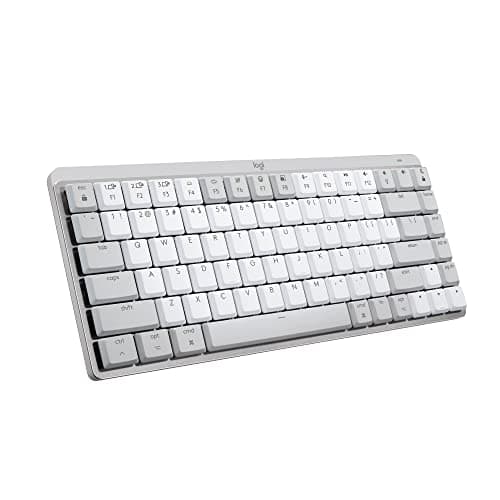
| Logitech MX Mechanical Mini for Mac | Low-profile mechanical, Tactile Quiet | Compact Mac layout | Bluetooth LE only, 3 devices | No |
| Amazon Basics Ultra Premium combo | Low-profile scissor | Full size with number pad | One 2.4 GHz receiver, no switching | No |
Two columns there do most of the work. The layout column is the one that catches people: the MX Keys S is a full-size board with a number pad, and four of the six alternatives drop it. If you enter numbers all day that rules them out before feel enters the conversation, and the best full-size keyboards is the right page. The hot-swap column is the one that changes what you own: on the three Keychron and NuPhy boards a switch is a two-dollar part you pull out yourself, which is the opposite of a sealed scissor board.
Which alternative matches which reason
| If you want… | The pick | What it matches or beats |
|---|
| The same board with real switches | Logitech MX Mechanical | Same layout, same 3-device switching, same proximity backlight |
| A keyboard you can repair and retune | Keychron K3 Max | Hot-swap low-profile sockets, 1000Hz radio, PBT caps |
| The lowest price for low-profile mechanical | NuPhy Air75 V2 | Hot-swap at a fraction of Logitech's mechanical price |
| A deeper, more satisfying keystroke | Keychron K8 Max | Full-height gasket-mounted board, QMK and VIA remapping |
| Quiet switches on a Mac-only desk | MX Mechanical Mini for Mac | Tactile Quiet switches, 3 Macs or iPads, 10 months unlit |
| Flat quiet keys for the least money | Amazon Basics Ultra Premium combo | Scissor keys and a number pad, with a mouse in the box |
What the non-Logitech picks do not reproduce is Logi Options+ — Smart Actions, per-application keys, and Flow, which moves the cursor and the clipboard between two computers. The Keychron boards answer with QMK and VIA, which remap the keyboard itself at the firmware level and work without any software running; that is more powerful inside the board and does nothing across two machines. The other Logitech-only feature is the proximity backlight: both MX Mechanical boards keep it, nothing else here has it.
Three checks before you swap
- Count the machines the keyboard has to reach. If the answer is more than one, you need either the three-device switching the Logitech boards keep or the three Bluetooth hosts the Keychron boards offer. The Amazon Basics combo has neither: it is one receiver and one computer.
- Decide whether the number pad is negotiable. The MX Keys S is full size. Four of the six alternatives are not, and no amount of switch quality makes a missing number pad acceptable for spreadsheet work. The best compact keyboards covers what each smaller layout actually gives up, and the best full-size keyboards ranks the boards that keep it.
- Listen to the room you type in. Scissor keys are the quietest thing here, Tactile Quiet low-profile switches are next, and a full-height gasket-mounted board is noticeably louder than both however nicely it is damped. If calls are most of your day, the best quiet keyboards is ranked on exactly that.
Hot-swap is the specification that changes what you own
The MX Keys S is a sealed product: the switches are part of the board, so a key that starts double-typing or a keycap that goes shiny ends the keyboard. Three picks here — the Keychron K3 Max, the NuPhy Air75 V2 and the Keychron K8 Max — have hot-swap sockets, which means switches pull out with a puller and push back in with your fingers. Two consequences follow. The obvious one is repair: one dead switch is a cheap part rather than a new keyboard. The less obvious one is that the feel becomes a decision you can revise, which is why keyboard switches explained is worth ten minutes before you choose, and why a switch tester is a sensible purchase before a keyboard is.
The battery numbers, and why they are so far apart
Logitech publishes two figures for the MX Keys S: up to 10 days with the backlight on, or up to 5 months with it off. The MX Mechanical Mini for Mac publishes up to 15 days and up to 10 months on the same basis. Those pairs tell you something useful — on this class of keyboard the backlight is the battery. If you type in a lit room, turning the backlight off roughly multiplies your charging interval by fifteen, and the keyboard you have is suddenly fine. It is the cheapest fix on this page, and it costs nothing.
If the problem is your hands rather than the keyboard
Worth separating before you spend. A keyboard swap fixes feel, noise, layout and repairability. It does not fix the forearm rotation that comes from a flat board and a flat mouse, or the shoulder load from reaching over a number pad to a mouse parked too far right. Those are ergonomics problems with their own answers: the best ergonomic keyboards ranks split and tented boards, the best split keyboards goes further, and a keyboard tray fixes the height the desk imposes. If you are replacing the matching mouse at the same time, MX Master alternatives is the companion to this page.
Where the MX Keys S is still the right buy
Three cases, stated plainly. If quiet is the specification that matters most, because nothing mechanical on this page is as silent as a scissor switch. If you move between two or three machines all day and use Flow to carry the clipboard with you, because only Logitech boards do that. And if you want a keyboard that is simply finished — backlight that manages itself, full-size layout, no firmware to flash. Everything else people replace it for — switch feel, repairability, a 2.4 GHz radio, a smaller footprint, a much lower price — is available above, and the full ranked field is in the best wireless keyboards.