Every other cable on a well-managed desk has been given a job and a route, and then there is the tower: sitting on the carpet, breathing floor dust into its intake filters, taking a knock from a chair caster twice a week, and anchoring the heaviest bundle of cables in the room at ground level. On a fixed desk that is untidy. On a standing deskit is worse than untidy, because every cable between the desktop and the machine has to absorb the desk’s full travel twice a day. Mounting the machine under the desktop fixes both problems in one move: the computer travels with the desk, and those cables stop crossing the moving gap at all.
Two numbers decide this purchase, and both are about your case rather than the mount. The first is the width of your computer at its widest point — not the number on the spec sheet, but the measurement across the side panel bulges, the glass, the feet and any protruding thumbscrews. Every mount here publishes a width range, and a cradle that stops at 7.8 inches does not close on an 8.5-inch case no matter how hard you push. The second is the weight of the machine with everything in it. The 22-pound class covers small form factor builds and office desktops; a full ATX tower with a steel chassis, a tempered glass panel, a large air cooler and a three-slot graphics card is routinely past that, which is why the 33-, 44- and 66-pound mounts on this page exist and why they are ranked above prettier ones.
The third question is the one buyers forget: how do you reach the back of the machine afterward? A mount that swallows your tower and then buries every rear port six inches above your knees turns a two-minute cable swap into a floor exercise with a flashlight. There are three answers in this category. Some mounts swivel — 135 degrees on the cheaper VIVO cradles, a full 360 on the HumanCentric and the Mount-It! models — so you spin the machine to face you. One slides out on a track first and then swivels, which is the comfortable version and the expensive one. And the strap mounts do neither: the machine is held by tension, and getting behind it means unstrapping it. Decide how often you actually plug things in before you pay for movement you will not use; if the answer is “constantly,” a powered USB hub on the desktop solves more of that problem than any amount of swivel.
How the mount attaches decides whether you can have one at all.Most of this category screws into the underside of the desktop with self-tapping wood screws, which needs a solid wood or thick composite top — VIVO publishes a three-quarter-inch minimum thickness on its heavy-duty bracket and about six-tenths of an inch on its strap mount. Glass tops, thin veneers and anything you are not allowed to drill rule that out. The alternative is a clamp-on mount, which grips the desktop with a vice and leaves no holes; the catch, unusually, is that the clamp needs a thick top rather than a thin one, and most flat-pack desktops are thinner than its stated range. Read the mounting requirement before the capacity spec, because it is the one that disqualifies a mount outright.
There is also a cost nobody puts on the box: the space. Whatever hangs under the desktop is competing for the same volume as your knees, a cable tray, a keyboard trayand any drawer pedestal already down there. A mid-tower is roughly 8 inches wide and 18 to 21 inches tall, and it has to go somewhere that is not directly in front of your chair. In practice that means the far left or far right of the desk, behind the leg — which is also where a mounted power strip wants to be, so plan the underside as one layout rather than three separate purchases. If a UPSis part of the plan, give it the floor rather than the underside — it is the heaviest item in the setup and it needs air around it.
One honest caveat before the picks. If your desk is a sit-stand model, the frame has a published lift capacity, and everything you hang underneath counts against it exactly the same as the monitors on top. A 30-pound machine plus a 6-pound steel mount is a real fraction of a budget frame’s rating, and it is added at the point furthest from the columns. Check the number in your desk’s manual first. If it is tight, the machine is better off on the floor next to the desk on a stand, moving with nothing.
Everything below is ranked on published manufacturer specifications — the width and height ranges each cradle covers, the rated capacity, the swivel or track travel, and the desktop each one demands. Where a manufacturer does not publish a figure, this page says so instead of filling the gap.
The short answer
Quick picks
#ad · Live prices from the Amazon Product API, as of October 23, 2026. Where we have no verified live price we show none — we would rather leave a gap than print a number that has rotted.
In detail
The picks, in full
Best overall
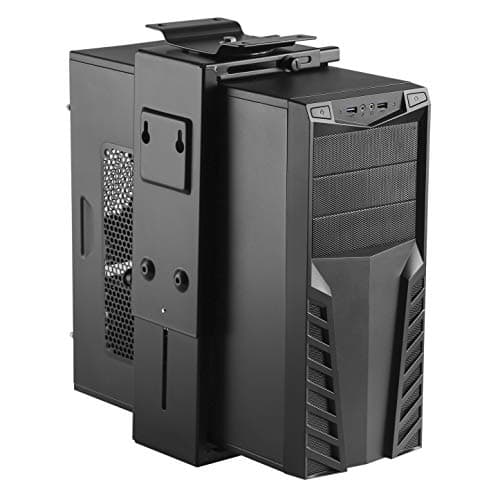
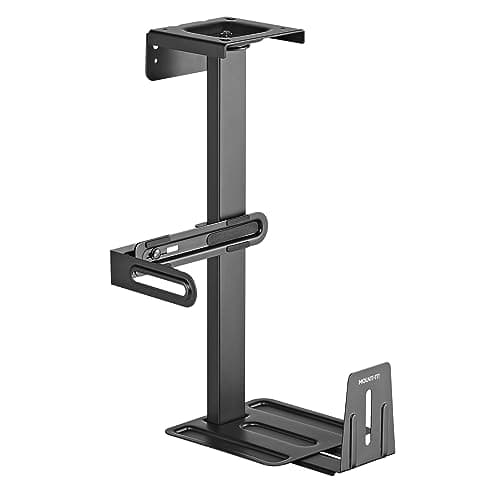
Mount-It! Under Desk PC Mount and Wall Mount, 44 lb Capacity
- Weight capacity
- 44 lb
- Fits tower width
- 6.1 to 9.3 in
- Fits tower depth
- 8.2 to 10.1 in
- Fits tower height
- Up to 21.65 in
- Swivel
- 360 deg (+/-180 deg)
- Mounting
- Under desk or wall, screw-mounted
- Construction
- Steel, matte black, anti-scratch pads
- Warranty
- Lifetime, per Mount-It!
The one that fits the machine most people on this site actually own. Double the capacity of the 22-pound class, a width range built for real mid-towers rather than office desktops, and a full 360 degrees of swivel to get at the back.
- Capacity and Fit
- 9.4
- Port Access
- 9
- Install and Compatibility
- 8.2
- Value
- 8.6
Pros
- +44 lb rating covers a steel ATX tower with a glass panel and a heavy graphics card, which the 22 lb mounts do not
- +6.1 to 9.3 inch width range is aimed at real mid-towers instead of slim office cases
- +Full 360 degree swivel, so the rear ports come to you rather than the other way round
- +Published depth range as well as width - one of the few mounts that tells you whether a deep case will sit properly in the cradle
- +Lifetime warranty on the hardware
Cons
- −The 6.1 inch minimum width rules out small form factor and mini-ITX cases entirely - the frame will not close far enough
- −Mount-It! does not publish a minimum desktop thickness for this mount, so a thin or veneered top is a judgment call
- −Screw-mounted only: it needs a solid underside and it leaves holes
- −A heavy mount plus a heavy machine is a serious load to hang off a sit-stand frame - check your desk's lift rating first
Skip this if…
…your case is narrower than 6.1 inches - a compact SFF build needs the HumanCentric or a strap mount instead, and no amount of tightening makes a wide cradle grip a slim case.
Best for small and mid-size cases
HumanCentric Adjustable Under Desk Computer Mount and Wall Mount
- Weight capacity
- 22 lb
- Fits computer height
- 12 to 21 in
- Fits computer width
- 3.5 to 8 in
- Rotation
- 360 deg
- Mounting
- Under desk or wall
- Hardware included
- 4 x 16mm and 4 x 38mm self-tapping screws, 4 wall anchors, 4 washers, Allen wrench
- Case protection
- 12 felt pads
- Mount weight
- 6.7 lb
The best-documented mount in the 22-pound class and the one to buy for a small form factor or mid-size case. Full 360 degree rotation, twelve felt pads for the case finish, and a hardware list published down to the screw lengths.
- Capacity and Fit
- 8.2
- Port Access
- 9.4
- Install and Compatibility
- 8.8
- Value
- 8.4
Pros
- +Fits from 3.5 inches wide, so it takes a small form factor build that the heavy-duty cradles cannot close on
- +Full 360 degree rotation for port access, which the similarly priced VIVO cradle does not match
- +The published hardware list means you know before ordering whether the screws suit your desktop thickness
- +Twelve felt pads to keep a painted or glass side panel unmarked
Cons
- −22 lb ceiling - a full ATX tower with a glass panel and a large cooler will be over it, and hanging over the rating is how mounts fail
- −Self-tapping screws into the underside mean a solid top and permanent holes; there is no clamp version
- −No sliding track, so a swivel is your only route to the rear ports
- −HumanCentric's own store has been listing it as backordered, so availability moves around between retailers
Skip this if…
…your tower weighs more than 22 pounds - weigh it on a bathroom scale rather than trusting the case spec sheet, because the parts inside are most of the weight.
Best value
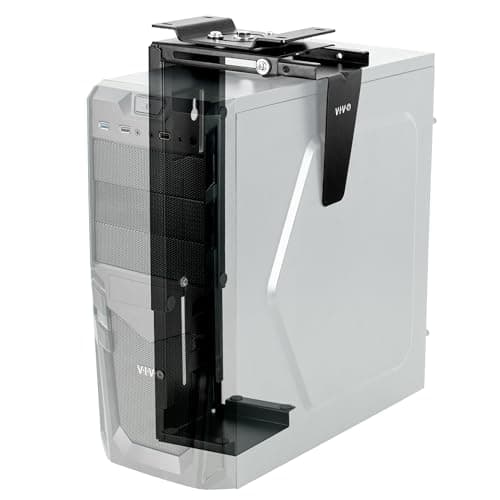
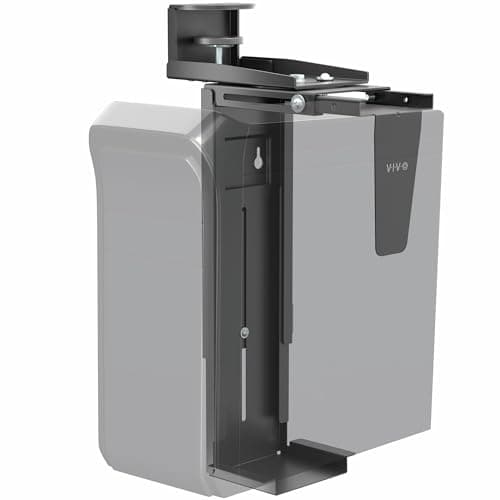
VIVO Under Desk and Wall Office PC Mount (MOUNT-PC01)
- Weight capacity
- 22 lb
- Fits PC width
- 3.5 to 7.8 in
- Fits PC height
- 11.5 to 20.5 in
- Swivel
- 135 deg
- Mounting
- Under desk or wall, hardware included
- Construction
- Steel with inside protective padding
The cheapest way to get a normal desktop off the floor and keep it adjustable. Same size envelope as the mounts costing more, in steel, with padding inside the cradle - you give up half the swivel and nothing else.
- Capacity and Fit
- 8
- Port Access
- 7.6
- Install and Compatibility
- 8.4
- Value
- 9.6
Pros
- +The least you can spend on a proper adjustable steel cradle rather than a strap
- +Covers the same 3.5 to 7.8 inch width band as VIVO's clamp-on model at a lower price
- +135 degrees of swivel is enough to bring a rear port panel into view without crawling
- +Padded inside, and it mounts to a wall as well if the desk is unsuitable
Cons
- −135 degrees, not 360 - you can angle the machine toward you but not spin it right around
- −22 lb capacity, the same ceiling as the HumanCentric but with less published documentation behind it
- −VIVO does not publish a minimum desktop thickness for this model the way it does for the heavy-duty and strap mounts
- −Screw-in only, so glass tops and no-drill situations are out
Skip this if…
…you service the machine often - a 135 degree swivel gets you an angled view of the back panel, not a working position behind it.
Best port access
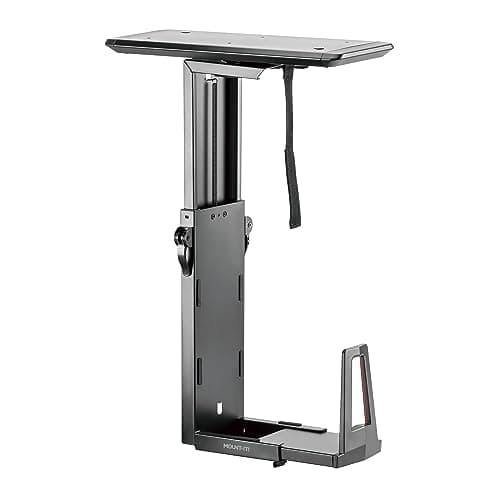
Mount-It! CPU Under Desk Mount with Sliding Track, 33 lb Capacity
- Weight capacity
- 33 lb
- Fits tower height
- 13.4 to 21.7 in
- Fits tower width
- 6 to 9.7 in
- Track travel
- 9.7 in
- Swivel
- +/-180 deg with a locking mechanism
- Mounting
- Under desk, screw-mounted
- Construction
- Steel and aluminum, matte black
- Warranty
- Lifetime, per Mount-It!
The only mount here that brings the machine out to you before it turns. Nearly ten inches of track travel and then 180 degrees each way, which is the difference between swapping a cable and performing surgery under the desk.
- Capacity and Fit
- 8.8
- Port Access
- 9.8
- Install and Compatibility
- 7.2
- Value
- 7.4
Pros
- +Slides out 9.7 inches before it swivels, so the whole rear panel is reachable while you are still sitting in the chair
- +33 lb capacity sits between the 22 lb cradles and the heavy-duty brackets, covering most enthusiast mid-towers
- +Locking swivel, so the machine stays where you put it instead of drifting when a cable is tugged
- +Steel and aluminum rather than steel alone, which keeps the moving assembly's own weight down
Cons
- −The most expensive mount on this page, and the sliding assembly is a more involved install than a plain bracket
- −The track needs clear depth under the desktop - it competes directly with a keyboard tray or a full-width cable tray for the same space
- −6 inch minimum width, so small form factor cases are out
- −Mount-It!'s own store has listed this model as unavailable, so stock is retailer-dependent - check the live listing before planning around it
Skip this if…
…the underside of your desk is already carrying a keyboard tray or a deep cable tray - the sliding track wants that real estate, and a partially installed track is worse than no track.
Best for odd-shaped hardware
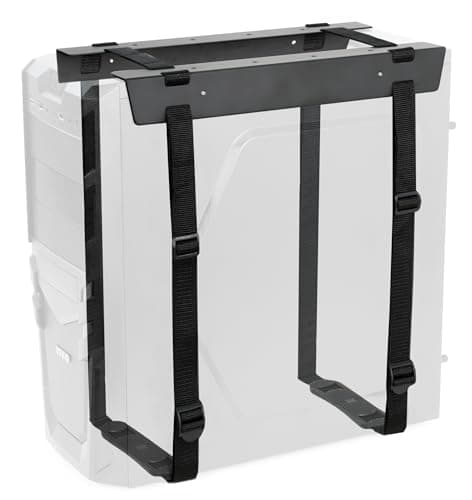
VIVO Under-Desk and Wall Mount PC Adjustable Strap Holder (MOUNT-PC02S)
- Weight capacity
- 44 lb
- Fits width
- 3.15 to 27.58 in
- Fits height
- 1.18 to 25.61 in
- Strap length
- 70.13 in, anti-skid
- Minimum desktop thickness
- 0.59 in (15mm)
- Construction
- Steel with anti-rust powder coating
- Mounting
- Under desk or wall, hardware included
Not a cradle but a steel bracket with a 70-inch anti-skid strap, and that changes what it can hold: anything from a mini PC to a console to a UPS, on a desktop as thin as 15 millimeters, for the least money here.
- Capacity and Fit
- 8.6
- Port Access
- 5.4
- Install and Compatibility
- 8.8
- Value
- 9.6
Pros
- +The widest fit envelope on this page by a distance - it will take a tower, a small console, an external drive enclosure or a UPS
- +44 lb rating for much less than the rigid 44 lb cradle costs
- +Works on a 15mm desktop, thinner than any other mount here requires
- +Powder-coated steel bracket rather than a fabric sling, so the load path is metal even though the grip is a strap
Cons
- −No swivel and no track: the machine is held by strap tension and it does not move, so rear-port access means unstrapping it
- −A strap grips by friction - it needs re-checking after the first few weeks and after anything gets bumped
- −Nothing constrains the case laterally the way a cradle's arms do, so a smooth glass-panel tower can shift within the strap
- −No published protective padding, so a painted panel is worth protecting yourself
Skip this if…
…you plug and unplug things at the back of the machine regularly - this mount is for hardware you install once and leave alone.
Best for the heaviest towers
VIVO Heavy Duty Under Desk Large Office PC Mount (MOUNT-PC04B)
- Weight capacity
- 66 lb
- Height settings
- 16, 18, 20, 22 and 24 in
- Adjustable width
- 5 to 10 in
- Minimum desktop thickness
- 0.75 in
- Construction
- Steel frame with protective padding
- Design
- Open frame for ventilation
The heaviest rating in the category by a wide margin and the only cradle here that opens to ten inches. It is a fixed-height bracket in five steps with no swivel, which is exactly the trade you make for 66 pounds.
- Capacity and Fit
- 9.8
- Port Access
- 6.2
- Install and Compatibility
- 8
- Value
- 8
Pros
- +66 lb capacity - triple the 22 lb class, and the only mount here rated for a fully loaded steel workstation chassis
- +Opens to 10 inches, which covers wide airflow and dual-chamber cases the other cradles cannot take
- +Five discrete height settings from 16 to 24 inches, so a tall case sits where it fits rather than where the bracket ends
- +VIVO publishes the minimum desktop thickness, which is the spec that decides whether it can be fitted at all
Cons
- −No published swivel: this is a fixed bracket, and reaching the rear ports means getting under the desk
- −The height settings are steps, not a range - a case shorter than the 16 inch setting is not a good fit
- −5 inch minimum width, so slim SFF machines are out
- −The heaviest mount here holding the heaviest machines is the combination most likely to exceed a budget sit-stand frame's lift rating
Skip this if…
…you need to get behind the machine without crawling - the capacity is bought with movement, and this bracket has none.
Best no-drill mount
VIVO Adjustable Clamp-On Office PC Mount (MOUNT-PCC1S)
- Weight capacity
- 22 lb
- Fits PC width
- 3.5 to 7.8 in
- Fits PC height
- 11.5 to 20.5 in
- Swivel
- 135 deg with secure locking
- Compatible desktop thickness
- 1 to 2.1 in
- Clamp size
- 3.9 x 3 x 3.2 in
- Construction
- Steel; mount weighs 7.3 lb
The no-drill option, with one unusual condition: the clamp needs a thick desktop rather than a thin one. On a solid wood or butcher-block top it is the only mount here you can fit in a rented office and remove without a trace.
- Capacity and Fit
- 8
- Port Access
- 7.6
- Install and Compatibility
- 7
- Value
- 8.2
Pros
- +No holes in the desk, which makes it the only pick here for a rented desk, a leased office or a top still under warranty
- +Locking 135 degree swivel, so it is not a static bracket in exchange for the clamp
- +Same 3.5 to 7.8 inch width and 11.5 to 20.5 inch height envelope as VIVO's screw-in cradle
- +Comes off in minutes when you move, unlike every screw-mounted mount on this page
Cons
- −The clamp fits desktops 1 to 2.1 inches thick - most flat-pack and standing-desk tops are thinner than that and are simply incompatible
- −22 lb capacity, hung off a single clamp point rather than spread across four screws
- −The clamp body occupies a chunk of desk edge, competing with a monitor arm clamp or a clamp-on power strip
- −Costs more than the screw-in VIVO cradle with the same size range and the same swivel
Skip this if…
…your desktop is thinner than an inch - measure it before ordering, because the majority of laminate and standing-desk tops fall below the clamp's stated range.
How to buy an under-desk PC mount
Measure the case, not the mount
Three measurements and a weight, taken before you shop. Width across the widest point of the case including side-panel bulges, feet and thumbscrews. Height from the feet to the top panel. Depth front to back, which only two mounts on this page publish a range for but which decides whether the cradle arms grip the middle of the case or its front edge. Then weigh the machine on a bathroom scale — step on it holding the tower, step on it without, take the difference. Case spec sheets quote the empty chassis, and the parts inside are most of the weight; a mid-tower that ships at 18 pounds empty can be well past 30 pounds built. Every mount that fails does so because one of those four numbers was assumed rather than measured.
Match the mechanism to how often you go behind the machine
This is the axis that separates the picks above, and it is worth being honest with yourself about. If the machine is a headless box that you plug in once and forget, the strap mount does the job for the least money and the fewest compromises. If you swap a USB device or a display cable every few weeks, a 135- or 360-degree swivel is enough. If you are constantly in the back — testing hardware, swapping drives, changing capture setups — only the sliding track genuinely fixes it, and it costs roughly what two of the plain cradles cost. The alternative to paying for movement is to stop needing it: put a powered USB hub or a dock on the desktop, run one cable down to the machine, and the rear panel becomes somewhere you visit twice a year.
Check what the desk can take, and where
Two constraints, and both are written down somewhere you already own. The first is desktop thickness: screw-in mounts want a solid top, and the two VIVO mounts that publish a figure ask for 0.75 inches and 0.59 inches respectively, while the clamp-on model wants between 1 and 2.1 inches. The second is the frame. Every electric standing deskpublishes a lift capacity, and it counts everything the columns move — monitors, arms, the desktop itself, and anything bolted underneath. A heavy machine on a heavy mount is a meaningful slice of a budget frame’s rating and it hangs far from the columns, which is the least favorable place to add load. If the numbers are close, keep the machine on the floor and manage the cables instead.
Plan the underside as one layout
The space beneath a desktop is smaller than it looks and four things want it: your knees, the mount, a cable tray, and possibly a keyboard tray or a drawer. A mid-tower hanging in the middle of the desk is a shin injury waiting to happen, so the machine belongs at the far left or far right, tucked behind a leg, with the cable tray running along the back edge and the power strip mounted next to it. Decide the whole layout on paper before you drill the first hole, because the mount is the least movable item once fitted. If you are also planning a keyboard tray, note that its track wants the center of the underside — the two can coexist, but only if you place them deliberately.
What mounting the machine does for the cables
This is the real payoff, and it is bigger on an adjustable desk than a fixed one. When the tower sits on the floor, every cable between it and the desktop — two or three display cables, USB, audio — has to span the gap between a stationary object and a moving one. Raise the desk and they pull taut; lower it and they pool. Mount the machine under the desktop and all of those cables become short runs between two things that move together. The only cables still crossing to the floor are power and ethernet, which is the target state described in our standing desk cable management guide. Run those two through a spine or a channel, feed the desktop cables up through a grommet rather than around the back edge, and the setup stops fighting its own furniture.
Airflow, dust and the case you already own
Getting a machine off carpet is a genuine intake improvement: carpet fibers and floor dust are the worst thing a bottom-mounted power supply filter can breathe, and a mount lifts the intakes into cleaner air. Keep the orientation the case was designed for — every mount on this page holds a tower upright, which is what you want — and leave clearance at the panel that draws air. Do not push the machine hard against the underside of the desktop if the case vents from the top, and check that a swiveled machine is not blowing its exhaust straight into a desk leg. None of this is a reason to skip a mount; it is a reason to spend ten minutes deciding where on the underside it goes.
Essentials
The small parts that finish the job
Nothing here changes a pick above, and none of it is a considered purchase. These are the cheap pieces that decide whether the expensive one works properly, and the ones people discover they are missing on the day the big box arrives.
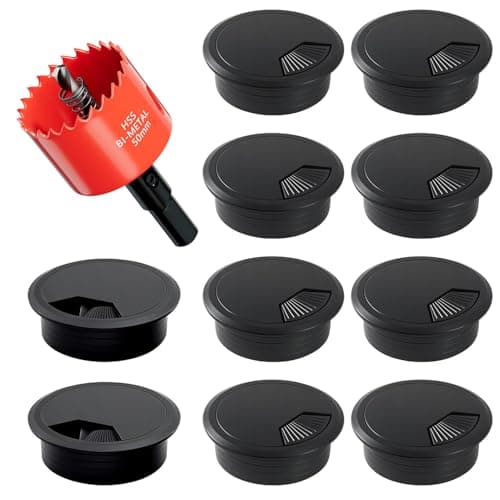
2-Inch Desk Grommet Kit with Hole Saw (10 pack)
Cables that drop straight through the desktop stay where you put them. Cables routed around the back edge get dragged every time the desk moves or the chair rolls back, which is what undoes a tidy run within a week. The hole saw is in the box, so the cut and the finished edge come from one purchase.
Check first: decide the hole position and check your desktop thickness before you cut. A grommet hole is not reversible.
#ad · Live prices from the Amazon Product API, as of October 23, 2026. Where we have no verified live price we show none. We may earn a commission, at no extra cost to you.
How we picked
We do not run a testing lab
We compiled the published manufacturer specifications, did the ergonomics, VESA and desk-depth math ourselves, and read aggregated owner reviews, then scored each product against a published rubric. The scores are judgments from documented research — they are not measurements we took, because we do not have a lab and we are not going to pretend we do. Every spec traces back to a listing or manual named in Sources.
Questions
Frequently asked
Will an under-desk PC mount damage my desk?+
Screw-mounted models put four self-tapping screws into the underside, so the holes are permanent and the top has to be solid enough to hold them — solid wood or a thick composite, not glass or a thin veneer over hollow core. Mounts that publish a minimum desktop thickness (0.59 to 0.75 inches on the VIVO models here) are telling you the threshold. If you cannot drill the desk, the clamp-on mount is the alternative, but check its thickness range first: it needs a top between 1 and 2.1 inches, which is thicker than most desks rather than thinner.
How much weight can I hang under a standing desk?+
Your desk’s manual publishes a lift capacity, and everything the columns raise counts against it: the desktop, the monitors, the arms and anything mounted underneath. A built mid-tower is often 25 to 35 pounds and the mount itself adds 6 to 8, all applied away from the columns. On a well-specified frame that is fine; on an entry-level single-motor desk it is a real fraction of the rating. Check the number before you buy the mount, not after.
Will my PC fit? How do I know?+
Measure the case at its widest point — including side panel bulges, feet and protruding thumbscrews — and compare that against the mount’s published width range, not against the case manufacturer’s stated width. Then check height against the range, and weigh the built machine rather than trusting the empty-chassis figure. The three common failures are a small form factor case that is narrower than the cradle’s minimum, a wide airflow case past the maximum, and a fully built tower over the weight rating.
Do I still need a cable tray if the PC is mounted under the desk?+
Usually yes, because they solve different halves of the problem. The mount removes the machine and the short cable runs to it; the tray carries the power strip, the dock and the slack that is left. What matters is that you plan them together — both want the underside, and a tray fitted across the full width can block where the mount needed to go. Our
cable tray roundup covers the routing layer.
Is a mount better than a rolling CPU stand?+
They serve different desks. A rolling stand keeps the machine on the floor but off the carpet, costs less, and needs no drilling — a reasonable answer on a fixed desk. It does nothing for a sit-stand desk, though, because the machine stays put while the desktop travels and the cables between them absorb the whole range twice a day. If your desk moves, the machine should move with it.
Does mounting the PC under the desk help with dust?+
It helps meaningfully. Carpet fiber and floor dust are the worst things an intake filter can breathe, and lifting the machine out of that layer noticeably slows how fast filters clog. It is not a substitute for cleaning them — a mounted machine still pulls room air, and a filter above your knees is easier to forget about. Set a reminder rather than waiting for the fans to get loud.
Receipts
Sources
We do not run a testing lab, and we do not pretend to. Specifications come from the manufacturer or retailer listing; the footprint and clearance math is ours and reproducible. Where we could not verify a number, we say so on the page rather than quietly leaving it out. Read our full method.