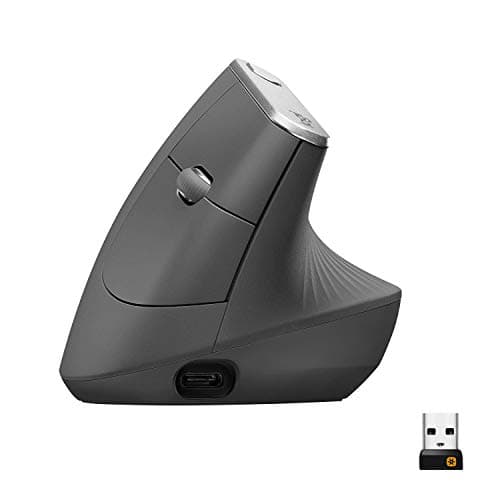
A flat mouse asks your forearm to twist palm-down and hold that pronated position for the whole workday, and the small muscles that keep it there are where a lot of desk-side wrist and forearm strain quietly builds. An ergonomic mouse rotates your hand back toward a neutral, thumb-up handshake grip so those muscles can relax. The catch is that the word ergonomic covers two quite different shapes, and the right one depends mostly on your hand and how you work.
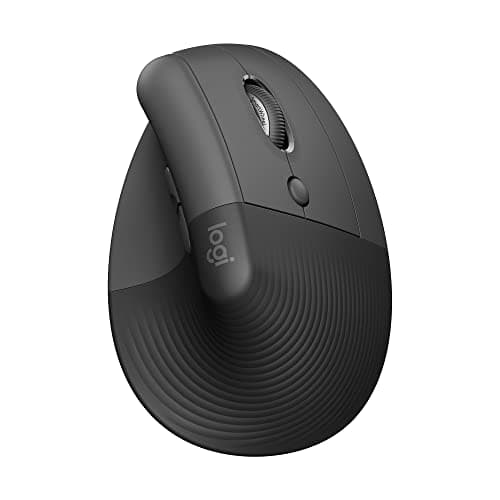
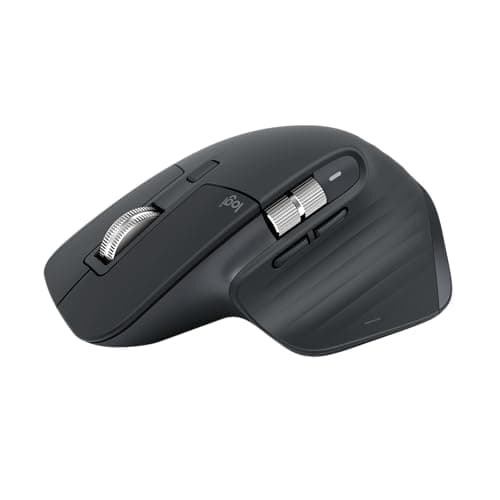
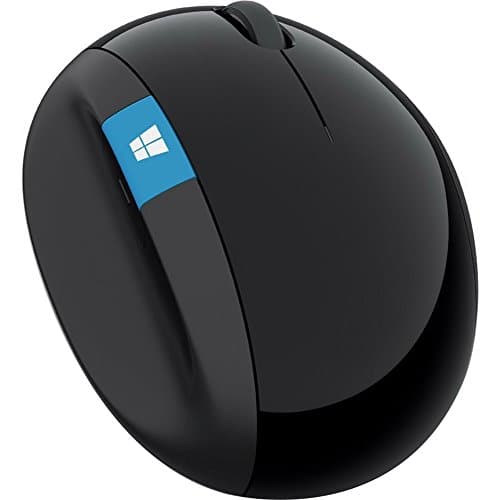
A true vertical mouse stands your hand almost on its edge — the Logitech MX Vertical sits at 57 degrees, close to a full handshake — which gives the most wrist relief but also the biggest change to get used to. A sculpted mouse, like the Logitech MX Master 3S, keeps a more conventional low, wide body but builds up a tall hump that fills the palm and takes the pressure off the heel of your hand. The Microsoft Sculpt mouse splits the difference with a rounded dome that tilts your hand partway without the full vertical commitment. There is no single best shape: a vertical wins on pure wrist angle, a sculpted mouse wins on precision and control, and a domed mouse is the gentlest change. If the sculpted route is yours, the newer MX Master 4 shares the 3S’s sensor and wheel and adds a haptic thumb panel; whether that is worth paying for is the whole of MX Master 4 vs MX Master 3S.
Hand size decides more than the marketing admits. A vertical mouse built for large hands, like the MX Vertical, can leave someone with smaller hands stretching for the buttons and losing the very neutrality the shape is meant to provide — which is exactly why the smaller Logitech Lift exists, and why it also comes in a left-handed version. Measure your hand before you commit to a size. A good thumb rest matters too: it stops your thumb from dragging on the desk and gives the outside of your hand a place to relax, so the whole grip stays loose instead of clenched.
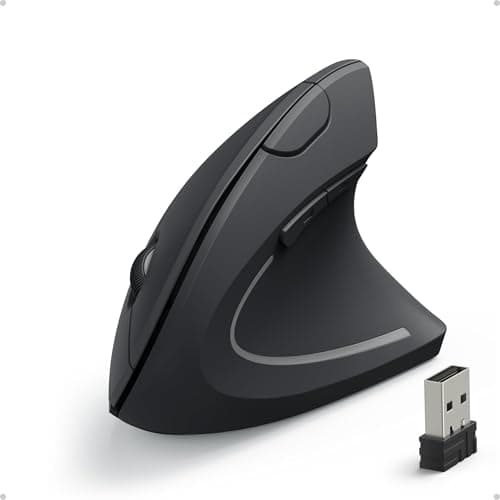
Wired versus wireless is the last call. A wired budget vertical like the Anker is a low-cost way to find out whether the shape helps you at all before you spend on a flagship. Wireless models free your desk of one more cable and the better ones pair to several machines and recharge over USB-C, though a few still run on a replaceable AA. Whatever you pick, the mouse is only half of the input equation — if your wrists ache from typing too, pair it with one of the best ergonomic keyboards, and if you want to see how the two fit into the wider workspace, the desk setup guide walks the whole desk. Our how we pick page explains how the scores below are built.
How to choose an ergonomic mouse
The shape is the whole decision, and it comes down to how much change your hand will accept for how much relief. Work through these:
- Grip type. A vertical mouse gives the most wrist rotation and the biggest adjustment. A sculpted mouse is a smaller change with excellent control. A domed mouse is the gentlest step up from a flat one.
- Hand size. Match the shell to your hand. A big vertical shape in a small hand forces a stretch that undoes the benefit; a small shell in a big hand leaves your palm unsupported.
- Handedness.Most ergonomic mice are right-handed only. If you are left-handed, look specifically for a left-handed model — the Logitech Lift is one of the few.
- Connection. A wired budget vertical is a cheap way to test the shape. Wireless clears a cable, and the better models pair to several devices and recharge over USB-C.
- Sensor and buttons. A higher-DPI sensor moves the cursor across a big or high-resolution screen with less arm movement. Extra thumb buttons and a cursor-speed toggle save repeated motion.
Expect your accuracy to dip for a few days on a vertical shape while your hand learns the new angle, especially for fine clicking. That settles quickly. If it never feels right, your hand may prefer a sculpted or domed mouse instead — the goal is a relaxed grip, not a specific silhouette.