Ask which ultrawide to buy for productivity and you will be told “34-inch” before you finish the sentence. It is a good default and a poor universal answer, because the right diagonal is set by three things nobody asks about: how much clear width the desk has, how far your eyes sit from the panel, and how many windows you actually keep open at once. All three are arithmetic. Work them out and the size chooses itself.
Start with the fact that trips people up: an ultrawide’s advertised size is its diagonal, and a 21:9 panel is far wider relative to that diagonal than a 16:9 one. Computed from the aspect ratio and the stated diagonal, the panel areas run like this — glass only, before bezels or a stand:
- 34-inch, 21:9: about 31.4 in wide by 13.1 in tall
- 37.5-inch (sold as 38), 21:9: about 34.6 in wide by 14.4 in tall
- 39.7-inch (sold as 40), 21:9: about 36.6 in wide by 15.4 in tall
- 45-inch, 21:9: about 41.5 in wide by 17.5 in tall
- 49-inch, 32:9: about 47.2 in wide by 13.3 in tall
Constraint one: the desk has a hard width limit. A 48-inch desk seats a 34-inch ultrawide with room either side for a lamp and a notebook. The same desk seats a 38-inch panel with almost nothing spare. A 49-inch panel is 47 inches of glass, so on a 48-inch desk it is the desk. Sixty inches of clear width is the honest minimum for the 49-inch class, and you want more if a laptop or a pair of speakers also lives up there. Measure the clear span between the desk legs, not the advertised desk size, because a leg or a drawer pedestal eats the ends.
Constraint two: viewing distance sets the comfortable size.A panel has to sit inside the field of view you can take in without turning your head, and that field grows with distance. A 34-inch ultrawide is comfortable at roughly arm’s length, which is what a standard 24-inch-deep desk gives you. Each rung up wants a few more inches of depth behind the keyboard: at 45 and 49 inches you are turning your head to read the far thirds unless you can sit 30 inches or more back. This is where most 49-inch regret comes from — not the panel, the desk it was put on. If the depth is not there, a monitor arm that pushes the panel back over the desk edge buys you two or three inches, and a deeper desk buys the rest.
Constraint three: pixels per inch decide whether the size is usable.Size without resolution is just a larger, softer desktop. Computed at each rung: a 34-inch at 3440×1440 lands near 110 PPI; a 37.5-inch at 3840×1600 near 111; a 39.7-inch at 5120×2160 near 140; a 45-inch at 5120×2160 near 124 (LG publishes 125); a 49-inch at 5120×1440 near 109. The consequence is that going from 34 to 49 inches does not make anything sharper — it makes the desktop wider at the same density. Only the 5120×2160 panels change sharpness class, and they ask for display scaling in return. The naming behind those numbers is untangled in WUHD vs UWQHD explained.
Then the question that actually decides it: how many windows do you tile? Real work happens in columns, and a column needs roughly 1,200 to 1,700 pixels to be comfortable. A 3440-wide panel gives you two proper columns. A 3840-wide panel gives you two generous ones, or two plus a narrow chat pane. A 5120-wide panel gives you three. That is the whole ladder in one sentence, and it is a better guide than the diagonal: if you never tile more than two windows, everything above 38 inches is spending money on space you will fill with a browser you are not reading.
The picks below run in size order, from the rung that suits the most desks to the one that suits the fewest. Every specification is from the manufacturer’s own page, and the panel dimensions are computed from the stated diagonal and aspect ratio rather than quoted from marketing copy.
The short answer
Quick picks
| # | Product | Best for | Score | Price |
|---|
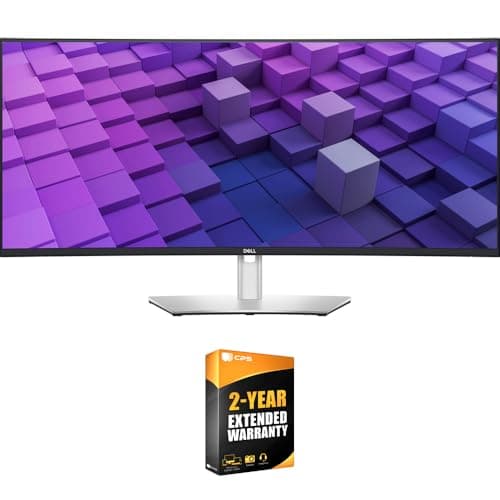
| 01 | | The 34-inch rung: fits a normal desk | | $769.00·Amazon |
| 02 | | The 38-inch rung: the productivity sweet spot | | $1,299.00·Amazon |
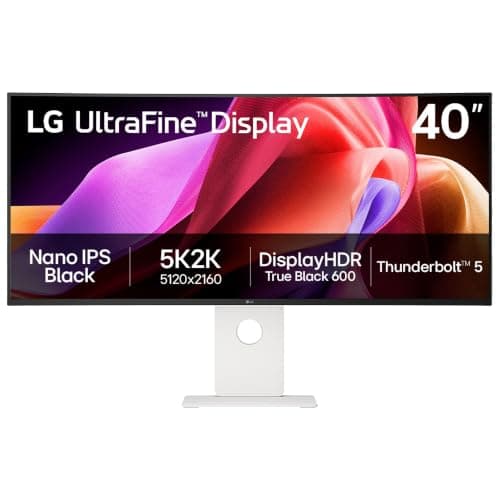
| 03 | LG 40U990A-W 40" UltraFine evo 5K2KThe rung where sharpness changes. 5120 x 2160 over about 36.6 inches of glass is roughly 140 PPI and three real window columns, with Thunderbolt 5 carrying the lot down one cable. | The 40-inch rung: three columns and real height | | $1,725.96·Amazon |
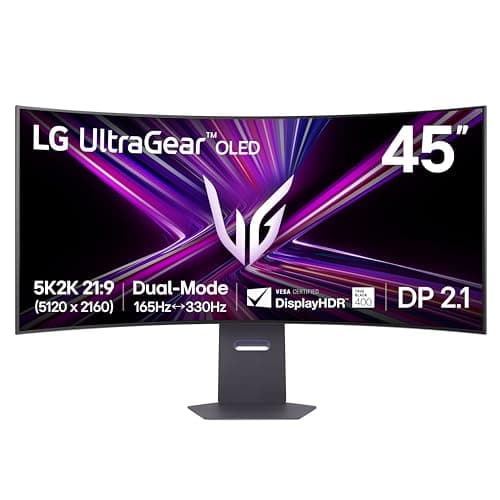
| 04 | LG 45GX950A-B 45" UltraGear 5K2K OLEDThe same 5120 x 2160 desktop as the 40-inch, enlarged to about 41.5 inches of OLED glass at 125 PPI. A superb dual-purpose panel if the desk is deep enough to sit back from it. | The 45-inch rung: WUHD, larger and faster | | Check price → |
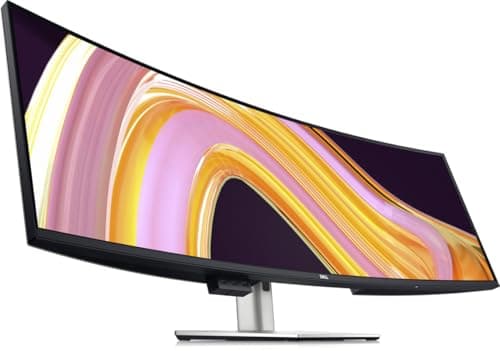
| 05 | Dell UltraSharp U4924DW 49" DQHD CurvedThe widest rung and the most demanding of the room. About 47 inches of glass, three windows across, and the same 1440 rows as a 27-inch screen - a width answer, executed properly. | The 49-inch rung: maximum width | | $1,200.05·Amazon |
#ad · Live prices from the Amazon Product API, as of October 23, 2026. Where we have no verified live price we show none — we would rather leave a gap than print a number that has rotted.
In detail
The picks, in full
The 34-inch rung: fits a normal desk
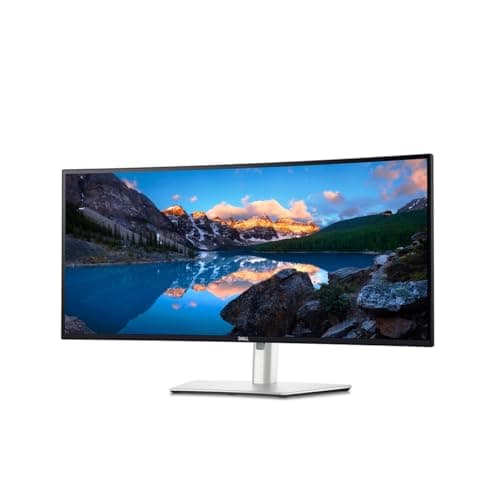
Dell UltraSharp U3425WE 34" Curved Thunderbolt Hub Monitor
- Panel area (computed)
- About 31.4 x 13.1 in of glass
- Resolution
- 3440 x 1440 (21:9), 120Hz
- Pixel density
- About 110 PPI
- Screen
- 34" curved (1900R), IPS Black, 2000:1
- Connectivity
- Thunderbolt 4 upstream with 90W power delivery, 2.5GbE RJ45, USB hub, KVM
- Color
- 100% sRGB, 100% Rec 709, 98% DCI-P3
- Desk width needed
- About 44 in of clear span, comfortable on a 48 in desk
The rung that fits the most desks. About 31 inches of glass on a 48-inch desk with room to spare, two comfortable document columns, and a 90W Thunderbolt 4 hub with a KVM so a laptop arrives on one cable.
- Desk Fit
- 9.4
- Usable Space
- 7.6
- Connectivity
- 9.2
- Value
- 8.2
Pros
- +The only rung here that fits a standard 48-inch desk with usable space left at both ends
- +Two full document columns at 3440 pixels, which is the upgrade most people actually wanted
- +90W Thunderbolt 4 plus a KVM means one cable for a laptop and one keyboard driving two machines
- +IPS Black contrast and full sRGB coverage, so it is a color-honest panel as well as a wide one
Cons
- −1440 vertical rows - no taller than the 27-inch screen it probably replaces
- −120Hz is smooth for work and scrolling, but it is not a high-refresh gaming panel
- −About 110 PPI is ordinary sharpness; text is fine, not crisp
- −Costs meaningfully more than a 34-inch panel without the hub, and the hub is most of what you are paying for
Skip this if…
…you never plug a laptop into the desk - a plain 34-inch UWQHD panel does the same job on screen for much less.
The 38-inch rung: the productivity sweet spot
Dell UltraSharp U3824DW 38" Curved USB-C Hub Monitor
- Panel area (computed)
- About 34.6 x 14.4 in of glass
- Resolution
- 3840 x 1600 (WQHD+, 21:9)
- Pixel density
- About 111 PPI
- Screen
- 37.52" viewable, curved 2300R, IPS Black
- Brightness / contrast
- 300 cd/m2, 2000:1
- Connectivity
- USB-C with 90W power delivery, 2.5GbE RJ45, auto KVM, DisplayPort 1.4, 2 x HDMI 2.1
- Stand and mount
- Height, swivel and tilt; VESA 100 x 100mm
The quiet sweet spot. 3840 x 1600 is as wide as a 4K screen with 160 more rows than a 34-inch ultrawide, on a panel that still fits a normal desk - and Dell put a 2.5-gigabit network jack in it.
- Desk Fit
- 8.6
- Usable Space
- 8.4
- Connectivity
- 9.4
- Value
- 7.2
Pros
- +160 more vertical rows than the 34-inch rung, which is the cheapest genuine height upgrade in the category
- +3840 pixels wide tiles two 1920-wide windows exactly, with no awkward remainder
- +2.5-gigabit ethernet and 90W USB-C make it a full dock, not just a display with ports
- +2300R is a gentler curve than the big panels, so straight lines stay believable for design work
Cons
- −Priced well above the 34-inch rung for what is a modest step in pixels
- −60Hz only
- −About 34.6 inches of glass leaves little margin on a 48-inch desk once the stand base is there
- −Still 1600 rows - closer to useful height, but not the 2160 rows a WUHD panel gives you
Skip this if…
…your desk is 48 inches or narrower and you need space beside the screen - the 34-inch rung is the one that leaves room for anything else.
The 40-inch rung: three columns and real height
LG 40U990A-W 40" UltraFine evo 5K2K
- Panel area (computed)
- About 36.6 x 15.4 in of glass
- Resolution
- 5120 x 2160 (5K2K WUHD, 21:9)
- Pixel density
- About 140 PPI
- Screen
- 40" curved, Nano IPS Black, 2000:1
- Refresh rate
- 120Hz, AMD FreeSync Premium
- Connectivity
- Thunderbolt 5 with 96W charging, DisplayPort 2.1, 2 x HDMI 2.1, 1GbE
- Desk width needed
- About 50 in of clear span
The rung where sharpness changes. 5120 x 2160 over about 36.6 inches of glass is roughly 140 PPI and three real window columns, with Thunderbolt 5 carrying the lot down one cable.
- Desk Fit
- 7.8
- Usable Space
- 9.6
- Connectivity
- 9.8
- Value
- 6.8
Pros
- +2160 vertical rows: the first rung on this ladder that gives you more height, not just more width
- +Three genuine window columns across 5120 pixels
- +About 140 PPI, the sharpest panel here by a clear margin
- +Thunderbolt 5 with 96W charging plus ethernet replaces a dock outright
Cons
- −The most expensive rung, and the price gap to the 38-inch panel is large
- −You will run display scaling at 125 or 150 percent, which gives back part of the extra desktop
- −Wants around 50 inches of clear desk and a machine with a modern DisplayPort 2.1 or Thunderbolt output
- −Curved Nano IPS Black is superb for work and still not an OLED for contrast
Skip this if…
…your machine tops out at HDMI 2.0 or an older USB-C port - you will pay for 5120 x 2160 at 120Hz and run something less.
The 45-inch rung: WUHD, larger and faster
LG 45GX950A-B 45" UltraGear 5K2K OLED
- Panel area (computed)
- About 41.5 x 17.5 in of glass
- Resolution
- 5120 x 2160 (5K2K WUHD, 21:9)
- Pixel density
- 125 PPI, published by LG
- Screen
- 45" OLED, 800R curve
- Refresh rate
- 165Hz, or 330Hz at 2560 x 1080 in dual mode
- Connectivity
- DisplayPort 2.1, HDMI, USB-C with 90W power delivery
- Desk width needed
- About 55 in of clear span
The same 5120 x 2160 desktop as the 40-inch, enlarged to about 41.5 inches of OLED glass at 125 PPI. A superb dual-purpose panel if the desk is deep enough to sit back from it.
- Desk Fit
- 6.8
- Usable Space
- 9.4
- Connectivity
- 8.6
- Value
- 7.2
Pros
- +The tallest panel on this ladder in physical terms - about 17.5 inches of glass, with 2160 rows behind it
- +OLED contrast, 0.03ms response and 165Hz make it the one panel here that is genuinely two machines
- +125 PPI keeps text crisp at a size where a 1440-row panel would look coarse
- +Dual mode drops to 2560 x 1080 at 330Hz for competitive gaming without a second screen
Cons
- −The 800R curve is aggressive and only works for one person sitting centrally
- −OLED burn-in caution still applies to static taskbars over long working days
- −Needs about 55 inches of clear desk and enough depth to sit 30 inches back
- −Gaming features you may never use are a large part of the price on a work desk
Skip this if…
…the desk is shallower than about 28 inches - at that distance you will be turning your head across a 41-inch panel all day.
The 49-inch rung: maximum width
Dell UltraSharp U4924DW 49" DQHD Curved
- Panel area (computed)
- About 47.2 x 13.3 in of glass
- Resolution
- 5120 x 1440 (Dual QHD, 32:9)
- Pixel density
- About 109 PPI
- Screen
- 49" curved 3800R, IPS Black, 2000:1
- Brightness
- 350 cd/m2
- Connectivity
- USB-C with 90W power delivery, 2.5GbE RJ45, DisplayPort, HDMI
- Desk width needed
- About 60 in of clear span
The widest rung and the most demanding of the room. About 47 inches of glass, three windows across, and the same 1440 rows as a 27-inch screen - a width answer, executed properly.
- Desk Fit
- 6.2
- Usable Space
- 8.8
- Connectivity
- 9.4
- Value
- 7.6
Pros
- +Three windows side by side with no bezel anywhere, which is the whole reason this class exists
- +Replaces a dual-27 setup and its stands, cables and alignment problems with one panel
- +90W USB-C and 2.5-gigabit ethernet, plus both VESA patterns for a heavy-duty arm
- +A properly adjustable stand in the box, which the gaming 49-inch panels often skimp on
Cons
- −Only 13.3 inches of vertical glass and 1440 rows - it is the shortest panel here as well as the widest
- −Needs about 60 inches of clear desk width and roughly 30 inches of viewing distance to use comfortably
- −About 109 PPI: no sharper than a 34-inch ultrawide, just much wider
- −Mounting it means a heavy-duty arm rated for the weight and reach, not a generic gas-spring one
Skip this if…
…your desk is under 60 inches wide or under 28 inches deep - this panel punishes both, and the 38-inch rung gives most of the benefit in a space that exists.
Working out your rung
Three measurements, taken before you shop
Clear desk width between the legs, desk depth from the front edge to the wall, and the distance from your eyes to where the panel will sit. Those three numbers eliminate most of the ladder before you have read a single review. As a working guide from the panel dimensions above: 34 inches needs about 44 inches of clear span, 38 needs about 48, 40 needs about 50, 45 needs about 55, and 49 needs about 60. Add depth as you go up, because a wider panel has to sit further back to stay inside your field of view. A desk that is wide but shallow is the profile that most often ends in a return.
Curve radius matters more as the panel grows
The R number is the radius of the circle the curve belongs to, so a smaller number is a tighter curve. The 34-inch panels here sit around 1800R to 1900R, the 38-inch at 2300R, the 49-inch at 3800R, and the 45-inch OLED at an aggressive 800R. Bigger panels need the curve more, because the edges are further from your eyes than the center — that is what the curve is correcting. The trade is that a tight curve looks obviously bent to anyone not sitting centrally, and it distorts straight lines enough to bother some design work. Our curved vs flat comparison covers when to refuse the curve entirely.
Plan the mount before you buy the panel
Every rung above 34 inches is heavy and deep enough that the included stand eats desk depth you may want back. Two things decide whether an arm is realistic: the panel’s weight against the arm’s rated load, and the VESA pattern — the 49-inch Dell here offers both 100×100mm and 200×100mm, and a 200×100 pattern needs an adapter plate on many arms. Ultrawides also load an arm differently from a 27-inch screen, because the weight sits further from the pole. The arms that actually hold them are in the best ultrawide monitor arms, and the pattern question is explained in VESA mount sizes explained.
When two screens beat one big one
A single ultrawide wins on continuity: no bezel, one cable, one power brick, one height adjustment. Two screens win on flexibility: you can rotate one vertically for code or documents, you can put the second one at an angle, and you can replace half the setup when budget allows. The honest split is that ultrawides suit people who work in wide timelines, spreadsheets and side-by-side documents, while dual setups suit people who want one screen tall. We put both cases side by side in ultrawide vs dual monitor, and if you are leaning dual, the sizing math for that route is in what size monitors for a dual setup.
What each rung actually changes
Moving from 34 to 38 inches buys 160 vertical rows and one more comfortable window column at the edges. Moving from 38 to 40 changes class entirely: 2160 rows and roughly 140 PPI, which is a sharpness difference you see in the first minute. Moving from 40 to 45 keeps the same desktop and enlarges it, trading pixel density for physical size and adding OLED contrast. Moving to 49 abandons height altogether in exchange for the widest desktop available. Only one of those steps — 38 to 40 — changes what the screen can show rather than how big it is, which is why it is the step worth saving for.
Essentials
The small parts that finish the job
Nothing here changes a pick above, and none of it is a considered purchase. These are the cheap pieces that decide whether the expensive one works properly, and the ones people discover they are missing on the day the big box arrives.
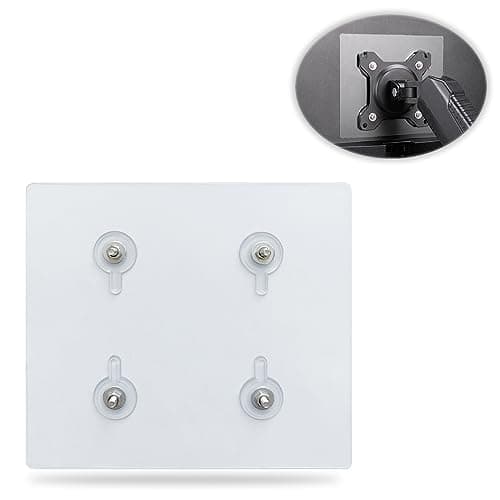
Universal VESA Mount Adapter for Non-VESA Monitors (13 to 27 in)
The part that decides whether an arm is even an option. A panel with no bolt pattern on the back cannot mount to anything, and a bracket kit gives it one instead of sending you back to the stand in the box.
Check first: confirm the adapter's VESA pattern and its panel-size range against both your monitor and your arm, and make sure the arm's weight rating still covers the adapter plus the screen.
No image
Cable Matters VESA-Certified DisplayPort 1.4 Cable, 6 ft
A monitor ships with one cable and it is rarely DisplayPort, so the second screen usually arrives with nothing to plug into. A certified DP 1.4 run is also the first thing worth swapping when a display flickers, drops out, or refuses to hold its refresh rate.
#ad · Live prices from the Amazon Product API, as of October 23, 2026. Where we have no verified live price we show none. We may earn a commission, at no extra cost to you.
How we picked
We do not run a testing lab
We compiled the published manufacturer specifications, did the ergonomics, VESA and desk-depth math ourselves, and read aggregated owner reviews, then scored each product against a published rubric. The scores are judgments from documented research — they are not measurements we took, because we do not have a lab and we are not going to pretend we do. Every spec traces back to a listing or manual named in Sources.
Questions
Frequently asked
What size ultrawide fits a 48-inch desk?+
A 34-inch panel, comfortably, with room at both ends for a lamp or a notebook. A 38-inch panel fits edge to edge with almost nothing spare once the stand base is accounted for. Anything larger overhangs. Measure the clear span between the desk legs rather than the advertised desk width, because pedestals and legs take the ends.
Is a 49-inch ultrawide too big for productivity?+
Not inherently, but it is the size that most often defeats the desk it lands on. It needs around 60 inches of clear width and enough depth to sit roughly 30 inches back; below that you turn your head across the far thirds all day. It also has only 1440 vertical rows, so it solves width and nothing else. If the desk is shallow, the 38-inch rung delivers most of the practical benefit.
How far should I sit from an ultrawide monitor?+
Far enough that the whole panel falls inside a normal sweep of the eyes rather than a turn of the neck. In practice that is about arm’s length for a 34-inch panel, a few inches more at 38 and 40, and 30 inches or more for the 45- and 49-inch panels. Height matters alongside distance: the top of the screen should land at or just below seated eye level, which our
monitor height guide covers in detail.
Does a bigger ultrawide mean a sharper picture?+
No, and usually the opposite. Sharpness is pixel density, so the same resolution spread over a larger panel gets softer. A 49-inch 5120×1440 panel and a 34-inch 3440×1440 panel land within a pixel per inch of each other. Only the 5120×2160 panels move into a higher density band. The full breakdown is in
WUHD vs UWQHD explained.
Do I need a curved ultrawide?+
At 34 inches it is optional and mostly pleasant. At 45 and 49 inches it stops being optional, because the ends of a flat panel that wide sit measurably further from your eyes than the center, which shows up as soft, angled edges. The counter-argument is design work, where a curve bends straight lines; if that is your job, keep the panel smaller and flat.
Will an ultrawide fit on a standard 24-inch-deep desk?+
A 34-inch panel will, on its stand, at a comfortable viewing distance. Larger panels technically fit but leave you sitting too close, and the fix is depth rather than a different stand. A monitor arm helps by pushing the panel back over the rear edge and reclaiming the stand’s footprint, which is usually worth two or three inches of apparent depth.
Receipts
Sources
We do not run a testing lab, and we do not pretend to. Specifications come from the manufacturer or retailer listing; the footprint and clearance math is ours and reproducible. Where we could not verify a number, we say so on the page rather than quietly leaving it out. Read our full method.