The person who works from home has a different list of problems from the person who simply owns a desk. They spend hours a day on calls, so how they sound and how they look on camera is a daily concern, not an occasional one. They often work off a laptop, so the screen sits too low and the chargers multiply. And their desk is also a corner of their home, so anything that makes it calmer or tidier is felt every evening as well as every morning. The six gifts here each fix exactly one of those problems.
Every pick is a product we rank on its own category page, with the same specs and sources; this page reframes them for the gifter. The order is by how universally each one lands: the headset and the webcam suit anyone on calls, the light bar suits anyone with a monitor, the stand suits anyone on a laptop, and the last two suit specific desks the entries describe. Prices are live from Amazon, refreshed daily and hidden if they go stale.
The usual rule holds: nothing on this page is sized to a body, and nothing needs their measurements. The one recurring check is whether the person uses a laptop or a desktop, because two of the picks only make sense for a laptop. A video-call background usually answers that, and if they are on a laptop with the screen at chin height, the stand may be the most useful thing on this list. For someone whose complaint is pain rather than calls, the ergonomic gifts page is the better starting point.
The short answer
Quick picks
| # | Product | Best for | Score | Price |
|---|
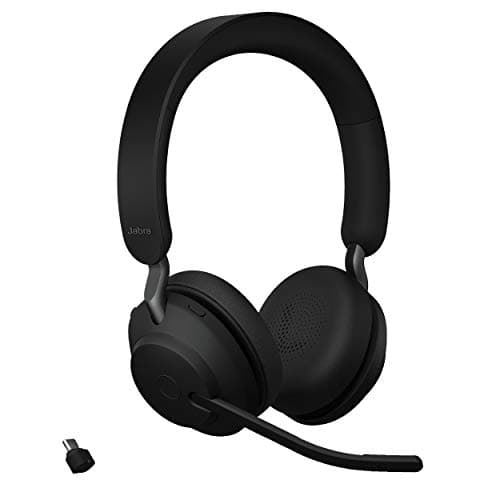
| 01 | Jabra Evolve2 65 UC Wireless Stereo HeadsetThe gift for someone who is on calls all day and still uses earbuds or the laptop mic. A real boom arm, a USB adapter in the box so the call does not depend on flaky laptop Bluetooth, and a busylight that tells the household when the mic is open. | Best overall for remote workers | | $269.99·Amazon |
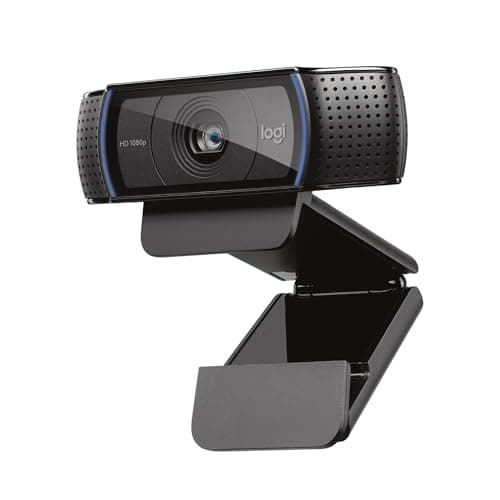
| 02 | Logitech C920x HD Pro WebcamThe gift for someone still using the grainy camera built into the laptop lid. The webcam that has been the default for a decade: 1080p, a glass lens, autofocus, and it works on every computer without installing anything. | Best for a built-in laptop camera | | $69.99·Amazon |
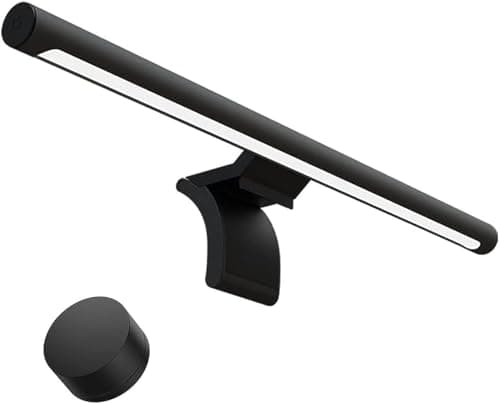
| 03 | Xiaomi Mi Computer Monitor Light BarThe gift for the evening worker. A light bar clips to the top of the monitor and lights the desk without glare on the screen, and this one includes the wireless dial the premium bars charge far more for. | Best for a desk that works after dark | | $67.99·Amazon |
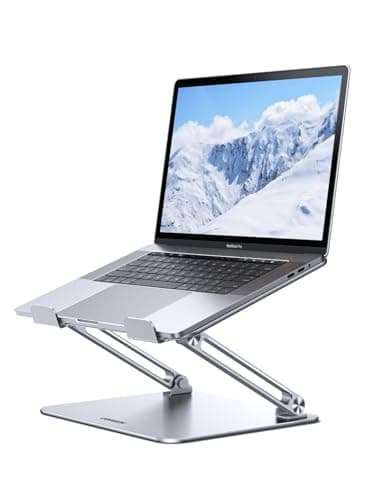
| 04 | UGREEN Adjustable Laptop StandThe gift for the person whose laptop sits flat on the desk with their neck bent over it. An aluminum stand that lifts the screen toward eye level, adjusts for height and angle, and folds flat when they take the laptop somewhere else. | Best for a laptop at chin height | | $23.99·Amazon |
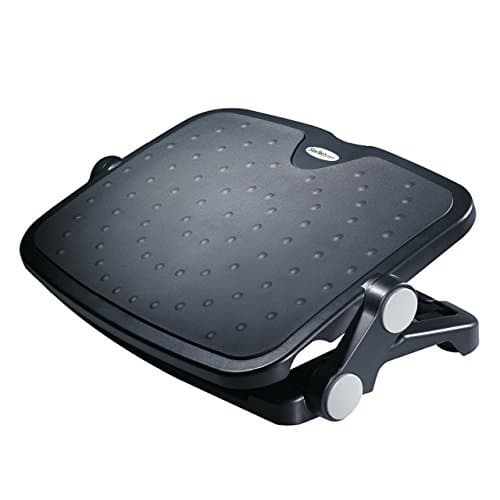
| 05 | StarTech Under Desk Foot Rest (FTRST1)The gift for someone working at a kitchen table or a fixed desk that is a little too tall. A large tilting platform that gives the feet somewhere to be, adjusts two ways, and carries a five-year warranty. | Best for a too-tall desk or table | | $46.24·Amazon |
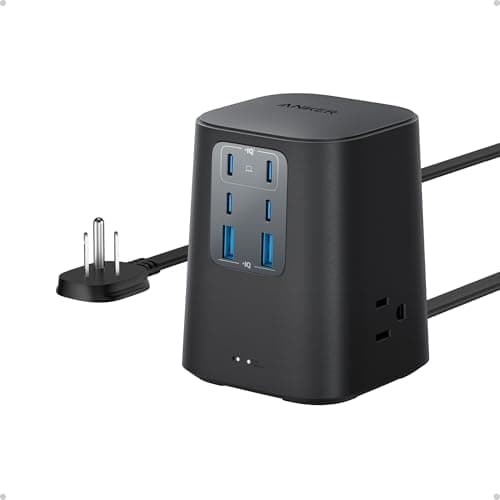
| 06 | | Best for a desk full of chargers | | $39.99·Amazon |
#ad · Live prices from the Amazon Product API, as of Sep 24, 2026. Where we have no verified live price we show none — we would rather leave a gap than print a number that has rotted.
In detail
The picks, in full
Best overall for remote workers
Jabra Evolve2 65 UC Wireless Stereo Headset
- Microphones
- 3 digital MEMS, 100 Hz to 8 kHz
- Boom
- Yes - slide it up to mute
- Noise canceling
- Passive only - isolating foam oval cushions and angled earcups
- Speakers
- 40 mm, 117 dB at 1 mW / 1 kHz
- Battery
- Up to 35 hrs talk with busylight off, 24 hrs with it on; up to 37 hrs music
- Charge time
- Up to 90 min
- Wireless
- Bluetooth 5.0, up to 30 m / 100 ft, Jabra Link 380 adapter included
- Weight
- 176.4 g / 6.22 oz (stereo)
- Certification
- Certified for Microsoft Teams, Zoom Certified, works with Google Meet
The gift for someone who is on calls all day and still uses earbuds or the laptop mic. A real boom arm, a USB adapter in the box so the call does not depend on flaky laptop Bluetooth, and a busylight that tells the household when the mic is open.
- Daily Use
- 9.6
- Unlikely to Own
- 8.8
- Universal Fit
- 9.2
- Value
- 7.8
Pros
- +The boom mic is the difference between sounding present and sounding down a corridor, and it is what earbuds cannot do
- +The USB adapter in the box means it works on a locked-down work laptop without pairing anything
- +A week of meetings on one charge, so it is never dead at 9 a.m.
- +The busylight on the boom is a small, brilliant gift to the rest of the household
Cons
- −No active noise cancellation - it isolates with foam, it does not cancel a loud room
- −One of the more expensive headsets we rank
- −Over-ear headsets are warm in a hot room
Skip this if…
…they work in a noisy shared space and need the room to go quiet - the Evolve2 85 in our headset ranking is the one that actually cancels
Best for a built-in laptop camera
Logitech C920x HD Pro Webcam
- Resolution
- Full HD 1080p at 30fps
- Field of view
- 78 degrees
- Lens
- Five-element glass lens with HD autofocus
- Low light
- Automatic light correction
- Audio
- Dual mics either side of the lens
The gift for someone still using the grainy camera built into the laptop lid. The webcam that has been the default for a decade: 1080p, a glass lens, autofocus, and it works on every computer without installing anything.
- Daily Use
- 9
- Unlikely to Own
- 7.8
- Universal Fit
- 9.6
- Value
- 9.6
Pros
- +Works on essentially everything with no drivers, which matters on a locked-down work machine
- +A glass lens at this price is unusual, and it shows on camera
- +Clips to a monitor or a laptop lid, so it fits any desk
- +The most widely supported webcam there is - it will not be the thing that breaks a call
Cons
- −1080p at 30fps only; no HDR, so a bright window behind them still makes a silhouette
- −Autofocus hunts in a dim room
- −No privacy shutter in the box on this variant
Skip this if…
…they sit with a bright window behind them or work in a dark room - the Anker C200 or the MX Brio in our webcam ranking handle those better
Best for a desk that works after dark
Xiaomi Mi Computer Monitor Light Bar
- Optic
- Asymmetric optic aimed at the desk
- Color temperature
- Adjustable warm to cool
- Controls
- Wireless magnetic control dial
- Power
- USB powered
- Fit
- Weighted cradle for flat monitors
The gift for the evening worker. A light bar clips to the top of the monitor and lights the desk without glare on the screen, and this one includes the wireless dial the premium bars charge far more for.
- Daily Use
- 9.2
- Unlikely to Own
- 8.8
- Universal Fit
- 8.6
- Value
- 9.2
Pros
- +Lights the keyboard and notes, not the screen, which is what a desk lamp behind a monitor cannot do
- +A wireless dial on the desk, so nobody reaches over the monitor to adjust it
- +USB powered from the monitor or a hub - no adapter
- +Takes zero desk space, which is the point on a desk that is also a home
Cons
- −No automatic dimming; brightness is set by hand
- −The cradle is tuned for flat panels - a deeply curved monitor is a poor fit
Skip this if…
…their monitor is sharply curved or has a very thick top edge - check a photo of the desk first
Best for a laptop at chin height
UGREEN Adjustable Laptop Stand
- Material
- Aluminum alloy, foldable
- Type
- Height- and angle-adjustable, collapsible
- Laptop size
- Fits roughly 11.6 to 16 in laptops
- Portability
- Folds flat to carry in a bag
- Grip
- Silicone pads front and back
The gift for the person whose laptop sits flat on the desk with their neck bent over it. An aluminum stand that lifts the screen toward eye level, adjusts for height and angle, and folds flat when they take the laptop somewhere else.
- Daily Use
- 9.2
- Unlikely to Own
- 8.2
- Universal Fit
- 8
- Value
- 9.4
Pros
- +Fixes the most common unfixed problem on a home desk: a screen a foot below eye level
- +Adjustable, so it works whatever their height and chair - no sizing guess
- +Folds flat, so it goes to the cafe or the office with them
- +Fits nearly every laptop size in use
Cons
- −Folding hinges flex a little more than a one-piece fixed riser under a heavy laptop
- −Raising the laptop only helps if they also have an external keyboard - check for one
Skip this if…
…they work on a desktop, or their laptop stays closed on a dock beside a monitor - the stand would have nothing to lift
Best for a desk full of chargers
Anker Desktop Charger, 9-in-1 Power Strip with Surge Protection
- Outlets
- Nine total - AC outlets plus USB-A and USB-C
- Surge protection
- 300 joule rating
- USB-C
- High-wattage USB-C output for laptops
- Format
- Compact desktop block
- Brand
- Anker charging hardware
The gift for the desk with a phone charger, a laptop brick and a headset cable all fighting for the one socket behind it. A compact block with AC outlets and laptop-grade USB-C, so everything charges from one thing on the desk.
- Daily Use
- 9.6
- Unlikely to Own
- 8.2
- Universal Fit
- 9.6
- Value
- 8.8
Pros
- +Retires the laptop brick and the phone charger in one move, which a home desk feels immediately
- +Sits on the desk within reach, so nothing is unplugged under the table to charge a phone
- +Anker's charging hardware has the strongest reliability record in our power strip ranking
- +No compatibility question at all - it plugs into a wall
Cons
- −300 joules is modest surge protection; a monitor stack still wants a proper protector under the desk
- −Fewer AC outlets than a conventional strip
Skip this if…
…they already have a desktop charger with USB-C - it is the one pick here that a tidy desk may already own
Match the gift to the complaint
Remote workers say what is wrong with their setup without meaning to. “Can you hear me?” is the headset. “My camera is terrible” is the webcam. “I can’t see my keyboard after five” is the light bar. A neck rubbed at the end of a call is the laptop stand. Feet tucked under the chair on a video call is the footrest. A phone charged from the laptop’s own port is the power block. Listen for a week and the list orders itself.
Laptop or desktop decides two of the six
The laptop stand only makes sense for someone working on a laptop with its screen open, and it only fixes the neck if they also have an external keyboard, because a raised laptop is unusable to type on. The power block earns its place hardest on a laptop desk, where the laptop brick is the biggest cable on the table. If they work on a desktop with a monitor, skip the stand and consider the under-$150 guide instead, where the monitor arm and the speakers live. Our laptop stand ranking has fixed and vertical alternatives if the foldable one is not the right shape for their desk.
The headset question: boom or no boom
The single biggest change to how someone sounds on a call is a microphone on a boom in front of the mouth rather than in an earbud stem or on the laptop. That is why the headset leads this list. The Jabra isolates passively and does not cancel noise, which is fine for a home office and not enough for a shared kitchen; our work headset ranking explains the difference and names the model that actually cancels. If they already own a good headset, the webcam is the next most visible upgrade on a call.
The small extra
The under-desk headphone hook in the essentials list below is the natural companion to the headset: somewhere for it to live between calls other than the desk. It is too small to be the gift and exactly right as the second thing in the box. If the desk you have seen is mainly a cable problem, the under-desk cable management guide is the read, and the general desk setup gifts page ranks the cable ties that fix most of it.
Essentials
The small parts that finish the job
Nothing here changes a pick above, and none of it is a considered purchase. These are the cheap pieces that decide whether the expensive one works properly, and the ones people discover they are missing on the day the big box arrives.
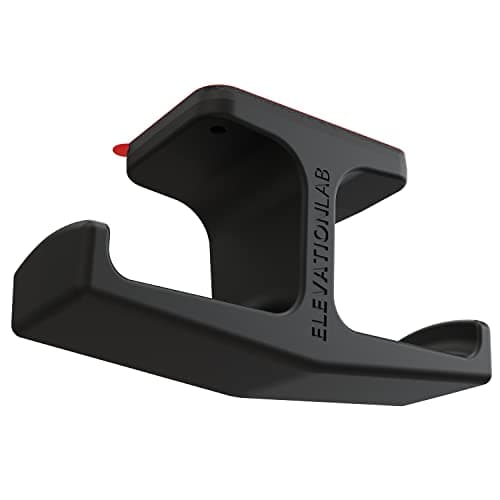
Elevation Lab The Anchor Under-Desk Headphone Mount
A headset left on the desk takes up the same surface an arm or a riser was bought to give back. Under the front edge it hangs in dead space, out of the way of the keyboard and off the cables.
Check first: adhesive mounts want a smooth, clean underside. Rough or heavily textured laminate will not hold one.
#ad · Live prices from the Amazon Product API, as of Sep 24, 2026. Where we have no verified live price we show none. We may earn a commission, at no extra cost to you.
How we picked
We do not run a testing lab
We compiled the published manufacturer specifications, did the ergonomics, VESA and desk-depth math ourselves, and read aggregated owner reviews, then scored each product against a published rubric. The scores are judgments from documented research — they are not measurements we took, because we do not have a lab and we are not going to pretend we do. Every spec traces back to a listing or manual named in Sources.
Questions
Frequently asked
What is a good gift for someone who works from home?+
A headset with a boom microphone if they are on calls all day, a webcam if they still use the laptop camera, a monitor light bar if they work into the evening, or a laptop stand if their screen sits at chin height. Each fixes a daily remote-work problem and none is sized to a person.
Is a headset too personal to give as a gift?+
Less so than a mouse or a keyboard. Headsets adjust to fit and the thing that matters - the boom microphone - works the same for everyone. The one check is whether they need active noise canceling for a loud shared space; the Jabra on this list isolates but does not cancel, and our headset ranking names the model that does.
Does a laptop stand work without an external keyboard?+
No. A raised laptop puts the keyboard too high and too far to type on, so the stand only fixes the neck if there is a separate keyboard on the desk. Check for one in a video-call background before buying the stand, or pair the stand with a keyboard and mouse combo.
What should I check before buying a light bar?+
That the monitor has a reasonably flat top edge. Light bars sit in a weighted cradle over the top bezel, and a sharply curved or unusually thick panel is a poor fit. A photo of the desk settles it in seconds.
Are the prices on this page current?+
Yes - they are pulled live from Amazon and refreshed daily, and any price older than 48 hours is hidden rather than shown stale. The button on each pick shows today’s figure.
Receipts
Sources
We do not run a testing lab, and we do not pretend to. Specifications come from the manufacturer or retailer listing; the footprint and clearance math is ours and reproducible. Where we could not verify a number, we say so on the page rather than quietly leaving it out. Read our full method.