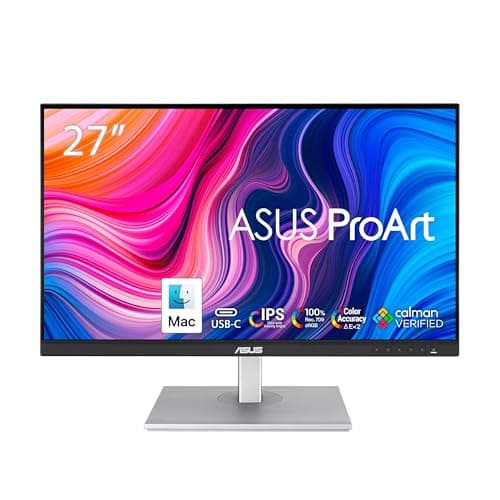
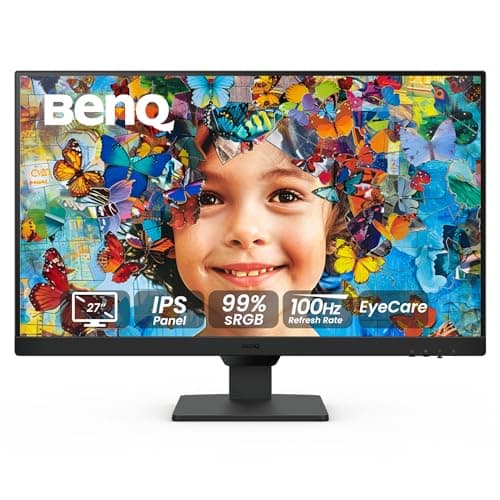
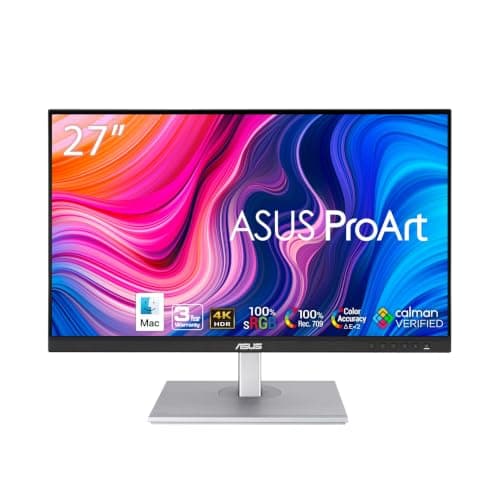
Buy the ASUS ProArt PA279CVif you want one answer: it is the only panel here that pairs both of ASUS’s published TUV certificates (TUV Low Blue Light and TUV Flicker-free) with an anti-glare surface, 350 cd/m² of brightness to dial down from, 4K across 27 inches, and a stand with 150 mm of height travel. If your budget is a third of that, the BenQ GW2790has the most eye-care hardware per dollar on this list — an ambient-light sensor that moves brightness for you, and TUV Rheinland certification on both the flicker-free backlight and the low blue light — and it gives up sharpness to get there.
Almost every monitor sold today claims to be easy on the eyes. Very few makers publish anything you can check. This page only ranks panels where the manufacturer’s own specification states the eye-comfort hardware, because “eye care” on a retail listing is a word, and TUV Flicker-free: Yes on a spec sheet is a claim someone has to stand behind.
What actually causes eye strain at a desk
Four separate things get bundled under the same complaint, and they have different fixes.
Backlight flicker.Cheap LED backlights dim by switching on and off rapidly (pulse-width modulation). You do not see it; some people’s eyes work harder because of it, especially at low brightness, which is exactly when you turn the screen down in the evening. A flicker-free backlight dims by reducing current instead. This is the single spec worth filtering on, and it is binary — a maker either publishes it or does not.
Brightness mismatch. A screen much brighter than the room is tiring, and so is a screen much dimmer. What you want is a panel whose range includes your room, and ideally one that can go genuinely dim. Published typical brightness tells you the ceiling; it is the only number the makers reliably state, so it is the one used here.
Glare. A glossy panel reflects the window and the lamp behind you, and your eyes refocus between the reflection and the text. An anti-glare or matte coating diffuses it. Four of the five panels below have the surface treatment published in the spec sheet; the other does not state it, and this page says so rather than guessing.
Text you have to lean in for. This is the one nobody markets, and it may be the biggest. 1080p spread across 27 inches is roughly 82 pixels per inch; 4K at the same size is roughly 163. Soft letter edges make you creep forward and hold your head there, which is a neck problem that arrives dressed as an eye problem. That is why the sharpest panel here outranks the one with the most eye-care features.
How these five are ranked
In order: (1) does the maker publish a certified flicker-free backlight and certified low blue light, (2) does it publish the screen coating, (3) what is the published brightness you have to work inside, (4) how sharp is the text at normal viewing distance, and (5) does the stand let you set the height, because screen height changes how much of your eye surface is exposed to the air and is free to fix.
Notably absent: every panel whose eye-comfort claims we could not confirm on the manufacturer’s own page this week. Several monitors we rank elsewhere — including the Dell UltraSharp and LG UltraFine panels in the 4K roundup— advertise blue-light features, but their specification pages would not load for us, and a retailer repeating a claim is not the maker making it. They are discussed in the buyer’s guide rather than ranked.
The short answer
Quick picks
| # | Product | Best for | Score | Price |
|---|
| 01 | ASUS ProArt PA279CV 27" 4K USB-CThe one panel here that gets everything on the list at once: both TUV certificates, an anti-glare surface, 350 cd/m2 to dim down from, 4K across 27 inches so text edges disappear, and 150 mm of height travel in the stand. | Best overall for eye comfort | | $375.14·Amazon |
| 02 | ASUS ProArt PA278CV 27" QHD USB-CThe same two TUV certificates, the same Anti-Glare surface and the same 350 cd/m2 as the 4K ProArt, at 1440p instead - which is the resolution most desks can run at 100% scaling and still read comfortably. | Best balance of sharpness and price | | $269.66·Amazon |
| 03 | BenQ GW2790 27" FHD IPS Eye-CareThe most eye-care hardware per dollar on this page, and the only panel here with a sensor that changes brightness for you. TUV Rheinland certifies both the flicker-free backlight and the low blue light, and BenQ adds Eyesafe 2.0 certification on top. The price is paid in pixels. | Best eye-care features for the money | | Check price → |
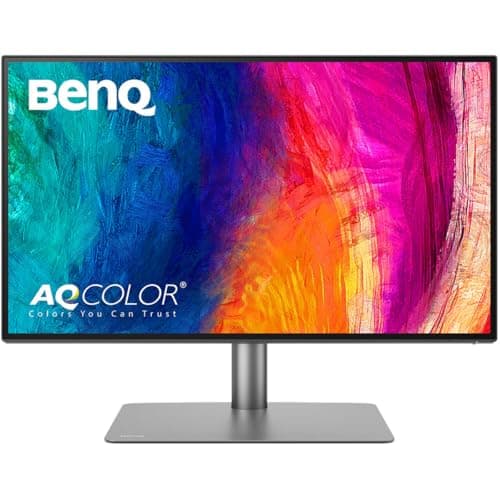
| 04 | BenQ PD2725U 27" 4K Thunderbolt 3The pick for a dim room. BenQ publishes a Matte screen coating and a typical brightness of 250 nits - lower than everything else here, which is the right direction if you work in the evening - with flicker-free and low blue light both listed and 4K sharpness. | Best for a dim room or an evening desk | | $599.99·Amazon |
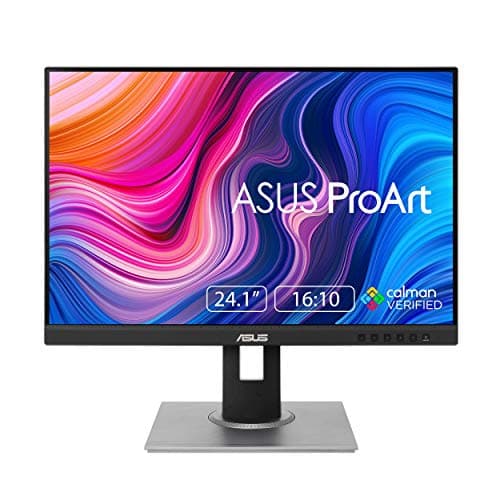
| 05 | ASUS ProArt PA248QV 24.1" WUXGA 16:10The cheapest way onto this list without giving up a certificate. Both TUV marks, an Anti-Glare surface, a full ergonomic stand, and a 16:10 panel that gives you 120 more rows of pixels than a 1080p screen for reading documents. | Best budget pick | | $191.95·Amazon |
#ad · Live prices from the Amazon Product API, as of October 23, 2026. Where we have no verified live price we show none — we would rather leave a gap than print a number that has rotted.
In detail
The picks, in full
Best overall for eye comfort
ASUS ProArt PA279CV 27" 4K USB-C
- Screen
- 27" IPS, Anti-Glare display surface
- Resolution
- 3840 x 2160 at 60Hz (about 163 PPI)
- Eye care
- Flicker-free: Yes, Low Blue Light: Yes
- Certificates
- TUV Low Blue Light, TUV Flicker-free
- Brightness
- 350 cd/m2 typical
- Stand
- Height 0-150 mm, tilt +35 to -5, swivel 45, pivot 90
The one panel here that gets everything on the list at once: both TUV certificates, an anti-glare surface, 350 cd/m2 to dim down from, 4K across 27 inches so text edges disappear, and 150 mm of height travel in the stand.
- Eye-Care Certification
- 9
- Text Clarity
- 9.4
- Height & Tilt
- 9
- Value
- 8.2
Pros
- +Both eye-comfort claims carry a TUV certificate on the ASUS spec sheet, not just a marketing label
- +Anti-Glare is stated as the display surface, so the reflection question is answered in writing
- +163 pixels per inch means you stop leaning in, which is the strain nobody blames on the monitor
- +150 mm of height travel plus pivot lets you set eye level without buying an arm first
- +USB-C with 65W power delivery keeps a laptop desk to one cable
Cons
- −60Hz only - this is a work panel, and a 100Hz screen feels smoother to scroll even if it does not help your eyes
- −350 cd/m2 is the ceiling, not the floor; ASUS does not publish a minimum brightness
- −Costs more than the 1440p ProArt below, which carries the same certificates
- −4K at 27 inches means running display scaling, so you gain sharpness rather than desktop room
Skip this if…
…you want more usable desktop rather than sharper text - a 32-inch panel gives you room and this gives you density.
Best balance of sharpness and price
ASUS ProArt PA278CV 27" QHD USB-C
- Screen
- 27" IPS, Anti-Glare display surface
- Resolution
- 2560 x 1440 at up to 75Hz (about 109 PPI)
- Eye care
- Flicker-free: Yes, Low Blue Light: Yes
- Certificates
- TUV Low Blue Light, TUV Flicker-free
- Brightness
- 350 cd/m2 typical
- Stand
- Height 0-150 mm, tilt +35 to -5, swivel 45, pivot 90
The same two TUV certificates, the same Anti-Glare surface and the same 350 cd/m2 as the 4K ProArt, at 1440p instead - which is the resolution most desks can run at 100% scaling and still read comfortably.
- Eye-Care Certification
- 9
- Text Clarity
- 8.4
- Height & Tilt
- 9
- Value
- 8
Pros
- +Identical certification and surface treatment to the 4K model for less money
- +109 PPI is the density most desks run without scaling, so interface text stays at its native size
- +Delta E under 2 and 100% sRGB out of the box, which keeps photos looking like photos
- +Two DisplayPort connectors support daisy-chaining a second screen from this one
- +Full height, swivel and pivot range, so portrait reading is a rotate away
Cons
- −1440p at 27 inches shows letter edges that 4K does not, if you sit closer than about 24 inches
- −75Hz maximum refresh rate
- −HDMI is v1.4 here, so the DisplayPort or USB-C input is the one to use
- −Same ceiling-only brightness figure - no published minimum
Skip this if…
…you sit close and read small type all day; the 4K ProArt above is the same monitor with sharper glyphs.
Best eye-care features for the money
BenQ GW2790 27" FHD IPS Eye-Care
- Screen
- 27" IPS
- Resolution
- 1920 x 1080 at 100Hz (about 82 PPI)
- Eye care
- Flicker-Free and Low Blue Light, both TUV Rheinland certified
- Certificates
- TUV Rheinland Flicker-Free, TUV Rheinland Low Blue Light, Eyesafe 2.0
- Ambient sensor
- Brightness Intelligence Gen2 - adjusts brightness and color temperature to the room
- Reading modes
- Coding Mode and ePaper Mode
The most eye-care hardware per dollar on this page, and the only panel here with a sensor that changes brightness for you. TUV Rheinland certifies both the flicker-free backlight and the low blue light, and BenQ adds Eyesafe 2.0 certification on top. The price is paid in pixels.
- Eye-Care Certification
- 9.8
- Text Clarity
- 6.6
- Height & Tilt
- 6.4
- Value
- 9.8
Pros
- +TUV Rheinland is named explicitly for both the flicker-free backlight and the low blue light
- +Brightness Intelligence Gen2 uses a built-in sensor, so the screen tracks the room instead of waiting for you
- +ePaper Mode rebalances text against background for long reading, and Coding Mode lifts syntax colors
- +Eyesafe 2.0 certification as well, which is a second independent body looking at the same question
- +99% sRGB and 100Hz at a price where both are unusual
Cons
- −1920 x 1080 across 27 inches is about 82 PPI - the softest text here by a wide margin
- −The stand tilts but does not raise, so eye level needs a riser or an arm
- −BenQ does not publish the screen coating or a brightness figure for this model
- −HDMI 1.4 inputs only, with no USB-C and no USB hub
Skip this if…
…you read small type at close range all day - the resolution will have you leaning in, which defeats the point.
Best for a dim room or an evening desk
BenQ PD2725U 27" 4K Thunderbolt 3
- Screen
- 27" IPS, Matte screen coating
- Resolution
- 3840 x 2160 at 60Hz (about 163 PPI)
- Eye care
- Flicker-free Technology: Yes, Low Blue Light: Yes
- Brightness
- 250 nits typical, 400 nits peak in HDR
- Color
- 100% sRGB, 100% Rec.709, 95% P3
- Connectivity
- Thunderbolt 3 with 65W power delivery, HDMI 2.0 x2, DisplayPort 1.4
The pick for a dim room. BenQ publishes a Matte screen coating and a typical brightness of 250 nits - lower than everything else here, which is the right direction if you work in the evening - with flicker-free and low blue light both listed and 4K sharpness.
- Eye-Care Certification
- 7.8
- Text Clarity
- 9.4
- Height & Tilt
- 9
- Value
- 6
Pros
- +Matte is stated in the spec table, which is the clearest answer to glare on this page
- +250 nits typical suits a room with the lights low better than a 350-nit panel at its floor
- +4K at 27 inches, so the eye strain that is really a sharpness problem goes away
- +Thunderbolt 3 carries display, data and 65W of charging, and the second port passes 15W onward
- +150 mm height adjustment plus a 90-degree pivot
Cons
- −BenQ's spec page lists flicker-free and low blue light but names no certifying body for this model
- −250 nits is dim for a bright room with a window behind the desk
- −The most expensive panel here by a clear margin
- −60Hz, and no ambient light sensor despite the price
Skip this if…
…your desk faces a sunny window - a 250-nit ceiling is the wrong end of the brightness range for that room.
Best budget pick
ASUS ProArt PA248QV 24.1" WUXGA 16:10
- Screen
- 24.1" IPS, Anti-Glare display surface
- Resolution
- 1920 x 1200 (16:10) at up to 75Hz
- Eye care
- Flicker-free: Yes, Low Blue Light: Yes
- Certificates
- TUV Low Blue Light, TUV Flicker-free
- Brightness
- 300 cd/m2 typical
- Stand
- Height 0-130 mm, tilt +35 to -5, swivel 90, pivot 90
The cheapest way onto this list without giving up a certificate. Both TUV marks, an Anti-Glare surface, a full ergonomic stand, and a 16:10 panel that gives you 120 more rows of pixels than a 1080p screen for reading documents.
- Eye-Care Certification
- 9
- Text Clarity
- 6.8
- Height & Tilt
- 8.8
- Value
- 7.4
Pros
- +Same two TUV certificates as the ProArt panels twice its price
- +16:10 means 1200 pixels of height rather than 1080, which is a full extra paragraph per screen
- +Delta E under 2 and 100% sRGB, with a color pre-calibration report listed in the box contents
- +Full height, swivel and pivot adjustment at the bottom of this price range
- +100 x 100 mm VESA pattern, so it moves onto an arm with no adapter
Cons
- −1920 x 1200 across 24 inches is sharper than the GW2790 but well short of the 4K panels
- −300 cd/m2 is the dimmest ceiling here after the PD2725U
- −HDMI 1.4 and VGA inputs - the port selection is dated
- −No USB-C, so a laptop needs its own charger and a separate video cable
Skip this if…
…you want a 27-inch screen; at this size you are trading panel area for the certificates and the stand.
The specs side by side
| Monitor | Certified flicker-free | Certified low blue light | Published coating | Brightness (typ.) | Pixel density |
|---|
| ASUS ProArt PA279CV | TUV Flicker-free | TUV Low Blue Light | Anti-Glare | 350 cd/m² | ~163 PPI |
| ASUS ProArt PA278CV | TUV Flicker-free | TUV Low Blue Light | Anti-Glare | 350 cd/m² | ~109 PPI |
| BenQ GW2790 | TUV Rheinland | TUV Rheinland + Eyesafe 2.0 | Not published | Not published | ~82 PPI |
| BenQ PD2725U | Yes (no body named) | Yes (no body named) | Matte | 250 nits | ~163 PPI |
| ASUS ProArt PA248QV | TUV Flicker-free | TUV Low Blue Light | Anti-Glare | 300 cd/m² | ~94 PPI |
Pixel density is arithmetic rather than a published spec — the diagonal pixel count divided by the diagonal inches — which is why it is written as an approximation here and in 1440p vs 4K.
Low blue light: hardware or a color shift?
There are two ways to cut blue output. One is a picture mode that shifts the whole image warmer — free, reversible, and it makes everything look yellow, which is why most people switch it off within a week. The other is built into the backlight or the panel stack, so the reduction happens without a visible color cast.
A certificate tells you someone measured the result; it does not tell you which method was used. What it rules out is the listing that simply asserts the feature. If you work to color — photographs, print, brand palettes — prefer a panel whose low blue light is certified over a mode you have to enable, and check it against a known reference before you trust it.
Worth knowing: the evidence that blue light itself damages eyes is weaker than the marketing implies. What is better supported is that a bright screen late at night affects sleep, and that flicker and glare make eyes work harder. Buy for flicker, coating and brightness range first; take the blue-light certificate as a bonus.
The three free fixes that beat any monitor
Set the height. The top of the screen at or just below eye level, tilted back slightly, means your eyelids cover more of your eye surface and the tears stay put. Our monitor height guide has the measurement, monitor arm vs stand covers the hardware when the stand will not reach, and laptop stand vs monitor riser settles which cheap platform your screen actually needs.
Light the room, not the screen. A dark room with a bright monitor is the worst case for pupil cycling. A monitor light bar lights the desk surface without throwing anything at the panel, and light bar versus desk lamp covers which one your desk wants.
Move the panel back.Most people sit too close to a big screen. An arm’s length is the usual starting point, further for 32 inches and up; if the desk will not allow it, the desk depth guide has the cheapest ways to gain the inches.
What we could not verify, and did not rank
Dell’s ComfortView Plus, LG’s Flicker Safe and Samsung’s Eye Saver Mode are all real features on panels we rank elsewhere. We could not load the manufacturer specification pages for those models this week, and a retailer or a review site repeating a claim is not the maker publishing it, so none of them appears above. If you would rather have the Dell UltraSharp docking panel or the LG UltraFine and treat the eye-care features as unverified, both are ranked on their own merits in the 4K roundup and the USB-C roundup.
Which one, in one line each
Office desk, normal room light, want it right: ProArt PA279CV.
Same thing, less money: ProArt PA278CV.
Tight budget, or the eyes are the whole reason you are shopping: BenQ GW2790, and put the savings toward an arm so you can set the height.
Evening work in a dim room: BenQ PD2725U.
Document reading on a small desk: ProArt PA248QV, for the 16:10 rows.
Essentials
The small parts that finish the job
Nothing here changes a pick above, and none of it is a considered purchase. These are the cheap pieces that decide whether the expensive one works properly, and the ones people discover they are missing on the day the big box arrives.
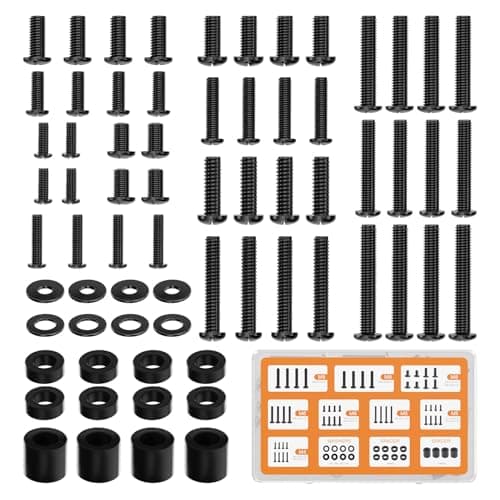
WALI Universal Mounting Hardware Set (M4, M5, M6, M8)
Arms ship with one length of screw. Thick panels, recessed VESA patterns and curved backs regularly need a longer thread or a spacer, and a mixed M4 to M8 kit turns a half-finished install into a ten-minute job.
#ad · Live prices from the Amazon Product API, as of October 23, 2026. Where we have no verified live price we show none. We may earn a commission, at no extra cost to you.
How we picked
We do not run a testing lab
We compiled the published manufacturer specifications, did the ergonomics, VESA and desk-depth math ourselves, and read aggregated owner reviews, then scored each product against a published rubric. The scores are judgments from documented research — they are not measurements we took, because we do not have a lab and we are not going to pretend we do. Every spec traces back to a listing or manual named in Sources.
Questions
Frequently asked
What monitor setting reduces eye strain the most?+
Brightness, matched to the room rather than turned up. After that, screen height — top of the panel at or just below eye level — and distance, around an arm’s length. All three are free, and they move the needle further than any blue-light mode.
Does flicker-free actually matter?+
For some people, yes, and it costs nothing to filter for. Backlights that dim by switching rapidly on and off are hardest on the eyes at low brightness, which is the setting you want in the evening. A flicker-free panel dims by reducing current instead. Every monitor on this page publishes the feature; four of the five carry a TUV certificate naming it.
Is a matte or glossy screen better for eye strain?+
Matte, if there is a window or a lamp behind you, because it diffuses the reflection instead of mirroring it. Glossy panels look punchier in a controlled dark room. The BenQ PD2725U publishes “Matte” as its coating, and all three ProArt panels publish “Anti-Glare” as the display surface.
Is 4K better than 1080p for eye strain?+
At the same screen size, yes — not because of the resolution itself but because letter edges are sharper, so you stop leaning in to read. 1080p over 27 inches is about 82 pixels per inch; 4K over the same panel is about 163.
Do blue light glasses work better than a low blue light monitor?+
The published evidence for blue-light filtering of either kind improving comfort is modest. Both are cheap enough to try, but if your eyes hurt at the end of a working day, start with brightness, glare and screen height, which have much better support.
Does a higher refresh rate help with eye strain?+
Not directly. Refresh rate changes how smooth motion looks; flicker is a backlight-dimming behavior and is separate. A 100Hz flicker-free panel and a 60Hz flicker-free panel are equally steady.
Which monitor on this list is best for working at night?+
The BenQ PD2725U, because BenQ publishes the lowest typical brightness here (250 nits) and a matte coating. The GW2790 is the alternative if you want the screen to track the room automatically — its Brightness Intelligence Gen2 sensor adjusts brightness and color temperature as the light changes.
Receipts
Sources
We do not run a testing lab, and we do not pretend to. Specifications come from the manufacturer or retailer listing; the footprint and clearance math is ours and reproducible. Where we could not verify a number, we say so on the page rather than quietly leaving it out. Read our full method.